

Ultimate Member plugin offers a comprehensive solution for WordPress users seeking to enhance their websites with community-building features. Let’s explore the functionality of Ultimate Member, examining how it enables site owners to facilitate user interactions, streamline profile management, and cultivate online communities. Ultimate Member is a valuable tool for those looking to enrich their WordPress sites with community centric functionalities.

Quick Links
Ultimate Member
Ultimate Member is a WordPress plugin designed to simplify the creation of member-based websites. Whether you aim to establish an interactive online community or offer exclusive content accessible only to registered members, Ultimate Member provides a comprehensive solution.
This plugin boasts modern front-end user-facing UI components coupled with no-code admin settings, ensuring effortless website customization to suit your needs.
Built for WordPress and open-source, the core plugin is entirely free. There are paid extensions available for those requiring extra features.
Features of Ultimate member
1. User Registration: Ultimate Member streamlines the user registration process by offering extensive customization options for registration forms. You can tailor these forms to include a variety of fields such as name, email, bio, profile picture, social media links, and more.
This flexibility enables you to gather specific information from users during registration, ensuring that your community profiles are rich and informative. Whether you’re creating a simple registration form or a detailed profile setup, Ultimate Member empowers you to craft a user experience that aligns with your website’s objectives and audience preferences. Here is an example of registration page.

2. Profile Creation: It empowers users to effortlessly create and manage their profiles, providing a seamless experience for personalization and customization. Once registered, users can easily edit their information, upload avatars, and personalize their profiles according to their preferences. This intuitive interface fosters user engagement and encourages members to actively participate in shaping their online identity within the community.
Whether it’s updating contact details, adding personal descriptions, or showcasing their unique personality through profile customization, Ultimate Member ensures that users have full control over their online presence.

3. Member Directories: Ultimate Member simplifies the process of creating member directories, enhancing the user experience by enabling visitors to browse and search through registered users based on specific criteria. With customizable profile fields, users can be categorized and filtered, allowing for easy identification of like-minded individuals within the community.
Whether users are seeking professionals in a particular industry, individuals with shared interests, or contributors with specific expertise, the member directory functionality of Ultimate Member facilitates seamless connections and fosters meaningful interactions among community members.
4. Groups: Ultimate Member extends its functionality by incorporating group features, providing users with enhanced community engagement opportunities. With group functionality, users can create and join specialized communities within the larger platform, fostering deeper connections based on shared interests or objectives. These groups serve as dedicated spaces for discussions, collaborations, and networking, allowing members to interact with like-minded individuals in a focused environment.
Administrators have the flexibility to customize group settings, manage memberships, and moderate group activities, ensuring a cohesive and engaging experience for all participants. Whether users are joining professional networks, hobbyist groups, or special interest communities, Ultimate Member’s group features enrich the overall user experience and promote active participation within the platform. Although you need to install group plugin extension.

5. Forums: It further enriches its feature set by incorporating forum functionality, enhancing the platform’s capabilities for community interaction and collaboration. With integrated forums, you can engage in discussions, share insights, and seek advice within dedicated discussion threads. These forums serve as centralized hubs for knowledge sharing, allowing members to exchange ideas, ask questions, and connect with peers on topics of mutual interest.
Administrators can moderate forum activities, manage categories, and enforce community guidelines to maintain a constructive and welcoming environment. Whether you are seeking professional advice, seeking support, or simply engaging in casual conversations, forum features facilitate meaningful interactions and foster a sense of community within the platform.

6. Friends and followers: It enriches user engagement and networking opportunities by introducing friend and follower functionality to the platform. With the ability to add friends and followers, users can expand their social networks and cultivate meaningful relationships within the community.
Friends: Users can establish personal connections by sending and accepting friend requests. Once connected, friends can interact more closely, exchange private messages, share content, and collaborate on projects. This feature fosters camaraderie and facilitates direct communication between users who share common interests or affiliations.
Followers: In addition to making friends, users can also attract followers who are interested in their activities or content. By allowing users to follow each other, Ultimate Member promotes visibility and encourages community engagement. Followers can stay updated on the latest updates, posts, and activities of the users they follow, fostering a sense of connection and interest within the community.

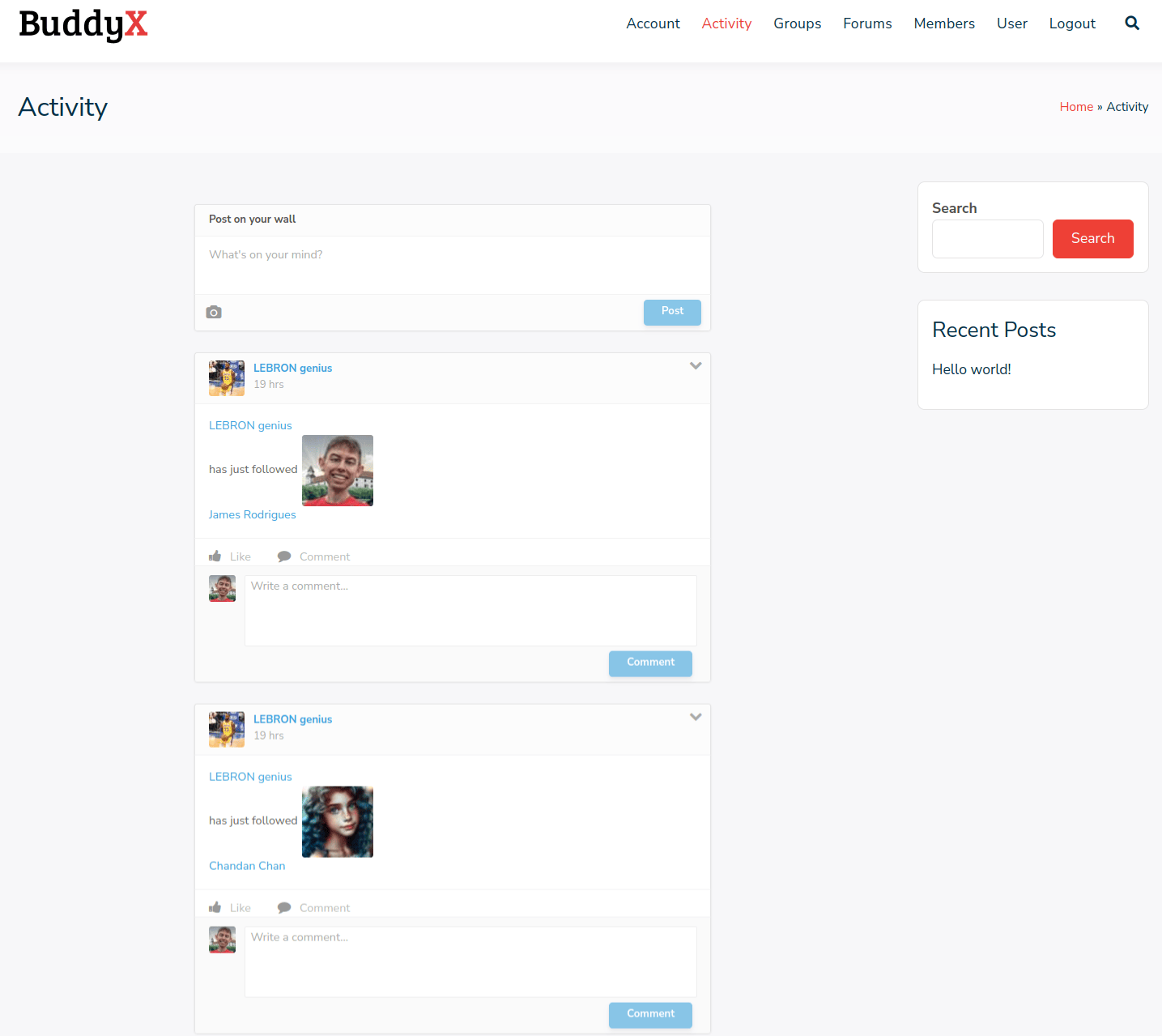
7. Social Activity: It enhances community engagement and interaction by introducing social activity functionality to the platform. With social activity feeds, users can stay updated on the latest actions and interactions within the community in real-time.
Activity Feeds: Users have access to personalized activity feeds that display a chronological stream of updates, including new posts, comments, likes, friend requests, and more. This feature allows users to stay informed about the latest community activities and engage with content and interactions that interest them.
User Interactions: Users can interact with activity feed items by liking, commenting, and sharing posts, fostering dynamic conversations and connections within the community. Additionally, users can mention and tag other members in their posts, encouraging collaboration and communication between users.
8. Email Notifications and Communication: Ultimate Member offers built-in email notification functionality to keep users informed about account activities, such as registration confirmation, password resets, and profile updates.
Site administrators can customize email templates and triggers, ensuring seamless communication with members and enhancing user engagement.
9. Social Login Integration: The plugin supports integration with popular social media platforms, allowing users to register and log in using their existing social media accounts.
Social login enhances user convenience and encourages higher registration rates while simplifying the login process for returning users.
10. User Activity Tracking: Ultimate Member provides tools to track user activity and engagement within the community, including login frequency, profile updates, forum participation, and content contributions.
Site administrators can analyze user behavior to identify trends, measure community engagement, and tailor their strategies to improve user retention and satisfaction.
Installation

1. Login to your WordPress site admin: Access your WordPress site’s admin dashboard.
2. Go to Plugins: On the left side of the dashboard, you’ll find a menu. Click on “Plugins”.
3. Add New Plugin: At the top of the Plugins page, click on “Add New”.
4. Search for Ultimate Member: In the search field, type “Ultimate Member” and press Enter.
5. Install Ultimate Member: In the search results, find “Ultimate Member” and click on “Install Now”.
6. Activate the Plugin: Once the installation is complete, click on “Activate” to activate the plugin.
Pros and Cons
Pros:
1. User-Friendly Interface: Ultimate Member features an intuitive interface that makes it easy for both site owners and members to navigate and utilize its features.
2. Extensive Customization Options: The plugin offers a wide range of customization options, allowing you to tailor user registration forms, profile layouts, and member directories to match your website’s branding and requirements.
3. Active Development and Support: The Ultimate Member team regularly updates the plugin with new features, bug fixes, and security patches. They also provide responsive support through their forums and documentation.
Cons:
1. Learning Curve: While Ultimate Member is relatively user-friendly, setting up complex membership structures and customizing advanced features may require some learning and experimentation.
2. Performance Impact: Depending on your website’s size and server resources, running Ultimate Member alongside other resource-intensive plugins or extensions may impact site performance.
Final Thoughts
Ultimate Member stands out as a comprehensive solution for creating and managing online communities and membership sites within the WordPress ecosystem. Its extensive feature set, customization options, and seamless integration make it a versatile tool for building vibrant and engaging online platforms tailored to specific audiences and objectives. Whether you’re launching a new community initiative, expanding an existing membership site, or fostering collaboration among like-minded individuals, Ultimate Member provides the essential tools and flexibility to bring your vision to life.
Interesting reads:

