

Online communities have become essential spaces for connection, collaboration, and conversation. But with the freedom of expression that comes with these platforms, there is also a need for content filters and control to ensure a safe and welcoming environment for all users. Wbcom Designs offers a powerful solution with their BuddyPress Profanity plugin, designed to maintain a safe and respectful environment is crucial for fostering positive interactions and ensuring that members feel comfortable and welcomed. Let’s explore the features and benefits of the BuddyPress Profanity Plugin, helping you maintain a high standard of communication within your community.

Quick Links
What is the BuddyPress Profanity Plugin?
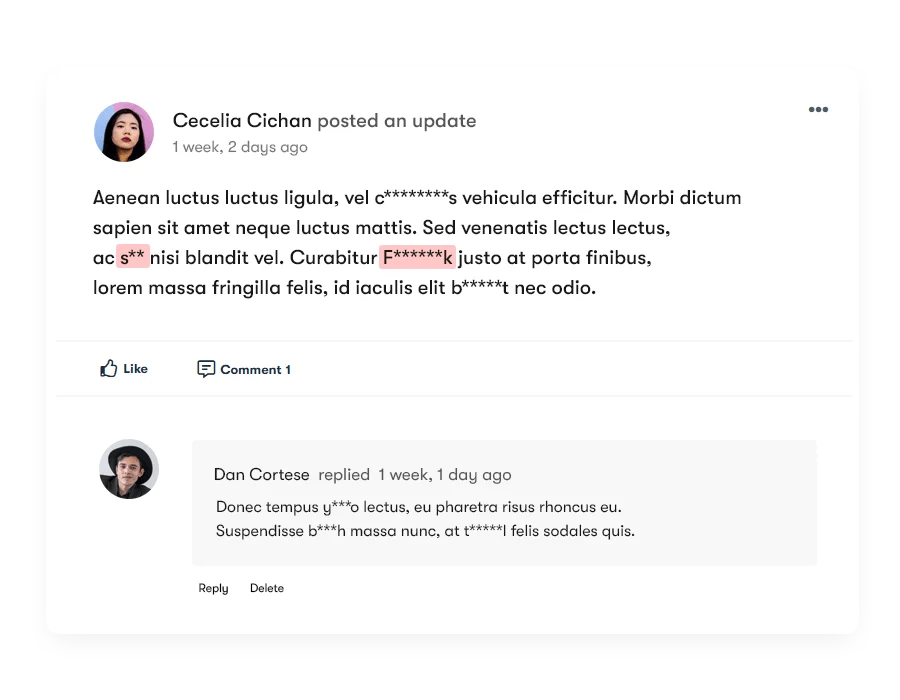
The BuddyPress Profanity plugin helps you to keep your BuddyPress community safe and secure. You can use it to filter and replace inappropriate keywords in your community, making it more welcoming to everyone.
It lets you quickly restrict words in your BuddyPress activity updates, BuddyPress activity comments, BuddyPress private messages, and much more. The BuddyPress Profanity Filter offers various options that enable you to effortlessly manage and censor content within your community.
Key Features of the BuddyPress Profanity
1. Customizable Profanity Filters: The plugin allows administrators to set specific keywords and phrases that should be censored. You can enter a list of inappropriate words in the settings, and the plugin will automatically filter these words across your community.
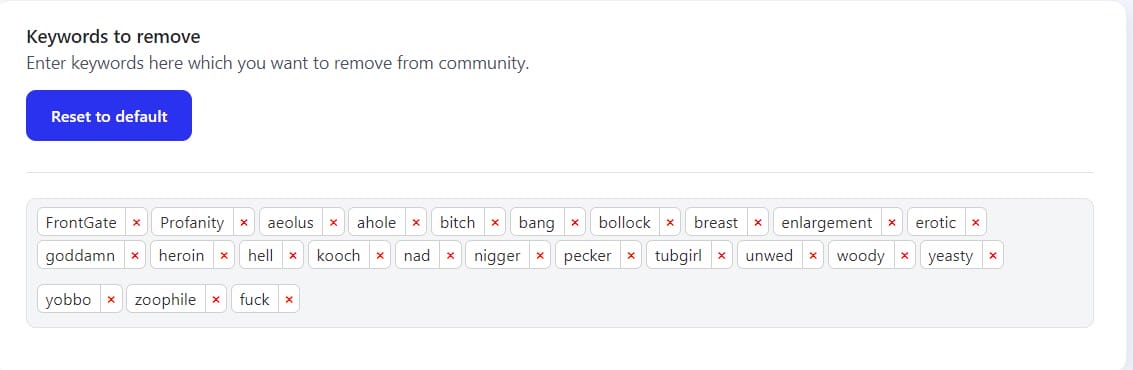
2. Content Filtering Across Multiple Components: You can choose which types of content to filter using the profanity settings. The plugin provides options for filtering:
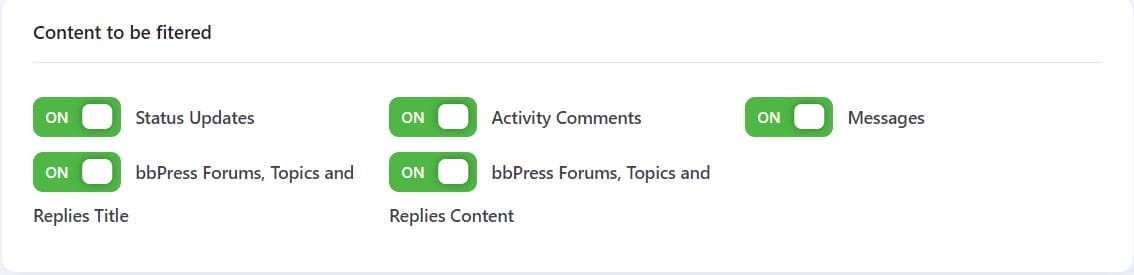
- Status Updates
- Activity Comments
- Messages
- bbPress Forums, Topics, and Replies Title
- bbPress Forums, Topics, and Replies Content
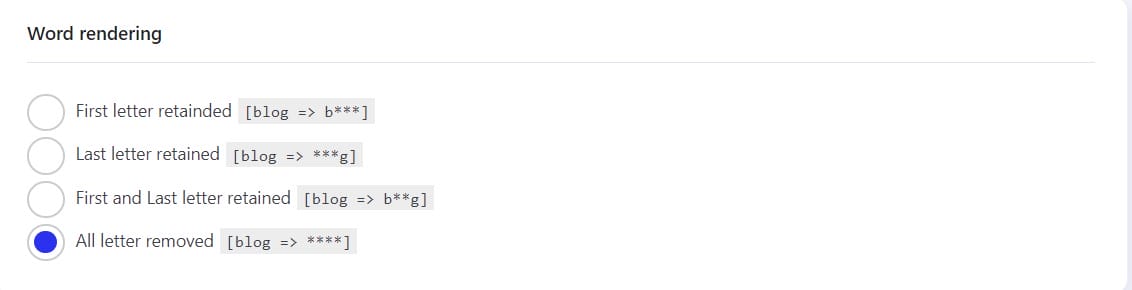
3. Multiple Word rendering: The Word Rendering option allows you to select the pattern in which the profanity will be displayed in the community’s posts or comments.
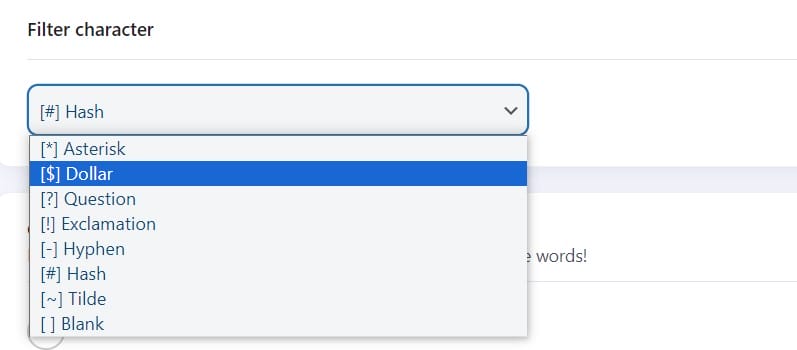
4. Filter Character: This option allows you to select the character that will replace the letters of keywords and will be displayed in the community’s posts or comments.
5. Strict filtering: Strict Filtering has two modes
- Of: This mode does not filter the embed keywords.
- On: This mode filters out the embed keywords
Flexible options include advanced control over content such as strict/non-strict filtering. Flagged keywords that are embedded in whole words can be ignored. For example ‘Profanity’ will be ignored if you have ‘fan’ as a flagged keyword. Otherwise, with strict filtering OFF, it will appear as ‘Pro***ity’.
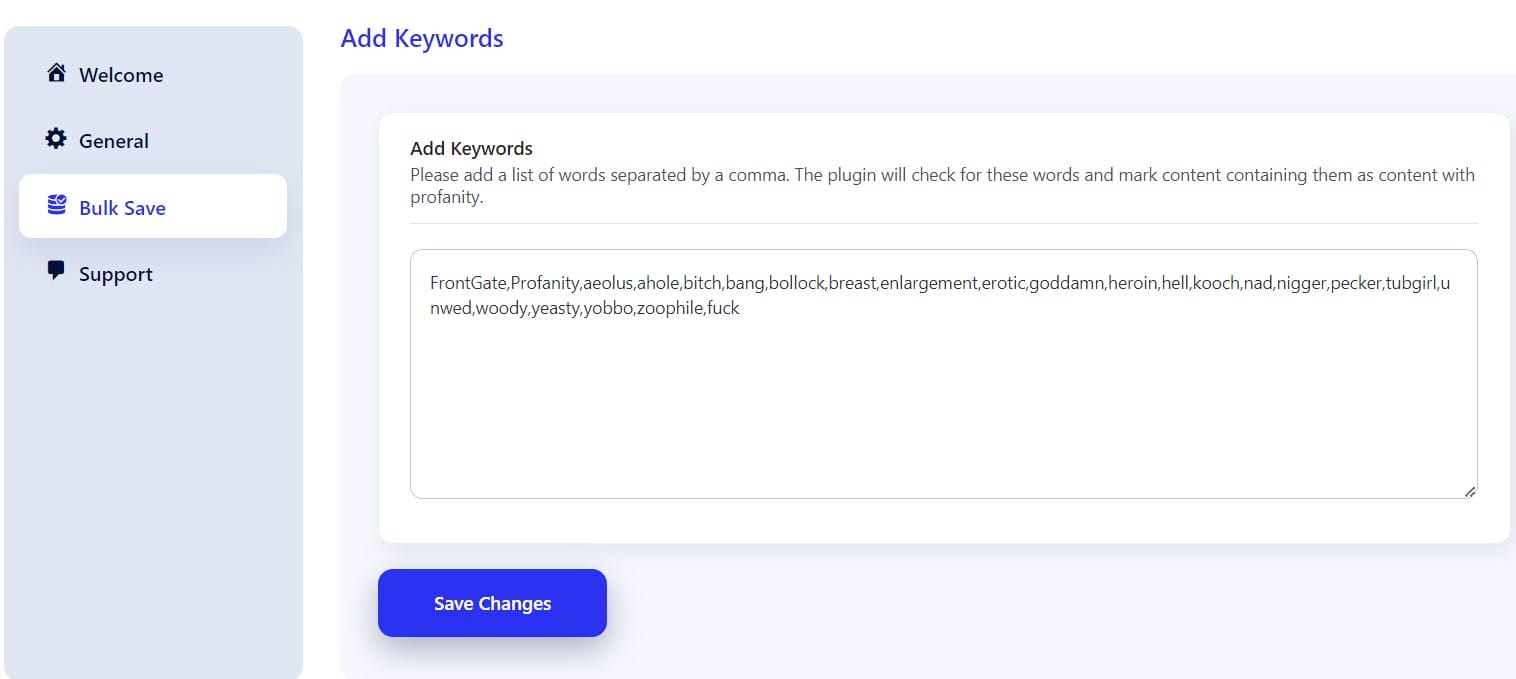
6. Bulk Keyword Management: You can easily manage a large list of offensive words by using the bulk save feature. Simply enter a list of words separated by commas, and the plugin will take care of the rest.
Benefits of a Safe Community
1. Maintains a Respectful Environment: By automatically filtering out offensive language, the plugin helps maintain a respectful and inclusive environment for all community members.
2. Protects Your Community’s Reputation: Ensuring that inappropriate content is not visible helps protect the reputation of your community and brand.
3. Reduces Moderator Workload: The automated filtering reduces the need for manual content moderation, freeing up time for administrators and moderators to focus on other tasks.
4. Enhances User Experience: By keeping discussions clean and respectful, the plugin enhances the overall user experience, making your community a more pleasant place to interact.
5. Reduced Administrative Burden: Using automated content filtering, administrators can focus on fostering engagement rather than policing conversations.
Ensuring a Safe and Respectful Community
The BuddyPress Profanity is an essential tool for any BuddyPress-powered website looking to maintain a high standard of communication. By offering customizable filtering options and real-time content moderation, the plugin helps keep your community safe, respectful, and welcoming for all members. Whether you’re running a large social network or a small community forum, the BuddyPress Profanity Plugin provides the tools you need to manage content effectively and protect your online space.
Interesting Reads:
Best AI Tools for HR Management

