
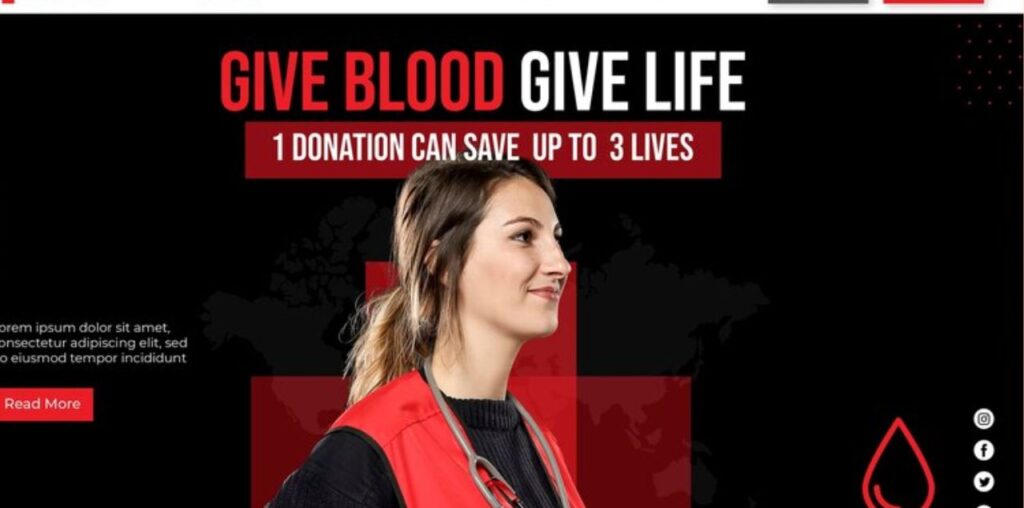
Emergency services websites play a critical role in providing timely, accurate information to the public, especially during crises. Whether it’s a fire department, ambulance service, disaster response organization, or police department, an effective website can be a valuable tool in supporting emergency response efforts, coordinating resources, and keeping communities informed. With WordPress, you can create a powerful, professional, and responsive website that offers the features necessary for emergency services without a large budget.
Here’s a list of the 10 best free WordPress themes tailored for emergency services, offering customizable layouts, responsive designs, and compatibility with essential plugins. We’ve placed BuddyX at the top for its flexibility, community-building features, and ability to integrate seamlessly with various plugins. Each theme on this list supports essential functionalities, ensuring emergency services can communicate and serve their communities effectively.

Quick Links
10 Best Free WordPress Themes for Emergency Services Websites
1. BuddyX – Multipurpose Community Theme for Emergency Services

BuddyX is an incredibly versatile theme that works well for emergency service websites that need both functional and community-driven features. With BuddyX, organizations can create a website that allows easy communication, resource sharing, and event management. Compatible with WooCommerce for donation or payment options, BuddyPress for fostering communication, and Gravity Forms for custom contact forms, BuddyX is ideal for emergency response teams needing to relay important information quickly and connect with their communities.
Key Features of BuddyX:
- Integration with WooCommerce, BuddyPress, and Gravity Forms for donations and community-building
- Fully responsive, SEO-friendly design
- Customizable layouts for branding and service areas
- Multilingual support with WPML and Polylang compatibility
2. Neve
Neve is a lightweight, fast-loading theme perfect for professional websites, including emergency services. It’s highly customizable with page builder support, allowing emergency services to create custom layouts that highlight essential information, news updates, and emergency contacts. Neve also integrates with WooCommerce, making it useful for fundraising or donations.
Key Features:
- Lightweight and responsive, ensuring quick loading times
- Compatible with Elementor for custom layouts
- WooCommerce-ready for managing donations
Download Neve
3. Rishi
Rishi is a modern theme optimized for performance, ideal for emergency services that need a fast, reliable website. It supports Elementor for easy customization and WooCommerce for donation functionality. Rishi’s responsive design makes it accessible on any device, which is crucial for visitors during emergencies.
Key Features:
- Lightweight and performance-optimized
- Elementor-compatible for flexible page building
- WooCommerce integration for donations and support
Download Rishi
4. Hestia
Hestia is a sleek, one-page theme that’s perfect for emergency services that want a simple yet impactful website. It includes WooCommerce compatibility, which is useful for managing donations or fundraisers, and its responsive design ensures it’s accessible on mobile devices during critical times.
Key Features:
- One-page layout with parallax scrolling
- Mobile-friendly and SEO-optimized
- WooCommerce-ready for handling donations
Download Hestia
5. Zakra
Zakra is a multipurpose theme that works well for emergency service websites, offering a clean and professional layout. It’s optimized for search engines, and WooCommerce support allows organizations to manage donations and resources effectively.
Key Features:
- Lightweight and SEO-friendly
- Compatible with Elementor for custom designs
- WooCommerce support for managing donations
Download Zakra
6. Business Point
Business Point is designed for professional websites, making it a good fit for emergency services. With customizable layouts, WooCommerce support, and a responsive design, Business Point helps emergency teams provide critical information and manage online donations effectively.
Key Features:
- Business-oriented design with customizable layouts
- WooCommerce-ready for handling donations
- SEO-friendly and fully responsive layout
Download Business Point
7. Shapely
Shapely is a simple, one-page theme that’s suitable for emergency services. It offers sections for important updates, client testimonials, and service listings. Shapely is WooCommerce-compatible, allowing emergency organizations to manage donations seamlessly.
Key Features:
- One-page layout for quick navigation
- WooCommerce compatibility for donations
- Responsive and SEO-optimized
Download Shapely
8. Professional Lite
Professional Lite is a minimalist theme designed for business and professional websites. It’s perfect for emergency services that need a clean, effective layout to provide timely information. WooCommerce support allows for easy handling of donations or resource sales.
Key Features:
- Minimalist design suited for professional services
- WooCommerce-ready for payment processing
- Fully responsive and optimized for SEO
Download Professional Lite
9. Responsive
Responsive is a flexible theme that can easily be adapted for emergency service websites. It’s WooCommerce-compatible and includes customizable templates, making it easy to design a unique site that shares emergency alerts and vital information.
Key Features:
- Responsive design for all devices
- WooCommerce support for donations and resources
- Customizable templates for a unique look
Download Responsive
10. Rara Business
Rara Business is tailored for business and professional services, including emergency organizations. It includes sections for services, testimonials, and WooCommerce support, which is helpful for managing donations and providing resource access.
Key Features:
- Professional design with customizable layout options
- WooCommerce-ready for handling donations
- Fully responsive and SEO-optimized
Download Rara Business
Key Features Every Emergency Services Website Should Include
An effective emergency services website must be accessible, functional, and user-friendly, providing vital information to the public at any time. Here are essential features that should be included in any emergency services website:
- Real-Time Updates and Alerts: The ability to publish real-time alerts about ongoing emergencies, safety warnings, or weather-related advisories is crucial. Plugins that allow for dynamic updates or breaking news banners can be valuable here.
- Contact Information: Displaying easy-to-find contact information, including phone numbers, emails, and addresses, ensures that the public can reach emergency services quickly. Consider placing this information in the header and footer of every page.
- Donations and Fundraising: Many emergency services rely on public donations. Using WooCommerce or a dedicated donation plugin helps agencies manage contributions easily, which is especially useful for non-profits or volunteer-based services.
- Event Management and Calendars: Emergency services often organize training sessions, community safety events, or workshops. Integrating a calendar plugin like The Events Calendar makes it easy to manage and promote these events.
- Resources and Safety Information: Having a dedicated section for safety guides, emergency procedures, and downloadable resources (such as evacuation plans or first aid guides) empowers the public with critical information.
- Multilingual Support: Accessibility to different language-speaking groups is essential, especially during emergencies. Having multilingual support via plugins like WPML or Polylang ensures that language barriers do not impede critical communication.
- Mobile Responsiveness: Many people access emergency information on mobile devices, so it’s important that the website is fully responsive. Mobile-friendly layouts ensure that essential information is easily viewable on any device.
- Community Interaction: For emergency services, building a sense of community can foster trust and engagement. BuddyPress integration allows for forums or discussion boards where community members can connect, share information, and ask questions.
- SEO and Local Visibility: Optimizing for search engines and using local SEO practices can help ensure that people in your area find your emergency services website quickly, especially when searching for urgent help.
- Social Media Integration: Social media is often one of the first sources of information during emergencies. Social sharing buttons and embedded social media feeds ensure that important updates reach the public as widely as possible.

Building a Reliable Emergency Services Website
An effective emergency services website requires thoughtful design and functionality to ensure accessibility and responsiveness. From donation management to real-time alerts, the themes listed above provide essential features to support the needs of emergency service organizations.
BuddyX leads the pack as a versatile, feature-rich option for creating a dynamic, responsive website that builds community and keeps the public informed. With WooCommerce, BuddyPress, Gravity Forms, and multilingual support, BuddyX enables emergency services to create an engaging and functional website that serves as a lifeline to the community.
Explore these themes to find the one that best fits your emergency service needs, and build a powerful online presence that helps keep your community safe, informed, and prepared.
FAQs for Building an Emergency Services Website
When building a website for emergency services, several questions often arise. Here are some common FAQs that can help you better understand the process, essential features, and how to create an effective emergency services website.
1. What features are essential for an emergency services website?
An emergency services website should prioritize real-time updates, contact information, donation options, event management, and accessibility. Features like responsive design, multilingual support, community interaction, and social media integration are also essential to ensure that critical information reaches the public quickly and effectively.
2. How can I display emergency alerts on my website?
There are several plugins available for displaying real-time alerts and notifications on WordPress sites. Options like Simple Notices or AlertMe can help you create alert banners that notify visitors of ongoing emergencies, important updates, or advisories directly on the homepage or every page of your site.
3. Can I collect donations directly through my website?
Yes, using WooCommerce or a dedicated donation plugin, you can set up a secure payment system on your emergency services website. This feature is particularly useful for non-profits or volunteer emergency services that rely on community donations.
4. How do I keep the website accessible on mobile devices?
Choosing a mobile-responsive theme is the best way to ensure your website is accessible on any device. All the themes listed above are fully responsive, meaning they automatically adjust for different screen sizes. This is crucial for emergency services, as many people access urgent information on their smartphones.
5. How can I make my website accessible in multiple languages?
Multilingual plugins like WPML or Polylang allow you to create translations for your website, making it accessible to different language-speaking communities. This is particularly important for emergency services websites serving multicultural communities, as it ensures language barriers do not hinder access to critical information.
6. Is it possible to integrate social media on an emergency services website?
Yes, you can easily integrate social media feeds or sharing buttons on your website. Embedding live social media feeds or using sharing plugins like Smash Balloon ensures that important updates can be widely distributed across social platforms, reaching more people in times of crisis.
7. What is BuddyX, and why is it recommended for emergency services?
BuddyX is a highly customizable and versatile WordPress theme that supports essential features like WooCommerce for donations, BuddyPress for community building, and The Events Calendar for managing public events. These features make BuddyX a top choice for emergency services looking to establish an interactive, informative, and responsive website.
8. How can I improve local SEO for my emergency services website?
Improving local SEO involves using keywords specific to your area and service type. Including location-based terms in your content, headings, and metadata helps search engines recognize the site’s relevance to local searches. Adding your address, Google Maps integration, and contact information prominently on the site further enhances local visibility.
9. Can I use WordPress for handling sensitive information securely?
Yes, WordPress can be secure if properly managed. To ensure data security, use trusted plugins, keep themes and plugins updated, use SSL encryption, and enable security plugins like Wordfence. However, for highly sensitive information, consult a developer to implement the most secure practices.
10. How do I update my website quickly during an emergency?
With WordPress, you can use a CMS dashboard to quickly post new information. Use alert plugins for banner notifications, and connect the website to social media accounts for automatic updates. Pre-prepared templates or announcements can also speed up the posting process during critical times.
Interesting Reads:
Best Free WordPress Themes for Agencies
Best Free WordPress Themes for Bank and Financial Institution Websites
Best WordPress Themes for Concerts in 2024: Building a Standout Event Website

