

TeamViewer is one of the most popular remote access tools used for IT support, remote control, screen sharing, and cross-platform device management. According to market research, TeamViewer holds over 30% of the global remote desktop software market share, with more than 600,000 companies worldwide relying on it for remote connectivity. For those exploring more options or looking for different pricing and features, several TeamViewer alternatives are available to suit various needs.
However, many users are now looking for alternatives due to high pricing for commercial use, session timeouts on the free plan, licensing complexities, and concerns about performance or security in large deployments. Surveys show that nearly 45% of small businesses find TeamViewer’s pricing challenging, while 1 in 3 IT admins report occasional performance issues in large-scale environments.
Whether you are a solo tech support agent, a remote worker, or part of a corporate IT department, several top TeamViewer alternatives offer similar features—often at a lower cost, with simpler licensing, and in some cases, more specialized enterprise support.

Quick Links
What are the limitations of TeamViewer Free?
TeamViewer’s free version is designed for personal, non-commercial use and comes with several limitations. Users may experience session timeouts after a certain period, restrictions on file transfer sizes, and limited access to advanced features such as multi-user support or remote printing. Additionally, the free plan does not include priority support, and commercial or business use is prohibited, which can trigger account restrictions if detected.
Top TeamViewer Alternatives to Consider
If you’re searching for reliable remote access solutions beyond TeamViewer, there are plenty of options that offer similar features, often at lower cost or with simpler licensing. Below is a curated list of the top TeamViewer alternatives suitable for personal use, small businesses, and enterprise IT teams.
1. AnyDesk

AnyDesk is a fast, lightweight remote desktop application that rivals TeamViewer in speed and usability. It offers high performance with low latency, is portable with no installation needed, and is free for personal use while remaining affordable for businesses. AnyDesk supports multiple platforms, including Windows, macOS, Linux, Android, and iOS.
Best for: Users needing a fast and responsive remote desktop tool with flexible plans.
2. Chrome Remote Desktop
Chrome Remote Desktop is a completely free remote access tool from Google, available as a browser extension. It allows one-click access via the Chrome browser and provides easy setup using a Google account. No software installation is required except for the browser plugin, though it is limited to basic remote control and support.
Best for: Casual users and individuals needing quick, no-frills remote access.
3. RemotePC by IDrive
RemotePC by IDrive is a robust remote desktop tool offering enterprise-grade features at competitive pricing. It provides always-on remote access, file transfer, chat, multi-monitor support, and secure AES-256 encryption. Plans start under $30/year, making it accessible for small businesses, freelancers, and teams.
Best for: Small businesses, freelancers, and teams on a budget.
4. Splashtop
Splashtop is a remote desktop solution designed for both IT support and business professionals. It offers high-quality audio/video streaming, multi-user remote access, remote support tools with unattended access, and compliance with GDPR, HIPAA, and SOC 2 standards.
Best For: Businesses needing secure, scalable remote access with strong compliance standards.
Also Read: Top 10 Venn Software Alternatives and Competitors for Secure Remote Work Environments
5. Microsoft Remote Desktop
Microsoft Remote Desktop is built into Windows and allows remote access over local networks or the internet with proper configuration. It is free and native for Windows Pro or Enterprise, secure when set up via VPN or RDP Gateway, but requires a static IP or port forwarding for external access.
Best for: Windows users and system administrators managing internal networks.
6. UltraVNC
UltraVNC is a free, open-source remote control software with advanced customization options. It supports file transfer, clipboard synchronization, and encryption plugins, though it requires more manual setup than modern tools. It is Windows-focused, with viewer apps available for other operating systems.
Best for: Advanced users comfortable with manual network configurations.
7. ConnectWise ScreenConnect (formerly ScreenConnect)
ConnectWise ScreenConnect is a professional remote support tool tailored to IT service providers and help desks. It offers branding and white-label options, session recording, diagnostics, and script execution, and integrates seamlessly with the ConnectWise ecosystem. It is scalable for MSPs and IT teams.
Best for: IT pros and support businesses looking for deep customization and control.
8. Zoho Assist
Zoho Assist is a cloud-based remote support and access solution with a generous free tier. It allows instant support sessions or unattended access, works across all major operating systems and browsers, and includes built-in file transfer and reboot capabilities. The free tier is available for one technician with basic features.
Best for: Startups and remote teams needing support with minimal cost.
9. DWService
DWService is a completely free and open-source web-based remote access platform. Users can access remote machines via a browser, either by installing an agent or using a temporary session code. The platform is fully open-source and donation-supported.
Best for: Privacy-conscious users and developers looking for open-source alternatives.
Also Read: Building a Best Remote Work Professionals Network Community Website In 2025
10. RustDesk
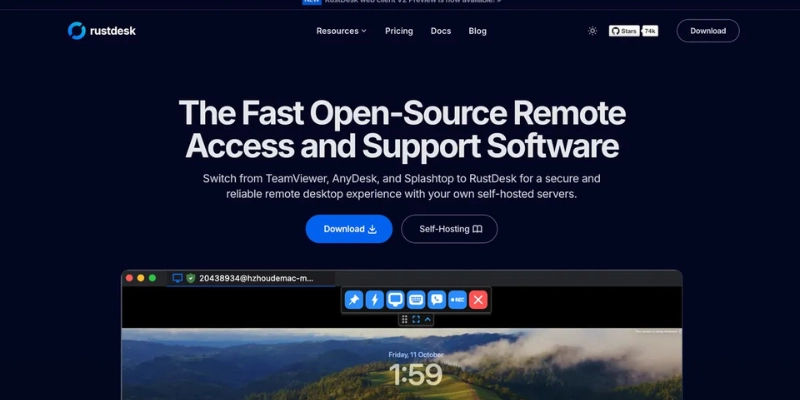
RustDesk is a free, open-source remote desktop tool often called the “open-source TeamViewer.” It can be self-hosted for full data control, uses peer-to-peer connections by default, provides end-to-end encryption, and supports multiple platforms, including Windows, macOS, Linux, Android, and iOS.
Best for: Developers, self-hosters, and businesses wanting full control over infrastructure.
TeamViewer Alternatives Comparison Table
| Tool | Free Version | File Transfer | Self-Hosted Option | Cross-Platform | Best For |
| AnyDesk | Yes | Yes | No | Yes | Fast, responsive sessions |
| Chrome Remote Desktop | Yes | No | No | Yes | Quick personal use |
| RemotePC | Yes (trial) | Yes | No | Yes | Affordable business plans |
| Splashtop | Yes (limited) | Yes | No | Yes | High-quality business access |
| Microsoft RDP | Yes | Yes (local) | No | Windows only | Internal network remote access |
| UltraVNC | Yes | Yes | Yes (advanced) | Mostly Windows | Advanced, manual configuration |
| ConnectWise Control | No | Yes | Yes | Yes | MSPs and large IT support teams |
| Zoho Assist | Yes | Yes | No | Yes | Freelancers and small teams |
| DWService | Yes | Yes | Yes (optional) | Yes | Open-source, privacy-first |
| RustDesk | Yes | Yes | Yes | Yes | Secure, open-source remote access |

Finding the Right TeamViewer Alternative for You
Selecting the best remote access tool depends on your specific requirements. AnyDesk and RemotePC are excellent choices for those seeking fast, affordable, and reliable commercial-grade solutions. For individuals or casual users, Chrome Remote Desktop offers a simple, no-install setup for quick access. Businesses running IT support teams or managed service providers may prefer Splashtop, Zoho Assist, or ConnectWise for their advanced features and scalability.
If you prioritize full control, privacy, and customization, open-source options like RustDesk and DWService provide secure, flexible solutions that can be tailored to your infrastructure.
Interesting Reads:
The Ultimate Beginner’s Guide to Schema Markup

