
If you’ve ever thought about creating and selling online courses, chances are you’ve come across
LifterLMS, one of the most popular WordPress learning management system (LMS) plugins. With the global eLearning market expected to hit $350 billion by 2030, course creators are actively
searching for reliable platforms to deliver professional, engaging, and profitable learning experiences.
That’s why many educators start with a clear LifterLMS review to see if it fits their goals.
Choosing the right LMS is critical—it can be the difference between a smooth, scalable online school and
a frustrating, pieced-together system. A solid LMS doesn’t just host your lessons; it helps you manage
students, track progress, sell memberships, and even automate marketing. For entrepreneurs, educators, and coaches, this decision directly impacts student satisfaction and revenue growth, so a thoughtful
review is an important step before you commit.

This is where LifterLMS often stands out. Known for its all-in-one approach, the plugin combines course creation, membership management, gamification, and eCommerce functionality—without requiring dozens of add-ons. But with so many LMS options like LearnDash, Tutor LMS, and Sensei competing in the market, the real question is: Is LifterLMS worth it in 2025?
Quick Links
What is LifterLMS?
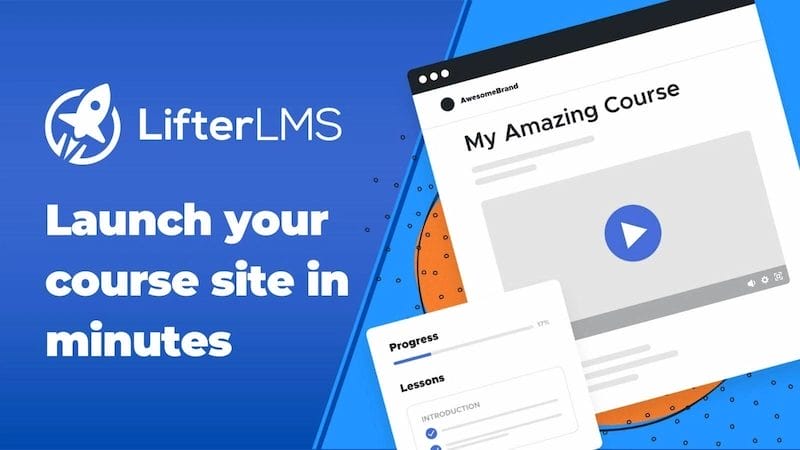
Launched in 2014, LifterLMS was built specifically for WordPress users who want an all-in-one solution for course creation, memberships, and student engagement. Unlike standalone platforms like Teachable or Thinkific, it integrates directly into your WordPress site, giving you full control over your branding, hosting, and content.
This plugin is designed for:
- Educators who want to bring their classes online.
- Coaches and consultants are selling training programs.
- Entrepreneurs creating digital products and courses.
- Institutions or schools that want a flexible, scalable LMS.
Compared to other plugins like LearnDash or Tutor LMS, LifterLMS is unique because it combines LMS + membership functionality in one system. That means you can create online courses and manage memberships without needing multiple tools.
Key Features of LifterLMS
When evaluating any LMS, features are the heart of the decision. In this section of our LifterLMS review, let’s dive into what makes it stand out.
1. Course Builder & Content Management
LifterLMS comes with a drag-and-drop course builder that makes structuring lessons easy. You can add modules, lessons, and multimedia content without touching code. For creators, this means you spend more time building engaging courses and less time wrestling with tech.
The builder also supports embedding video, audio, PDFs, and even downloadable resources to enrich the learning experience.
You can easily reorder lessons and modules, giving you full control to create a smooth, logical learning flow for your students.
2. Memberships & Access Control
Unlike many LMS plugins, LifterLMS has built-in membership features. You can create subscription plans, control who gets access to what, and even sell bundled courses. This is perfect if you want to offer premium tiers or create an ongoing membership site alongside your courses.
You can lock entire courses, specific lessons, or even community access behind membership levels.
This flexibility helps you build a long-term revenue model by mixing one-off courses with recurring memberships.
3. Quizzes & Assignments
Keeping students engaged requires more than just video lessons. LifterLMS allows you to add quizzes, assignments, and assessments. You can customize passing scores, question types, and even require completion of activities before moving on to the next module.
Quizzes can include multiple-choice, true/false, open-ended, and even timed formats for different learning styles.
Assignments can be submitted directly within the LMS, making it easy to manage grading and provide feedback in one place.
4. Student Engagement Tools (Certificates, Gamification, Emails)
To help learners stay motivated, LifterLMS includes features like achievement badges, course certificates, and automated emails. These elements add gamification, which studies show increases student completion rates by up to 60%.
Certificates can be fully customized with your branding, giving your courses a professional edge.
Automated emails can be triggered by course milestones, quiz results, or inactivity, keeping learners engaged throughout their journey.
5. eCommerce & Payment Gateways
Selling courses is simple with LifterLMS. It supports one-time payments, recurring subscriptions, and payment plans. You can connect with gateways like PayPal, Stripe, and Authorize.net, or integrate with WooCommerce for even more flexibility.
The built-in payment system means you don’t need a separate plugin to start making money.
With WooCommerce integration, you can also sell physical products, books, or branded merchandise alongside your courses.
6. Integrations with CRMs, Email Marketing, and Other Tools
LifterLMS integrates with popular CRMs and email marketing tools like Mailchimp, ConvertKit, ActiveCampaign, and WP Fusion. This means you can set up automated campaigns, nurture students, and track customer journeys seamlessly.
These integrations make it easy to segment students based on behavior, purchase history, or engagement.
You can also connect with Zapier, opening the door to thousands of other apps and automation possibilities.
Ease of Use & User Experience
One of the biggest concerns for new course creators is whether an LMS is beginner-friendly. LifterLMS strikes a good balance. Its drag-and-drop builder reduces complexity, and the dashboard is fairly intuitive. You don’t need coding knowledge to set up courses, memberships, or payment systems, which makes it accessible for non-technical users.
That said, compared to more plug-and-play solutions like Tutor LMS or Teachable, the learning curve is a bit steeper. Beginners may need some time to get comfortable, especially when dealing with integrations or advanced features. However, once you get the hang of it, the flexibility is worth it. The platform feels more like a professional toolkit than a simple “course upload” solution, which appeals to serious educators and entrepreneurs who want long-term scalability.
Another plus is that LifterLMS offers a large knowledge base, video tutorials, and an active community forum to support new users. If you prefer hands-on guidance, their paid support plans can save a lot of time. While the interface could benefit from some modernization, the level of control and customization it provides makes it a strong choice for those willing to invest a little extra learning time upfront.
Pricing & Plans
Pricing is often a deciding factor in choosing an LMS, so this LifterLMS review wouldn’t be complete without breaking it down.
- Free Core Plugin: You can install LifterLMS from the WordPress repository at no cost. It includes the course builder, membership features, and basic LMS tools.
- Individual Add-ons: Want payment gateways or advanced quizzes? You’ll need to purchase add-ons starting from around $120/year each.
- Universe Bundle ($360/year): Includes popular add-ons like PayPal, Stripe, advanced quizzes, and marketing integrations.
- Infinity Bundle ($1,200/year): Designed for scaling businesses, it includes everything in the Universe plan plus premium integrations, private coaching features, and advanced reporting.
Is it affordable? For small creators, the free version plus a few add-ons is budget-friendly. But for scaling businesses, the cost can add up quickly, especially compared to alternatives like Tutor LMS, which bundles more in its base package.
Pros and Cons of LifterLMS
Let’s weigh the pros and cons to give you a balanced view in this LifterLMS review.
Pros
1. Comprehensive course-building features: LifterLMS includes everything from a course builder and quizzes to certificates and student engagement tools, making it one of the most feature-rich LMS plugins.
2. Scalability with add-ons: As your online school grows, you can expand functionality by adding payment gateways, CRM integrations, or advanced reporting without switching platforms.
3. Membership + LMS in one solution: Unlike many competitors, LifterLMS combines course creation and membership management, saving you the hassle of extra plugins.
4. Active community and support: There’s a vibrant community of users and solid customer support, including detailed documentation and Facebook groups where you can connect with other educators.
Cons
1. Add-ons can get expensive: While the free core plugin is generous, essential features like payment gateways are locked behind paid add-ons, which can drive up costs.
2. Some features are locked behind bundles: The Infinity Bundle is pricey, and certain high-value features aren’t available unless you commit to it.
3. It may feel overwhelming for beginners: With so many settings and options, new users may face a steeper learning curve compared to simpler LMS plugins.
Who Should Use LifterLMS?
LifterLMS is best suited for:
- Solopreneurs and coaches selling online programs.
- Educators and trainers who want control over their courses.
- Online schools or institutions need scalable features.
- Membership site creators looking to combine community and learning.
On the other hand, if you’re a hobbyist or working with a very tight budget, other plugins like Tutor LMS or Sensei LMS may be easier to get started with.
LifterLMS Alternatives
No LifterLMS review is complete without comparing it to the competition. While LifterLMS offers powerful built-in membership features and scalability, some alternatives may be a better fit depending on your specific needs.
1. LearnDash
More polished in some areas, widely used by universities, but doesn’t include membership features out of the box. It shines when it comes to structured course delivery and robust quiz functionality. However, you’ll need third-party plugins or add-ons for memberships and advanced monetization.
2. Tutor LMS
Very beginner-friendly, affordable, and packed with features in its core plan. Its interface is clean, making it easier for first-time course creators to hit the ground running. That said, some advanced features like detailed reporting require premium upgrades.
3. Sensei LMS
Built by Automattic (the creators of WordPress), lightweight but not as feature-rich as LifterLMS or LearnDash. It integrates seamlessly with WooCommerce, making it a good option if your main goal is selling courses as products. However, it may feel too basic for educators seeking built-in engagement or gamification tools.
If you prioritize scalability and membership features, LifterLMS shines. But if you want simplicity or lower costs, Tutor LMS might be a better fit.
LifterLMS vs Competitors: Quick Comparison Table
| Feature / LMS | LifterLMS | LearnDash | Tutor LMS | Sensei LMS |
|---|---|---|---|---|
| Ease of Use | Moderate learning curve | Easy but requires add-ons | Very beginner-friendly | Simple, lightweight |
| Memberships | Built-in membership features | Requires third-party add-ons | Limited in the free version, better in Pro | Not built-in |
| Course Builder | Drag-and-drop | Structured, polished | Drag-and-drop | Basic |
| Student Engagement | Certificates, gamification, badges | Strong quizzes & assignments | Quizzes, assignments, certificates | Limited tools |
| eCommerce | Built-in + WooCommerce support | WooCommerce integration | WooCommerce integration | Deep WooCommerce integration |
| Integrations | CRMs, email tools, Zapier | Strong third-party ecosystem | Integrates with WooCommerce, Zoom, and CRMs | Works best with WooCommerce extensions |
| Best For | Membership sites & scalable learning businesses | Universities & structured learning | Beginners & budget creators | WooCommerce store owners adding courses |
Is LifterLMS Worth It?
So, after all the analysis, is LifterLMS worth your time and money? The answer is yes—for the right user.
If you’re serious about building and scaling an online school, want control over your platform, and don’t mind investing in add-ons, LifterLMS is a fantastic choice. Its combination of LMS + membership functionality makes it stand out in the market.
However, if you’re just testing the waters or working on a limited budget, you may find the pricing structure restrictive compared to other options.

LifterLMS in 2025: Is It Still a Good Choice?
This LifterLMS review shows that it’s a robust, flexible, and scalable solution for course creators who want an all-in-one system. It’s not the cheapest option, and beginners may need some patience to master it, but the payoff is a platform that grows with you.
Before deciding, take stock of your goals, budget, and technical comfort level. If you’re building a professional online school or membership site, LifterLMS is definitely worth considering.
Ready to start building your online course? Try LifterLMS today and see if it’s the right fit for your teaching journey!
Frequently Asked Questions
1. What is LifterLMS, and who is it best suited for?
LifterLMS is a WordPress plugin that turns your site into a full-featured learning management system.
It’s best suited for course creators, coaches, solopreneurs, and institutions who want control over
hosting, branding, and course delivery while combining membership features with course functionality.
2. Is there a free version of LifterLMS, and what does it include?
Yes — LifterLMS offers a free core plugin from the WordPress repository. The free version includes the
course builder, basic membership controls, and core LMS tools. Advanced functionality (payment gateways, advanced quizzes, CRM integrations) is available via paid add-ons or bundles.
3. How much does LifterLMS cost, and are the add-ons necessary?
You can start for free, but many essential features require paid add-ons. Add-ons are sold individually or
in bundles (like the Universe and Infinity bundles). For small creators, the cost can be modest, but for
scaling businesses, the bundle pricing can add up — so evaluate which features you actually need.
4. How does LifterLMS compare to other WordPress LMS plugins?
LifterLMS stands out by combining membership and LMS features in one plugin and offering strong student engagement tools (certificates, gamification). Compared with LearnDash, Tutor LMS, or Sensei, it offers similar core LMS features but differs in pricing structure, add-on approach, and native membership tools.
5. Is LifterLMS worth it for my online course?
Yes, if you want a flexible, scalable WordPress-based LMS with membership features and are
willing to invest in add-ons as you grow. If you’re on a tight budget or want the absolute simplest setup,
consider more entry-level plugins first.
Interesting Reads
Sensei LMS Review 2025: Is It Worth the Investment for eLearning?
15 Best Lead Management Software in 2025
Tutor LMS Review 2025: Build, Sell & Manage Online Courses Effortlessly

