

Even in 2025, online forms remain at the heart of digital interaction. Whether you’re collecting leads, processing payments, running surveys, or managing event registrations, forms are the backbone of user engagement.
With dozens of form builder plugins in the WordPress ecosystem, it’s easy to get overwhelmed. Yet, one name consistently stands out: Gravity Forms. Known for its power, flexibility, and professional-grade tools, it has remained a top choice for over a decade.

In this Gravity Forms review, we’ll explore everything, from setup to advanced features, to help you decide if it’s still worth your investment this year.
What Is Gravity Forms?
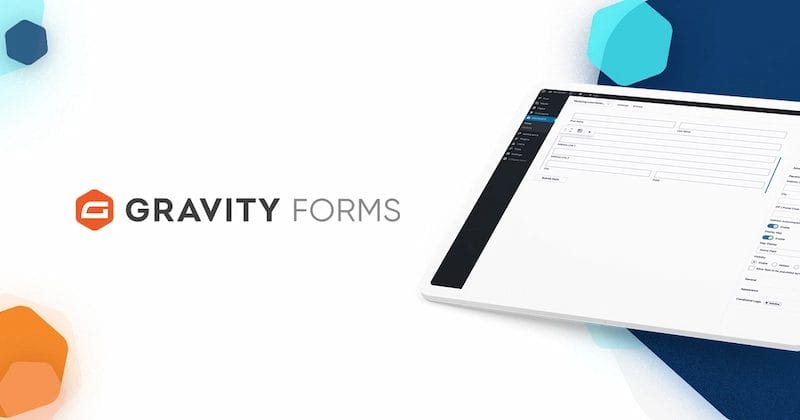
Gravity Forms is a premium WordPress form builder plugin designed for professionals, developers, and businesses who need more than a basic contact form.
It’s been around for years — and for good reason. Gravity Forms offers a robust suite of tools that let you build complex forms effortlessly, whether you’re creating a survey, a payment form, or an automated workflow.
It’s not just about collecting data; it’s about managing it smartly. From conditional logic and multi-page forms to integrations with CRMs and payment gateways, Gravity Forms goes far beyond the basics.
Why You Need Gravity Forms in 2025
If you’re serious about running a professional WordPress website, a reliable form builder isn’t optional — it’s essential. Here’s why Gravity Forms deserves a spot in your toolkit this year:
- All-in-One Form Solution: Instead of juggling multiple plugins for surveys, quizzes, and payments, Gravity Forms handles everything under one roof.
- Professional Workflow Automation: With built-in conditional logic, dynamic notifications, and integrations with CRMs and email tools, it can automate tasks you’d otherwise do manually.
- Secure Data Collection: In an era of increasing data privacy concerns, Gravity Forms provides robust spam protection, GDPR compliance, and secure file uploads.
- Scalability for Growth: Whether you’re managing one site or dozens, Gravity Forms scales effortlessly — perfect for agencies and enterprises.
- Future-Proof Investment: With regular updates, strong community support, and hundreds of integrations, it’s built to evolve with your business needs.
So, if you’re tired of limited free plugins or juggling separate tools, Gravity Forms is a long-term, reliable solution for professional-grade WordPress forms.
Getting Started with Gravity Forms (Step-by-Step Guide)
Getting started with Gravity Forms is incredibly simple, even if you’re new to WordPress. The plugin is built to help you create beautiful, functional forms within minutes — no coding required.
Step 1: Install and Activate Gravity Forms
- Go to the official Gravity Forms website and purchase a license.
- Download the plugin ZIP file.
- In your WordPress dashboard, navigate to Plugins → Add New → Upload Plugin, and upload the file.
- Click Install Now, then Activate.
- Enter your license key to unlock automatic updates and add-ons.
Step 2: Create Your First Form
- Go to Forms → New Form.
- Name your form and add a short description.
- Use the drag-and-drop builder to add fields like name, email, dropdowns, file uploads, or checkboxes.
- Rearrange and style the form to match your needs.
Step 3: Configure Form Settings
- Add confirmation messages for users after submission.
- Set up email notifications for admins and users.
- Enable spam protection via Google reCAPTCHA or Akismet.
Step 4: Add Advanced Features
- Apply conditional logic to show or hide fields dynamically.
- Build multi-page forms with progress indicators.
- Enable file uploads for resumes, images, or documents.
Step 5: Enable Payment Integrations
- Install the Stripe, PayPal, or Square add-ons.
- Add product, donation, or subscription fields.
- Test your form before going live.
Step 6: Embed Your Form
- Paste the shortcode into any post or page.
- Or, use the Gravity Forms block in the Gutenberg editor for one-click embedding.
That’s it — your first form is live and ready to collect submissions!
Key Features That Make Gravity Forms Stand Out
Gravity Forms isn’t just another drag-and-drop form plugin — it’s built for power users who need flexibility and reliability. Here’s what makes it shine:
1. Drag-and-Drop Form Builder – No Coding Needed
The intuitive drag-and-drop interface makes form creation feel effortless. You can rearrange fields in seconds and style them easily — no code required. It’s perfect for beginners who want professional-looking forms without hiring a developer.
2. Multi-Column Layouts – Design Like a Pro
Create visually appealing, multi-column forms that look great on any device. It’s simple and perfect for professional-looking layouts. This helps maintain a clean, balanced design that enhances user trust and readability.
3. Conditional Logic – Smart, Dynamic Forms
Customize user experiences by displaying or hiding fields based on responses. For example, show additional fields only if someone selects “Business Inquiry.” It ensures your forms stay short, relevant, and more likely to get completed.
4. Save & Continue – Perfect for Long Forms
Users can save their progress and return later — ideal for job applications or surveys. It’s a small but powerful feature that improves completion rates. This feature reduces form abandonment and enhances the overall user experience.
5. Paginated & Responsive Forms – Easy Navigation
Split lengthy forms into multiple steps and add progress bars to keep users engaged. Everything is mobile-optimized out of the box. It keeps users motivated to finish, no matter which device they’re on.
6. Custom Form CSS – Total Design Control
For developers and designers, adding custom CSS lets you style forms exactly how you want, ensuring brand consistency. You can make every form seamlessly blend into your site’s aesthetic and identity.
7. Merge Tags & Dynamic Field Values – Automate with Ease
Auto-insert user data (like names or emails) into notifications or confirmation messages — a great time-saver. It also reduces manual errors and keeps your communication accurate and personalized.
8. File Uploads & Secure Data Collection
Allow users to upload resumes, images, or other files securely. Gravity Forms complies with GDPR standards for peace of mind. It’s especially useful for applications, surveys, or support forms that require file attachments.
9. Partial Entries – Recover Abandoned Forms
Even if a user abandons your form midway, you can still capture partial data to improve future conversions. This means no more lost leads — you can follow up and encourage users to finish.
10. Surveys, Quizzes & Polls – Engage Your Audience
Beyond contact forms, you can run interactive quizzes, polls, and surveys with built-in add-ons to boost engagement. It’s an easy way to gather insights, feedback, or even boost audience participation.
11. API & Webhooks – Developer-Friendly Integrations
Developers love how easily Gravity Forms connects with CRMs, automation platforms, and custom apps through its API and webhook system. You can create automated workflows that save time and keep your data perfectly synced.
12. Import & Export – Easy Data Migration
Need to migrate or back up your forms? The import/export feature makes it fast and stress-free. It ensures you never lose important data and makes moving between sites seamless.
E-Commerce & Payment Features
If you’re selling products, collecting donations, or charging for event registrations, Gravity Forms integrates seamlessly with Stripe, PayPal, Square, and Mollie. You can add discount codes, enable recurring subscriptions, and process payments directly from your forms. Plus, Gravity Forms adheres to PCI compliance standards, ensuring secure and trustworthy transactions.
Security & Compliance: Protecting User Data
Data privacy is non-negotiable in 2025. Gravity Forms includes reCAPTCHA v2/v3, Akismet spam filtering, and regular security updates. It’s GDPR compliant, letting users easily manage consent and data retention preferences. In a world of data leaks, this peace of mind is invaluable.
Accessibility: Forms That Include Everyone
Accessibility isn’t just nice to have — it’s essential. Gravity Forms is WCAG 2.0 AA compliant, ensuring everyone, including users with disabilities, can easily fill out your forms. This makes it ideal for educational, government, and nonprofit websites.
Integrations & Add-Ons
One of Gravity Forms’ key strengths is its extensive ecosystem. It integrates with:
- Email marketing tools like Mailchimp and Campaign Monitor
- CRMs such as HubSpot, Zoho, and Pipedrive
- Automation tools like Zapier and Make (Integromat)
With dozens of official and third-party add-ons, you can connect Gravity Forms to almost any workflow.
Pricing Plans: Is It Worth It?
Gravity Forms is a premium plugin, meaning there’s no free version. But the value matches the price. Here’s a quick overview:
- Basic License: For single-site users who need standard forms and integrations.
- Pro License: Adds more integrations (PayPal, Mailchimp, etc.) and multiple site support.
- Elite License: Includes all add-ons, advanced integrations, and priority support — perfect for agencies or developers.
While it’s pricier than some alternatives, you truly get what you pay for — reliability, scalability, and professional-grade performance.
Pros and Cons of Gravity Forms
Pros
1. Powerful and Professional: Gravity Forms offers enterprise-grade functionality that can handle everything from contact forms to complex workflows. It’s built for serious users who value performance and reliability.
2. Highly Flexible and Customizable: The plugin adapts to any website’s needs with drag-and-drop tools, custom CSS, and developer hooks. You can shape forms exactly the way your business requires.
3. Advanced Integrations: Gravity Forms connects seamlessly with CRMs, payment gateways, and email marketing tools. This makes it a perfect fit for automating business operations.
4. Strong Security and Compliance: Data is securely handled with spam protection, reCAPTCHA, and GDPR-friendly features. You can collect sensitive information with confidence and without risk.
5. Responsive and Accessible: Every form automatically adjusts for mobile and meets accessibility standards. It ensures a smooth user experience across all devices and audiences.
Cons
1. No Free Version Available: Unlike other plugins, Gravity Forms doesn’t offer a free plan. This makes it less ideal for small hobby projects or tight budgets.
2. Slight Learning Curve: Beginners may need time to explore all features and settings. However, once mastered, it becomes incredibly powerful and efficient.
3. Add-ons Require Higher Plans: Some of the most advanced integrations, like CRM or payment gateways, are locked behind higher-tier licenses. That can increase overall costs for larger sites.
4. Limited Template Library: Gravity Forms doesn’t include as many pre-made templates as WPForms or Formidable Forms. You might need to design your forms from scratch.
Gravity Forms vs Other Form Builders
1. Gravity Forms vs WPForms
WPForms is known for its beginner-friendly drag-and-drop interface and ready-made templates, making it perfect for users just starting with WordPress. However, Gravity Forms offers far more depth when it comes to conditional logic, integrations, and advanced customization options. If you’re building complex forms for professional or business use, Gravity Forms delivers the power and flexibility WPForms often lacks.
2. Gravity Forms vs Ninja Forms
Ninja Forms offers a modular system where you can add only the features you need through paid extensions. This makes it great for those who want a lightweight setup. But as your website grows, buying individual add-ons can quickly become costly and complicated. Gravity Forms, on the other hand, provides an all-in-one solution with a unified dashboard and unlimited flexibility from the start.
3. Gravity Forms vs Formidable Forms
Formidable Forms is popular for data-driven forms, like calculators or directories, and offers strong front-end data display tools. Still, Gravity Forms provides a more intuitive design flow and a cleaner user experience, especially for non-developers. It also has broader third-party integrations and better long-term scalability for larger organizations or agencies.
4. Gravity Forms vs Contact Form 7
Contact Form 7 is completely free and widely used, but it’s quite basic and lacks a visual form builder or advanced automation tools. Customization often requires coding, which can be a challenge for non-technical users. Gravity Forms eliminates this issue by offering a visual builder, drag-and-drop logic, and powerful built-in integrations, no coding required.
Real-World Use Cases
- Businesses: Capture leads, run surveys, and collect online payments.
- Schools: Create quizzes, feedback forms, and registration forms.
- Nonprofits: Accept donations securely and manage volunteer sign-ups.
It’s not just versatile — it’s reliable for mission-critical data collection.

Support, Updates, and Documentation
Gravity Forms provides excellent support through its ticketing system and in-depth documentation. Tutorials, video guides, and community forums make troubleshooting easy. Regular updates ensure compatibility with the latest WordPress versions.
Is Gravity Forms Still Worth It in 2025?
After testing it thoroughly, I can confidently say: yes — Gravity Forms remains one of the best form builders for WordPress in 2025. It’s powerful, secure, and endlessly customizable. While not the cheapest option, it’s built for professionals who value performance and reliability.
If you’re serious about form building — whether for business, education, or e-commerce — Gravity Forms is absolutely worth your investment.
Frequently Asked Questions (FAQs)
1. Is Gravity Forms for WordPress free?
No, Gravity Forms is a premium WordPress plugin, meaning it doesn’t offer a free version. You’ll need to purchase a license to access its features, support, and updates. However, its robust functionality and professional-grade tools make it well worth the price for serious users.
2. How to use Gravity Forms in WordPress?
Using Gravity Forms is simple! Once you install and activate the plugin, you can create a new form using its drag-and-drop builder. Add your desired fields, customize the layout, and embed the form anywhere on your site using a shortcode or the Gutenberg block.
3. Is Gravity Forms easy to use?
Yes — Gravity Forms is designed to be user-friendly, even for beginners. Its clean interface, visual form builder, and helpful documentation make the setup process quick and intuitive. Plus, advanced users can enjoy powerful customization options for complex workflows.
4. Does Gravity Forms support payment integrations?
Absolutely! Gravity Forms integrates seamlessly with popular payment gateways like Stripe, PayPal, and Square. You can easily collect payments, donations, or subscription fees directly through your forms — perfect for e-commerce or event websites.
5. Can I use Gravity Forms for surveys or quizzes?
Yes! Gravity Forms isn’t limited to contact forms — it also supports surveys, quizzes, and polls through dedicated add-ons. You can create interactive forms to collect feedback, run quizzes, or conduct research effortlessly.
Interesting Reads
Restrict Content Review 2025: Is It Still the Best WordPress Membership Plugin?
Top 22 AI Website Builders in 2025 (I Tested Them All for Speed & Ease)
WishList Member Review 2025: Is It Still Worth It for WordPress Users?

