Top 20 A/B Testing Tools I Tested in 2026 and Which Ones Actually Work

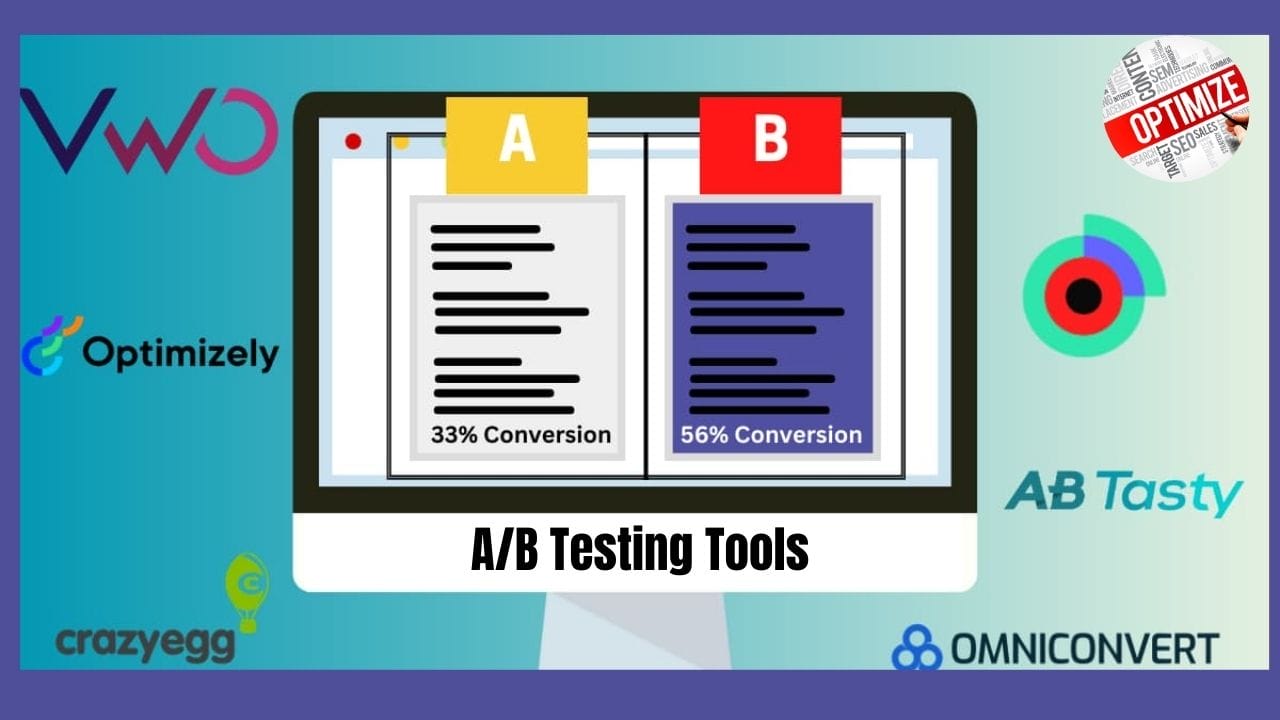
I’ve always believed that great design and strong marketing come down to one thing—data-backed decisions. No matter how beautiful a landing page or ad looks, it only truly works if it converts. That’s why I’ve spent the last few months diving deep into A/B testing tools—trying them out, comparing their features, and figuring out which ones actually deliver results.
A/B testing, in simple terms, is like running a friendly competition between two versions of your web page, app screen, or ad. You show version A to half your audience, version B to the other half, and see which one wins in terms of conversions, clicks, or engagement. It sounds simple—but once you start testing, you realize how much difference a button color, headline, or layout can make.
Over time, I’ve learned that choosing the right A/B testing tool makes or breaks your optimization strategy. The wrong tool can give you confusing results or limit your creativity, while the right one gives you insights that feel almost magical.
Features to Look for in an A/B Testing Tool
After experimenting with several A/B testing tools, I quickly realized that not all of them are built the same. Some look sleek on the surface but struggle with load times or limited targeting options. Others are incredibly powerful but take a bit of setup time. So before you commit to any platform, here’s what I recommend paying attention to—based on my own hands-on experience.
Versatility in Testing Types
The first thing I look for is flexibility. You don’t want a tool that only handles basic A/B tests. The best ones support multiple testing types—so you can experiment with different strategies as your needs evolve.
- A/B Testing
- Mobile App Testing
- Split URL Testing
- Multivariate Testing
Impact on Load Time
This is a big one—and something I didn’t think about until I started noticing slower page loads during tests. Some tools add extra weight to your website because of how their tracking scripts run.
From my experience, it’s best to go for tools that use asynchronous code. That means the testing script runs in the background while your page loads normally. Tools that use synchronous code can actually delay page rendering—and that hurts both your user experience and SEO.
Advanced Targeting Capabilities
If you really want meaningful insights, your A/B testing tool should let you target the right people at the right time. I love tools that give me control over who sees what—because audience behavior can vary dramatically depending on context.
- Landing Page URL
- Location
- Device
- Traffic Source
- User Attributes
When I started segmenting my tests this way, the data suddenly became so much clearer. Instead of broad averages, I could see which version worked best for mobile users, new visitors, or people coming from social media.
Accuracy in Results and Analysis
A/B testing is only as good as the data you get out of it. I’ve learned to trust tools that provide reliable statistical analysis—not just pretty dashboards.
- Bayesian Statistics
- Comprehensive Analytics
- Heatmaps and Recordings for user behavior insights
Integration with Existing Tools
Lastly, I can’t emphasize this enough—integration matters. The best A/B testing platforms fit smoothly into your current marketing ecosystem. Whether you’re using Google Analytics, HubSpot, or a custom CRM, it’s worth checking how easily your testing data can flow into your other tools.
I’ve found that when integrations work seamlessly, everything becomes faster—from analyzing test results to adjusting campaigns on the fly. It saves hours of manual tracking and makes the optimization process feel effortless.
User Interface and Ease of Use
After testing so many A/B testing tools, one thing became crystal clear — usability makes or breaks the experience. You can have the most advanced analytics in the world, but if the interface feels clunky or overly technical, you’ll dread running experiments.
Some tools made testing feel effortless, while others… let’s just say I spent more time figuring out the setup than actually testing.
User-Friendly Tools:
The most enjoyable platforms were the ones that offered intuitive, no-code visual editors. I could easily create variations, drag and drop elements, and preview everything without needing to touch a single line of code.
These tools:
- Let me launch tests in minutes — no dev help needed.
- Had clear, well-labeled settings and walkthroughs.
- Saved a ton of time, especially when I just wanted to test simple tweaks like headlines or button colors.
Honestly, if you’re a marketer or business owner without a technical background, these visual, no-code tools are a lifesaver. They make experimentation feel fun rather than intimidating.
Advanced Tools:
Then there are the more advanced platforms. These definitely cater to developers or data-driven teams. They offer full code editors, server-side testing, and deep customization — which is great if you know your way around HTML, CSS, and JavaScript.
- A steeper learning curve (expect some trial and error).
- The need for technical expertise or IT support.
- A longer setup process before you even start collecting data.
The ideal tool offers a balance, providing visual editors for non-technical users while also accommodating code editors for developers to design more complex tests.
When evaluating tools, consider the intuitiveness of the interface, ease of test setup, and clarity of labels and instructions. Test out tools with free trials to assess their usability before making a final decision.
Best AI Testing Tools of 2025
1. VWO (Visual Website Optimizer)

I’ve used VWO (Visual Website Optimizer) quite a few times over the years, and honestly, it’s one of those tools that just keeps evolving. The moment I logged into the latest version, I could tell that this isn’t just another A/B testing platform — it’s more like a full experimentation ecosystem.
VWO isn’t just an A/B testing tool—it’s more like a complete experimentation ecosystem. It brings together A/B testing, multivariate testing, behavioral analytics, and personalization, all in one place. What stood out to me right away was how data-driven everything felt. You can literally see how users interact with your pages, what’s working, and what’s holding them back.
Pros:
- Integrated analytics tools for data-driven decisions.
- Flicker-free client-side testing.
- Server-side testing capabilities for omnichannel experiments.
- Bayesian-powered SmartStats for real-time performance insights.
Cons:
- Limited feature management capabilities.
- Lacks a product recommendation engine.
Why Choose VWO: Ideal for businesses seeking an all-in-one solution combining A/B testing with advanced analytics and personalization features.
2. Optimizely

When I first started testing Optimizely , I knew I was stepping into one of the big leagues of A/B testing. It’s a platform that enterprise teams swear by, and I wanted to see why. I spent several weeks running experiments, playing around with its targeting options, and testing both its visual and code-based features—and I have to say, I understand the hype now.
Optimizely is all about digital experimentation at scale. It’s designed for teams that don’t just want to test one or two elements but want to constantly optimize everything—from landing pages to mobile apps to backend logic. The flexibility and precision are what make it stand out.
Pros:
- Unlimited concurrent experiments.
- User-friendly visual editor.
- Customizable audience segments for targeted testing.
- Robust statistical analysis tools.
Cons:
- Can be costly for small businesses.
- May require some technical knowledge for advanced features.
Why Choose Optimizely: Best for enterprise teams needing extensive testing capabilities and a focus on continuous optimization.
3. Google Optimize

When I first tried Google Optimize , I was looking for a simple and cost-effective way to start experimenting with A/B testing. Since it’s part of the Google ecosystem, it immediately felt familiar and intuitive—especially because it connects directly with Google Analytics. For anyone already using Google’s marketing tools, it’s one of the easiest ways to dip your toes into website optimization.
Setting up my first test took just a few minutes. I didn’t have to deal with complex code or integrations—the process felt smooth and beginner-friendly. Within a short time, I was able to create variations of landing pages, track performance, and see which version performed better in real time through Analytics.
Pros:
- Free tier available with essential features.
- Easy integration with Google Analytics.
- Simple setup for A/B tests.
Cons:
- Limited features compared to paid tools.
- Basic reporting capabilities.
Why Choose Google Optimize: A great option for businesses already using Google Analytics, especially those seeking a cost-effective solution.
4. AB Tasty

I first tried AB Tasty I was curious to see if it really lived up to its reputation as one of the most user-friendly A/B testing and personalization tools out there. After running several experiments and playing around with its personalization features, I can confidently say—it’s one of the smoothest, most marketer-friendly platforms I’ve tested.
From the moment I logged in, the interface felt approachable. Unlike some platforms that overwhelm you with technical dashboards, AB Tasty makes everything feel clear and intuitive. It’s designed for marketers and product teams who want to optimize their websites without getting stuck in complex coding or setup processes.
Pros:
- Intuitive interface for non-technical users.
- Strong personalization features.
- Comprehensive customer support.
Cons:
- Pricing can be high for smaller businesses.
- Some advanced features may require technical expertise.
Why Choose AB Tasty: Ideal for marketers needing an easy-to-use tool with strong personalization capabilities.
5. Adobe Target
When I first started testing Adobe Target, I knew I was diving into a heavyweight platform — it’s part of the Adobe Experience Cloud, after all. Right from the start, it felt like a tool built for serious marketers and enterprise-level teams who want to go all-in on personalization and experimentation.
Setting it up took a bit of time. It’s not as simple as some of the other tools I’ve tried, but once I got the hang of it, the range of targeting and segmentation options honestly impressed me. You can create incredibly detailed audience profiles — think location, behavior, device, or even data pulled in from other Adobe products like Analytics or Experience Manager. That kind of depth gives you a lot of control over who sees what version of your content.
I also liked how smoothly it integrates with the rest of Adobe’s ecosystem. If you’re already using Adobe Analytics or Adobe Experience Manager, the workflow feels cohesive — everything just connects naturally. The reports were another highlight. They’re detailed, visual, and perfect for understanding exactly how each variant performs.
Pros:
- Advanced targeting and segmentation options.
- Integration with other Adobe products.
- Extensive reporting capabilities.
Cons:
- High cost, making it less accessible for smaller businesses.
- Steep learning curve.
Why Choose Adobe Target: Best for enterprises already using Adobe products, looking for a powerful testing and personalization solution.
6. Dynamic Yield
I tried Dynamic Yield the first thing that stood out was how powerful and flexible it felt. It’s not just an A/B testing tool — it’s more like a full personalization engine. From the start, it was clear that this platform was built for teams who want to go beyond basic experiments and really tailor the user experience for every visitor.
Setting it up took a little time, but once I got inside the dashboard, I was impressed by how organized everything was. I could run A/B tests, create recommendation widgets, and even adjust messaging for different audience segments — all in one place. The interface felt intuitive once I got used to it, and the customization options were endless.
Pros:
- Strong personalization capabilities.
- Comprehensive analytics and reporting.
- User-friendly interface.
Cons:
- Pricing can be prohibitive for smaller businesses.
- Some users report a learning curve.
Why Choose Dynamic Yield: Excellent for companies prioritizing personalization alongside A/B testing.
7. Kameleoon

When I testedKameleoon , what immediately struck me was how balanced it felt — it’s powerful enough for developers, yet still friendly for marketers like me who prefer working without code. From setup to execution, everything felt thoughtfully designed to make testing and personalization smooth and intuitive.
The dashboard was clean and easy to navigate. I liked how I could create experiments visually without having to dig into complex scripts. The no-code editor made it super convenient to launch A/B tests in just a few clicks, which is perfect when you want to move fast. For more complex testing, though, developers can dive into the code editor, so it really caters to both technical and non-technical teams.
Pros:
- Real-time analytics and reporting.
- Advanced targeting options.
- Easy-to-use visual editor.
Cons:
- Can be complex for new users.
- Limited integrations compared to competitors.
Why Choose Kameleoon: Suitable for businesses seeking a powerful tool with strong analytics and personalization features.
8. Oracle Maxymizer
When I tested Oracle Maxymizer, I immediately understood why it’s considered an enterprise-level A/B testing and optimization solution. It’s not your plug-and-play kind of tool — it’s built for large organizations that need deep testing capabilities, extensive data integration, and detailed personalization options.
The first thing I noticed was how seamlessly it connects with Oracle’s marketing ecosystem. If you’re already using Oracle products, the integration feels natural. I could pull in data from various Oracle marketing tools, giving me a more complete view of user behavior and campaign performance. That made it easier to design experiments based on real customer insights instead of assumptions.
Pros:
- Strong integration with Oracle products.
- Advanced analytics capabilities.
- Robust testing features.
Cons:
- High cost and complexity.
- Requires technical expertise for setup.
Why Choose Oracle Maxymizer: Best for large enterprises already invested in Oracle’s ecosystem.
Also Read: What Is The HTML For Fonts In WordPress
9. SiteSpect
I tested SiteSpect it immediately felt different from most A/B testing tools I’ve used. Instead of relying on client-side scripts like many competitors, SiteSpect takes a server-side approach — meaning no flicker, faster performance, and zero impact on page load speed. That alone made a noticeable difference in how smooth and stable the experiments ran.
I really appreciated that I didn’t need to touch the front-end code. SiteSpect works by sitting between your users and your web server, which lets it modify experiences before a page even loads. It’s a unique setup that gives you a ton of flexibility without slowing things down. I noticed how reliable the results felt, especially since all variations were delivered consistently to users without the usual script delays.
Pros:
- Flicker-free testing.
- Strong server-side capabilities.
- No reliance on JavaScript.
Cons:
- More technical setup required.
- Limited user interface compared to competitors.
Why Choose SiteSpect: Ideal for businesses needing robust server-side testing without impacting page load times.
10. Convert

When I first tested Convert , I was pleasantly surprised by how clean and intuitive everything felt. Unlike some enterprise-level A/B testing tools that can be overwhelming, Convert struck the perfect balance between power and simplicity. Within minutes, I was running my first test — no steep learning curve, no coding hassles.
What stood out immediately was how much the platform focuses on privacy and data compliance. Convert is fully GDPR and CCPA compliant, which gave me peace of mind knowing that user data is handled responsibly. In a world where data privacy is becoming more important every day, this felt like a major plus.
Setting up experiments was super easy thanks to the visual editor. I could make quick design or content changes without involving developers, which saved a lot of time. But what I really liked was that, for more advanced users, it also supports JavaScript and CSS edits, so you can go deeper if needed.
Pros:
- GDPR compliant.
- Strong customer support.
- Easy-to-use interface.
Cons:
- Limited advanced features compared to larger platforms.
- Pricing may be high for smaller teams.
Why Choose Convert: Great for businesses prioritizing data privacy and compliance while needing a straightforward testing solution.
Each tool offers unique features and capabilities, making them suitable for different business needs and testing requirements. Consider your specific needs, budget, and existing tools when selecting the best A/B testing solution for your organization.
Also Read: Can You Undelete A WordPress Category
11. Freshmarketer (by Zoho)
When I tested Freshmarketer, I was curious to see how it stacked up against some of the bigger names like VWO and AB Tasty. Since it’s part of the Zoho suite, I already expected it to integrate well with other Zoho tools — and it absolutely did. If you’re already using Zoho CRM, Zoho Analytics, or Zoho Campaigns, Freshmarketer fits right in like a missing puzzle piece.
Setting up my first A/B test was surprisingly smooth. The interface is clean and beginner-friendly, which I really liked. I didn’t have to spend hours figuring out where things were. Within a few minutes, I was able to launch a test comparing two versions of a landing page — one with a new CTA button and one with my existing layout.
Pros:
- Integrates perfectly with Zoho apps like CRM, Analytics, and Campaigns
- Super beginner-friendly interface
- Quick test setup and clear performance insights
Cons:
- Lacks some of the advanced targeting features of VWO or Optimizely
- Limited if you’re not already in the Zoho ecosystem
12. Unbounce Smart Traffic
When I tested Unbounce Smart Traffic, I was genuinely curious about its AI-driven approach. Instead of running traditional A/B tests, Unbounce uses machine learning to automatically send visitors to the landing page variant that’s most likely to convert — which sounded almost too good to be true.
After setting up two different versions of a landing page (one focused on testimonials, the other on visuals), the platform started learning from my visitors’ behavior almost immediately. Within a few days, I could see Smart Traffic adjusting in real time, routing users to the page that suited their browsing patterns. That part really impressed me — it felt like having an optimization expert quietly working in the background.
Pros:
- AI automatically optimizes traffic in real time
- Easy-to-use landing page builder
- No coding required
- Great for quick insights and faster conversion gains
Cons:
- Limited manual control over how tests run
- Pricier than some basic A/B tools
- Best suited for marketers focused on landing pages only
13. Crazy Egg
When I first tested Crazy Egg, I expected just heatmaps — but it surprised me with how much more it offered. The A/B testing setup was refreshingly simple. I could easily test different button colors, headings, or image placements without needing developer help.
The visual feedback from heatmaps and scroll maps helped me understand exactly where visitors were dropping off or clicking the most. I loved how fast I could spot what wasn’t working and make tweaks that improved conversions.
Pros:
- Simple A/B testing setup
- Excellent heatmaps and scroll tracking
- No coding required
- Affordable and beginner-friendly
Cons:
- Limited advanced testing options
- Reporting feels a bit basic for power users
14. Instapage
I’ve used Instapage primarily for landing page creation, but its A/B testing capabilities quickly became a favorite feature. The editor is intuitive, and I could build beautiful post-click pages in minutes. When I ran A/B tests, it automatically split traffic and tracked conversions effortlessly.
What really impressed me was the detailed heatmap tracking and analytics — it helped me refine my calls to action and above-the-fold content.
Pros:
- Gorgeous, drag-and-drop landing page builder
- Built-in A/B testing for post-click optimization
- Great analytics and heatmaps
- Perfect for marketing campaigns
Cons:
- Focused mainly on landing pages
- On the pricier side for smaller teams
15. Omniconvert
Testing Omniconvert felt like diving into an eCommerce powerhouse. It’s designed for online stores, and I could instantly tell. From advanced segmentation to behavioral targeting, the platform made it easy to create personalized shopping experiences.
The real-time analytics helped me understand how customers reacted to changes in offers and layouts, and it even supported surveys for gathering direct customer feedback.
Pros:
- Powerful for eCommerce testing and personalization
- Excellent segmentation and targeting
- Real-time analytics
- Easy survey integration
Cons:
- Slight learning curve for beginners
- Interface could feel dated at times
16. GrowthBook
I was instantly intrigued by GrowthBook because it’s open-source — and after trying it, I loved its flexibility. It’s developer-friendly, supports server-side testing, and even includes feature flag management.
Setting it up took a little more effort, but once running, it gave me full control over experiments. The transparency of an open-source tool made it easy to understand what’s happening behind the scenes.
Pros:
- Open-source and highly customizable
- Supports server-side A/B testing
- Integrates easily with analytics tools
- Great for dev teams
Cons:
- Requires technical setup
- Not ideal for non-technical marketers
17. LaunchDarkly
I tested LaunchDarkly mainly for feature rollout testing, and it truly shines there. It’s built for teams that ship features constantly and need to test variations before full releases.
I liked how smoothly it handled feature flags, letting me test changes in real-time without affecting all users. It’s more of a developer’s A/B testing platform than a marketing one — but that’s exactly what makes it powerful.
Pros:
- Excellent for feature testing and rollouts
- Real-time feature flag control
- Integrates well with CI/CD pipelines
- Reliable for large-scale experimentation
Cons:
- Complex for beginners
- Pricing geared toward enterprises
18. Split.io
Testing Split.io felt like having a lab for developers. It’s not about visual testing but about running server-side feature experiments. I liked how easy it was to deploy controlled rollouts while tracking performance metrics in real time.
Its integration with product analytics tools gave me deeper visibility into how feature changes affected user behavior.
Pros:
- Excellent for engineering-led experimentation
- Real-time data tracking
- Smooth feature flag management
- Scalable for larger apps
Cons:
- Requires technical knowledge
- Limited visual A/B testing options
19. Apptimize
I tested Apptimize to understand mobile app A/B testing better, and it didn’t disappoint. It supports iOS, Android, and web apps, and setting up experiments was straightforward.
I loved how I could test new onboarding flows or button placements and see results in real time. The analytics dashboard gave clear insights into user engagement and retention.
Pros:
- Great for mobile and cross-platform testing
- Real-time reporting
- Easy to integrate with mobile SDKs
- Excellent UX
Cons:
- Slightly pricey
- Focused mainly on mobile testing
20. Taplytics
Finally, I gave Taplytics a try — and I was impressed with how comprehensive it felt for mobile A/B testing. It’s not just about testing; it also handles personalization, messaging, and analytics in one place.
What stood out most was how smoothly it worked for both product and growth teams — everyone could collaborate easily without needing constant developer help.
Pros:
- Full-suite A/B testing and personalization
- Great for product growth teams
- Excellent analytics and user targeting
- Cross-platform support
Cons:
- Expensive for startups
- Setup can feel overwhelming initially
A/B Testing Tools with Exceptional Customer Support and Training
When it comes to A/B testing tools that offer exceptional customer support and training, several options are highly regarded:
VWO (Visual Website Optimizer)
- Support: VWO is known for its comprehensive support, offering detailed documentation, responsive customer service, and live chat support. Their support team is praised for being knowledgeable and helpful.
- Training: VWO provides extensive training resources, including webinars, guides, and tutorials that cater to various skill levels.
Optimizely
- Support: Optimizely stands out for its robust customer support, which includes access to dedicated account managers, responsive help desks, and various support channels.
- Training: The platform offers a wealth of training materials, including tutorials, webinars, and hands-on workshops. Optimizely’s training resources are designed to help users fully leverage the platform’s features.
AB Tasty
- Support: AB Tasty offers strong customer support with a focus on user experience. Their support includes live chat, email support, and a dedicated customer success team.
- Training: They provide a range of training resources such as webinars, documentation, and personalized training sessions to ensure users can effectively use the platform.
Crazy Egg
- Support: Crazy Egg is recognized for its excellent customer support, which includes quick response times and helpful assistance through various support channels.
- Training: The platform offers tutorials and guides to help users understand and implement A/B testing effectively. Their resources are geared towards making the testing process as straightforward as possible.
Convert
- Support: Convert is known for its responsive customer service, providing support via email and live chat. Users appreciate their prompt and helpful responses.
- Training: Convert offers detailed documentation, training guides, and webinars to assist users in mastering the A/B testing process.
In summary, VWO, Optimizely, AB Tasty, Crazy Egg, and Convert are all notable for their excellent customer support and training resources. Each of these tools provides robust support options and extensive training materials, making them strong candidates for businesses seeking comprehensive A/B testing solutions.
Choosing the Right A/B Testing Tools
After spending weeks testing different A/B testing tools, I can confidently say there’s no one-size-fits-all solution — each platform has its own sweet spot depending on your goals, team setup, and budget.
When I tested VWO, I was really impressed by how much it packs into one platform. Between its advanced analytics, heatmaps, and SmartStats feature, it gave me all the insights I needed to make smart, data-driven decisions. The interface was intuitive, and the customer support team was incredibly responsive whenever I needed guidance. It just feels like a tool built for marketers who want both power and ease of use.
Optimizely, on the other hand, stood out for its scalability. I ran multiple experiments at once without any slowdown, and the visual editor made it simple to set up even complex tests. It’s definitely designed for teams that test constantly and want a platform that can grow with them. I also liked how much training material and documentation they provide — it really helps flatten the learning curve.
If you’re already in the Google ecosystem, Google Optimize felt like the most natural fit. I liked how seamlessly it integrated with Google Analytics. It’s lightweight, easy to set up, and perfect for smaller teams or businesses that are just getting started with experimentation. It doesn’t have all the bells and whistles of premium tools, but for basic A/B testing, it’s surprisingly effective.
Also Read: How To Mask URL For Subdomain In WordPress
FAQ on A/B Testing Tools
Which A/B testing tool has the most comprehensive training resources?
VWO (Visual Website Optimizer) is recognized for its extensive training resources, including webinars, tutorials, and detailed documentation that help users effectively navigate the platform and optimize their A/B testing efforts. Optimizely also offers robust training materials and resources, making both tools excellent choices for comprehensive training
.Are there any A/B testing tools with 24/7 customer support?
Optimizely provides 24/7 customer support, ensuring users can access assistance whenever needed. VWO offers support during business hours, but it may not have the same level of round-the-clock availability as Optimizely.
How do the customer support options compare between VWO and Optimizely?
VWO offers responsive customer support with various resources, including documentation and tutorials, but it operates primarily during business hours. In contrast, Optimizely provides 24/7 customer support, which can be crucial for users needing immediate assistance outside regular hours. Both platforms have strong support systems, but Optimizely’s round-the-clock service may be more beneficial for urgent needs.
What are the best A/B testing tools for beginners?
For beginners, tools like Google Optimize and HubSpot’s A/B Testing Kit are highly recommended. Google Optimize is user-friendly and integrates well with Google Analytics, while HubSpot offers a free kit that provides guidance and templates to help newcomers get started with A/B testing.
Which A/B testing tool offers the most detailed documentation?
Optimizely is known for its detailed documentation, providing users with extensive guides and resources to help them understand and utilize the platform effectively. VWO also offers comprehensive documentation, but Optimizely’s resources are often highlighted as particularly thorough and helpful for users at all experience levels.
Interesting Reads:
Best AI Tools for Language Learning Of 2024

Shashank is a seasoned digital marketing and WordPress expert who specializes in SEO, software tools reviews, and cutting-edge strategies for boosting online presence. With a passion for simplifying complex topics, Goutham crafts engaging blog posts that help readers optimize their websites, improve search engine rankings, and stay ahead in the ever-evolving digital landscape.