15 Best Attendance Software in 2026

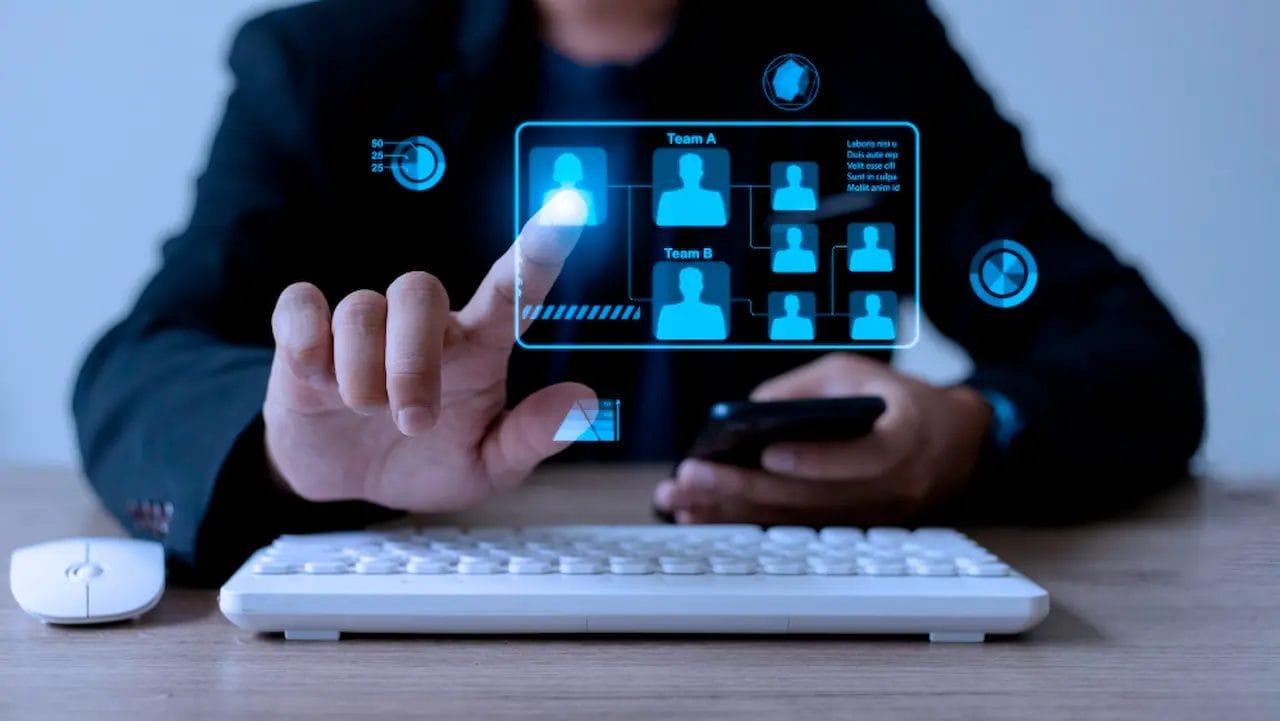
Digital-first workplace, managing employee hours, leave requests, and attendance records has become more complex than ever before. Traditional punch-in sheets or manual Excel trackers no longer meet the demands of fast-growing teams, hybrid work models, and compliance-heavy industries. Attendance software steps in as a modern solution, automating what used to be tedious manual processes — from punch-in/punch-out logs to overtime calculations and payroll reporting — while centralizing everything in a secure, cloud-based environment.
With features like biometric clock-ins, GPS tracking, geofencing, real-time dashboards, and payroll integrations, attendance systems do more than just record hours; they provide organizations with actionable insights into workforce productivity and costs. For employees, these tools create transparency with easy access to vacation balances, leave requests, and timesheets through mobile apps. For managers, attendance software simplifies compliance with labor laws, reduces payroll errors, and prevents costly time theft.
By 2025 the role of attendance software has expanded far beyond basic time clocks. Modern tools integrate with payroll, HR systems, and workforce scheduling platforms; flag anomalies; manage overtime; and help meet labor-law requirements. Advanced solutions include biometric attendance systems, GPS tracking for remote staff, and AI-driven analytics that predict absentee trends.
What Is Attendance Software?
Attendance software is a digital tool that records, manages, and analyzes when employees (or students) start and end work, including breaks, absences, and overtime. Unlike punch cards or manual logs, modern attendance systems are automated, cloud-hosted, and integrated with HR and payroll.
Key features
- Time tracking: Clock in/out via mobile apps, biometric terminals, or desktop kiosks.
- Leave management: Vacation, sick leave, and holiday scheduling in one place.
- Payroll integration: Auto-sync hours to payroll systems for accurate pay runs.
- Compliance support: Reports and audit trails to meet labor regulations.
- Analytics: Dashboards showing absenteeism, overtime costs, and utilization.
Real-world use cases
- Small businesses: Replace spreadsheets with mobile apps to reduce payroll errors.
- Enterprises: Use biometric systems and centralized cloud platforms to manage distributed workforces.
- Remote teams: Verify hours using GPS-enabled or online attendance tools.
- Education: Track student attendance and automate reporting for administrators.
15 Best Attendance Software
1. BambooHR
BambooHR is a leading HR and workforce management platform designed specifically for small to mid-sized businesses. Founded in 2008, it has built a reputation for approachable, user-friendly HR software with robust functionality. While it covers a wide range of HR processes, its time tracking and attendance management tools stand out for their simplicity and seamless integration.
Employees can clock in/out directly through the platform, request time off, and view vacation, sick leave,
and holiday balances. Managers benefit from automated approval workflows, customizable leave policies, and centralized dashboards showing attendance patterns across the company.
Key Features:
- Simple employee clock-in/clock-out.
- Automated time-off and leave approvals.
- PTO and vacation balance tracking.
- Real-time attendance dashboards for managers.
- Payroll integration with error-free salary calculations.
- Mobile apps for iOS and Android.
Pricing
- Custom pricing based on company size and selected features.
- Public reports suggest entry-level plans (Essentials) start around $6–$8 per employee/month.
- Advanced HR features like payroll and performance management are available in higher tiers.
Pros
- Intuitive, modern design with minimal learning curve.
- Strong leave management and PTO tracking tools.
- Seamless payroll integration for accurate calculations.
- Well-suited for small and mid-sized businesses.
Cons
- Not as feature-rich for large enterprises.
- Pricing not fully transparent on the website.
Ideal users:
Small to mid-sized businesses needing an affordable,
easy-to-use HR suite with reliable attendance tracking and payroll automation.
Also Read: Best AI Tools for Software Documentation
2. Kronos (UKG Ready)
Kronos, now part of UKG (Ultimate Kronos Group), is a powerhouse in workforce management. Its cloud-based version, UKG Ready, delivers one of the most comprehensive time and attendance solutions available. It supports mid-sized and large organizations with scheduling, attendance tracking, compliance, and payroll integration.
Employees can clock in via web portals, mobile apps, or biometric devices (fingerprint and facial recognition). GPS and geofencing ensure accurate clock-ins for distributed teams. Time records automatically sync with payroll, reducing errors and preventing compliance issues. Managers gain real-time dashboards showing overtime trends, absentee patterns, and labor utilization.
Key Features:
- Biometric attendance (fingerprint/facial recognition).
- GPS and geofencing-enabled clock-ins.
- Payroll synchronization for accurate wage calculations.
- Compliance alerts and audit-ready reporting.
- Mobile apps for iOS and Android.
- Real-time analytics dashboards.
Pricing
- Quote-based pricing depending on modules and company size.
- Typically used by mid to large enterprises as an investment in scalability and compliance.
Pros
- Advanced compliance features with audit-ready reporting.
- Biometric and GPS support for secure clock-ins.
- Powerful analytics for workforce optimization.
- Scalable solution for enterprises and healthcare systems.
Cons
- Pricing not publicly transparent.
- Implementation requires onboarding and training.
Ideal users
Mid-to-large businesses, hospitals, and enterprises
needing robust, compliance-driven time and attendance management.
3. Deputy
Deputy is a cloud-based workforce management and attendance platform built for shift-based industries. Founded in 2008 in Australia, it’s now used globally by retail, hospitality, healthcare, and service businesses that rely on accurate scheduling and attendance tracking.
Employees clock in via mobile apps, kiosks, or web browsers. GPS and geofencing ensure hours are logged only when staff are on-site. The platform tracks breaks, overtime, and shift swaps, syncing directly with payroll systems like ADP, Xero, QuickBooks, and Gusto. Managers benefit from real-time visibility into attendance, costs, and compliance.
Key Features:
- Mobile apps, kiosks, and web-based clock-ins.
- GPS and geofencing for location-based logging.
- Automated break, overtime, and shift tracking.
- Real-time scheduling and compliance alerts.
- Payroll integrations with QuickBooks, ADP, Gusto, and more.
- Notifications and shift-swapping for employees.
Pricing
- Scheduling plan: $3.50 per user/month.
- Time & Attendance plan: $3.50 per user/month.
- Premium plan: $4.90 per user/month (includes scheduling + attendance).
- Enterprise plan: Custom pricing with advanced reporting and customization.
Pros
- Affordable, transparent pricing.
- Excellent fit for shift-based businesses.
- Strong mobile usability with GPS/geofencing.
- Integrates with major payroll systems.
Cons
- Reporting features limited on lower-tier plans.
- Not ideal for businesses without shift-based workforces.
Ideal users: Small to mid-sized retail, hospitality, and healthcare
businesses with hourly and shift-based teams.
4. TSheets (QuickBooks Time)
TSheets, now branded as QuickBooks Time after its acquisition by Intuit, is a leading time and attendance software for small and mid-sized businesses. Its tight integration with QuickBooks makes it especially attractive for companies already using Intuit’s ecosystem.
Employees can clock in and out via mobile apps, web browsers, or even text messages. GPS tracking and geofencing provide accurate logging for field teams, while managers gain real-time visibility into who’s working and where. QuickBooks Time also supports job and project tracking, making it a favorite among contractors, construction, and field service businesses. Attendance data syncs directly with QuickBooks Payroll for streamlined payroll processing.
Key Features:
- Mobile, web, and text-based clock-ins.
- GPS tracking and geofencing for remote or field teams.
- Real-time dashboards showing employee status.
- Job and project-based time tracking.
- Integration with QuickBooks Payroll and other Intuit services.
- Overtime monitoring and compliance-ready reporting.
Pricing
- Premium Plan: $20 base fee/month + $8 per user/month.
- Elite Plan: $40 base fee/month + $10 per user/month (adds geofencing, project estimates vs. actuals, and advanced reporting).
Pros
- Seamless QuickBooks integration for payroll.
- GPS and geofencing for field teams.
- Strong mobile usability.
- Job and project tracking features.
Cons
- Pricing may be steep for very small businesses.
- Best features locked into the Elite plan.
Ideal users: SMBs, contractors, and field service companies using QuickBooks
or requiring GPS-based time tracking.
5. Time Doctor

Time Doctor is a time tracking and productivity monitoring platform tailored for remote teams, freelancers, and companies that need deeper insights into work habits alongside attendance. Founded in 2012, it has become popular among distributed organizations for combining attendance logging with detailed activity tracking.
Employees clock in through desktop or mobile apps. Beyond attendance, Time Doctor monitors activity via keyboard/mouse tracking, website/app usage, and optional screenshots for compliance. Reports show attendance logs, active vs. idle time, and project-based work hours, making it valuable for remote-first organizations managing billable time.
Key Features:
- Desktop and mobile clock-in options.
- Activity monitoring (keyboard/mouse, apps, websites).
- Optional screenshots for compliance.
- Attendance logs and project-based work hour reporting.
- Payroll integration with PayPal, Wise, and other providers.
- Productivity and idle-time tracking dashboards.
Pricing
- Basic Plan: $7 per user/month (time tracking + activity monitoring).
- Standard Plan: $10 per user/month (adds integrations + payroll).
- Premium Plan: $20 per user/month (includes client access + video screen captures).
Pros
- Excellent for remote teams and agencies.
- Detailed productivity tracking with activity monitoring.
- Payroll integration with global payment providers.
Cons
- Monitoring features may feel intrusive to employees.
- Setup can be heavy for small teams.
Ideal users: Remote-first businesses, agencies billing hourly, and enterprises
balancing attendance tracking with productivity monitoring.
Also Read: Best Event Software for Workshops
6. Replicon
Replicon is an enterprise-grade workforce and attendance management system built for organizations that need robust time, project, and compliance tracking. Founded in 1996, it has decades of experience delivering scalable, cloud-based attendance solutions for large organizations worldwide.
Attendance tools include clock-ins via web, mobile, or biometric devices. Replicon excels in global compliance
and labor law tracking, making it a preferred choice for multinationals. It can automatically calculate overtime,
apply multi-location policies, and generate audit-ready reports. Features such as geofencing, AI-powered validations, and payroll integrations ensure accuracy and compliance.
Key Features:
- Web, mobile, and biometric attendance tracking.
- Global compliance management with multi-location policies.
- Automated overtime calculations and validation checks.
- Audit-ready reporting for labor law compliance.
- Geofencing and AI-powered attendance verification.
- Integration with payroll and HR systems.
- Advanced project time tracking linked to labor costs.
Pricing
- Modular pricing tailored to enterprise needs.
- Entry-level packages start at around $6 per user/month.
- Advanced compliance and analytics modules available at higher costs.
Pros
- Enterprise scalability for large workforces.
- Strong compliance and labor law tracking.
- Advanced project time tracking features.
- Robust analytics and reporting tools.
Cons
- Overkill for small businesses.
- Pricing not transparent for advanced enterprise packages.
Ideal users: multinational corporations, enterprises with complex labor compliance requirements,
and organizations needing both attendance and project time tracking.
7. Zoho People
Zoho People is part of the Zoho suite of business applications, offering a flexible HR and attendance management solution tailored for small and mid-sized businesses. Known for its affordability and smooth integration with other Zoho apps, it simplifies everything from clock-ins to leave approvals.
Employees can clock in/out via web, mobile apps, or biometric devices. GPS and geofencing make it ideal for field workers. Managers can monitor attendance, approve leave, and track overtime seamlessly. The platform integrates with Zoho Payroll and third-party systems for accurate payroll processing.
Key Features:
- Web, mobile, and biometric clock-in/out options.
- GPS and geofencing for field-based teams.
- Leave management and overtime tracking.
- Integration with Zoho Payroll and third-party payroll platforms.
- HR workflows including onboarding, performance reviews, and document management.
- Mobile-first usability for on-the-go employees.
Pricing
- Free Plan: for up to 5 users.
- Paid Plans: start at $1.50 per user/month (Essential HR) and go up to $10 per user/month (People Plus) with advanced HR workflows and integrations.
Pros
- Highly affordable pricing tiers.
- Seamless integration with Zoho ecosystem.
- Mobile-friendly and easy to adopt.
- Flexible HR + attendance tools in one platform.
Cons
- Not designed for very large enterprises.
- Some advanced HR features limited to higher plans.
Ideal users: startups, small businesses, and mid-sized companies
seeking affordable, user-friendly HR and attendance software with payroll integration.
8. ADP Workforce Now
ADP Workforce Now is one of the most recognized names in payroll and workforce management, offering a complete suite of HR solutions with powerful time and attendance tracking built in. With decades of experience, ADP is trusted by businesses of all sizes that want a reliable, all-in-one platform to manage payroll, benefits, compliance, and employees.
Employees can clock in/out via kiosks, mobile apps, or biometric devices. GPS-enabled punch-ins ensure accountability for remote or field workers. The system automatically tracks overtime, leave balances, and absences, syncing directly with payroll for accurate wage calculations. Managers benefit from dashboards that display attendance patterns, labor costs, and missed punches, while compliance tools align with federal and state labor laws.
Key Features:
- Kiosk, mobile app, and biometric attendance tracking.
- GPS-enabled punch-ins for field staff.
- Automated overtime, absence, and leave tracking.
- Seamless payroll integration for accurate wage calculations.
- Real-time dashboards for labor costs and attendance patterns.
- Compliance tools aligned with labor regulations.
- Scalable solution for enterprises.
Pricing
- Custom-quoted based on company size and selected modules.
- Generally best suited for mid to large enterprises due to cost and complexity.
Pros
- Industry-leading payroll integration.
- Biometric support for accuracy and accountability.
- Strong compliance and audit tools.
- Scalable for mid to large enterprises.
Cons
- Pricing is not transparent.
- Can be complex for SMBs to configure.
Ideal users: mid-sized to large enterprises needing an all-in-one HR system with advanced payroll
and attendance tracking.
9. Paycor
Paycor is a cloud-based HR, payroll, and attendance management platform built for SMBs and mid-market organizations. Founded in 1990, Paycor provides an integrated system for managing recruitment, payroll, scheduling, and attendance at an affordable price point compared to enterprise vendors.
Employees can clock in via desktop, mobile app, or physical time clocks. Geofencing ensures staff only punch infrom approved locations. Managers can review hours, approve leave, and track overtime in a centralized dashboard. Compliance tools apply labor law rules automatically and generate audit-ready reports.
Key Features:
- Desktop, mobile, and physical time clock support.
- Geofencing-enabled punch-ins for location accuracy.
- Overtime, leave, and attendance tracking in real time.
- Integration with payroll and scheduling tools.
- Compliance monitoring with audit-ready reporting.
- Workforce analytics and labor cost insights.
Pricing
- Tailored to company size and module selection.
- Positioned as more affordable than enterprise systems like ADP or UKG, while still offering robust HR + attendance features.
Pros
- Affordable for SMBs and mid-market companies.
- Strong analytics and insights.
- Payroll and scheduling integration.
- Built-in compliance features.
Cons
- Fewer enterprise-grade features than ADP or UKG.
- Reporting setup can be complex.
Ideal users: SMBs and mid-market organizations seeking a cost-effective HR and attendance solution
with robust analytics and compliance support.
10. Clockify
Clockify is a free time tracking and attendance software popular among freelancers, startups, and small businesses seeking a lightweight yet powerful solution. Unlike many competitors, Clockify offers a forever-free plan with unlimited users and projects, making it a standout choice for budget-conscious teams.
Employees can clock in/out via desktop apps, browser extensions, or mobile apps. Managers can review timesheets, track billable vs. non-billable hours, and generate reports for payroll or client billing. Attendance features include time-off tracking, overtime monitoring, and project-based allocation to help small teams manage labor costs.
Key Features:
- Desktop, mobile, and browser clock-ins.
- Unlimited users and projects on the free plan.
- Billable vs. non-billable hour tracking.
- Time-off management and overtime monitoring.
- Exportable reports for payroll and billing.
- Integrations with Trello, Asana, Jira, Slack, and more.
Pricing
- Free Plan: unlimited users and projects.
- Basic Plan: $3.99/user/month (adds simple reporting).
- Higher tiers add advanced reporting, invoicing, GPS tracking, and admin controls.
Pros
- Generous free plan with unlimited users.
- Simple, clean interface for easy adoption.
- Integrates with Trello, Asana, Jira, Slack, and more.
- Scalable for small and growing teams.
Cons
- No built-in payroll functionality.
- Advanced features require paid upgrades.
Ideal users: freelancers, startups, and small businesses looking for a free or low-cost
attendance solution with simple time tracking.
11. Hubstaff
Hubstaff is a time tracking and attendance software built for remote teams, field workers, and distributed companies. Launched in 2012, it has become a trusted solution across industries like IT services, logistics, and field operations for businesses that need visibility into work hours and productivity.
Employees can clock in and out via desktop, web, or mobile apps. Hubstaff goes beyond basic attendance with GPS tracking, geofencing, and activity monitoring. Field workers can only log hours on-site, while geofencing automates clock-ins and outs when entering job sites. For remote workers, optional screenshot capture, app/website usage, and idle time monitoring provide accountability.
Key Features:
- Desktop, web, and mobile attendance tracking.
- GPS and geofencing for field employees.
- Productivity monitoring with screenshots and usage logs.
- Payroll integration with direct payments.
- Project-level labor cost reporting.
- Scalable reporting dashboards for managers.
Pricing
- Free Plan: for 1 user with basic time tracking.
- Starter Plan: $4.99/user/month.
- Enterprise Plan: up to $25/user/month with advanced compliance features and integrations.
Pros
- GPS and geofencing ideal for field workers.
- Payroll integration simplifies payments.
- Detailed productivity and activity data.
- Flexible pricing across business sizes.
Cons
- Monitoring features may feel intrusive to employees.
- Advanced features limited to higher pricing tiers.
Ideal users: remote teams, field service companies, and SMBs needing both attendance tracking
and productivity monitoring.
12. AttendanceBot
AttendanceBot is a lightweight attendance and leave tracking solution that integrates directly with collaboration platforms like Slack, Microsoft Teams, and Google Chat. By embedding attendance workflows into tools employees already use, it minimizes friction and boosts adoption in distributed teams.
Employees can clock in/out, log breaks, and request leave using simple chat commands. Managers can view real-time dashboards, approve requests, and monitor absentee trends without leaving their messaging apps. The platform also supports shift scheduling, overtime tracking, and compliance reporting. AttendanceBot integrates with payroll and HR platforms like Gusto, ADP, and BambooHR, ensuring smooth workflows
Key Features:
- Chat-based attendance via Slack, Teams, and Google Chat.
- Clock-ins, breaks, leave requests through chat commands.
- Shift scheduling and overtime tracking.
- Real-time dashboards with absentee trends.
- Compliance-ready reporting.
- Integrations with Gusto, ADP, BambooHR, and more.
Pricing
- Starts at $3/user/month, with higher tiers adding shift planning and advanced integrations.
- Free trial available for new users.
Pros
- Chat-based interface for easy adoption.
- Affordable pricing for SMBs.
- Integrates with Gusto, ADP, BambooHR, and more.
- Real-time dashboards and compliance-friendly reports.
Cons
- Not as feature-rich as standalone enterprise systems.
- Limited offline functionality.
Ideal users: remote-first teams, SMBs, and startups relying on Slack or Teams that want
attendance tracking without a separate platform.
13. TimeCamp
TimeCamp is a time tracking and attendance software built for freelancers, agencies, and SMBs that want automated timesheets, project tracking, and productivity insights. Founded in 2008, it has grown popular for balancing simple attendance tracking with project-based reporting.
Employees can clock in via desktop, mobile, or browser apps. TimeCamp automatically logs time spent on applications, websites, and tasks, reducing manual entry. Attendance data ties directly into timesheets for manager approval and supports leave requests, overtime tracking, and payroll exports.
Key Features:
- Desktop, mobile, and browser-based attendance tracking.
- Automated logging of apps, websites, and tasks.
- Integrated timesheets with leave and overtime management.
- Productivity tracking with visual dashboards.
- Project-based labor cost reporting.
- Integrations with Asana, Trello, Jira, Slack, and more.
Pricing
- Free Plan: unlimited users with basic tracking.
- Starter Plan: $2.99/user/month.
- Premium Plan: $7.99/user/month with advanced analytics.
- Enterprise: custom pricing with advanced reporting and dedicated support.
Pros
- Affordable pricing with generous free plan.
- Strong productivity and project analytics.
- Integrates with popular project management tools.
- Automatic time logging reduces manual work.
Cons
- Monitoring features may feel intrusive to some teams.
- Reporting setup can take time.
Ideal users: freelancers, SMBs, and agencies needing affordable attendance tracking combined
with productivity and project insights.
14. Factorial
Factorial is an HR and attendance platform designed for SMBs seeking a modern, budget-friendly alternative to legacy systems. Founded in Barcelona in 2016, Factorial has gained traction across Europe, Latin America, and North America for its clean design and competitive pricing.
Attendance features include mobile, web, or biometric clock-ins, automated leave management, and payroll syncing. Employees can request time off directly, while managers approve in-platform. Compliance tools help meet labor regulations, and reporting dashboards highlight absentee patterns and overtime costs.
Key Features:
- Mobile, web, and biometric clock-ins.
- Automated leave management and payroll syncing.
- Real-time reporting on absenteeism and overtime.
- Compliance support for labor regulations.
- Integrated HR features like onboarding, performance, and document management.
- Clean, user-friendly interface with global reach.
Pricing
- Free Plan: available for small teams (up to 10 employees).
- Paid Plans: start at $5.25/user/month, with advanced HR features available in higher tiers.
Pros
- Modern design and easy-to-use interface.
- Free plan for very small teams.
- Affordable pricing and HR integration.
- Combines attendance with performance and HR tools.
Cons
- Lacks enterprise-grade features found in ADP or UKG.
- Reporting may be limited for very large teams.
Ideal users: startups and SMBs needing a budget-friendly HR + attendance solution with easy usability.
15. Workday HCM
Workday HCM is a global enterprise-grade human capital management platform offering payroll, workforce, and attendance management at scale. Since 2005, Workday has become a leader in large-scale HR solutions for multinational corporations.
Attendance tools include mobile, kiosk, or biometric clock-ins, leave requests, and compliance reporting. The system automatically calculates overtime, aligns with labor laws worldwide, and integrates with payroll and benefits. Advanced analytics deliver workforce insights with predictive reporting for HR leaders. Workday’s enterprise usability supports global deployments, though implementation is complex and resource-intensive.
Key Features:
- Enterprise-grade attendance with mobile, kiosk, and biometric clock-ins.
- Global compliance for labor laws across multiple regions.
- Automated overtime and leave tracking.
- Integration with payroll, benefits, and finance modules.
- Predictive workforce analytics and reporting.
- Strong support for multinational deployments.
Pricing
- Quote-based pricing tailored to enterprise needs.
- Costs vary depending on workforce size, geography, and selected modules.
Pros
- Enterprise scalability with global compliance.
- Advanced analytics and predictive reporting.
- Unified HR, payroll, and finance platform.
- Strong mobile and multi-region support.
Cons
- Costly and complex implementation.
- Overkill for small to mid-sized businesses.
Ideal users: large enterprises and multinational organizations requiring a scalable,
compliance-ready attendance and HR platform.
How to Choose the Right Attendance Software
Choosing the right attendance software depends on your organization’s size, structure, and goals. With dozens of options available in 2025, from lightweight attendance apps to enterprise-grade workforce tracking solutions, it’s important to focus on the factors that matter most to your business.
1. Pricing and Value for Money
For startups and small businesses, affordability is often the first priority. Tools like Clockify, TimeCamp, and Factorial offer free or low-cost plans with strong basic features. For mid-sized to large organizations, investing in platforms like ADP Workforce Now, Kronos (UKG Ready), or Workday HCM may be worthwhile, as these systems scale with growth and include compliance and analytics capabilities. Always consider the total cost of ownership — not just subscription fees, but also onboarding, training, and payroll integration costs.
2. Ease of Use and Adoption
Adoption is critical. If employees struggle to clock in, attendance data will be unreliable. User-friendly platforms like Zoho People, BambooHR, and AttendanceBot win points for clean interfaces and mobile-first design. Larger enterprise systems may require onboarding but deliver depth in exchange. For small teams, apps that integrate directly into communication tools (like AttendanceBot for Slack/Teams) reduce friction.
3. Integrations with Payroll and HR
The best attendance software doesn’t work in isolation. Look for systems that sync seamlessly with payroll, HR, and scheduling tools. QuickBooks Time integrates tightly with QuickBooks Payroll, while Hubstaff, Deputy, and Paycor connect with multiple payroll platforms. Enterprises using ADP or Workday will benefit from having attendance integrated with broader HR and financial modules.
4. Scalability
If your company is growing quickly, scalability matters. Platforms like BambooHR, Replicon, and Zoho People are ideal for SMBs scaling up, while enterprise-grade systems like Workday HCM and UKG Ready support thousands of employees across global locations. Evaluate how easily the system can expand from 20 employees to 200 or 2,000 without disrupting workflows.
5. Compliance Features
Labor compliance can be a major risk for organizations. Software like Replicon, ADP Workforce Now, and UKG Ready shine here, offering automated compliance alerts, audit-ready reporting, and support for regional labor laws. For smaller teams, compliance may not be as complex, but even basic overtime alerts (like those in Deputy or TimeCamp) help avoid costly violations.
6. Reporting and Analytics
Modern HR teams need more than just raw attendance data. Advanced analytics allow managers to identify absenteeism trends, overtime costs, and workforce utilization. Enterprise systems like Workday HCM and ADP provide predictive analytics, while SMB-friendly tools like Paycor and Hubstaff deliver actionable dashboards without overwhelming complexity.
7. Mobile Accessibility
With hybrid and remote work becoming the norm, mobile-first attendance software is no longer optional. Tools like Deputy, Hubstaff, and Zoho People emphasize mobile usability, allowing employees to clock in from anywhere. Features like GPS-based tracking and geofencing help ensure accuracy for field-based teams.
8. Industry Fit
Finally, consider industry-specific needs. Construction and field services may favor GPS-based platforms like QuickBooks Time or Hubstaff. Retail and hospitality rely on shift scheduling, where Deputy excels. Enterprises with strict compliance needs gravitate toward Workday or Replicon. Education and nonprofits may prefer affordable, easy-to-use systems like Factorial or Zoho People.
Quick Guide to Best Fits
- Freelancers & Small Teams: Clockify, TimeCamp, Factorial
- SMBs: BambooHR, Zoho People, Paycor
- Shift-Based Industries (Retail, Hospitality, Healthcare): Deputy, QuickBooks Time
- Field Workers/Remote Teams: Hubstaff, Time Doctor
- Enterprises: Workday HCM, ADP Workforce Now, UKG Ready, Replicon
Final Thoughts on Attendance Software
In 2025, attendance software has moved far beyond simple time clocks. It has become an essential part of workforce management, connecting employee time data with payroll, compliance, scheduling, and analytics. Businesses of all sizes — from startups to global enterprises — rely on these tools to streamline operations, reduce administrative overhead, and create accountability.
The best attendance systems today offer mobile-first access, GPS/geofencing for field teams, and integrations with payroll and HR systems. Advanced platforms add compliance tracking, biometric devices, and AI-driven insights that predict absentee trends or optimize scheduling. For smaller teams, cost-effective tools like Clockify and Zoho People provide exactly what’s needed without unnecessary overhead. For enterprises, systems like ADP Workforce Now, UKG Ready, and Workday HCM deliver the scalability and compliance depth that large organizations require.
Looking ahead, trends such as AI-driven workforce analytics, biometric attendance verification, and IoT-enabled devices will continue to transform how businesses manage attendance. The focus is shifting from simply tracking time to using attendance data for smarter decision-making in HR and operations.
Interesting Reads:
Best AI Tools for Stock Market Trading in India

Shashank is a seasoned digital marketing and WordPress expert who specializes in SEO, software tools reviews, and cutting-edge strategies for boosting online presence. With a passion for simplifying complex topics, Goutham crafts engaging blog posts that help readers optimize their websites, improve search engine rankings, and stay ahead in the ever-evolving digital landscape.