

When planning a camp or outdoor event, creating a compelling flyer is essential. The right flyer can spark interest, convey essential information, and set the tone for your camp. Whether you’re organizing a summer camp, adventure outing, or family camping weekend, an attractive, well-designed flyer can be your best marketing tool.
In this guide, we’ll look at the 10 best camp flyer maker tools to help you design eye-catching, informative flyers quickly and efficiently. We’ll explore the unique features, ease of use, and customization options of each tool so you can find the perfect flyer maker for your needs.

Quick Links
Why a Good Flyer Matters for Camp Promotion
The first impression matters, especially when it comes to camp marketing. With eye-catching visuals, concise text, and engaging design, a well-made flyer can communicate your camp’s purpose, themes, and activities at a glance. Plus, the right tools can make the design process easy and enjoyable. Let’s get started!
1. Canva
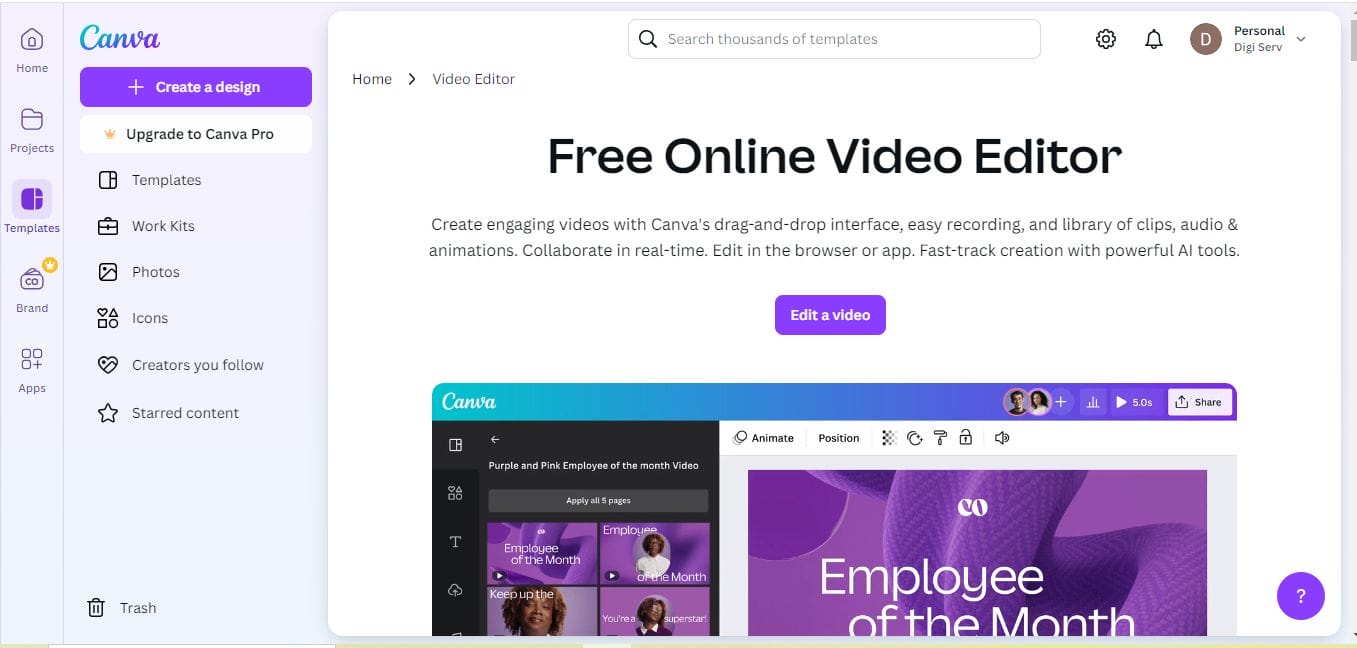
Canva is a top choice for creating any type of flyer, including camp flyers. With its vast array of templates, you can design a professional-looking flyer without much experience. Canva offers both free and premium plans, so you can create stunning designs on a budget or unlock more advanced features with Canva Pro.
Key Features
- Extensive collection of customizable templates
- Drag-and-drop interface with easy editing tools
- Vast library of stock photos, icons, and fonts
Pros
Intuitive interface, suitable for beginners
Large template library specifically for events
Cons
Limited customization on the free plan
2. Adobe Spark
For those who want a polished, professional look, Adobe Spark offers a suite of powerful tools. You can quickly create stunning flyers that are easy to edit and share online. Adobe Spark allows users to add animation, making your camp flyers more dynamic and visually captivating.
Key Features
- Professional templates with sleek designs
- Integration with Adobe Creative Cloud
- Motion graphics for animated flyer options
Pros
High-quality, professional templates
Supports animated designs
Cons
Some features are locked behind a subscription
3. Visme
Visme is more than just a flyer maker; it’s a full-featured design tool. It’s perfect if you want to create data-rich, visually appealing flyers. You can create custom infographics and charts for campers and parents, showing safety measures, schedules, or fun facts about the camp.
Key Features
- Data visualization tools for adding charts and graphs
- Drag-and-drop design with multimedia support
- High-quality images and templates
Pros
Ideal for data-heavy designs
Great variety of templates and visuals
Cons
More complex learning curve than simpler tools
4. Crello
Crello is a user-friendly design platform with plenty of templates and design options for camp flyers. It provides easy-to-use animation features to make your flyers more eye-catching, and the wide variety of free templates allows you to get started quickly.
Key Features
- Thousands of customizable templates
- Built-in photo and icon library
- Animation effects for added flair
Pros
Animated flyer templates
User-friendly, similar to Canva
Cons
Limited advanced customization on the free version
Also Read: Best Graphic Element Illustration
5. PosterMyWall
PosterMyWall specializes in flyers, posters, and social media graphics, making it ideal for camp flyers. It’s an especially great tool if you’re planning to share your flyer online. The platform has a robust library of customizable templates, so you can make a flyer that matches your camp’s theme perfectly.
Key Features
- Variety of camp-themed templates
- Collaboration options for team editing
- Easy social media sharing options
Pros
Great for collaborative projects
Ideal for digital and print sharing
Cons
Free version includes watermarks
6. Snappa
Snappa is perfect for those who want a quick, simple way to create camp flyers without any design experience. The platform offers a variety of customizable templates and thousands of free images to make your flyer look professional with minimal effort.
Key Features
- Drag-and-drop design with minimal learning curve
- Extensive library of free stock images
- Custom size options for various formats
Pros
Very user-friendly for beginners
High-quality free images included
Cons
Limited features on the free plan
7. PicMonkey
PicMonkey provides all the design tools needed to create high-quality camp flyers. Known for its powerful photo editing tools, PicMonkey allows you to create custom graphics and backgrounds, giving you a high level of control over the final look of your flyer.
Key Features
- Extensive editing tools for professional designs
- Collage-making tools for multiple images
- Templates for both digital and print flyers
Pros
Robust photo editing options
Great for custom, unique designs
Cons
Requires a paid subscription for most features
Also Read: Best Graphic Element Animated Illustration
8. BeFunky
BeFunky is another versatile tool that combines photo editing with design capabilities. It’s especially popular for creating visually rich designs, and its templates allow you to create eye-catching, on-brand camp flyers in minutes.
Key Features
- Easy-to-use photo editor with filters
- Flyer templates for different themes
- Collage and layout options for unique designs
Pros
Simple to use with rich editing tools
Good for making collages
Cons
Limited options in the free version
9. Fotor
Fotor offers a simple but effective design platform, providing high-quality templates that are ideal for camp flyers. With one-click editing features, you can improve your flyer’s appearance without needing advanced design skills.
Key Features
- Variety of templates and design resources
- One-click photo enhancements
- Easy integration with social media
Pros
Quick, beginner-friendly design tools
Social media integration
Cons
Advanced features require a subscription
Also Read: Best Polaroid Film Templates
10. DesignCap

DesignCap is an excellent option for those who want to create both digital and print-ready flyers. With its straightforward interface and wide range of templates, DesignCap allows you to produce polished, impactful camp flyers quickly.
Key Features
- Professional templates with wide customization
- High-quality icon and stock photo library
- Data charts and infographic tools
Pros
High-quality templates with customization
Easy to use, even for non-designers
Cons
Some advanced features behind a paywall
Comparison Table: 10 Best Camp Flyer Makers
| Flyer Maker | Key Features | Pros | Cons |
|---|---|---|---|
| Canva | Drag-and-drop, templates, stock images | Beginner-friendly, large template library | Limited customization on free plan |
| Adobe Spark | Templates, motion graphics, Creative Cloud | High-quality designs, animation options | Subscription for advanced features |
| Visme | Data visualization, drag-and-drop editor | Perfect for data-heavy designs | Higher learning curve |
| Crello | Templates, animations, stock photos | Easy to use, animations included | Limited on free version |
| PosterMyWall | Camp-themed templates, collaboration | Easy to share on social media | Watermarks on free version |
| Snappa | Drag-and-drop, free stock images | Beginner-friendly | Free plan limitations |
| PicMonkey | Photo editing, collage-making | High-quality editing tools | Most features require payment |
| BeFunky | Photo editor, collage layouts | Good for photo-rich designs | Limited free version |
| Fotor | Templates, photo editing | Quick, easy integration | Subscription for advanced tools |
| DesignCap | Templates, charts, infographics | Professional quality templates | Paid plan for advanced features |

Parting Words: Choosing the Right Camp Flyer Maker
Whether you’re a design novice or an experienced creator, these 10 best camp flyer maker tools can help you design eye-catching flyers that resonate with your audience. From Canva’s versatility to Visme’s data-driven design, each tool offers unique features for every need.
Interesting Reads:

