

Free task management software has become a go-to starting point for freelancers, small businesses, and teams that need structure without upfront cost. In 2025, the remote and hybrid work era makes task visibility, collaboration, and simple scheduling essential — but not every team can or should pay for a full enterprise platform from day one. That’s where the best free project management tools and free task tracking software come in: they give you core capabilities such as task lists, deadlines, comments, attachments, and mobile access, so work gets done and nothing falls through the cracks.
A good free task app reduces friction. It centralizes assignments, provides simple task scheduling tools, and integrates with the apps teams already use — email, calendars, file storage, and communication platforms. Many free plans now include collaborative features such as shared boards, basic automation, and lightweight reporting. That makes them useful not only for freelancers but also for volunteer groups, student teams, agencies just getting started, and SMBs that want to validate a process before investing.

Quick Links
What Is Free Task Management Software?
Free task management software refers to tools that let individuals and teams create, organize, assign, and track tasks without requiring an upfront payment. At a minimum, these apps provide task lists, due dates, comments, and often mobile apps so work can be updated on the go. Many are designed as best free project management tools that scale from solo use to small collaborative teams.
Core features typically include task creation and assignment, deadlines and reminders, checklists or subtasks, file attachments, and basic views (list, board/Kanban, or calendar). More advanced free plans sometimes include basic automations (e.g., move a task on status change), integrations with calendars and cloud storage, and a small number of project templates. These capabilities are enough for many workflows: sprint planning, content calendars, client task lists, or personal productivity stacks.
Real-world uses are broad. Freelancers use free task tracking software to manage client deliverables and invoice milestones. Small businesses use a free task manager to coordinate marketing campaigns and internal admin work. Agencies rely on these tools for simple editorial pipelines or client-facing to-do lists. Even enterprise teams often use a free tool for a pilot or a specific team that wants a lightweight workflow separate from corporate PM systems.
15 Best Free Task Management Software
1. Trello
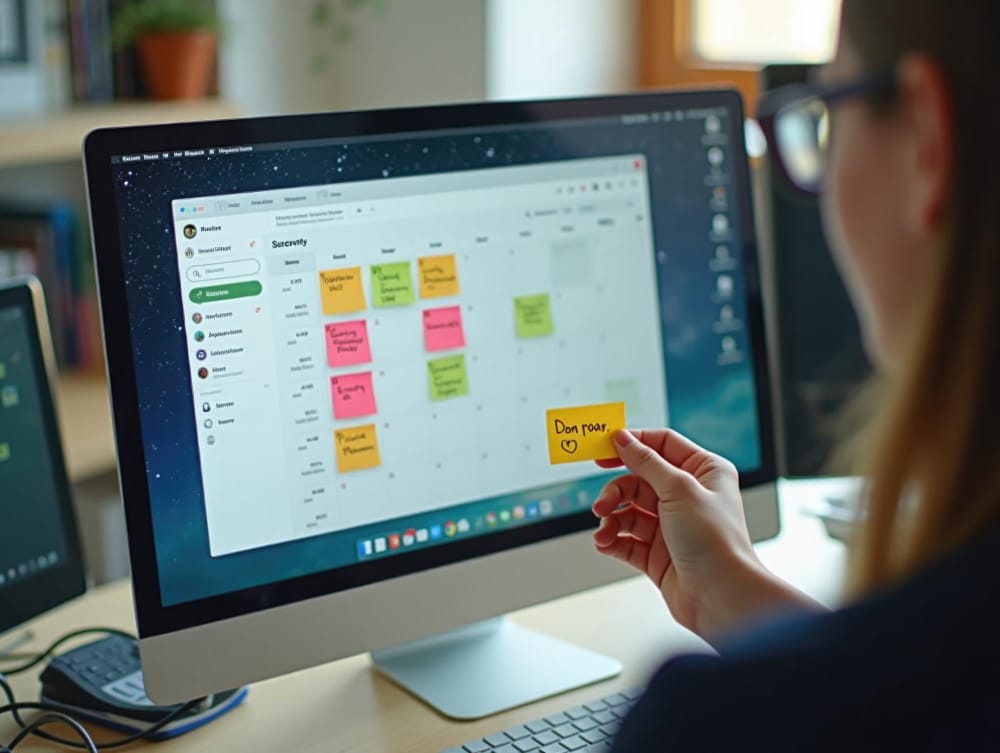
Trello is one of the most recognizable visual task management tools, famous for popularizing the Kanban-style interface. Founded in 2011 and later acquired by Atlassian, Trello remains a top choice for teams that want a simple, highly visual way to manage projects. Its minimal setup and intuitive drag-and-drop boards make it ideal for small teams, freelancers, and organizations that need an easy way to start managing work immediately.
At its core, Trello organizes work into boards, lists, and cards. Cards represent tasks, which can include due dates, labels, attachments, checklists, and comments.
Key features
- Drag-and-drop boards, lists, and cards
- Checklists inside cards (subtasks)
- Due dates, labels, comments, @mentions
- Butler automation (limits on free plan)
- Power-Ups (integrations) — 1 per board on free plan
Pricing (free plan notes)
Free: unlimited personal boards and cards; up to 10 team boards; limited automation runs; attachments size capped; 1 Power-Up per board.
Pros
- Extremely intuitive Kanban UX
- fast onboarding; many templates & integrations
Cons
- Free plan restricts Power-Ups and automation
- limited reporting and no native time tracking
Ideal users
Freelancers, small teams, content creators, teams that prefer visual boards.
Also Read: Best AI Tools for Software Documentation
2. Asana
Asana is one of the most well-known work and task management platforms, designed to help teams organize, track, and manage their workflows effectively. Founded in 2008 by former Facebook co-founder Dustin Moskovitz, Asana has grown into a global productivity solution trusted by millions of users. Its strength lies in balancing multiple task views — list, board, timeline, and calendar — making it a versatile collaboration platform for small teams and enterprises alike.
The platform enables users to create tasks, subtasks, dependencies, and recurring schedules, assign them to teammates, and attach files or comments for real-time collaboration. Projects can be managed through customizable workflows, and its timeline view provides Gantt-style scheduling for mapping dependencies.
Key features
- List and board views plus a calendar
- Unlimited tasks & projects for teams up to 15 on free plan
- Assignees, due dates, subtasks, attachments, recurring tasks
- Integration with Slack, Google Drive, Outlook (connectors)
Pricing (free plan notes)
Free: unlimited tasks, projects, and messages for up to 15 users; basic views and templates; recurring tasks and mobile access included.
Pros
- Flexible views
- strong collaboration features
- generous free tier for small teams
Cons
- Advanced features (timelines, automation, workload) are behind paid tiers
- slightly more structured onboarding
Ideal users
SMB teams, marketing teams, and agencies that want list + board versatility on a free plan.
3. ClickUp
ClickUp is an all-in-one productivity platform that combines task management, documentation, goals, chat, and even native time tracking in a single workspace. Founded in 2017, ClickUp has quickly become one of the fastest-growing project management and task tracking solutions, appealing to startups, SMBs, and enterprises alike. Its mission is to replace multiple work tools with one centralized system, making it one of the most feature-rich free task management software options available in 2025.
The platform allows users to create tasks with subtasks, assignees, priorities, tags, and deadlines, organized within flexible hierarchies of Spaces, Folders, and Lists. ClickUp also supports multiple views — including List, Board, Calendar, Gantt, and Timeline — so teams can choose how to visualize their work.
Key features
- Unlimited tasks & members on free plan
- Native time tracking and real-time collaboration
- Multiple views (list, board, calendar, limited Gantt)
- Docs linked to tasks and public sharing
- Basic automations and integrations
Pricing (free plan notes)
Free: unlimited tasks and members, 100MB storage, native time tracking, several views included. Advanced storage, automations, and dashboards are paid features.
Pros
- Very feature-rich free plan
- built-in time tracking; combines docs and tasks in one workspace
Cons
- Can be overwhelming to configure
- steeper learning curve than simpler boards
Ideal users
Startup teams wanting an all-in-one productivity tool and willing to invest time in setup.
4. Todoist
Todoist began as a personal to-do list app but has since evolved into a powerful task manager for individuals and small teams who value simplicity, speed, and a clean interface. Launched in 2007, Todoist has grown steadily over the years and is now one of the most popular productivity software tools worldwide, with millions of users relying on it for personal and professional task tracking. Its lightweight design and fast syncing make it a go-to option for freelancers, entrepreneurs, and small business owners.
The app’s standout feature is its natural language task entry, allowing users to type commands like “Submit report every Friday at 9 am,” which automatically schedules a recurring task.
Key features
- Natural-language task entry (e.g., “Submit report tomorrow at 9am”)
- Nested subtasks and priority levels
- Labels and limited filters
- Quick keyboard shortcuts and browser/mobile capture
- Integrations: Google Calendar, Zapier, browser extensions
Pricing (free plan notes)
Free: up to 5 active projects and 5 collaborators per project; labels & limited filters included. Reminders and extended collaborator/project limits require paid plans.
Pros
- Minimal and fast
- excellent mobile UX
- natural-language entry speeds capture
Cons
- Limited projects and collaborators on free tier
- reminders and advanced features locked behind paid plans
Ideal users:
Freelancers, solo founders, and small teams focused on personal productivity and light collaboration.
5. Monday.com (Free tier)

monday.com is a visual Work OS that uses customizable boards to represent workflows, combining task tracking with automations and integrations in a highly intuitive interface. Founded in 2012, monday.com has grown into one of the leading productivity platforms, trusted by startups and enterprises alike for managing everything from marketing campaigns to construction projects. Its strength lies in visual customization, allowing teams to design workflows that fit their exact processes without coding.
The platform organizes work into boards where each task is represented by an item with customizable columns. Users can add statuses, assignees, due dates, priorities, file attachments, and dependencies.
Key features
- Drag-and-drop boards with configurable column types (status, date, text)
- Templates for pipelines, content calendars, and onboarding
- Basic automations and connectors (limits on free tier)
- Integrations with Slack, Google Drive, and other tools (some limited to paid plans)
Pricing (free plan notes)
Free: typically limited seats (often 2), basic boards and a few column types. Automation runs, dashboards, and advanced integrations are reserved for paid tiers.
Pros
- Highly visual and polished UX
- flexible boards that model many workflows
Cons
- Free plan has strict seat and automation limits
- cost rises for more advanced features
Ideal users:
Micro-teams and startups that want an attractive, visual OS for task tracking and simple pipelines.
Also Read: Best Event Software for Workshops
6. Notion
Notion began as a flexible docs-and-databases workspace and has since grown into one of the most popular productivity software platforms for startups, creators, and enterprises. Launched in 2016, Notion has become a favorite for teams that want a single tool for docs, wikis, and lightweight task management combined. Its versatility allows teams to design their own workflows instead of being locked into rigid structures, making it one of the best free task management software options in 2025.
Notion’s strength lies in its modular approach. Users can build pages that contain databases, which can be turned into task trackers, project boards, or calendars.
Key features
- Pages and databases that act as task lists, Kanban boards, calendars, and tables
- Link blocks, templates, and properties (assignee, due date, status)
- Rich docs, meeting notes, and knowledge base in one workspace
- Sharing and public pages; templates for roadmaps and SOPs
Pricing (free plan notes)
Free (Personal): unlimited pages/blocks for personal use with generous templates; team/collaboration admin features are available on paid plans and through education discounts for students/educators.
Pros
- Highly flexible
- excellent templates
- combines docs and tasks for rich context
Cons
- Not purpose-built for strict task reporting or automations;
- requires governance to scale cleanly.
Ideal users
Startups and teams that want a combined wiki and task planner with rich documentation and flexible structure.
7. Wrike (Free plan)
Wrike is a versatile work management and project delivery platform that has been widely adopted by marketing teams, agencies, and enterprises for its structured approach to collaboration. Founded in 2006 and acquired by Citrix in 2021, Wrike has evolved into a robust tool for managing complex projects, campaigns, and workflows. Its free plan provides a solid entry point for small teams that need basic task tracking without committing to a paid solution, while its paid tiers scale into enterprise-grade project governance and reporting.
The free plan supports up to 5 users and includes essential features such as task management, board and list views, file sharing, and real-time collaboration.
Key Features
- Free tier supports up to 5 users.
- Task management with board and list views.
- Basic integrations and file sharing.
- Project templates and lightweight dashboards.
- Upgrade options with Gantt timelines and workload/resource views.
- Advanced reporting and custom request forms (paid plans).
- Strong focus on structured project delivery and visibility.
Pricing
Team plan: starts at around $9.80 per user/month.
Business plan: from $24.80 per user/month, with full reporting, resource management, and advanced automations.
Enterprise & Pinnacle tiers: available for organizations needing advanced security, governance, and scalability.
Pros
- Solid project structure.
- Well-suited for delivery teams.
Cons
- Free seats limited.
- Steeper learning curve compared to ultra-simple apps.
Ideal users: Small delivery teams and agencies piloting structured project workflows.
8. Quire
Quire is a lightweight yet powerful task management tool that combines nested task lists with Kanban boards, making it ideal for teams that prefer a structured, hierarchical approach to organizing work. Launched in 2014, Quire has carved a niche among small businesses, creative teams, and startups that want more than a simple to-do list but less complexity than enterprise project management platforms. Its blend of simplicity and flexibility makes it one of the best free task management software choices in 2025.
The platform’s standout feature is its infinite nested task lists, which allow teams to break down large projects into smaller, manageable subtasks while maintaining visibility.
Key features
- Nested tasks & subtasks with a clean hierarchy
- Kanban boards plus timeline view
- File attachments (size limits) and shared projects
- Mobile apps and Zapier integrations
Pricing
Free: generous feature set with unlimited tasks and subtasks; attachment size and some integrations may be limited.
Pros
- Strong nested-task model
- intuitive UI
- generous free offering for most small teams
Cons
- Fewer native integrations compared to larger platforms
Ideal users:
Small teams that need structured subtasks and a simple Kanban/list hybrid.
9. MeisterTask
MeisterTask is an elegant Kanban-based task management platform designed for simplicity, collaboration, and smooth workflow execution. Developed by the same company behind MindMeister, a popular mind mapping tool, MeisterTask stands out for teams that want to transition seamlessly from brainstorming and ideation into structured task execution. Its modern interface and strong focus on usability make it one of the most visually appealing free task management software options available in 2025.
The platform revolves around customizable Kanban boards where tasks can be moved across columns representing different workflow stages.
Key features
- Customizable Kanban project boards and checklists
- Assignees, due dates, and simple time tracking via integrations
- Polished mobile app and MindMeister integration for mind-mapping → tasks
- Templates for workshops, sprints, and short projects
Pricing
Free: up to 3 projects per team; unlimited collaborators within those projects; paid plans unlock unlimited projects, advanced automations, and additional integrations.
Pros
- Beautiful UI
- excellent for moving from idea to tasks
- easy collaboration
Cons
- Strict 3-project limit on free tier
- advanced features require upgrade
Ideal users:
Small teams running a few active projects, creative teams, and workshop facilitators.
10. Bitrix24 (Free tier)
Bitrix24 is an all-in-one collaboration and business management platform that combines CRM, task and project management, telephony, file sharing, HR tools, and even a built-in social intranet. Founded in 2012, Bitrix24 has gained popularity among small businesses and startups looking for maximum functionality without the expense of stitching together multiple SaaS products. Its free plan is one of the most generous in the market, making it especially attractive for teams on tight budgets.
In terms of task and project management, Bitrix24 supports kanban boards, Gantt charts, workload planning, recurring tasks, and time tracking.
Key features
- Task & project management: subtasks, Gantt, Kanban, workload views
- Basic CRM, time tracking, internal communication and telephony
- File sharing and collaborative intranet tools
- Option for self-hosted deployment (for data control)
Pricing
Free: often includes unlimited users (with storage and advanced-feature caps), core task/project tools, CRM basics, and communication features. Paid tiers increase storage, advanced automation, and premium modules.
Pros
- Expansive free features
- integrated CRM and communication
- self-host option for control
Cons
- Complex UI and steep learning curve
- can be dense for teams wanting simple task tracking
Ideal users:
Bootstrapped startups and small firms wanting CRM, tasks, and internal collaboration in one workspace.
11. Airtable (Free plan)
Airtable blends the familiarity of spreadsheets with the power of databases, making it a flexible platform for building custom task trackers, editorial calendars, and lightweight project management systems. Founded in 2012, Airtable has become a favorite among creative teams, startups, and enterprises looking for tools that adapt to their workflows rather than forcing them into rigid templates.
The strength of Airtable lies in its modular approach. Users can create “bases” that act like databases, each containing tables for tasks, projects, or resources.
Key features
- Bases that act as relational databases (link records across tables)
- Grid, Kanban, calendar, and gallery views
- Attachments, rich field types, and mobile app
- Customizable templates for editorial calendars, product tracking, etc.
Pricing
Free: unlimited bases and essential field types; limited records per base and capped automations/blocks. Paid plans increase record limits, automation runs, and advanced features.
Pros
- Highly customizable
- multiple view types
- excellent for structured, data-driven workflows
Cons
- Record limits and automation caps on free plan
- a learning curve for database concepts
Ideal users:
Content teams, startups building custom trackers, and makers who want a lightweight database-driven planner.
12. NTask
NTask is a focused project and task management tool built for small teams, freelancers, and startups that want a structured yet affordable way to plan, collaborate, and track work. Founded in 2015, nTask has grown into a versatile platform that goes beyond simple to-dos by adding modules for meetings, time tracking, risk, and issue management. Its generous free plan makes it one of the most approachable free task management software options in 2025.
The free plan includes unlimited workspaces, up to 5 team members, task lists, kanban boards, meeting management, and limited time tracking. Users can create tasks with due dates, assignees, priorities, and recurring schedules
Key features
- Unlimited tasks and Kanban-style boards
- Meeting management (minutes) and basic risk/issue tracking
- Time tracking and workspace dashboard
- Simple, approachable UI for meeting-driven follow-ups
Pricing
Free: unlimited tasks, one workspace, meeting and issue tracking basics. Paid tiers add Gantt charts, resource management, and advanced integrations.
Pros
- Integrated meetings + tasks
- simple risk/issue features
- practical for small teams and freelancers
Cons
- Advanced project views and integrations are behind a paywall
Ideal users:
Freelancers and small teams who run meetings and need reliable follow-up task tracking without heavy overhead.
13. Freedcamp
Freedcamp is a feature-rich, budget-friendly project and task management platform that offers a surprisingly generous free plan — supporting unlimited users and projects. Founded in 2010, Freedcamp has become a go-to option for non-profits, small businesses, and teams that want classic project tools without the cost of enterprise solutions. Its positioning as an affordable alternative makes it stand out among the best free task management software options in 2025.
The free plan provides essential features such as task lists, Kanban boards, milestones, a calendar, file uploads (with storage limits), and basic time tracking.
Key features
- Tasks, milestones, and Kanban boards
- Time tracking (limited) and calendar views
- Basic file uploads and project-level organization
- Paid add-ons for Gantt charts, CRM, invoicing, and extra storage
Pricing
Free: unlimited users and projects with core task and collaboration tools; advanced features (Gantt, CRM, additional storage) are available via paid add-ons or premium plans.
Pros
- Unlimited users/projects on free plan
- many core project tools available without recurring cost
Cons
- UI is less modern than competitors
- advanced capabilities require paid add-ons
Ideal users:
NGOs, volunteer groups, and budget-conscious small businesses managing multiple projects.
14. Paymo (Free tier)
Paymo is a lightweight yet powerful project and task management tool that stands out for its integrated time-tracking, invoicing, and financial features — making it especially valuable for small agencies, freelancers, and service-based businesses where billing and project delivery go hand in hand. Founded in 2008, Paymo has steadily evolved into a trusted solution for managing the full project lifecycle, from planning tasks to tracking hours and issuing invoices.
On the free plan, Paymo provides core essentials like task lists, Kanban boards, recurring tasks, and simple project planning. It also includes time-tracking functionality, which is rare among free task management software.
Key features
- Task lists and Kanban boards
- Native time tracking and simple invoicing
- Project templates and task-to-billing workflows
- Basic reporting and mobile apps
Pricing
Free: core time tracking and task management aimed at solo users; paid plans unlock client access, Gantt charts, advanced invoicing, and team features.
Pros
- Integrated time tracking and invoicing
- streamlined project-to-billing flow for freelancers
Cons
- Free tier is limited for teams
- advanced reporting and client features require paid plans
Ideal users:
Freelancers and solo consultants who bill by the hour and need a clear time-to-invoice workflow.
15. Microsoft To Do

Microsoft To Do is a simple, free task manager that syncs seamlessly across devices and integrates tightly with Microsoft 365 — making it a solid choice for individuals and small teams already using Outlook, Teams, and other Microsoft apps. Originally built as a successor to Wunderlist, To Do has steadily matured into a lightweight yet reliable productivity tool that’s deeply embedded in the Microsoft ecosystem.
The app focuses on personal and shared task lists. Users can create multiple lists, add subtasks (called steps), set due dates and reminders, assign priority levels, and group tasks by category.
Key features
- Personal and shared task lists with recurring tasks and reminders
- Subtasks (steps), list sharing, and My Day planning
- Deep integration with Outlook Tasks and Planner
- Syncs across Windows, iOS, Android, and web
Pricing
Free: available to anyone with a Microsoft account; full task functionality for personal and shared lists. Advanced team planning and enterprise features are handled by Microsoft Planner/Project in paid Microsoft 365 tiers.
Pros
- Free, simple, and fast; excellent Outlook/Teams integration
- ideal for shared checklists and personal productivity
Cons
- Not built for complex project management or large-team planning
- limited reporting and views
Ideal users:
Individuals, small teams, and organizations embedded in Microsoft 365 that need reliable shared lists and personal task management.
How to Choose the Right Free Task Management Software
Selecting the right free task management software means balancing immediate needs (easy onboarding, mobile access) with the likely growth path of your team (automation, security, reporting). The wrong choice can lead to switching costs later, so it’s worth taking a systematic approach. Use this practical checklist to guide your selection and ensure your chosen tool grows with your team.
1. Define your must-haves
Start by writing down three non-negotiables. Do you need mobile apps? Must tasks support subtasks and due dates? Do you require integrations with Google Calendar or Slack? Free plans vary widely, and not all offer the same level of functionality. Choosing a platform that covers your basic needs from day one saves headaches later.
2. Consider team size and growth
Free tiers differ significantly in how many seats they allow. For example, monday.com’s free plan caps users at two, while Freedcamp and Bitrix24 support unlimited users at no cost. If you expect to scale quickly, choose a tool with generous seat allowances or predictable per-seat upgrades to avoid disruption when your team grows.
3. Choose the right UX model (list vs board vs database)
Different teams prefer different task layouts. Visual teams that thrive on seeing progress benefit from Kanban boards in tools like Trello or MeisterTask. Planning-heavy teams may prefer structured list and timeline views found in Asana, ClickUp, or Wrike. If your workflows are data-driven and you want custom fields or relational records, Airtable provides a database-style approach that can be tailored to your process.
4. Evaluate collaboration features
Comments, @mentions, file attachments, and shared task views are crucial for cross-functional teams. Some free tools like Notion and ClickUp also include real-time document collaboration, letting you connect meeting notes directly to tasks. If you rely on frequent discussions or approvals, prioritize platforms with robust commenting and activity tracking.
5. Check integrations and connectors
Integrations are often limited on free plans. Some platforms allow native connections to Google Drive, Slack, or Outlook, while others push you toward third-party automation tools like Zapier or Make. If calendar sync, cloud storage, or chat notifications are essential, verify these are available at no cost before committing.
6. Test mobile parity
Many tasks are created and updated on the go, so mobile parity matters. Confirm that the mobile app supports core workflows like creating tasks, assigning owners, attaching files, and marking completion. Some tools offer full-featured mobile experiences (Todoist, Microsoft To Do), while others scale back features in their free apps.
7. Review automation and recurring tasks
Even simple automation can save hours. For instance, automatically moving a card when its status changes or creating a task from a form submission reduces manual effort. ClickUp and Trello both provide limited automation in their free tiers. Recurring tasks are another must-have for many teams—check whether your free plan supports them natively.
8. Assess storage and file limits
File storage varies widely across free plans. Some cap file sizes at 10MB, while others offer more generous allowances. If your team frequently shares design files, contracts, or media assets, make sure the platform provides adequate free storage or seamless integration with cloud services like Google Drive or Dropbox.
9. Think about governance and data export
As your team grows, governance becomes more important. Can you control permissions, restrict access, or manage roles? Just as important, can you export tasks and files if you ever decide to switch platforms? Having clear export options avoids lock-in and ensures business continuity.
10. Pilot with a representative project
Before committing long-term, run a 2–4 week pilot using real work. Choose a small but representative project and measure adoption: Are teammates updating tasks? Is there friction in daily use? Does the tool integrate smoothly with your existing workflows? A short trial helps identify strengths and weaknesses before scaling.

Final Thoughts on Free Task Management Software
Free task management software in 2025 has evolved into a powerful category of tools. Unlike earlier “lite” versions, today’s free tiers often include collaboration features, mobile parity, and enough automation to support real workflows. This means small teams, freelancers, and even departments within larger organizations can run meaningful projects without paying upfront.
The clear winners are platforms that reduce friction. Fast task creation, intuitive sharing, and integrations that cut down on duplicate work matter more than feature lists. For most small teams and freelancers, the right free tool covers 80% of needs: task visibility, timely follow-ups, and a shared context for decisions. Picking software that emphasizes simplicity and adoption ensures teammates actually use it daily.
A practical approach is to start small. Choose one tool for a focused use case — such as a content calendar, sprint board, or client task list — and test it for adoption. Apply lightweight governance, like naming conventions and archiving completed boards, to avoid clutter. If the pilot succeeds, expand gradually. When your needs grow into advanced automation, reporting, or enterprise-grade security, it’s easier to upgrade within the same platform than to migrate to an entirely new system.
Looking ahead, trends are shaping how free task tools deliver value. AI-powered assistants are beginning to turn meeting notes into action items automatically. Predictive scheduling will soon suggest optimal due dates to prevent bottlenecks. Cross-app integrations are becoming deeper, allowing tasks to live simultaneously in documents, chat apps, and calendars. These innovations are already appearing in free and low-cost plans, signaling a future where the gap between free and premium tiers continues to narrow.
Interesting Reads:
How can I build a website from Scratch and Shine Online

