10 Best Image Resizer for YouTube


In today’s digital world, visuals are a powerful tool, especially on YouTube. The right image size and resolution can significantly impact how your video thumbnails, channel art, and logos appear on different devices. A well-sized, high-quality image grabs attention and encourages clicks, helping your channel grow. If you’re serious about making your YouTube presence stand out, finding the best image resizer is crucial. In this blog post, we’ll cover the 10 best image resizer for YouTube to help you create visually appealing images that enhance your channel’s performance.
Why You Need Image Resizer for YouTube
Importance of Properly Sized Images on YouTube
When it comes to YouTube, every image counts, especially thumbnails. These visuals are often the first thing users see, and a poorly sized image can distort or blur, discouraging potential viewers. A good image resizer allows you to quickly adjust your images to YouTube’s recommended dimensions, ensuring they appear crisp and professional.
Moreover, YouTube thumbnails need to be 1280×720 pixels, and channel art requires 2560×1440 pixels for optimal display. An image resizer helps you meet these specifications without compromising quality, making your content look more polished and inviting.
Benefits of Using the Right Resizer
Resizing images manually can be time-consuming and often leads to poor results. A proper image resizer will automatically adjust the dimensions without losing quality. It can also optimize images for faster loading times, an essential factor in today’s fast-paced digital environment.
Now that we’ve established the importance of image resizing, let’s dive into the 10 best image resizers for YouTube.
1. Canva
Key Features:
- Free and user-friendly
- Pre-set YouTube dimensions for thumbnails and channel art
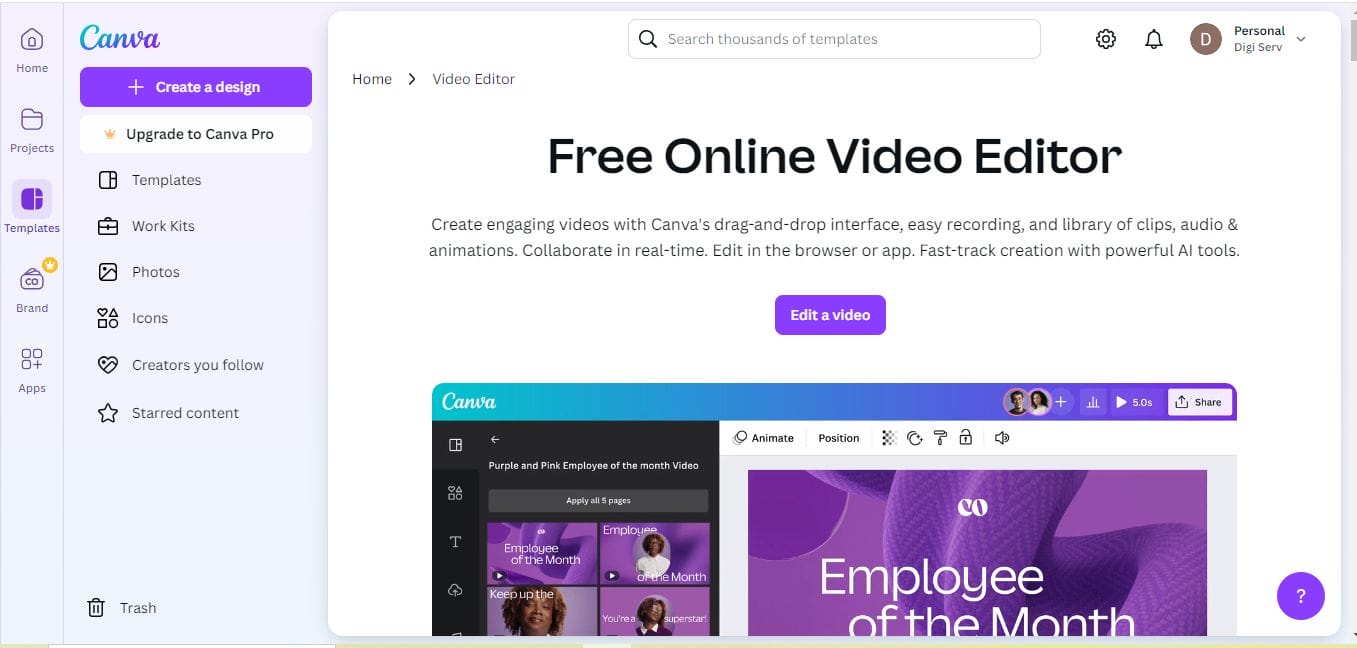
Canva is a versatile tool that offers pre-set dimensions for YouTube thumbnails, making it a perfect choice for beginners and professionals alike. Its drag-and-drop interface and extensive library of templates make resizing and designing YouTube images a breeze.
Pros:
- Extensive design tools alongside resizing
- Free plan offers substantial functionality
Cons:
- Some premium features locked behind a paywall
2. Adobe Photoshop Express
Key Features:
- Advanced image editing and resizing
- Optimizes images for web use
Adobe Photoshop Express is a lighter version of the industry-standard Photoshop, designed for quick image editing and resizing. It offers preset dimensions for YouTube, ensuring that your images fit perfectly.
Pros:
- Powerful editing tools
- High-quality results
Cons:
- Limited features compared to the full Photoshop version
3. Fotor
Key Features:
- Quick resizing with presets
- Additional filters and editing tools
Fotor is another excellent online tool for resizing images for YouTube. It provides ready-to-use templates, including YouTube thumbnail and banner sizes, allowing users to easily format their images for the platform.
Pros:
- Easy to use, even for beginners
- Offers a wide range of editing options
Cons:
- Free version includes ads
4. PicResize
Key Features:
- Simple interface focused on resizing
- Offers multiple file formats
For those looking for a simple and fast solution, PicResize is the go-to tool. It allows you to upload images, select a size, and resize within seconds. Although it doesn’t have fancy editing tools, it is highly effective for resizing images for YouTube.
Pros:
- Quick and efficient resizing
- Supports various file formats
Cons:
- Limited design capabilities
5. Kapwing
Key Features:
- Online editor with resizing tools
- Optimized for social media and YouTube
Kapwing is an all-in-one video and image editor designed with content creators in mind. Its YouTube-specific tools make it easy to resize images like thumbnails and banners to the exact specifications needed.
Pros:
- Cloud-based, no software download required
- Built specifically for content creators
Cons:
- Free version has watermarks on some tools
6. ResizeImage.net
Key Features:
- Simple resizing tool
- Maintains high image quality
As the name suggests, ResizeImage.net specializes in resizing images quickly and easily. It maintains the image’s original quality while allowing you to scale down or crop images for YouTube.
Pros:
- Focused on resizing, simple to use
- No signup required
Cons:
- No additional design features
7. Snappa
Key Features:
- Pre-set dimensions for YouTube
- Easy-to-use drag-and-drop interface
Snappa is a graphic design tool similar to Canva but focuses more on social media images, including YouTube. You can quickly create or resize images using its YouTube thumbnail and banner templates, making it an excellent option for content creators.
Pros:
- Ready-made YouTube templates
- Easy for beginners
Cons:
- Limited customization in the free version
8. Bulk Resize Photos
Key Features:
- Fast resizing for multiple images
- No quality loss
Bulk Resize Photos is perfect if you need to resize a large number of images at once. It’s quick and efficient, and more importantly, it preserves the quality of your images during the resizing process, making it great for YouTube banners and thumbnails.
Pros:
- Batch resizing capabilities
- No quality loss
Cons:
- Limited editing options
9. Befunky
Key Features:
- Offers advanced editing tools
- Easy-to-use resizing options
Befunky is an online editor that provides both basic and advanced image editing features, including resizing. It has pre-set options for YouTube, ensuring that your images will always be the correct size.
Pros:
- Easy to use with professional-quality results
- Offers additional design features
Cons:
- Some features are locked behind a premium plan
10. PhotoScape X

Key Features:
- Advanced editing with resizing tools
- Free version offers substantial functionality
PhotoScape X is a desktop application that provides a wide range of editing tools, including image resizing. It’s particularly useful for those who prefer working offline and need more advanced editing capabilities for their YouTube images.
Pros:
- Advanced features for experienced users
- Free version available
Cons:
- Steeper learning curve for beginners
Comparison Table: 10 Best Image Resizer for YouTube
| Software Name | Key Features | Pros | Cons |
|---|---|---|---|
| Canva | Pre-set YouTube dimensions, drag-and-drop interface | Easy to use, free plan available | Premium features locked |
| Adobe Photoshop Express | Advanced editing and resizing | High-quality results | Limited compared to full Photoshop |
| Fotor | Pre-set templates, editing tools | Beginner-friendly | Free version includes ads |
| PicResize | Quick resizing, multiple formats | Fast and efficient | Limited design capabilities |
| Kapwing | Online, social media focused | Cloud-based and creator-friendly | Watermarks in free version |
| ResizeImage.net | Simple resizing | Easy and fast | No design tools |
| Snappa | Pre-set templates, drag-and-drop interface | Ready-made YouTube templates | Free version is limited |
| Bulk Resize Photos | Batch resizing | No quality loss | Limited editing features |
| Befunky | Advanced editing, resizing tools | Professional-quality results | Premium features locked |
| PhotoScape X | Advanced editing, offline app | Free version available | Learning curve for beginners |

Last Remarks
Finding the right image resizer for YouTube is crucial for ensuring your visuals are sharp and perfectly sized, no matter the device. From beginners to seasoned content creators, these 10 best image resizer for YouTube provide a wide range of options, whether you need quick resizing or more advanced design tools. By using these tools, you’ll be able to optimize your images and ensure that your YouTube channel shines with professional-quality visuals.
Interesting Reads:

Shashank is a seasoned digital marketing and WordPress expert who specializes in SEO, software tools reviews, and cutting-edge strategies for boosting online presence. With a passion for simplifying complex topics, Goutham crafts engaging blog posts that help readers optimize their websites, improve search engine rankings, and stay ahead in the ever-evolving digital landscape.