

Are you ready to dive into the world of memes? Memes are everywhere, and they’re a huge part of internet culture. Whether you want to make your friends laugh or go viral on social media, the right meme-making tool can make all the difference. Here’s a look at the 10 best online meme makers for free that are accessible, easy-to-use, and packed with features to help you create the perfect meme.
Let’s jump into each of these awesome tools, so you can decide which one fits your meme-creating needs best!

Quick Links
1. Imgflip: A Top Choice for Beginners
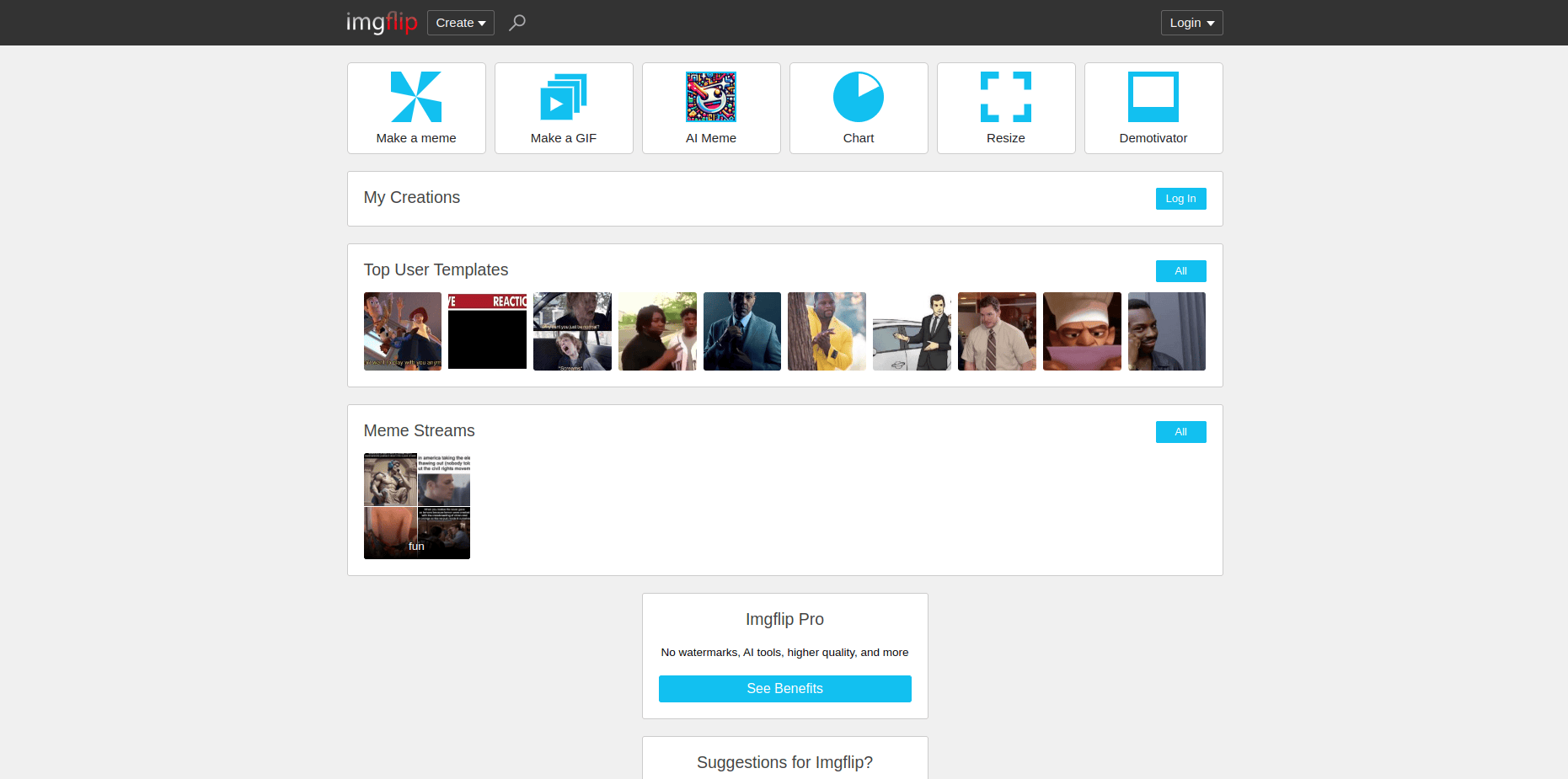
Imgflip is one of the most popular online meme makers out there, and for a good reason. It’s straightforward and user-friendly, which makes it perfect for beginners who want to dive right into meme-making. Imgflip has a huge library of meme templates, covering every trending topic and classic meme format you can think of.
The best part? Imgflip offers customization options, allowing you to adjust font, text alignment, and image size. The platform also allows you to upload your own images if you want to create something completely unique.
Key Features:
- Extensive library of meme templates
- Simple customization options
- Upload your own images
Pros:
- User-friendly interface
- Great for beginners
Cons:
- Limited editing features in the free version
- Imgflip watermark on free memes
2. Kapwing: The Meme Maker for Video Lovers
If you’re looking to make more than just image-based memes, Kapwing is an excellent choice. This platform lets you create both image and video memes, giving you more options to get creative. Kapwing also provides numerous templates, so you can start quickly, even if you’re new to meme-making.
Kapwing stands out for its advanced editing features, including options for adding subtitles, trimming video clips, and even working with GIFs. While some features require a paid subscription, the free version is still loaded with enough tools to make excellent memes.
Key Features:
- Supports video and GIF meme creation
- Templates and advanced editing tools
- Subtitles and text overlay options
Pros:
- Ideal for video memes
- High-quality editing tools
Cons:
- Watermark on free content
- Some features locked in premium version
Also Read: 10 Best Free Boxing Flyer Maker
3. Canva: A Powerful Tool for Custom Memes
Canva is one of the best free online design tools, and its meme-making capabilities are no exception. With Canva, you can create visually stunning memes that stand out from the crowd. It has a wide selection of meme templates, but you can also start from scratch with your own images.
Canva is perfect for users who want to experiment with colors, fonts, and design elements, as it provides a full suite of design tools. While it may take a bit longer to learn compared to simpler meme makers, the results are often worth it.
Key Features:
- Full design toolkit with templates
- Customizable text and graphics
- High-quality export options
Pros:
- Versatile and creative options
- Great for professional-looking memes
Cons:
- Learning curve for beginners
- Free version has limited premium features
4. Meme Generator by ZomboDroid: Simple and Fast
If you’re looking for a meme-making tool that’s simple and quick, Meme Generator by ZomboDroid is a great option. This platform offers an array of popular meme templates that can be customized with text in just seconds. It’s designed to be accessible, so even if you’ve never created a meme before, you’ll find it easy to use.
With ZomboDroid, you get all the basic features you need to make memes without any extra frills. The only downside is that you won’t find many advanced editing features here, but it’s perfect if you just need something fast and simple.
Key Features:
- Easy-to-use interface
- Basic text customization
- Pre-loaded meme templates
Pros:
- Very beginner-friendly
- Quick meme creation
Cons:
- Lacks advanced features
- Limited customization
5. Adobe Express: Professional Quality for Free
Adobe Express, previously known as Adobe Spark, is a free tool that lets you create memes with a professional touch. It’s a robust design platform, allowing you to play with fonts, colors, and even animations for your memes. If you’re serious about making high-quality memes, Adobe Express is a great choice.
While Adobe Express offers a lot, it also comes with a learning curve. The templates and tools are more sophisticated than some simpler meme makers, which makes it ideal for users who are looking for a polished final product.
Key Features:
- Advanced design tools and templates
- Text animation and customization
- Export high-resolution images
Pros:
- Professional-quality results
- Customizable and versatile
Cons:
- Requires an Adobe account
- Learning curve for beginners
Also Read: 10 Best Generate a Real Estate Flyer with AI
6. Meme Maker by Livememe: Quick and Classic
If you’re a fan of classic memes, Meme Maker by Livememe is worth a try. It’s an incredibly simple meme generator that’s been around for years, focusing on classic meme formats without a lot of bells and whistles. Livememe doesn’t offer video support or custom templates, but it’s perfect if you’re looking for a quick way to make traditional image memes.
One of the best things about Livememe is how easy it is to use. Simply pick a template, add text, and you’re done! Livememe’s minimalist approach makes it an ideal choice for meme creators looking to keep it simple.
Key Features:
- Classic meme templates
- Easy and straightforward
- No login required
Pros:
- Super easy to use
- Perfect for classic memes
Cons:
- Limited to basic image memes
- No advanced customization options
7. Clideo: All-in-One Meme and Media Editor
Clideo is a one-stop-shop for all your media editing needs, including meme creation. You can create image, video, and GIF memes, making Clideo one of the most versatile meme makers on this list. It offers simple editing tools for trimming, cropping, and adding text to your memes.
Clideo’s strength lies in its wide range of supported formats, giving you the flexibility to create different types of memes all in one place. However, note that Clideo’s free version adds a watermark, which might be a dealbreaker for some.
Key Features:
- Supports image, video, and GIF memes
- Basic editing tools
- Multiple media format support
Pros:
- Versatile for different media types
- Easy-to-use interface
Cons:
- Watermark on free content
- Limited advanced features
8. InVideo: Best for Custom Video Memes
InVideo is a video editing tool that has become popular for creating custom video memes. With InVideo, you can combine different clips, add text, and even choose from music tracks to enhance your meme. While it’s primarily a video editor, it’s excellent for users who want to create funny or viral video memes.
InVideo’s free version includes a watermark, but its powerful editing tools make it worth trying, especially if you’re interested in making unique video memes that stand out on social media.
Key Features:
- Advanced video editing tools
- Stock footage and music options
- Supports custom video memes
Pros:
- Excellent for video meme creators
- Lots of creative control
Cons:
- Watermark on free exports
- Requires time to learn
9. PiZap: Fun and Interactive Meme Maker
PiZap is an online photo editor with a dedicated meme maker tool. It’s fun, colorful, and perfect for meme creators who want a little more style in their designs. PiZap offers an easy drag-and-drop interface along with plenty of templates, effects, and stickers, making it ideal for playful and interactive meme creation.
The only catch with PiZap is that the free version includes a watermark, but if you’re okay with that, it’s a great choice for creating unique, eye-catching memes.
Key Features:
- Colourful templates and stickers
- Drag-and-drop editing
- Photo effects and filters
Pros:
- Fun and easy to use
- Great for creative, interactive memes
Cons:
- Watermark on free exports
- Limited features in free version
Also Read: 10 Best Image Resizer for WhatsApp
10. Make a Meme: Quick and No-Fuss
Make a Meme is a no-fuss meme maker that’s perfect for quick, classic memes. It doesn’t have many features or customization options, but it’s super straightforward. You pick a meme template, add text, and that’s it – you’ve got a meme ready to share.
Make a Meme doesn’t require a login, so it’s ideal for anyone who wants a fast and hassle-free meme-making experience.
Key Features:
- Simple and quick
- No login required
- Basic meme templates
Pros:
- Great for fast meme creation
- Very easy to use
Cons:
- Limited to image memes
- Minimal customization options
Comparison Table: 10 Best Online Meme Makers For Free
| Meme Maker | Key Features | Pros | Cons |
|---|---|---|---|
| Imgflip | Huge template library, simple editing | Beginner-friendly | Watermark on free memes |
| Kapwing | Supports video/GIF, subtitle options | Great for video memes | Watermark on free content |
| Canva | Full design suite, customizable templates | High-quality results | Learning curve |
| Meme Generator | Easy and quick templates | Very user-friendly | Lacks advanced features |
| Adobe Express | Professional-quality editing | Great for detailed memes | Learning curve |
| Livememe | Classic templates, quick and simple | Easy to use | No video support |
| Clideo | Supports multiple formats | Ideal for varied media types | Watermark on free content |
| InVideo | Custom video meme creation | Excellent for video memes | Watermark on free exports |
| PiZap | Fun effects, interactive editing | Fun and colorful templates | Watermark on free exports |
| Make a Meme | Quick and basic | No login required | Limited customization |

Closing Remarks: Find Your Perfect Meme-Making Tool
There you have it—the 10 best online meme makers for free! With so many great options, there’s something for everyone. From simple image memes to advanced video creations, these tools cover all your meme-making needs. Get creative, have fun, and start making memes that will have everyone laughing!
Interesting Reads:

