

Creating a memorable outro for your video can leave a lasting impression on your audience, encouraging them to like, subscribe, or check out more of your content. An outro is the final piece of your video content that wraps up your message and often includes your logo, social media handles, or a call to action. With so many tools available, it can be overwhelming to find the right one. In this blog post, we’ll explore the 10 best Outro Video Maker online to help you create professional, engaging endings to your videos.

Quick Links
Why an Outro is Important for Your Videos
Capturing the Audience’s Attention Until the End
A video outro acts as the final flourish, leaving a strong impression that can drive audience engagement. Whether you’re a YouTuber, digital marketer, or educator, the right outro can encourage your viewers to take action. It can serve as the last opportunity to guide them toward your next video, your website, or other content.
A Call to Action That Converts
Outro videos are the perfect space to include a call to action (CTA). Whether it’s a prompt to subscribe to your channel, visit your website, or follow you on social media, this is where you make your final ask. The best outro video maker online can help you design that compelling CTA, making your video not only visually engaging but also action-oriented.
1. Canva
Key Features:
- Drag-and-drop editor
- Pre-designed templates for video outros
- Customizable elements like fonts, colors, and images
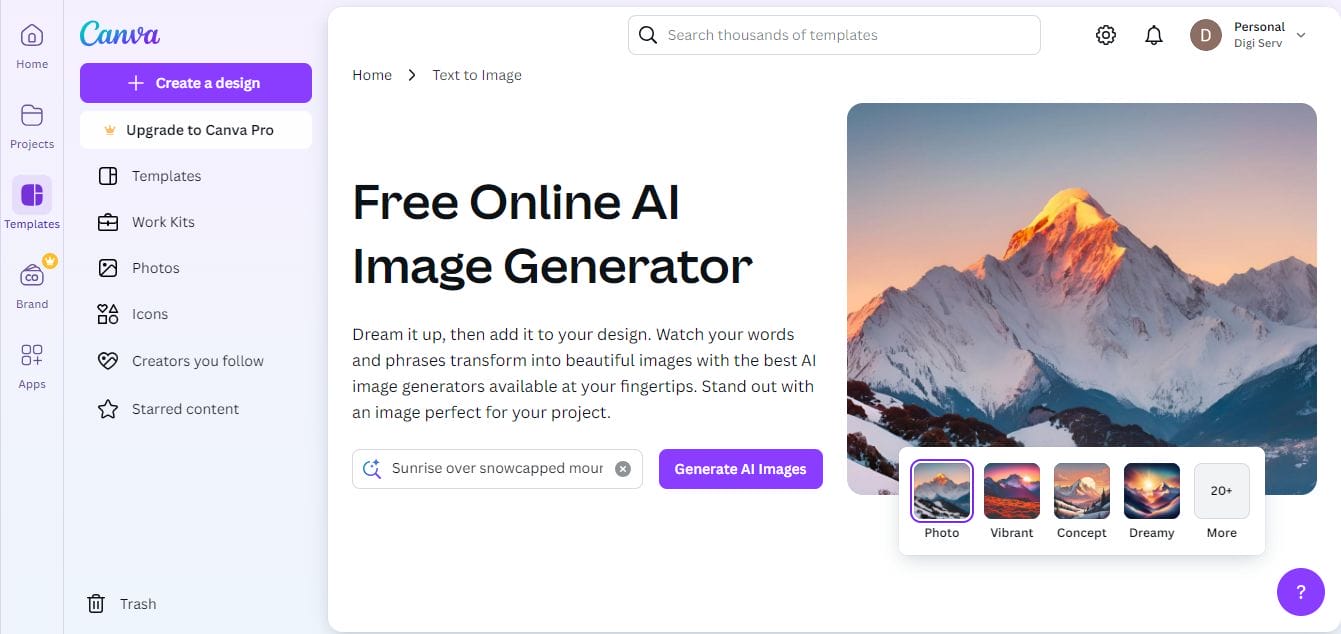
Canva is widely known for its easy-to-use design interface, and its video outro maker is no exception. With a vast selection of pre-designed templates, Canva allows users to create sleek, professional outros in minutes. You can easily add animation, text, and music to ensure your outro is as polished as your entire video.
Pros:
Beginner-friendly interface
Thousands of customizable templates
Cons:
Limited free version features
2. Animaker
Key Features:
- Animation-based outros
- Drag-and-drop functionality
- Built-in library of characters and effects
Animaker is an excellent choice for those looking to create animated outros. Its user-friendly interface allows you to animate text, characters, and objects with ease. Animaker also provides a wide range of templates that make it easy to add an animated touch to your outro videos.
Pros:
Rich in animation features
Large library of characters and templates
Cons:
Watermark on the free version
3. Placeit
Key Features:
- Simple to use with a focus on gaming and YouTube
- Customizable video outro templates
- Stock video and images available for use
Placeit is a go-to platform for YouTubers, offering an array of customizable video templates, including video outros. With a simple drag-and-drop interface, you can choose a design, add your logo, and customize it to suit your brand’s aesthetic. This makes Placeit ideal for creators looking for a fast, simple solution.
Pros:
Ideal for gaming and YouTube creators
Easy to customize with no design experience needed
Cons:
Limited animation features in the free version
4. Renderforest
Key Features:
- High-quality video templates
- Customizable logos and text
- Royalty-free music library
Renderforest is a powerful cloud-based tool that offers stunning templates for outros. It provides HD video quality, making it perfect for creating polished, professional-looking outros. With built-in options to add your logo, text, and background music, Renderforest is an excellent tool for anyone looking to make a high-quality outro.
Pros:
High-definition video templates
Wide range of customization options
Cons:
Limited free version options
5. Biteable
Key Features:
- Ready-made templates
- Customizable animations and text
- User-friendly interface
Biteable offers ready-made outro video templates that are easy to customize with your brand’s colors, text, and logo. The platform provides a simple, clean interface that allows even beginners to create professional-looking outros in just a few clicks.
Pros:
Fast and easy to use
Wide selection of templates
Cons:
Limited music and animation options in the free version
6. FlexClip
Key Features:
- Built-in stock video and music library
- Drag-and-drop timeline editor
- Customizable templates
FlexClip is an all-in-one video editor that offers tools to create beautiful outro videos. It allows users to choose from pre-designed templates or create an outro from scratch. FlexClip’s drag-and-drop editor makes it easy to add text, animations, and music to create a professional outro.
Pros:
Comprehensive video editing tools
Access to stock footage and music
Cons:
Requires account for full access
7. InVideo
Key Features:
- Templates tailored for YouTube outros
- Supports multiple aspect ratios for different platforms
- Real-time collaboration features
InVideo is an online platform designed for creating video content, including outros, with a wide variety of templates available. InVideo provides specific options for different social media platforms, including YouTube, ensuring your outro will look great no matter where it’s posted.
Pros:
Platform-specific outro templates
Real-time collaboration features
Cons:
Some advanced features locked behind a paywall
8. Kapwing
Key Features:
- Free to use with basic features
- Collaboration tools for teams
- Wide range of media editing options
Kapwing is a free, collaborative platform that lets you create video outros without any prior design experience. With tools for adding text, images, and animations, Kapwing makes it easy to create professional outros. Additionally, Kapwing’s collaboration features allow teams to work together on video projects in real-time.
Pros:
Free to use with no watermarks
Real-time team collaboration
Cons:
Limited advanced features without a subscription
9. Powtoon
Key Features:
- Animation and video editing features
- Customizable templates for outro videos
- Cloud-based storage and easy sharing
Powtoon specializes in animated presentations and video content, including video outros. It offers users the ability to create unique, animated outros with customizable templates. If you’re looking for a fun, animation-driven outro, Powtoon is a great option.
Pros:
Great for animated outros
Extensive library of animations and characters
Cons:
Advanced features come with a higher price tag
10. Visme

Key Features:
- Customizable video outro templates
- Animation, infographics, and chart creation
- Drag-and-drop functionality
Visme is a multi-purpose content creation tool that also offers video outro templates. You can add animations, text, and interactive elements to create a dynamic, visually stunning outro. Visme’s drag-and-drop interface makes it easy to use, even for beginners.
Pros:
Professional-looking animations
Wide range of customization options
Cons:
Premium features are paid
Comparison Table: 10 Best Outro Video Maker Online
| Software Name | Key Features | Pros | Cons |
|---|---|---|---|
| Canva | Drag-and-drop editor, customizable templates | Beginner-friendly, many templates | Limited free features |
| Animaker | Animation-based outros, built-in effects | Rich in animation features | Watermark in free version |
| Placeit | Simple and customizable templates | Easy to use for YouTubers | Limited animation options |
| Renderforest | High-quality templates, royalty-free music | HD video, extensive customization | Limited free options |
| Biteable | Ready-made templates, customizable | Fast and easy to use | Limited music options |
| FlexClip | Stock video/music library, timeline editor | Comprehensive editing tools | Requires account for full features |
| InVideo | YouTube outro templates, multiple ratios | Platform-specific options | Advanced features are paid |
| Kapwing | Free, collaboration tools | No watermarks, team-friendly | Limited advanced features |
| Powtoon | Animation tools, cloud-based sharing | Great for animations | Higher price for advanced features |
| Visme | Animation, infographics, customizable templates | Professional animations | Paid premium features |

Final Reflaction
Choosing the right outro video maker online depends on your needs, whether it’s animation, quick customization, or platform-specific templates. Each tool in this list offers unique features to help you create visually stunning and engaging video outros that capture your audience’s attention until the very end. Whether you’re a YouTuber or a marketer, using the right outro maker will elevate the quality of your content.
Interesting Reads:
10 Best Image Resizer for Facebook and Instagram Ads

