7 Best Plaud Note Alternatives in 2026


Updated on March 13, 2026: We reviewed this list for current product positioning, AI note-taking use cases, and Plaud Note alternatives that still make sense in 2026.
If you’re searching for a smarter way to record, transcribe, and summarize your voice notes or meetings, Plaud Note is a powerful AI-enabled solution. But it’s not the only one. Whether you want real-time transcription, multilingual support, or hardware-free workflows, these Plaud Note alternatives offer different strengths across software and hardware tools.
Since Plaud’s lineup has expanded (including the upgraded Note Pro with longer recording time and improved microphones), it’s even more important to match the tool to your workflow. Some alternatives focus on meeting capture inside Zoom/Meet/Teams. Others are built for offline recording, call capture, or voice-to-note cleanup. The list below reflects the most practical options for 2026, along with what each does best and where it falls short.
Table of contents
Top 7 Plaud Note Alternatives
Here are the top 7 Plaud Note alternatives, structured for clarity.
1. Notta (Best for accurate multilingual transcription)
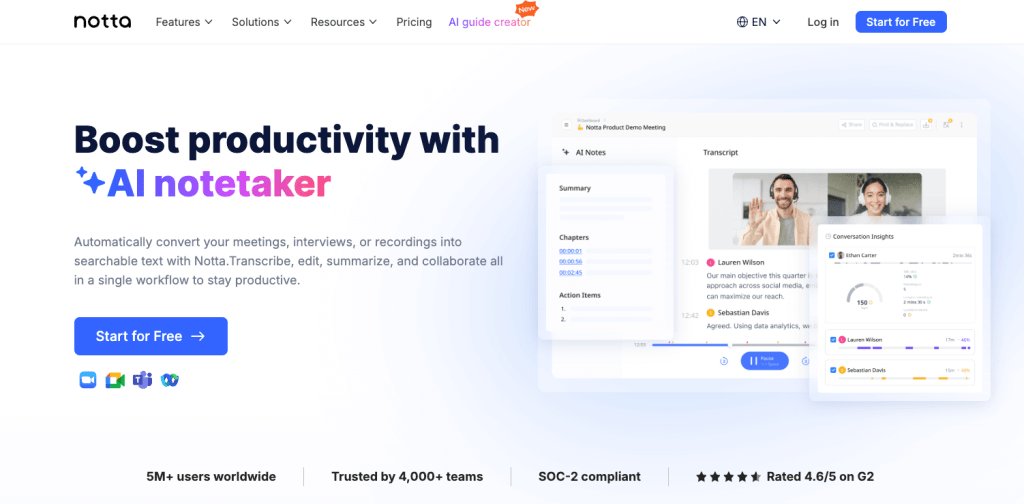
Notta is a robust real-time transcription platform that supports 58+ languages, offers AI summaries, and works across web, mobile, and browser extensions. Unlike Plaud Note (which pairs with hardware), Notta is software-first and built for teams that need fast transcripts and search across meetings, interviews, or lectures.
Notta also supports auto-transcription for Zoom, Google Meet, Microsoft Teams, and Webex sessions, plus file upload for recorded audio or video. It’s a strong fit if you want multilingual coverage, quick summaries, and exports to common formats without buying a dedicated device.
Notta best features
- Real-time transcription in 58+ languages
- AI summary and keyword generation for quick review
- Meeting integrations (Zoom, Meet, Teams, Webex)
- Speaker identification and transcript search
- Exports to TXT, DOCX, PDF, or SRT
Notta limitations
- No dedicated recording hardware
- Internet required for most features
- Free plan has usage caps
Notta pricing
- Free plan available
- Pro and Business plans with higher minute limits
- Enterprise plan with custom limits
Notta ratings
- G2: 4.6/5
- Capterra: 4.7/5
2. tl;dv (Best for automated meeting recording and summaries)
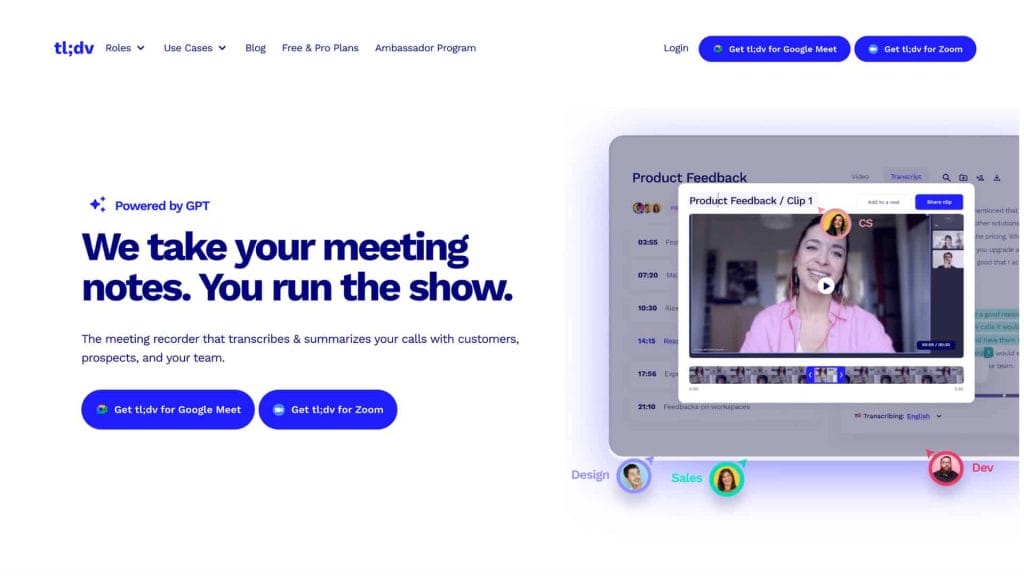
tl;dv, short for “too long; didn’t view,” is an AI meeting assistant built for Zoom, Google Meet, and Microsoft Teams. It auto-records calls, creates transcripts with speaker labels, and generates time-stamped AI summaries so teams can review key moments fast.
While Plaud Note is excellent for in-person recording, tl;dv is designed for virtual meetings, distributed teams, and asynchronous collaboration. It also makes it easy to clip key moments and share highlights across departments.
tl;dv best features
- Auto-recording for Zoom, Meet, and Teams calls
- AI summaries with timestamps linked to the recording
- Speaker-labeled transcripts in 20+ languages
- Library search and quick clip creation
- Integrations with Slack, Notion, CRMs, and more
tl;dv limitations
- No dedicated offline recorder for in-person meetings
- Mobile recording experience is limited compared to desktop
tl;dv pricing
- Free plan available for basic meeting capture
- Paid tiers unlock higher AI usage and advanced reporting
tl;dv ratings
- G2: 4.7/5
- Chrome Store: 4.8/5 (2,000+ users)
3. Avoma (Best for sales and customer meetings)
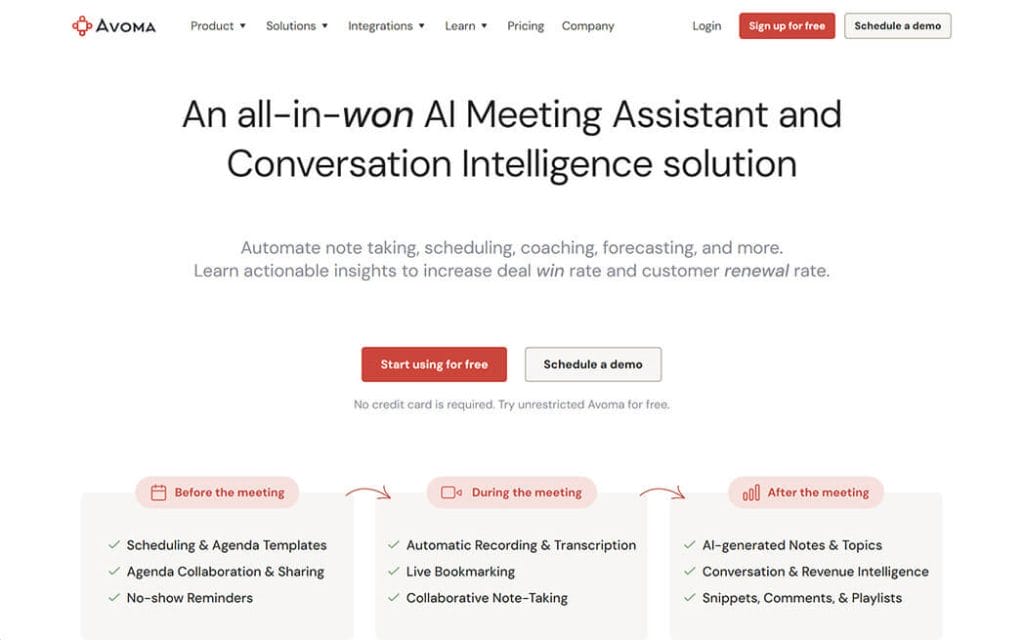
Avoma is an AI meeting assistant tailored for sales, customer success, and consulting teams. It records calls, produces structured summaries, and pushes action items into CRMs, ideal for revenue teams that need repeatable workflows.
Unlike Plaud Note’s personal voice capture, Avoma is optimized for B2B pipelines, with coaching insights, deal risk signals, and automated follow-ups baked in.
Avoma best features
- Real-time transcription and AI summaries in 60+ languages
- Auto-sync notes and fields to CRMs
- Conversation intelligence for sales coaching
- Custom templates and topic tracking
- Integrations with calendar, dialer, and collaboration tools
Avoma limitations
- Designed primarily for teams; less ideal for solo note-takers
- No hardware capture device
Avoma pricing
- Startup plan from $19/recorder seat (annual)
- Organization and Enterprise tiers for larger teams
- Add-ons for conversation and revenue intelligence
Avoma ratings
- G2: 4.7/5
- Capterra: 4.6/5
4. AudioPen (Best for organizing personal voice notes)
AudioPen is a lightweight voice-to-text tool that turns messy voice memos into cleaned-up notes. It’s ideal for solo creators, writers, and students who want fast cleanup and better structure without a full meeting platform.
While Plaud Note captures audio from a dedicated device, AudioPen focuses on rewriting and organizing your spoken thoughts into readable text, often with improved clarity and paragraph structure.
AudioPen best features
- Converts raw voice notes into clean summaries
- Works well for brainstorming and journaling workflows
- Simple web-first experience with quick exports
- Low friction: start speaking, get a refined note
AudioPen limitations
- Not built for long meetings or call recordings
- Fewer integrations than full meeting suites
- Advanced features gated behind paid plans
AudioPen pricing
- Free usage typically limited by minutes or session length
- Paid plans unlock longer sessions and premium outputs
AudioPen ratings
- Indie communities: positive for speed and simplicity
- User reviews: typically ~4.5/5 across niche forums
Also Reads: 10 Best Software for Character Animation in 2025
5. iFLYTEK Smart Recorder Pro (Best for offline, secure transcription)
iFLYTEK Smart Recorder Pro is a hardware-based digital voice recorder with built-in transcription powered by AI. It supports offline transcription, long-distance pickup, and noise reduction, useful for journalists, researchers, and legal professionals.
Unlike Plaud Note, which is compact and phone-driven, iFLYTEK is a standalone device designed for secure, offline workflows and multi-speaker environments.
iFLYTEK best features
- Offline transcription with speaker separation
- Long-distance recording with directional + omni mics
- Intelligent noise reduction for lectures and interviews
- Large screen for on-device review
iFLYTEK limitations
- Hardware-only workflow (less cloud flexibility)
- Language support varies by model
iFLYTEK pricing
- Typically $199-$299 depending on model and region
iFLYTEK ratings
- JD.com: 4.8/5
- Amazon: 4.6/5
6. HiDock H1 (Best for hybrid work recording + transcription)
HiDock H1 is a smart dock and speakerphone designed for hybrid work. It captures audio from calls and meetings, then uses the HiNotes app for transcription and summaries. It also doubles as a multi-port USB-C docking station.
Think of it as a mix between Plaud Note’s recording capability and a desktop productivity hub, ideal if you want a single device for meetings, calls, and desk setup.
HiDock best features
- Docking station + call recorder in one device
- Bi-directional noise cancellation for clearer calls
- Transcription in 70+ languages (HiNotes)
- Supports Zoom, Teams, FaceTime, and phone calls
HiDock limitations
- Requires desktop setup (not portable like Plaud Note)
- Some AI features require a paid membership
HiDock pricing
- HiDock H1 devices start around $269
HiDock ratings
- Early user reviews: mixed, but strong hardware praise
7. FoCase REC (Best for phone call recording)
FoCase REC is a slim, magnetic call-recording accessory designed for iPhone use. It pairs with its companion app and can also work as a traditional voice recorder for lectures or interviews.
It’s not a full AI meeting suite, but it fills an important gap Plaud Note does not always cover: dedicated phone-call recording with a hardware accessory.
FoCase REC best features
- Records phone calls and in-person audio
- Dual-mic noise reduction and compact design
- AI transcription and summary (with monthly limits)
- Password protection for recordings
FoCase REC limitations
- Best suited for iPhone users with the hardware case
- Not a full meeting platform for team workflows
FoCase pricing
- Typically around $79-$99 depending on bundle
FoCase ratings
- App Store: 3.3/5 (10 ratings)
If you want to stop depending on third-party platforms for your audience, building your own community site is a long-term win. With the BuddyX Pro theme, you can launch a WordPress-powered social network that you fully control, domain, data, design, and monetization. BuddyX is built for BuddyPress and BuddyBoss, so you get member profiles, activity feeds, groups, private messaging, notifications, and member directories out of the box. Add bbPress for forums, and you have a complete discussion hub that works for creators, readers, customers, or learners. Because the site runs on WordPress, you can extend it with WooCommerce to sell products or memberships, Easy Digital Downloads for digital files, or plugins like MemberPress, Paid Memberships Pro, or Restrict Content Pro to create gated communities. If you are running courses, BuddyX pairs well with LearnDash, Tutor LMS, and LifterLMS, giving you a clean front end for lessons plus a social layer that keeps students engaged. You can even add events, job boards, or a marketplace later without changing your theme. BuddyX is lightweight and responsive, so pages load fast on mobile, and the design stays consistent across profiles, activity feeds, and group pages. You can customize layouts with the WordPress block editor, use child themes, and add schema-friendly content without vendor lock-in. That flexibility makes it easier to rank for long-tail keywords and build topical authority while still offering a rich social experience. Connect email marketing tools, run newsletters, and collect sign-ups from member profiles to grow an owned audience you can reach even if social platforms change rules. Most importantly, a self-hosted community keeps your SEO equity and email list under your control instead of inside a closed app. If you are ready to build a community that compounds in value over time, the BuddyX Pro theme is a strong foundation.
AI-powered workflow
If you like the hybrid recording and AI-powered workflow of Plaud Note, you’ll find great value in these alternatives. Here’s a quick breakdown:
- Best for meetings: tl;dv or Avoma
- Best for solo voice notes: AudioPen or Notta
- Best for offline or secure use: iFLYTEK Smart Recorder Pro
- Best hybrid hardware/software blend: HiDock H1
- Best for call recording: FoCase REC
Each tool brings something unique, so choose based on how you work, whether you need hardware capture, team collaboration, or clean, structured notes.

Shashank is a seasoned digital marketing and WordPress expert who specializes in SEO, software tools reviews, and cutting-edge strategies for boosting online presence. With a passion for simplifying complex topics, Goutham crafts engaging blog posts that help readers optimize their websites, improve search engine rankings, and stay ahead in the ever-evolving digital landscape.