

When considering Craft CMS vs WordPress for your next website development project, it’s essential to explore their features in-depth to determine which platform best aligns with your needs. Whether you’re building a small blog or a large-scale enterprise site, both platforms offer distinct advantages and are suited to different use cases.
Both Craft CMS and WordPress have their strengths. While WordPress is known for its ease of use and large ecosystem, Craft CMS excels in its flexibility, customization options, and scalability, particularly for more complex projects.

Quick Links
Craft CMS
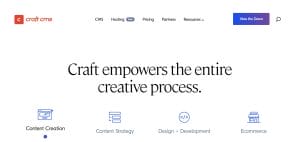
Craft CMS is a powerful, developer-friendly content management system that allows full control over a website’s content structure, design, and functionality. Known for its flexibility and scalability, Craft CMS is often the platform of choice for businesses and agencies that require highly customized, performance-driven websites.
Craft CMS Installation Process
The installation of Craft CMS is more involved compared to WordPress. It requires a few manual steps, including setting up a database, configuring your server, and uploading the CMS files. While this process isn’t extremely difficult, it does require a basic understanding of web hosting and server configuration.
For developers or users who prefer control and customization over their setup, Craft CMS’s installation process offers flexibility and precision, allowing you to build your environment from scratch. However, it may not be ideal for users who are looking for a quick, easy setup.
Here are some of the core features that make Craft CMS stand out:
1. Custom Fields
Craft CMS has a reputation for offering exceptional flexibility in content modeling. At the core of this flexibility is its Custom Fields system, which allows developers to structure every piece of content exactly how they want it. Craft’s content structure is entirely customizable, whether you need simple text fields, dropdowns, or complex relationships between content types.
2. Matrix in Matrix
Craft excels in its Matrix field. This feature allows content creators to define modular blocks of content that can be rearranged and reused across different pages. For example, an editor could choose from predefined content blocks such as an image gallery, text section, or testimonial slider on a blog post.
This ensures a highly flexible content structure that suits varied design needs. The Matrix in Matrix functionality, introduced in Craft 5, takes this concept further by allowing nested content blocks, which are especially useful for sites that require complex and hierarchical content structures, like e-commerce or multi-author blogs.
3. Live Preview and Templating System
Craft CMS is particularly loved for its Live Preview feature, which allows content editors to see how the content looks in real-time as they make updates. This provides a more intuitive editing experience and bridges the gap between content creators and developers. Editors can instantly preview how changes will appear on the live site, which significantly reduces errors and ensures that content is always displayed as intended.
Coupled with Craft’s Twig templating engine, this feature also enables developers to write clean, maintainable, and reusable code. Twig allows for the creation of highly efficient and structured templates, free from the bloated, hard-to-manage code often found in more traditional CMS platforms. Developers can work efficiently without having to deal with complex shortcodes or custom tags that tend to hinder productivity and scalability in other systems.
4. Structured Content and Relationships
Craft CMS provides excellent tools for managing structured content and establishing relationships between different types of content. This is vital for content-heavy websites, such as news platforms, educational websites, or digital publishers, that require seamless interlinking between different content types. For example, you can create a relationship between articles and authors or products and product categories. Craft’s built-in taxonomy system makes it easy to create categories, tags, and hierarchical content, ensuring that content is easily discoverable both by users and search engines.
5. Powerful Asset Management
Craft CMS’s Asset Management system is another standout feature. The platform allows content managers to organize and categorize digital assets like images, videos, and documents into folders. This system is highly visual, making it easier to manage large volumes of media files. Additionally, Craft allows developers to apply image transformations directly within the CMS, such as cropping, resizing, and applying filters, which ensures that assets are optimized for performance.
6. Localization
Localization is another area where Craft CMS excels. It has robust support for multi-language content built into its core. This makes it easy for teams to create and manage websites in multiple languages without relying on third-party plugins or complex integrations. Craft’s localization features allow editors to manage translations and localized versions of their content directly within the CMS, streamlining the process and improving the user experience for international audiences.
7. User Management
Craft CMS also offers advanced User Management capabilities. Admins have full control over user roles and permissions, enabling them to tailor access levels based on specific needs. This is particularly useful for organizations with multiple content creators, editors, and administrators who need different levels of access to manage and publish content. For example, you can allow editors to draft content but restrict them from publishing or deleting entries.
8. Multiple Authors
Craft supports multiple authors on a single piece of content, making it ideal for collaborative editorial workflows. For websites with numerous contributors, such as news outlets or academic publications, this feature ensures that multiple individuals can work on a single content piece without stepping on each other’s toes.
9. Headless CMS and Modern Architecture
Craft CMS is built with headless architecture in mind. It allows developers to serve content via GraphQL or REST APIs, which means it can easily integrate with modern front-end technologies like React or Vue. This makes Craft CMS a great option for organizations that need to push content across multiple platforms, such as websites, mobile apps, and IoT devices.
By using Craft headlessly, you can separate the backend content management from the frontend presentation layer, giving you more flexibility in how you design and deliver user experiences.
10. Pricing

Craft CMS offers clear, tiered pricing based on project scale. The Solo plan is free and suited for personal use. The Team plan costs $279 and includes up to five user accounts, while the Pro plan is priced at $399, offering unlimited user accounts and advanced permissions. Both paid plans include one year of updates, with optional annual renewals at $99. For e-commerce, Craft Commerce Pro is available at $1,199, with a $299/year renewal, designed for complex, scalable online stores.
What’s New in Craft 5
Craft CMS 5 has introduced several features that make the platform even more powerful. These include:
- Bulk inline editing for quick content updates improves the efficiency of editorial workflows.
- Enhanced navigation to streamline backend operations, making it easier to find content and manage large websites.
- Performance improvements and better asset handling, ensuring faster load times and a smoother user experience.
These new features reflect Craft’s commitment to creating a developer- and editor-friendly environment that streamlines content management while ensuring a top-tier user experience.
WordPress

As the most widely used CMS platform in the world, WordPress has earned its place as the go-to platform for a wide range of website projects, from simple blogs to complex business websites. Its open-source nature, extensive theme and plugin ecosystem, and user-friendly interface make it an attractive option for both beginners and experienced developers alike.
WordPress Installation Process
In contrast, WordPress excels in ease of use when it comes to installation. The process is simple and often takes just a few clicks. Many web hosting providers offer one-click WordPress installations, eliminating the need for any manual setup. This makes it an excellent choice for beginners or those who want to get a website up and running as quickly as possible without technical knowledge. WordPress’s simplicity in this area is a major selling point for non-technical users.
Here’s a deeper look at the core features of WordPress:
1. Themes and Plugin Ecosystem

WordPress shines when it comes to its massive library of themes and plugins. Whether you’re building a blog, portfolio, or full-scale e-commerce site, chances are there’s already a theme or plugin that fits your needs. It’s a great option if you’re not super technical and want to get a site up and running quickly.
That said, the convenience can come with a few downsides. Some themes and plugins are bloated or poorly built, which can slow down your site and create security issues. Plus, with frequent updates to WordPress itself, keeping everything compatible and running smoothly can take a fair bit of ongoing effort.
2. Custom Fields and Gutenberg
WordPress has come a long way, especially with the addition of the Gutenberg block editor. It’s a step up from the classic editor, giving users more control over layouts with easy-to-use content blocks. But when compared to Craft’s Matrix field, it still feels a bit restricted, mainly because you’re working with fixed blocks rather than fully customizable structures.
To get closer to Craft’s level of flexibility, WordPress users often turn to plugins like Advanced Custom Fields (ACF). While powerful, ACF can add extra complexity, especially as your site grows. So even though Gutenberg has improved content creation, it doesn’t quite match the flexibility Craft offers for intricate, content-heavy sites.
3. Asset Management and Localization
WordPress’s asset management gets the job done, but it’s pretty basic compared to Craft. You can upload media easily, but organizing files into folders requires third-party plugins, and advanced image editing, like cropping or resizing, is limited. That can be a drawback for image-heavy sites.
When it comes to multi-language support, WordPress leans heavily on plugins like WPML or Polylang. They work, but they also add complexity and can cause conflicts with other plugins or themes, making site maintenance a bit more hands-on.
4. User Roles, SEO, and Forms

WordPress provides built-in support for user roles, but advanced permissions typically require plugins like User Role Editor or Members. SEO is another area where WordPress shines, thanks to plugins like Yoast SEO and Rank Math, which provide users with powerful tools to optimize content for search engines. However, these plugins add additional weight to the site, which may impact performance.
For forms, WordPress offers plugins like Gravity Forms, Ninja Forms, and WPForms, which allow users to create custom forms with ease. While these plugins offer good functionality, they can also contribute to plugin bloat and make maintenance more cumbersome over time.
5. E-commerce and Cost
WordPress’s ecommerce capabilities are powered by WooCommerce, a free plugin that turns any WordPress site into a full-fledged online store. While WooCommerce is highly customizable, the process of building an ecommerce site can become expensive as you add premium extensions for advanced features like subscriptions, custom shipping rules, or multi-currency support.
WooCommerce requires ongoing management of plugins, performance optimization, and security patches to ensure the site remains functional and secure.
6. Pricing
WordPress is free to use, but there are additional costs. You’ll need to pay for web hosting (typically $5–$30/month), a domain name ($10–$20/year), and possibly premium themes ($40–$100) or plugins ($30+ annually). Managed hosting options like WP Engine or Kinsta can cost $20–$100+/month for better performance and support. While WordPress is initially low-cost, professional websites often incur similar costs to premium CMS platforms over time.
Craft CMS vs WordPress Comparison Table
To summarize the key features of Craft CMS vs WordPress, we’ve created a comparison table that highlights the differences between the two platforms. This table should help you easily compare their respective strengths and weaknesses.
| Feature | Craft CMS | WordPress |
| Customization | Highly flexible content modeling with Custom Fields and Matrix | Large theme and plugin ecosystem, but with potential bloat |
| Templating System | Clean, efficient, Twig templating engine | Gutenberg and third-party plugins for layout |
| Asset Management | Robust, with image transformation and organization | Basic, needs plugins for better media management |
| Localization | Built-in multilingual support | Requires plugins like WPML or Polylang |
| User Management | Advanced roles and permissions | Basic roles with plugins for extended functionality |
| Headless | Natively headless with GraphQL and REST API | Can be used headless with REST API, but not native |
| Ecommerce | Craft Commerce for complex, customizable stores | WooCommerce for standard e-commerce solutions |
| Pricing | Paid model, pricing based on features | Free core, but costs rise with premium plugins |
| SEO | Built-in SEO features, minimal bloat | Strong SEO with plugins like Yoast SEO |

Which Platform Should You Choose – Craft CMS or WordPress?
In the end, the decision between Craft CMS vs WordPress depends on your specific project needs.
- WordPress is ideal if you’re looking for a user-friendly platform with a vast ecosystem of themes, plugins, and resources. It’s perfect for businesses, bloggers, and entrepreneurs who need to get up and running quickly, with a minimal learning curve.
- Craft CMS, on the other hand, is more suitable for developers or agencies looking for a highly customizable, scalable solution. It’s perfect for large-scale websites, complex applications, or projects that require specific functionality and design control.
By evaluating your needs—whether ease of use, flexibility, scalability, or security—you can confidently decide which CMS platform will work best for your website.
Interesting Reads
Unlock the Power of Multiple Links in Instagram Bio

