10 Best Valentine Day Collage Video Makers

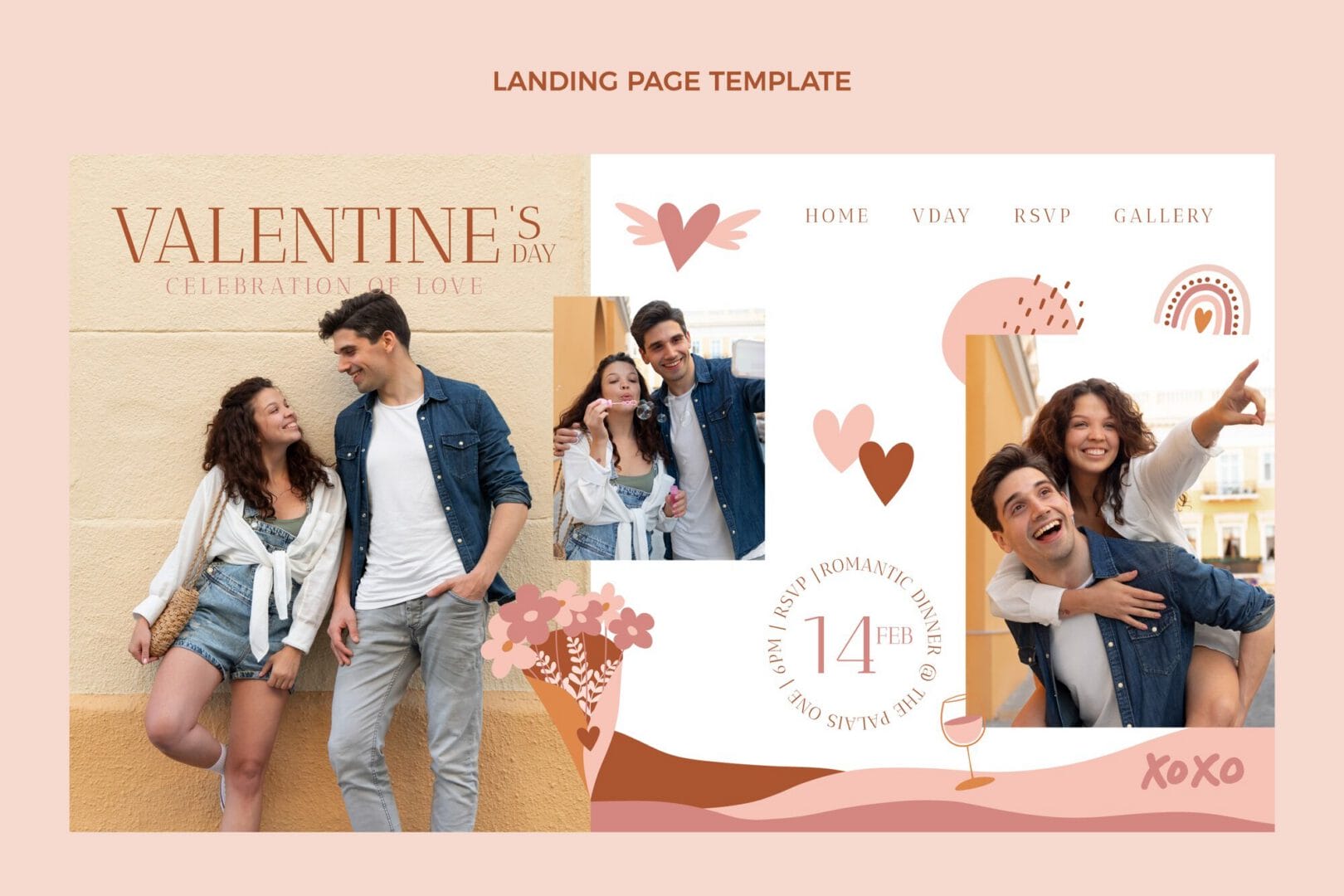
Valentine’s Day is just around the corner, and what better way to express your love than by creating a personalized collage video? If you’re looking to create a Valentine Day collage, you’re in the right place! Collage videos are a beautiful way to combine photos, music, and memories into a heartfelt gift that your loved one will cherish forever. In this blog, we’ll explore the ten best collage video makers available, perfect for anyone wanting to create a Valentine Day collage that truly captures their emotions.

Why a Collage Video?
Imagine the joy on your partner’s face when they see a beautifully crafted video filled with memories of your time together. Collage videos are not just about combining pictures; they’re about telling a story, evoking feelings, and celebrating your unique bond. As you prepare to create a Valentine Day collage, think about all the special moments you’ve shared. A collage video can highlight your journey together, making it a memorable gift this Valentine’s Day.
Finding the Right Tool
With so many video editing apps and tools available, it can be overwhelming to choose the right one for your needs. Some might be too complicated, while others lack the features you want. You might be wondering: how can I efficiently create a Valentine Day collage that stands out? Fortunately, we’ve done the research for you. Below are the top ten collage video makers that are user-friendly, feature-rich, and perfect for bringing your vision to life.
The Best Tools to Create Your Collage
Here’s a list of the ten best tools that will help you create a Valentine Day collage effortlessly:
1. Canva
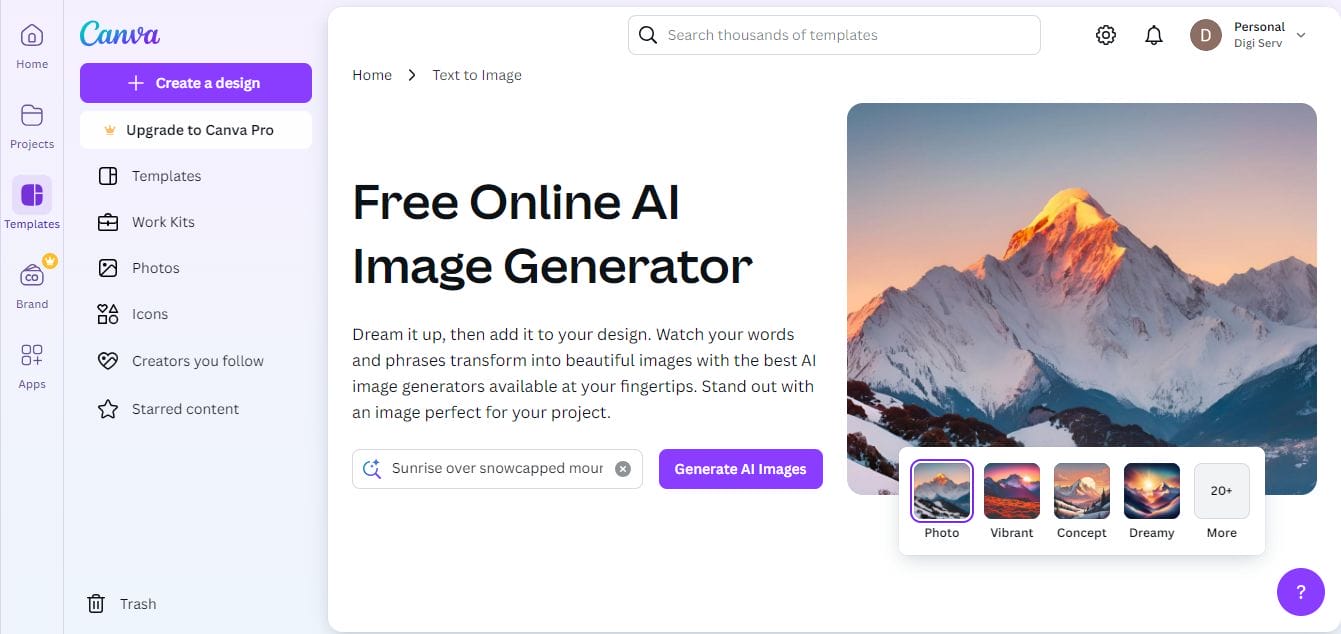
Key Features
- Extensive template library
- Customizable graphics and fonts
- Easy drag-and-drop interface
- Animation options
Canva is renowned for its versatility and ease of use. With a wide range of templates and customization options, you can easily create a Valentine Day collage that resonates with your style. You can add photos, text, and even animations to make your collage video lively and engaging.
2. Animoto
Key Features
- Drag-and-drop simplicity
- Library of licensed music
- Pre-built storyboard templates
- Options for adding text and effects
Animoto is perfect for those who want to create stunning videos quickly. Its drag-and-drop interface allows you to upload your photos and choose from various templates to create a Valentine Day collage that’s both beautiful and professional-looking. Plus, you can add music from their extensive library to enhance the emotional impact of your video.
3. Adobe Spark
Key Features
- High customization potential
- Built-in design assets and templates
- Video and animation features
- Easy sharing options
If you’re looking for a more customizable experience, Adobe Spark is a fantastic choice. With this tool, you can create a Valentine Day collage using your photos and videos, adding special effects, text, and transitions. Its intuitive interface makes it accessible for beginners while still offering advanced options for seasoned creators.
4. Kizoa
Key Features
- Various collage templates
- Music and effects options
- Slideshow creation features
- Easy social media sharing
Kizoa is an online video editor that offers a wide variety of collage templates. You can easily create a Valentine Day collage with music, effects, and transitions that suit your theme. Kizoa also allows you to share your creation directly on social media, making it easy to spread the love!
5. Fotor
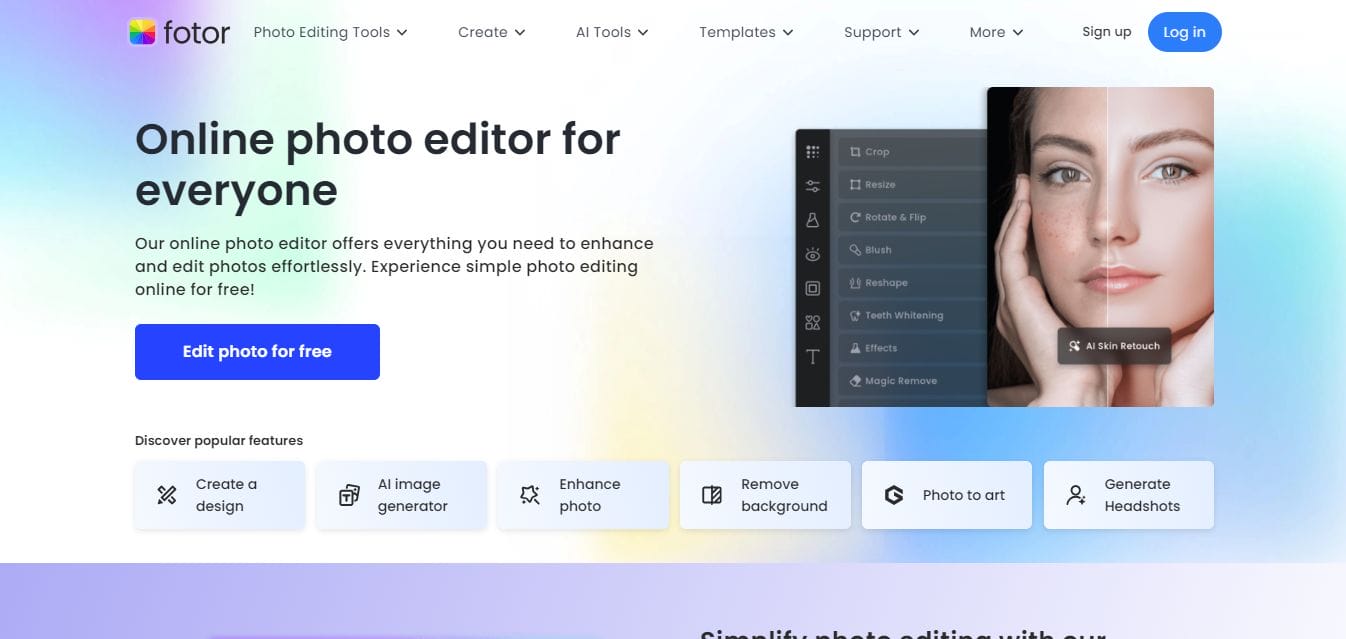
Key Features
- Photo editing tools
- Diverse collage templates
- Stickers and text options
- User-friendly interface
Fotor combines photo editing with collage-making, providing a seamless experience. You can use its various collage templates to create a Valentine Day collage that showcases your favorite moments. Fotor also includes design elements like stickers and text to personalize your video further.
6. Smilebox
Key Features
- Easy-to-use templates
- Personalization options
- Built-in music library
- Direct sharing capabilities
Smilebox specializes in creating personalized slideshows and collage videos. It offers a range of templates that are perfect for Valentine’s Day. With Smilebox, you can easily create a Valentine Day collage that incorporates photos, music, and heartfelt messages, all within minutes.
7. Magisto
Key Features
- AI-driven editing features
- Automatic video creation
- Style templates and themes
- Extensive music library
Magisto is an AI-driven video maker that simplifies the editing process. You can upload your photos and let Magisto do the work. This tool automatically creates a collage video based on your chosen style and music, allowing you to create a Valentine Day collage with minimal effort.
8. Pic Collage
Key Features
- Fun and creative design elements
- Customizable templates
- Stickers and text options
- Simple interface
Pic Collage is a fun and easy way to create beautiful collage videos. You can mix photos, stickers, and text to create a Valentine Day collage that reflects your love story. Its simple interface and variety of features make it suitable for all ages.
9. InVideo
Key Features
- Professional-grade video editing
- Extensive template library
- Custom music options
- Collaboration features
InVideo offers a range of templates specifically for creating videos. You can customize these templates to create a Valentine Day collage that highlights your relationship milestones. With its easy-to-use features, even beginners can craft a polished video.
10. WeVideo

Key Features
- Cloud-based editing
- Stock footage and music library
- Video effects and transitions
- Collaboration tools
WeVideo is a robust online video editor that allows you to create high-quality collage videos. With its extensive library of stock footage, music, and effects, you can easily create a Valentine Day collage that stands out. Its cloud-based platform also means you can work on your project from anywhere.
Comparison Table
| Name of Tool | Best For | Standout Features | Pricing |
|---|---|---|---|
| Canva | Versatility and ease of use | Extensive template library, customizable graphics and fonts, easy drag-and-drop interface, animation options | Free with premium options starting at $12.99/month |
| Animoto | Quick video creation | Drag-and-drop simplicity, library of licensed music, pre-built storyboard templates, options for adding text and effects | Free trial, plans start at $15/month |
| Adobe Spark | Customization potential | High customization potential, built-in design assets and templates, video and animation features, easy sharing options | Free with premium features starting at $9.99/month |
| Kizoa | Social media sharing | Various collage templates, music and effects options, slideshow creation features, easy social media sharing | Free with premium plans starting at $19.99/year |
| Fotor | Photo editing and collages | Photo editing tools, diverse collage templates, stickers and text options, user-friendly interface | Free with premium options starting at $8.99/month |
| Smilebox | Personalized slideshows | Easy-to-use templates, personalization options, built-in music library, direct sharing capabilities | Free trial, subscription starts at $5.99/month |
| Magisto | AI-driven editing | AI-driven editing features, automatic video creation, style templates and themes, extensive music library | Free trial, plans start at $4.99/month |
| Pic Collage | Creative design | Fun and creative design elements, customizable templates, stickers and text options, simple interface | Free with premium options starting at $3.99/month |
| InVideo | Professional-grade editing | Professional-grade video editing, extensive template library, custom music options, collaboration features | Free with premium plans starting at $15/month |
| WeVideo | Cloud-based editing | Cloud-based editing, stock footage and music library, video effects and transitions, collaboration tools | Free with premium options starting at $4.99/month |
Tips for Creating a Memorable Valentine’s Day Collage
When you set out to create a Valentine Day collage, consider the following tips to make your video even more special:
- Select Meaningful Photos: Choose images that represent key moments in your relationship, such as trips, special dates, or candid shots.
- Incorporate Text: Add captions or messages that reflect your feelings. A heartfelt note can elevate the emotional depth of your collage.
- Choose the Right Music: Select a soundtrack that resonates with both you and your partner. Music can greatly enhance the mood of your video.
- Keep It Short and Sweet: While you may have a lot of memories to share, try to keep the video concise. A 3-5 minute collage is usually just right to keep attention while delivering your message.
A Heartfelt Gift to Remember
This Valentine’s Day, take the time to create a Valentine Day collage that reflects your love story. With the right tools at your disposal, it’s easier than ever to compile your favorite memories into a stunning video. Whether you choose Canva, Animoto, or any of the other options listed above, you’re sure to impress your loved one with a thoughtful and personalized gift.
Remember, the effort you put into creating this collage will not only delight your partner but also serve as a treasured keepsake for years to come. So get started today, and make this Valentine’s Day unforgettable!
Interesting Reads
10 Best Free Valentine Party Invitation Makers

Shashank is a seasoned digital marketing and WordPress expert who specializes in SEO, software tools reviews, and cutting-edge strategies for boosting online presence. With a passion for simplifying complex topics, Goutham crafts engaging blog posts that help readers optimize their websites, improve search engine rankings, and stay ahead in the ever-evolving digital landscape.