

Online communities are flourishing, bringing together individuals with shared interests, backgrounds, and goals. However, moderation in online communities effectively can be a challenging task, particularly when it comes to ensuring a safe and respectful environment. This is where BuddyPress Moderation Pro by Wbcom Designs becomes essential. This powerful plugin offers a suite of moderation tools designed to assist community administrators in maintaining order and improving user experience. Let’s learn the features and benefits of BuddyPress Moderation Pro and how it can revolutionize your approach to moderation in online communities.

Quick Links
BuddyPress Moderation Pro
BuddyPress Moderation Pro is a comprehensive plugin specifically designed for BuddyPress-powered communities. It equips administrators with the necessary tools to effectively manage user-generated content, monitor interactions, and enforce community guidelines. With its user-friendly interface and robust functionality, this plugin empowers community managers to implement moderation in online communities, fostering a safe and engaging environment for all members.
Key Features of BuddyPress Moderation Pro
1. Content Moderation: A key feature of BuddyPress Moderation Pro is its ability to moderate user-generated content. Administrators can review, approve, or reject posts, comments, and activities before they are visible to the community. This ensures that inappropriate or harmful content is filtered out, maintaining a positive atmosphere.
2. User Management: The plugin allows administrators to manage user roles and capabilities efficiently. You can assign different moderation roles to trusted members, enabling them to assist in maintaining order within the community. This delegation of responsibilities promotes a sense of ownership and encourages active participation.
3. Reporting System: BuddyPress Moderation Pro includes a robust reporting system that enables users to report inappropriate content or behavior. When a report is submitted, administrators are promptly notified through notification and email to review the issue. This feature empowers community members to contribute to safety in online communities, ensuring a respectful environment.
4. Customizable Moderation Settings: The plugin offers customizable moderation settings, allowing administrators to tailor the moderation process to their community’s specific needs. You can set rules for content approval, define user roles, and establish guidelines for reporting and handling violations, enhancing the effectiveness of moderation.
5. Activity Logs: BuddyPress Moderation Pro provides detailed activity logs that track moderation actions taken by administrators and users. This transparency helps maintain accountability and allows community moderators to review past decisions and refine their actions.
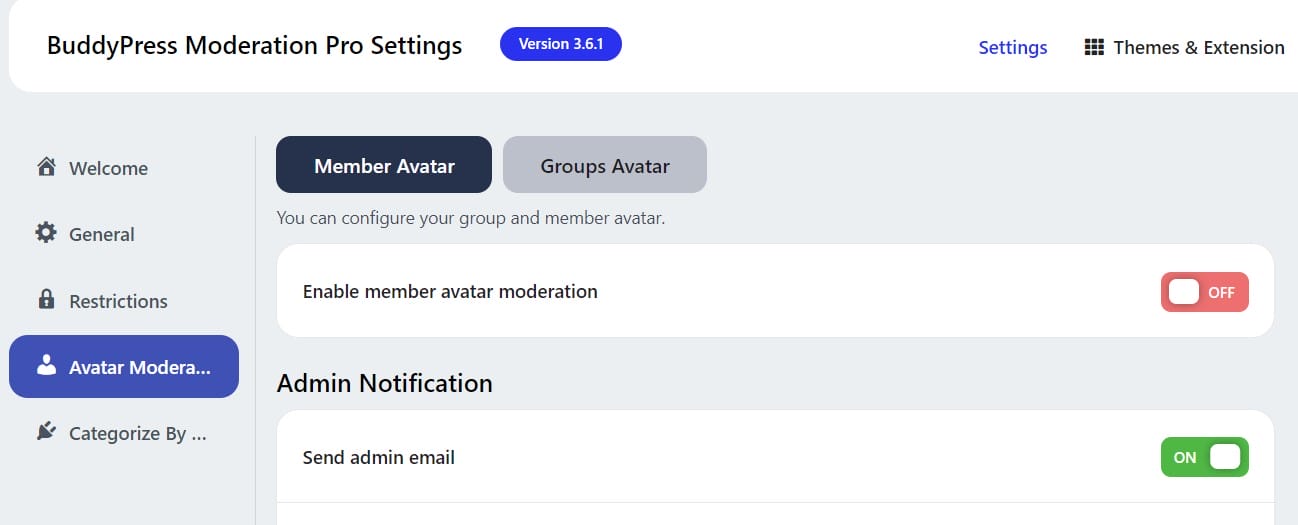
6. Member and Group Avatar Moderation: This feature enables you to moderate the avatars of both members and groups, ensuring that profile images do not cause any disruptions within the community. Additionally, it allows administrators to send custom email notifications upon approval or rejection of avatars.
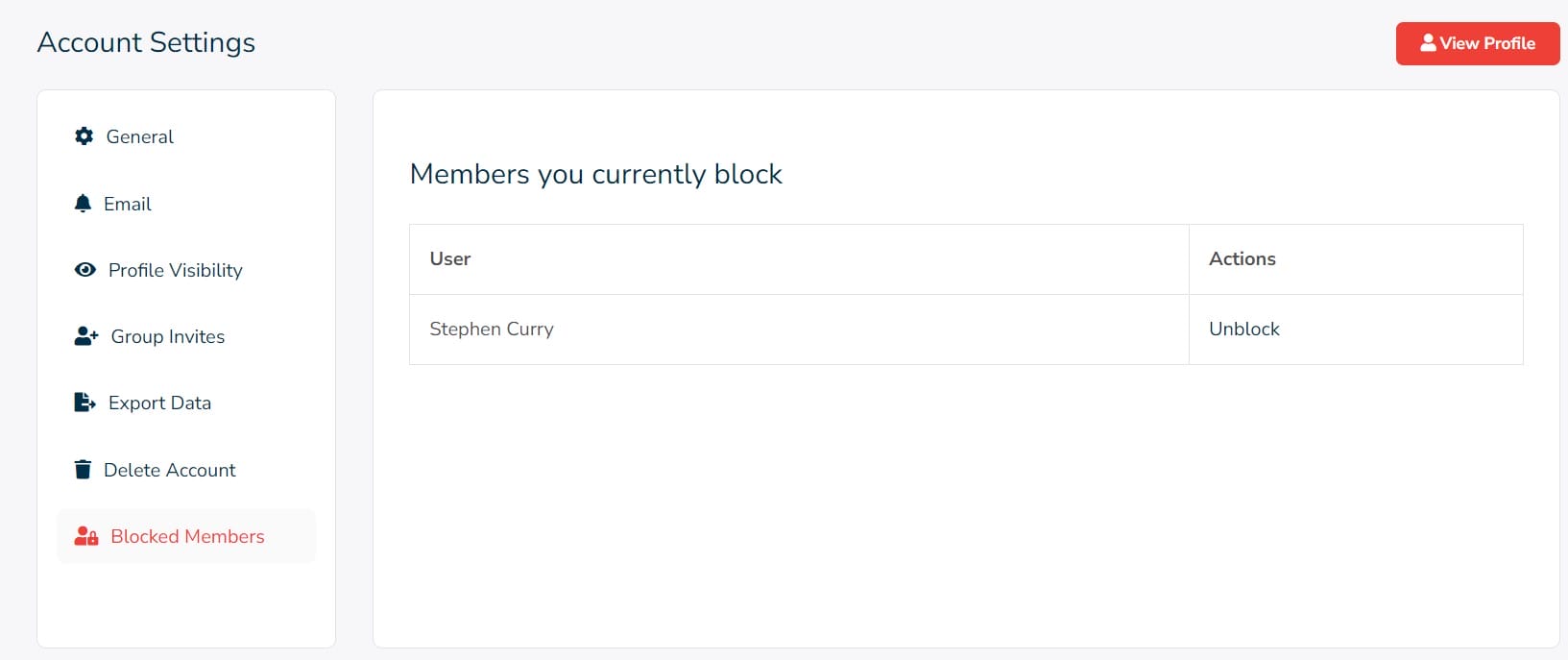
7. Front-end Management: Admins and moderators can efficiently manage everything directly from the front end, reducing hassle and streamlining the moderation process. Users can view the content they’ve reported under Profile >> Take Action and see blocked users under Profile >> Settings >> Blocked Members.
Benefits of Moderation in Online Communities
1. Improved Community Safety: By implementing effective moderation tools, BuddyPress Moderation Pro helps create a safer environment for community members. This is especially important in spaces where sensitive topics are discussed or where diverse groups interact, making moderation in online communities a critical component.
2. Enhanced User Experience: A well-moderated community fosters positive interactions and encourages participation. When users feel safe and respected, they are more likely to engage with the content and connect with others, underscoring the importance of moderation in online communities.
3. Time-Saving Management: The plugin streamlines the moderation process, allowing administrators to manage content and users more efficiently. This saves time and effort, enabling community managers to focus on other aspects of community building while maintaining strong moderation and a safe environment.
Also Read: Best KPI Software for Tracking Performance
4. Empowered Community Members: With features like the reporting system, users feel empowered to contribute to the community’s well-being. This collaborative approach to moderation encourages members to take an active role in maintaining a respectful environment, which is vital for the success of moderation in online communities.
5. Scalability: As your community grows, so do the challenges of moderation. BuddyPress Moderation Pro is designed to scale with your community, providing the tools needed to manage larger groups effectively and ensuring sustained moderation and safety.

Embracing the Future of Community Management with BuddyPress Moderation Pro
BuddyPress Moderation Pro by Wbcom Designs is an invaluable tool for community administrators seeking to enhance their management capabilities. With its comprehensive set of features, this plugin empowers community managers to create a safe, respectful, and engaging environment for all members. By implementing effective moderation in online communities, you can foster positive interactions, encourage participation, and build a thriving online community. Investing in BuddyPress Moderation Pro is a strategic move towards achieving successful moderation, leading to a harmonious and well-managed online space.
Interesting Reads:
Best AI Tools for HR Management

