

Elementor is a popular page builder for WordPress, has introduced a new feature called Elementor Containers, which provides a more flexible and efficient way to design web pages compared to the traditional Sections and Columns. This blog post will delve into the differences between Elementor Container and Section, highlighting their features, benefits, and how to choose the right one for your needs.

Quick Links
What Are Elementor Container?

Elementor Containers are advanced layout structures introduced by Elementor that utilize CSS Flexbox technology. They are designed to replace the traditional Sections and Columns, offering a more flexible and efficient approach to creating web page layouts. ElementorContainers allow for the nesting of elements, providing more control over design and improving website performance through a streamlined structure.
Key Differences Between Containers and Sections
1. Flexibility and Control
Containers:
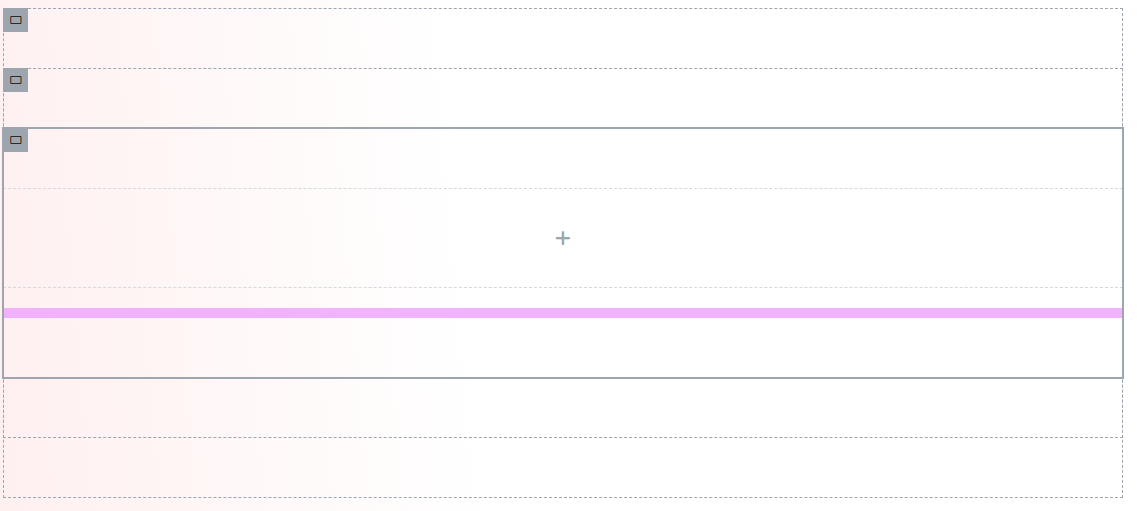
i) Nesting: Containers can be nested within each other, allowing for complex, multi-layered designs. This enables designers to create intricate layouts with various levels of hierarchy and organization.
ii) Flexbox Properties: By leveraging CSS Flexbox, Containers provide advanced control over the alignment, distribution, and ordering of elements within a container. This includes horizontal and vertical alignment, spacing, and wrapping.
Sections:
i) Structure: Sections are more linear and are primarily designed for vertical stacking of content. Each section can contain multiple columns, but these columns cannot be nested further.
ii) Limitations: While adequate for simple page layouts, Sections do not offer the same degree of control over the positioning and alignment of elements. This can limit design possibilities, especially for more complex layouts.
2. Responsive Design
Containers:
i) Enhanced Responsiveness: Containers excel in responsive design, allowing for easy adjustment of element positioning and alignment for different devices. This ensures that layouts look consistent and visually appealing across all screen sizes.
ii) Media Queries: Containers can leverage media queries more effectively, enabling designers to specify different styles and arrangements based on the screen size.
Sections:
i) Basic Responsiveness: While Sections can be adjusted for responsiveness, the process can be more cumbersome, especially for complex layouts. Adjustments often need to be made at the column level, which can be time-consuming.
ii) Manual Adjustments: Ensuring that sections adapt well to various screen sizes might require more manual adjustments and testing.
3. Performance
Containers:
i) Reduced HTML Elements: By reducing the number of HTML elements needed, Containers create a smaller, more efficient Document Object Model (DOM). This results in faster page load times and improved overall performance.
ii) Streamlined Code: The use of Containers can lead to cleaner, more maintainable code, which is beneficial for both development and performance optimization.
Sections:
i) Increased Complexity: Sections often involve more dividers, wrappers, and nested elements, which can increase the complexity of the DOM. This can lead to slower page load times and decreased performance, particularly on pages with many elements.
4. Ease of Use
Containers:
i) Unified Management: Containers simplify the design process by allowing entire sections of content to be moved, styled, and managed as a single unit. This is particularly useful for maintaining uniform designs across different parts of a website.
ii) User-Friendly Interface: The flexibility of Containers, combined with Elementor’s intuitive interface, makes it easier to create and manage complex layouts without requiring deep technical
knowledge.
Sections:
i) Individual Adjustments: Managing sections can be more time-consuming, especially for complex layouts, as each column and element often requires individual adjustments.
ii) Limited Grouping: Unlike Containers, Sections do not offer the same level of unified management, making it harder to apply global changes quickly.
5. Clickable Content
Containers:
i) Interactive Elements: Elementor Containers can be easily made clickable, turning them into large interactive elements like call-to-action (CTA) buttons. This can be done without custom code or additional plugins, enhancing user interaction and engagement.
Sections:
i) Additional Code Required: Making sections or columns clickable typically requires additional CSS or JavaScript, which can complicate the design process and increase the maintenance burden.
When to Use Containers Over Sections
1. Complex Layouts: For designs that require complex, nested structures or intricate control over element positioning, Containers are the better choice. Their nesting capabilities and Flexbox properties allow for highly customizable layouts.
2. Performance Optimization: To improve page loading speeds and reduce DOM size, Containers provide a more efficient solution. Their streamlined structure leads to fewer HTML elements and faster performance.
3. Responsive Design: Containers offer superior flexibility in creating responsive layouts that adapt seamlessly to different screen sizes. Their ability to handle media queries and adjust element positioning makes them ideal for mobile-friendly designs.
Transitioning from Sections to Containers
Switching from Sections to Containers may seem daunting, but it offers numerous benefits:
1. Start on a Staging Site: Begin by converting existing pages to Containers on a staging site. This ensures compatibility and allows you to catch any issues before going live.
2. Incremental Changes: Gradually transition sections to elementor containers, starting with simpler layouts to get accustomed to the new structure.
3. Leverage New Possibilities: Embrace the new design possibilities that Elementor Containers unlock. Experiment with nested structures and advanced Flexbox properties to enhance your designs.
Embracing the Shift from Sections to Containers
The introduction of Elementor Containers marks a significant evolution in web design within the Elementor ecosystem. Containers offer greater flexibility, improved performance, and easier management of complex layouts compared to Sections. By understanding the differences and advantages, you can make an informed decision on when to use Containers to enhance your website’s design and user experience.
Interesting Reads:

