

YouTube has evolved far beyond just being a platform for sharing videos; it is now the second-largest search engine in the world, right after Google. With billions of monthly logged-in users and billions of hours of video watched daily, YouTube serves as a massive hub where people search for entertainment, education, tutorials, product reviews, news, and much more.
In 2025, YouTube SEO the practice of optimizing videos to rank higher in YouTube search results and recommendations has become more critical than ever for creators, brands, and marketers aiming to capture attention, grow their audience, and increase engagement.

Table of contents
Why YouTube is a Search Engine and How It Works
-
Search Intent: Users come to YouTube with specific intentions, similar to Google search. Whether they want to learn a new skill, find a product review, or simply be entertained, YouTube’s search algorithm works to deliver the most relevant and engaging videos based on the keywords typed in the search bar.
-
Algorithm Complexity: YouTube’s search and recommendation system uses advanced AI and machine learning to analyze video content, metadata (titles, descriptions, tags), viewer behavior (watch time, likes, shares), and engagement signals to rank videos.
-
Video as a Dominant Content Form: In 2025, video continues to dominate as the preferred content type because it delivers information quickly and engagingly. Users spend more time watching videos than reading text or scrolling through images, making YouTube SEO essential to tap into this attention.
How YouTube’s Algorithm Works
YouTube’s algorithm is a powerful, AI-driven system designed to deliver the most relevant and engaging content to each individual user. Its core objective is to keep users on the platform by recommending videos they are most likely to watch, enjoy, and interact with. Understanding how this algorithm works is essential for effective YouTube SEO, as optimizing your content accordingly can significantly boost visibility and audience engagement.
Understanding how the algorithm works is essential for creators and businesses looking to increase their visibility, grow subscribers, and generate consistent engagement. Below are the key ranking factors that determine how videos are discovered through search, suggested videos, and homepage recommendations.
1. Watch Time
Watch time refers to the total amount of time viewers spend watching your video. It’s one of the strongest signals used by the algorithm.
-
Average View Duration: The longer viewers stay on your video, the more likely YouTube is to push it to others.
-
Session Watch Time: If your video encourages users to continue watching more content, YouTube sees it as valuable.
Tips to improve:
-
Hook viewers early in the video.
-
Maintain a clear, engaging structure.
-
Avoid long intros and unnecessary filler content.
2. User Engagement
User interactions signal that the video is interesting or helpful, and encourage YouTube to show it to more people.
Engagement includes:
-
Likes and dislikes
-
Comments
-
Shares
-
New subscribers gained from a video
-
Click-Through Rate (CTR): The percentage of people who click your video after seeing the thumbnail and title.
Tips to improve:
-
Ask viewers to like, comment, and subscribe.
-
Pose questions to encourage comments.
-
Create appealing thumbnails and titles that reflect the content honestly.
3. Personalization
YouTube customizes each user’s experience based on their behavior, so what one viewer sees may differ from another—even when they search the same keywords.
Factors include:
-
Watch history
-
Search history
-
Subscribed channels
-
Frequently watched content types
-
Location and language
Tips to improve:
-
Create a consistent content style or theme.
-
Group related videos into playlists.
-
Encourage binge-watching through series or linked content.
4. Video Relevance
The algorithm evaluates how closely your video matches a viewer’s search query or interest.
Relevance is determined by:
-
Titles, descriptions, and tags
-
Closed captions and video transcripts
-
Hashtags, categories, and video file metadata
Tips to improve:
-
Use relevant keywords in the title and description.
-
Add accurate, keyword-rich tags.
-
Ensure your spoken content matches the topic.
5. Consistency and Channel Authority
YouTube favors channels that consistently produce valuable content and demonstrate authority in a niche.
Factors that build authority:
-
Frequent and regular uploads
-
High viewer retention across multiple videos
-
Returning viewers and loyal subscribers
Tips to improve:
-
Stick to a regular upload schedule.
-
Focus on one core niche or topic area.
-
Build a strong connection with your audience.
Importance of Keywords in Titles, Descriptions, and Tags
1. Keywords in Video Titles
The title is the first thing both YouTube and viewers notice. Using the right keywords in your title helps YouTube understand what your video is about. It also makes your video more likely to appear when someone searches for that topic.
2. Keywords in Video Descriptions
The description gives YouTube detailed context about your video. Keywords placed in the first two lines help with search ranking because this part is highly visible and quickly scanned by YouTube’s algorithm.
3. Keywords in Tags
While not as powerful as titles or descriptions, tags still play a role in helping YouTube understand your video topic. They support keyword relevance and help your video appear in related videos or suggested sections.
Tools to Use for YouTube Keyword Research
1. Ahrefs
Ahrefs is a premium SEO tool that includes YouTube keyword research. It shows how many times a keyword is searched on YouTube each month and how difficult it is to rank for that keyword. It’s suitable for marketers and professionals who want advanced analytics and accuracy. Likewise, it also provides suggestions for long-tail keywords and shows keyword trends over time.
2. Google Trends
Google Trends is a free tool by Google that allows you to track the popularity of search terms over time. You can change the search filter to “YouTube Search” to see what people are searching for specifically on YouTube. This helps you identify seasonal trends, rising topics, and compare the popularity of multiple keywords.
3. KeywordTool.io
KeywordTool.io offers a specific section for YouTube keyword research. It generates a list of hundreds of long-tail keyword suggestions based on your seed keyword. Although the free version has limited access to search volume data, it’s still helpful for discovering content ideas and low-competition phrases.
4. TubeBuddy
TubeBuddy is a browser extension and YouTube-certified tool that helps you with keyword research, SEO optimization, and content planning. The Keyword Explorer feature shows you the search volume, competition score, and overall keyword score. It also suggests related keywords and tags. TubeBuddy is especially helpful for beginners who want a clear idea of what keywords to use in their videos, titles, and tags.
5. VidIQ
VidIQ is another browser extension and popular tool that offers detailed insights into keyword performance. It provides real-time scores based on search volume and competition. With VidIQ, you can analyze trending tags, spy on competitors’ keywords, and receive tag suggestions. It also gives SEO scores for your videos, helping you improve visibility.
How to Find Low-Competition, High-Search Keywords
Step 1: Use Keyword Tools
Start with any of the tools mentioned above, like TubeBuddy or VidIQ. Enter a basic keyword related to your video topic. These tools will show the keyword’s search volume (how often it’s searched) and competition score (how many videos already target this keyword). Choose keywords that have high search volume but low competition for better chances of ranking.
Step 2: Focus on Long-Tail Keywords
Long-tail keywords are specific phrases that contain four or more words. These keywords usually have lower competition and attract viewers who are looking for something very specific.
Step 3: Use YouTube’s Autocomplete Feature

Go to the YouTube search bar and start typing your main keyword. YouTube will suggest popular searches related to that keyword. These suggestions are based on real user queries, so they’re great keyword ideas. Use them to title your videos or include them in your descriptions and tags.
Step 4: Analyze Competitor Videos
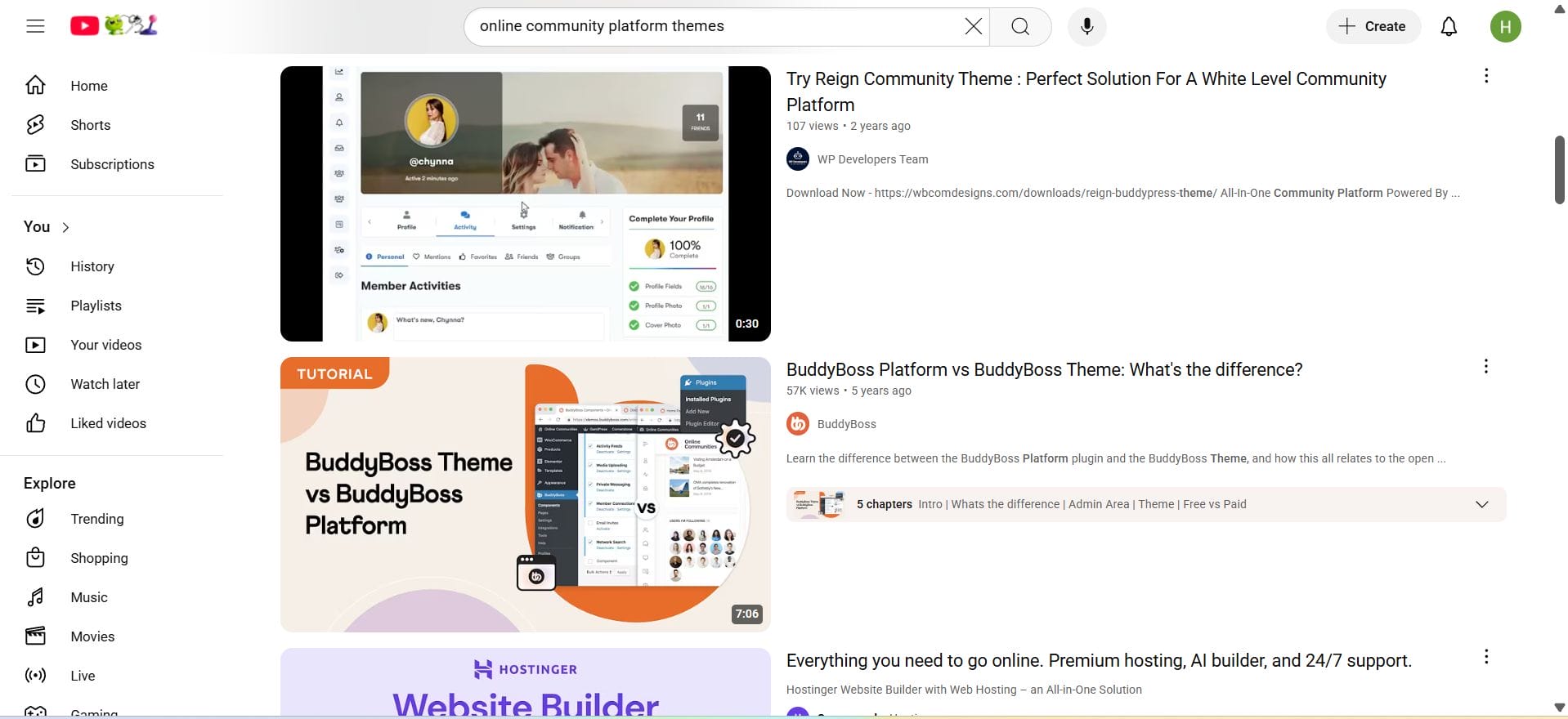
Search for your keyword on YouTube and look at the top-ranking videos. Note what keywords they use in their titles, descriptions, and tags. With VidIQ or TubeBuddy, you can view their keyword scores and see how competitive those keywords are. Look for gaps or opportunities where you can create better or more specific content.
Step 5: Look at Viewer Comments
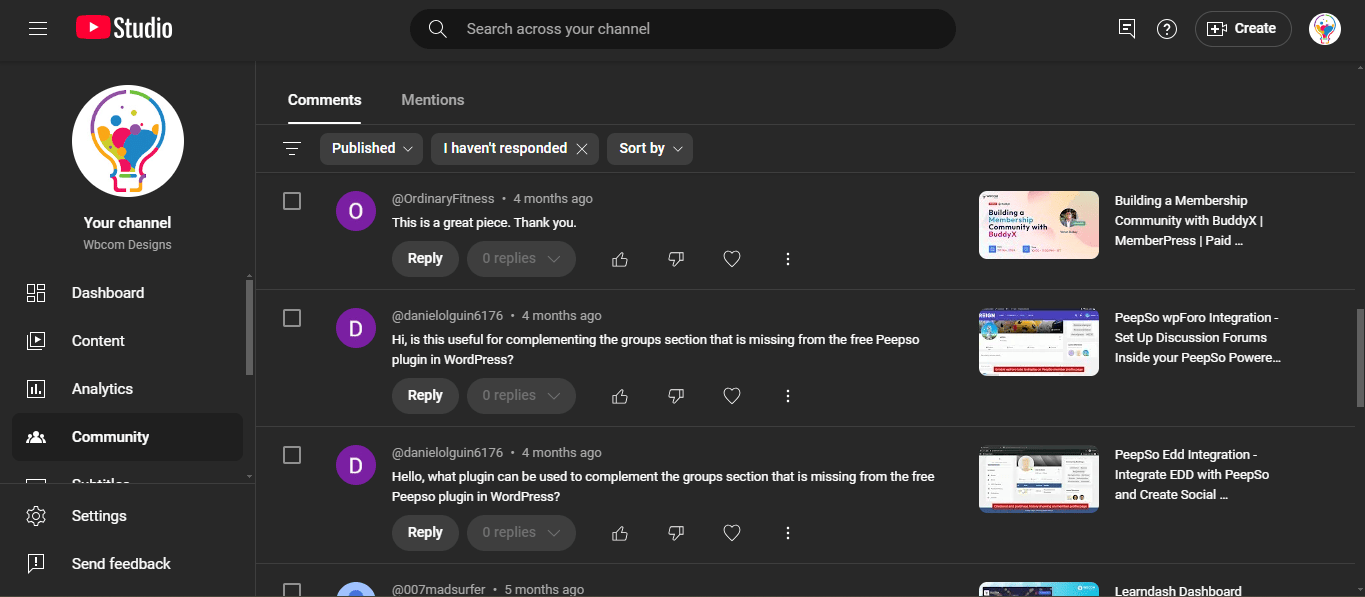
Comments often reveal what your audience wants to know or struggles with. If many viewers are asking a similar question, you can create a video on that topic using their wording as your keyword. These naturally searched queries typically have lower competition and high engagement potential.
Step 6: Combine and Optimize
Once you’ve found good keywords, use them naturally in the video’s:
-
Title (ideally at the beginning)
-
Description (in the first two lines and throughout the body)
-
Tags (add both short and long versions)
Optimizing Video Titles for Clicks and Rankings
A strong title helps your video rank higher on YouTube and encourages more people to click. To optimize your title, include the main keyword early, keep the title clear and relevant, and add something interesting to attract viewers. Use numbers or questions in your title, mention who the video is for, and keep the title concise, ideally under 60 characters.
For example, instead of a vague title like “Learn SEO,” use “SEO for Beginners: Boost Your Google Ranking Fast” to be clear and keyword-rich.
Write an SEO-Optimized Video Description
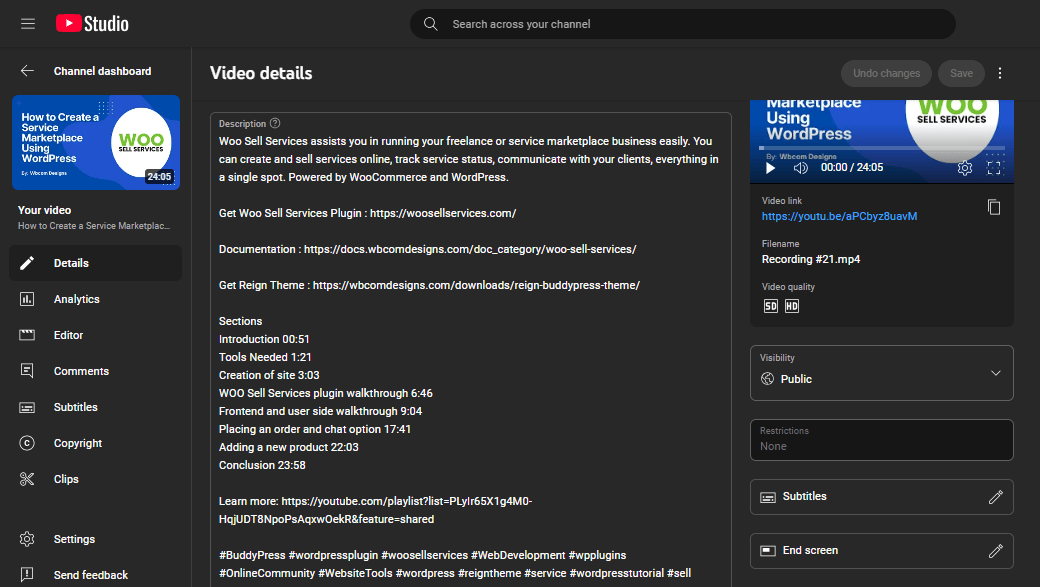
Your video description helps YouTube understand what your video is about and improves your search rankings. Start by placing your main keyword in the first one or two lines of the description. Write naturally and include related words throughout. Add helpful details like timestamps to important sections of the video, relevant links, and hashtags. Aim to write a description of about 150 to 300 words or more.
For example, for a video about Instagram Reels tips, you might write:
“Want to grow fast on Instagram? In this video, I share five Instagram Reels tips that actually work. Whether you are a beginner or a content creator, these strategies will help boost your reach.
Timestamps:
0:00 Introduction
0:45 Tip 1 – Use trending sounds
Subscribe for more social media tips.
Hashtags: Instagram Reels, Reels Tips, Social Media Growth”
Use Tags Effectively (Even if They’re Less Important)
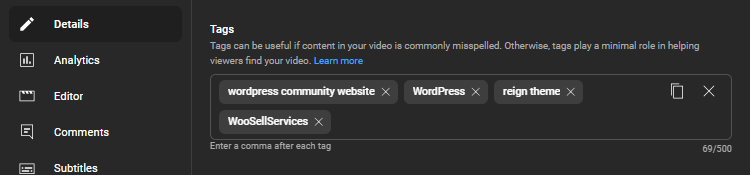
While tags are not as important as titles or descriptions, they still help YouTube understand the topic of your video. Using tags smartly means including a mix of broad and specific keywords related to your content. Tags can also cover different ways people might search for your video, including common misspellings or variations of keywords. This helps your video appear in related searches and suggested videos, increasing its reach.
Use Custom Thumbnails that Boost Click-Through Rate
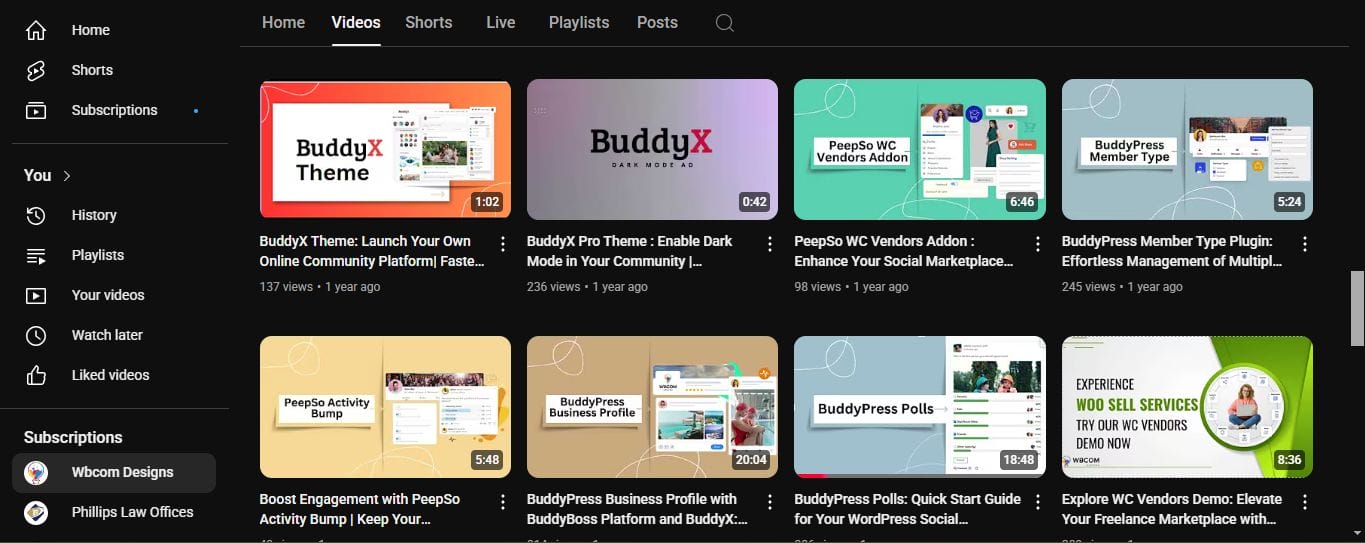
Custom thumbnails are the small preview images viewers see before clicking your video. Creating eye-catching and relevant thumbnails can greatly increase your click-through rate because they make your video stand out among others. A good thumbnail usually has clear images, bold text highlighting the video topic, and a consistent style that matches your channel branding. This helps viewers quickly understand what your video is about and encourages them to watch it.
Utilize YouTube Chapters and Timestamps
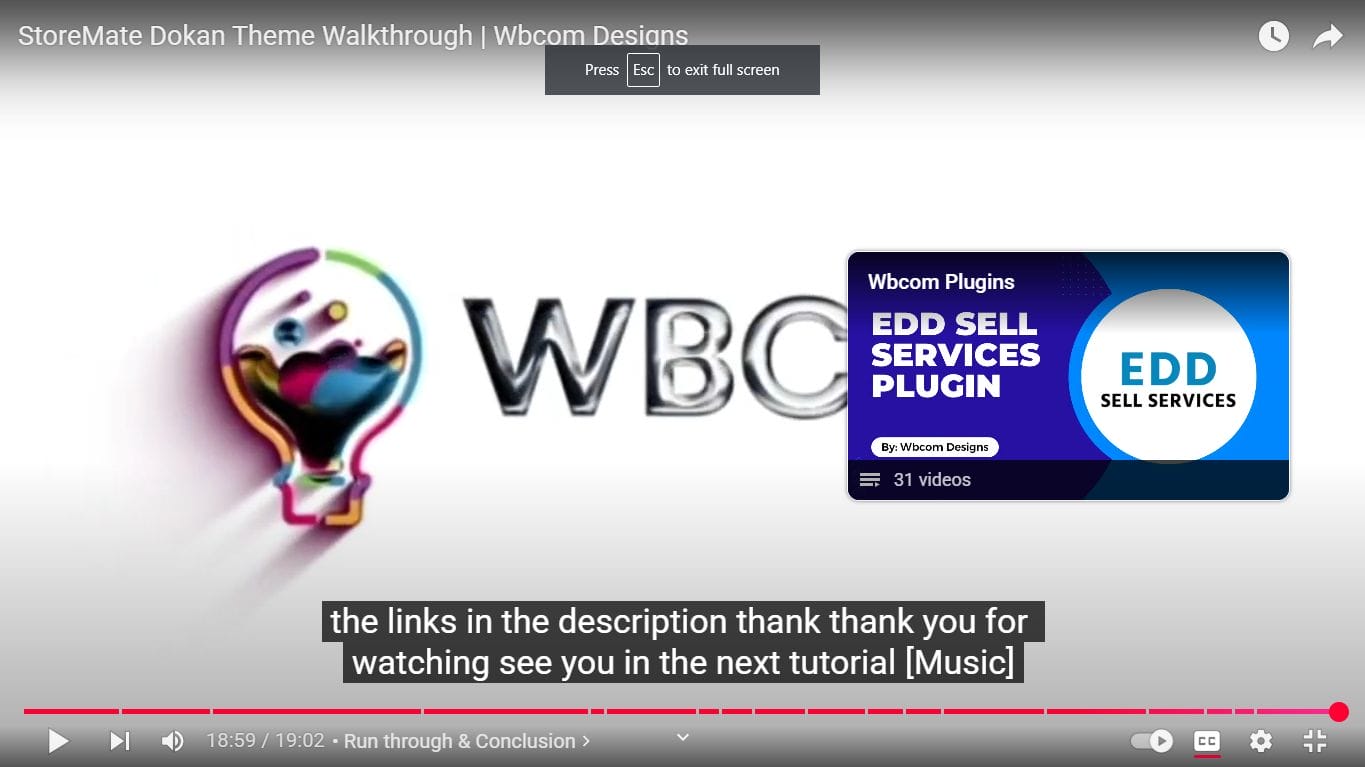
YouTube chapters and timestamps break your video into labeled sections, making it easier for viewers to find and jump to specific parts. This improves user experience by helping people navigate your content quickly, which can increase watch time and engagement. Well-organized chapters also make your video look more professional and can appear in search results, attracting more viewers.
Add Captions and Transcripts for Better Accessibility and SEO
Adding captions and transcripts makes your videos accessible to viewers who are deaf or hard of hearing and those who prefer watching without sound. Captions also improve SEO because YouTube can read the text and better understand your video’s content. You can use YouTube’s auto-captions, but uploading your own .srt files or using transcription tools ensures higher accuracy and better viewer experience.
Captions also help reach a wider audience, including people who speak different languages or watch videos in noisy environments.
Optimize Video File Before Uploading
Before uploading your video to YouTube, make sure the file name includes your main target keywords. This simple yet effective step can enhance your YouTube SEO by helping the platform understand your content from the start. Additionally, if your video editing software allows it, embed metadata such as the video title, description, and tags directly into the video file’s properties. These optimizations support better indexing and can improve your video’s visibility in YouTube search results.
Use Playlists to Improve Session Time
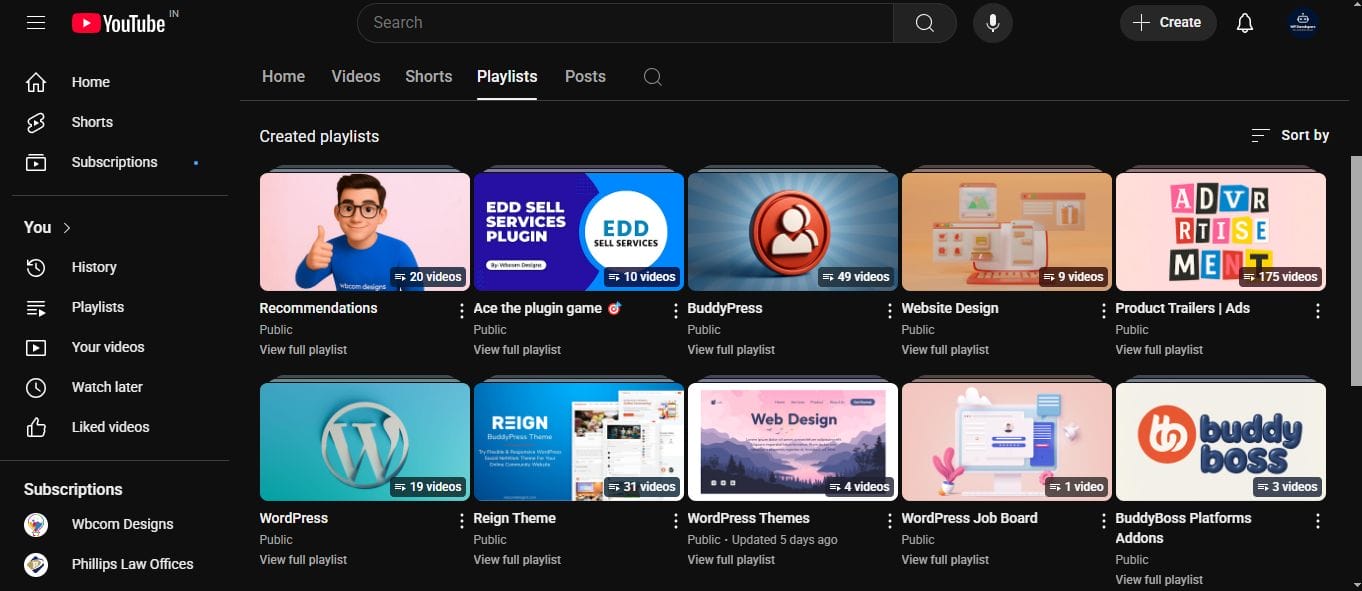
Playlists group related videos together, encouraging viewers to watch multiple videos in one session. This increases your channel’s overall watch time and “stickiness,” signaling to YouTube that your content is valuable and engaging. Create playlists based on topics, series, or themes, and organize your videos logically to guide viewers through your content easily.
Encourage Engagement (Likes, Comments, Shares, Subscribes)
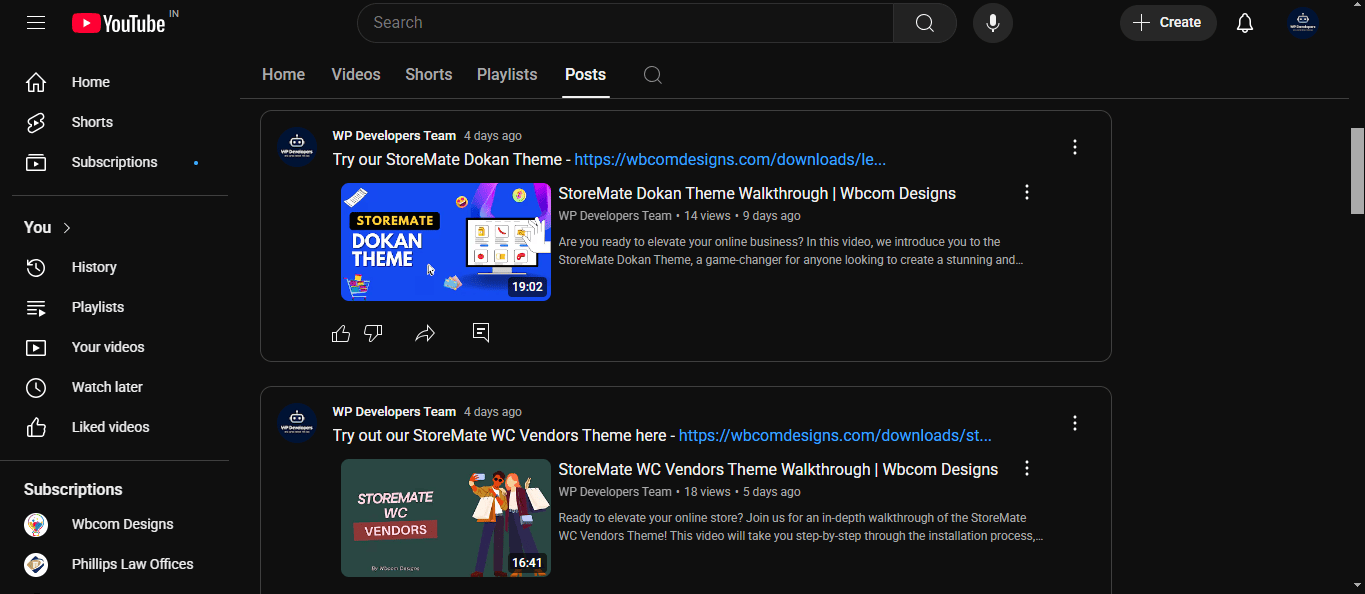
YouTube’s algorithm rewards videos that keep people watching and interacting. High engagement signals such as likes, comments, shares, and subscribes—indicate that your video is valuable and relevant. This improves its visibility in search results and recommended videos.
Strategies to Increase Engagement:
-
Ask Viewers Directly:
Use clear calls-to-action (CTAs) in your video like:
“If you found this helpful, give it a like.”
“Comment below with your thoughts or questions.”
“Subscribe for more content like this.” -
Create Engaging Content:
Keep your videos informative, entertaining, or visually interesting. Use storytelling, relatable examples, and maintain a strong pace to keep viewers hooked. -
Reply to Comments:
Responding to viewers builds community and encourages more comments and interactions. -
Run Giveaways or Polls:
Offer small incentives in return for engagement. You can ask viewers to like or comment to enter a giveaway. -
Use End Screens and Cards:
Guide viewers to other videos or encourage them to subscribe using YouTube’s built-in interactive tools.
Increased engagement leads to higher watch time and signals to YouTube that your content is relevant, improving its chances of ranking and being recommended—an essential factor in effective YouTube SEO.
Promote Your Video Outside of YouTube
Promoting your video outside of YouTube expands your reach, drives external traffic, and boosts SEO signals such as backlinks, embeds, and social shares.
Ways to Promote Outside YouTube:
-
Share on Social Media:
Post your video on platforms like Facebook, Twitter, Instagram, LinkedIn, and Reddit. Customize captions for each platform to encourage clicks and engagement. -
Embed on Your Website or Blog:
Write a related blog post or article and embed your YouTube video. This adds value to your website content and increases the video’s visibility. -
Use Email Marketing:
Send your video to your email list. A strong subject line and short intro with a video link can generate immediate views. -
Build Backlinks:
Reach out to bloggers, news sites, or communities that might find your video useful and ask if they can include it in their content. -
Join Forums and Communities:
Share your video in relevant forums or groups where it provides value to the discussion. Be careful to avoid spam—always contribute meaningfully.
External promotion drives more views, increases watch time, and provides SEO benefits through backlinks and embeds, helping your video rank higher on YouTube and Google.
Common YouTube SEO Mistakes to Avoid
1. Keyword Stuffing
Overloading titles and descriptions with keywords makes content unreadable and hurts rankings. Use keywords naturally.
2. Misleading Thumbnails/Titles
Clickbait drives clicks but kills watch time. Be honest and relevant to keep viewers watching.
3. Poor Audience Retention
If viewers leave early, YouTube lowers your reach. Hook them in the first 15 seconds and keep content engaging.
4. No Metadata Optimization
Skipping titles, tags, and descriptions reduces discoverability. Fill in all metadata with relevant keywords.
5. Using Auto Thumbnails
Default thumbnails often look unprofessional. Always upload custom, eye-catching ones.
6. Inconsistent Uploads
Irregular posting confuses subscribers and hurts growth. Stick to a consistent schedule.
7. No CTAs for Engagement
Not asking for likes, comments, or subscribes means less interaction. Include CTAs in your video and description.
8. Ignoring YouTube Analytics
Without data, you’re guessing. Use analytics to see what works and adjust accordingly.
9. No External Promotion
Relying only on YouTube limits reach. Share videos on social media, blogs, and newsletters.
10. Poor Mobile Optimization
Most viewers are on mobile. Use large text, fast pacing, and mobile-friendly formats.

Build and Grow with Smart YouTube SEO
To succeed on YouTube, YouTube SEO isn’t a one-time task—it’s an ongoing process. Success comes from consistently optimizing your videos to improve visibility and reach. Focus on creating high-quality content, understanding your audience, and using YouTube SEO techniques like optimizing titles, descriptions, and tags. Combine these on-page SEO efforts with off-page strategies such as promotion, engagement, and backlinks. Regularly monitor your performance through YouTube Analytics to refine your approach and grow your channel over time.
By staying consistent, adapting to trends, and avoiding common mistakes, you’ll build a sustainable strategy that grows your channel steadily over time boosting visibility, subscribers, and overall impact through improved YouTube SEO.
Interesting Reads:
QuickCab Taxi Booking Plugin for WordPress: A Complete Review

