

BuddyPress is a powerful plugin that allows you to create a social networking site within your WordPress website. Using location in BuddyPress enhances your social networking site by adding geographical context to user profiles and activities. By integrating location features, members can discover and connect with others in their vicinity, join location-specific groups, and participate in nearby events. To use the Location in BuddyPress, Wbcom Designs provides a plugin called BuddyPress Maps and Check-ins Pro. Let’s learn how to use location features in BuddyPress to help you create a more engaging and interactive community experience.

Quick Links
BuddyPress Maps and Check-ins Pro
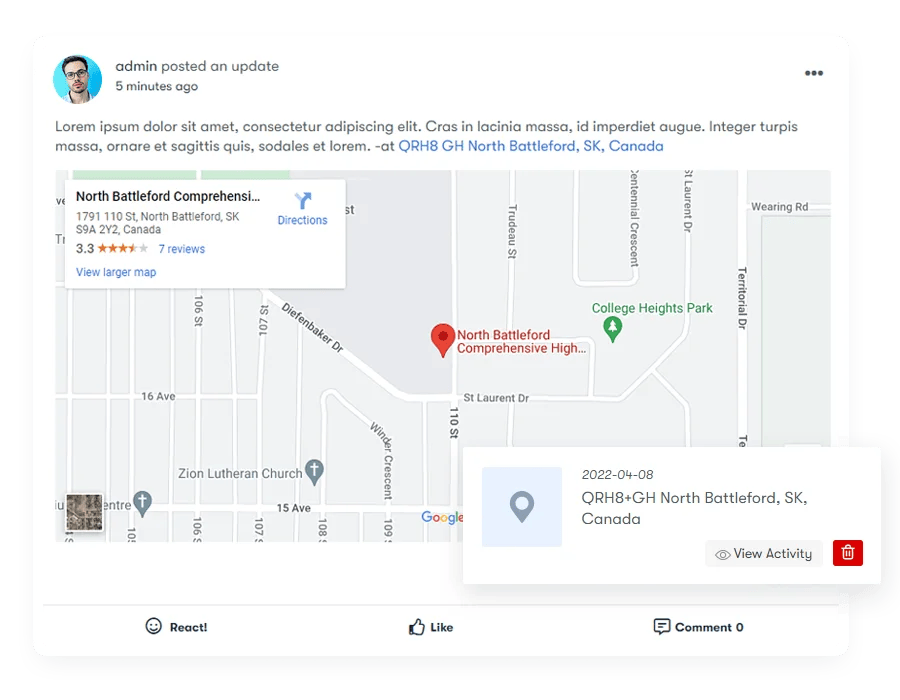
BuddyPress Maps & Check-ins Pro Plugin allows your members to post check-ins on your website activity stream like other social media platforms. Members have a mashup of their check-ins on their profile. The plugin also provides a BuddyPress Members mashup on the member directory and a BuddyPress Groups mashup on the group directory. It allows BuddyPress members to Check-ins when doing post updates.
Key Features of BuddyPress Maps and Check-ins Pro
1. Adds Check-ins Option: This feature allows BuddyPress members to check in when posting updates. By sharing their real-time location, members can enhance their posts with geographical context, making interactions more dynamic and engaging.
2. BuddyPress Members and Groups: Location Autocomplete can be enabled for both members and groups, making it easier for users to find and select locations. This feature streamlines the process of adding location information, enhancing the overall usability of your BuddyPress site.
3. Advanced Location Form: The advanced location form uses address autocomplete and a map to quickly pick a location. For more precision, users can input coordinates and individual address fields. This flexibility ensures that members can accurately represent their locations.
4. Proximity Search Forms: This feature allows BuddyPress members and groups to be searched based on address and distance. Users can find others nearby, fostering local connections and interactions within the community.

5. Mashup Maps: Mashup maps display the locations of BuddyPress members, groups, and check-ins. These maps provide a visual representation of the community’s geographical spread, making it easier to see where members are located and where activities are happening.
6. Current Location: Members can update their current location, which can then be displayed to others nearby. This feature helps members find and connect with others in their vicinity, enhancing local networking opportunities.
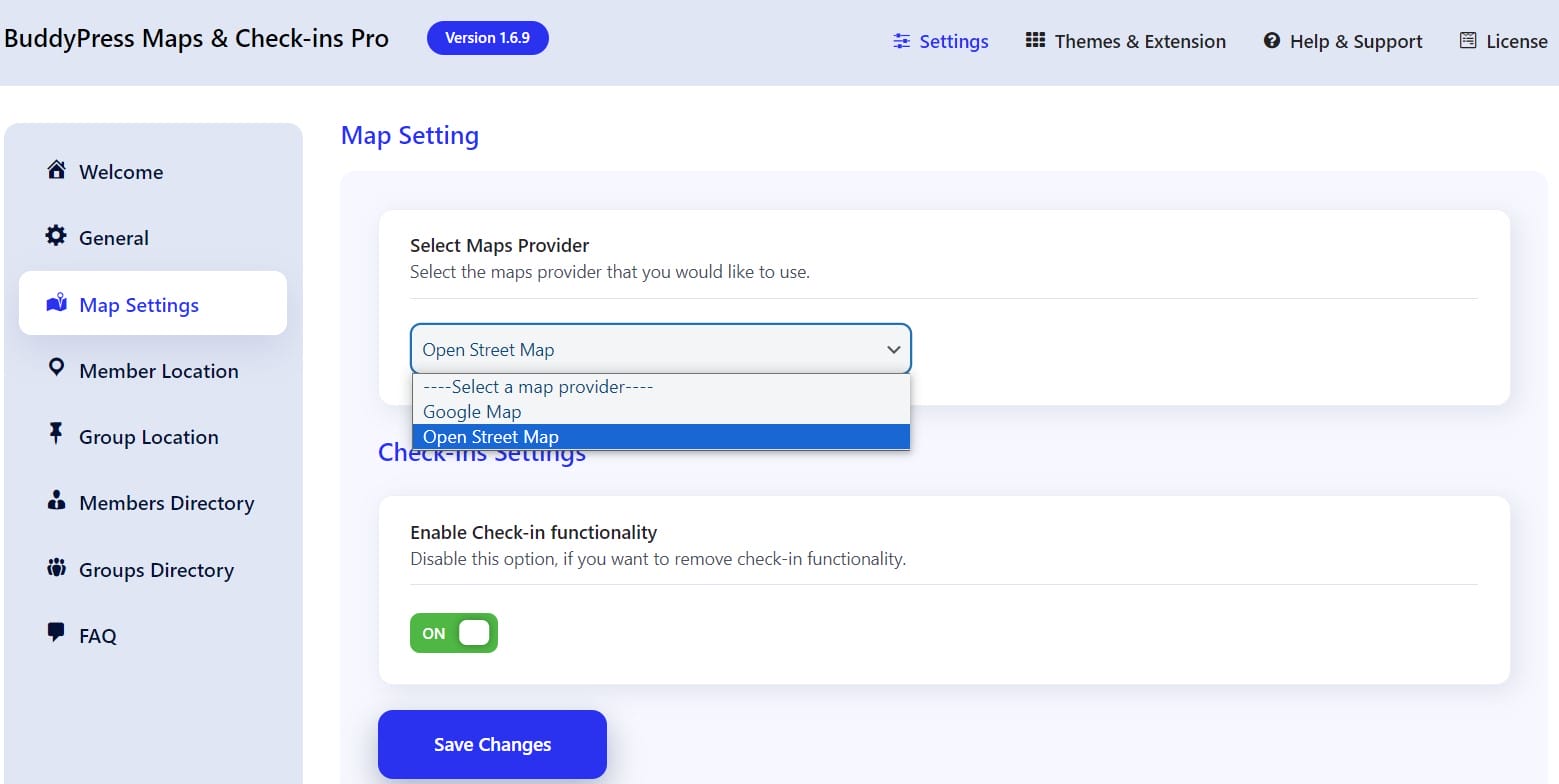
7. Powered By Google Maps and Open Street Maps: You can choose between Google Maps or Open Street Maps for your site. This flexibility allows you to select the mapping service that best fits your needs and preferences, ensuring optimal performance and user experience.
Benefits of updating location in BuddyPress
1. Improved Networking: Members can find and connect with others who are nearby, fostering local connections and relationships.
2. Enhanced Community Interaction: Location in BuddyPress updates allows members to share their current whereabouts, making posts and interactions more relevant and contextual.
3. Event Participation: Users can easily discover and join local events or activities based on their current location, increasing event attendance and community involvement.
4. Personalization: Displaying location in BuddyPress adds a personal touch to member profiles, helping others understand where members are located and facilitating targeted interactions.
5. Geographical Context: Members can share experiences and recommendations specific to their location, such as local businesses, events, or community initiatives.
6. Group and Community Management: For group administrators, location in BuddyPress updates can facilitate targeted communications, event planning, or regional group activities.
7. Global Reach: Even in global communities, location updates can help members connect with others in different regions or countries, enhancing diversity and global networking opportunities.
Installation
Installation of BuddyPress check-ins Pro is convenient with WordPress. Follow the below steps to install the plugin:
1. Get The Plugin
2. Here is the plugin purchase link. If you have already purchased the plugin, log in to Wbcom Designs and go to MyAccount >> Downloads.
3. Download the latest version of the plugin zip file.
i) Upload the “BuddyPress check-ins Pro” plugin to the “/wp-content/plugins/” directory via FTP.
OR
i) Go to the Plugins option from the WordPress Dashboard.
ii) Click on Add New and then Upload Plugin.
iii) Now you’ll get an upload form. Choose the ZIP file from your computer by clicking on “Browse” or just drag and drop it, then click on “Install Now.”
iv) After successful installation, hit the “Activate” button and you’re all set.
Pricing
Enhancing Community Engagement through Location Updates in BuddyPress
Updating the location in BuddyPress significantly enhances the user experience by adding a layer of geographical context to interactions within the community. It fosters local connections, improves event participation, and enhances community engagement through personalized and relevant interactions. Enabling members to share their location in BuddyPress not only facilitates networking but also enriches the community’s diversity and global reach. The integration of location in BuddyPress empowers users to discover nearby activities, share local insights, and connect with others who share similar interests or are located nearby, thereby creating a more vibrant and connected social network experience.
Interesting Reads:
Best Free Plagiarism Detection Tools

