

When it comes to SEO, one thing many people forget is how important it is for search engines to easily move through your website. If Google can’t quickly scan and understand your site, it might miss pages or waste time on things that don’t matter. This is where crawl efficiency becomes super important.
If your site has too many confusing paths, broken links, or repeated versions of the same page, search engines can get stuck or slow down. That’s not good for rankings. A cleaner, well-structured site helps bots do their job right.
This article gives a full picture of two major SEO problems: bad internal linking and messy URL parameters. These things might not seem like a big deal, but they often block search engines from understanding your site the right way.
Quick Links
What Is Internal Linking?
Internal linking is simply when you link from one page on your website to another page on the same site. It helps users move around and shows search engines how your content connects. This structure also helps Google decide which pages are most important.

There are different types of internal links. Navigation links are usually found in menus or footers. Contextual links appear in the middle of a blog post or article. Breadcrumbs are another type that show users where they are on a site.
Good internal links are clear and helpful. They point to useful pages and use meaningful link text. Bad internal links are broken, go in circles, or don’t make sense. Too many of these can hurt SEO more than help.
What Are URL Parameters?
URL parameters are the extra parts added to a link after a question mark. For example, ?utm=source or ?ref=facebook. They are often used for tracking, sorting, and filtering content, especially in online stores or marketing campaigns.
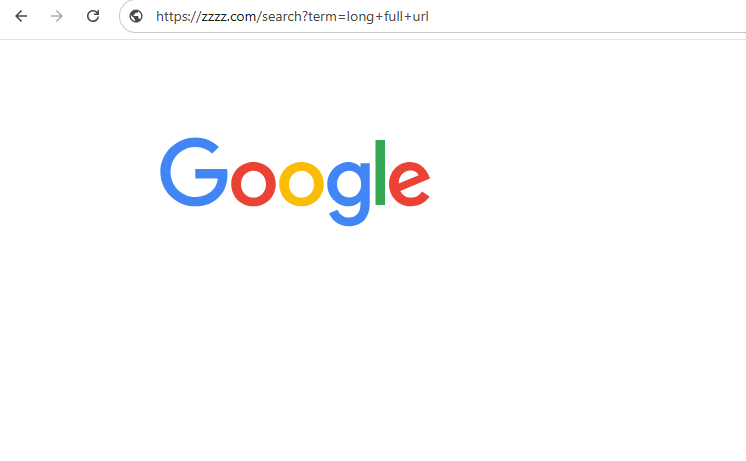
In some cases, they’re helpful—like checking where your traffic comes from. But they can also create problems for SEO. That’s because they sometimes make search engines think one page is actually multiple pages.
This can lead to duplicate content, wasted crawl budget, and confusion for both search engines and users. Knowing when and how to use parameters is key to avoiding SEO headaches.
The Hidden Maze of URL Parameters
When your site uses a lot of URL parameters, things can get messy fast. A single product page can have dozens of different versions if filters, sort options, or tracking codes are added. Search engines may see these as totally different pages.
For example, a shirt might be seen as one page with ?color=blue, another with ?size=medium, and yet another with ?sort=price. Even though they all show the same item, Google may waste time crawling all of them.
Big websites often don’t notice this happening until they check their crawl stats. It quietly eats up resources, slows down indexing, and can lead to lower rankings if important pages aren’t being seen.
E-Commerce’s Silent Struggle
Online stores suffer from parameter overload more than most sites. Filters like size, color, brand, and price create endless combinations of the same page. Each option adds a new parameter to the URL, and that makes it harder for bots to know which pages matter most.
On top of that, tracking tools and ad platforms add more parameters for clicks and visits. These don’t help SEO, but they do increase the number of URLs Google has to crawl.
When crawl budgets are wasted on small differences between pages, the important product or category pages can get overlooked. This hurts your site’s visibility in search results.
Google’s Quiet Battle with Redundant URLs
Google tries hard to ignore extra clutter in URLs, but it doesn’t always succeed. When it finds too many versions of the same page, it may not know which one to keep in its index. This causes index bloat—where too many low-value pages are stored.
To deal with this, Google uses things like canonical tags, but they don’t always work if the site structure is weak. Too many unnecessary pages also make it harder for Googlebot to find your newest or most valuable content.
This is why understanding and controlling your URL structure is so important. It helps Google focus on what really matters.
Crawl Budget and Crawl Efficiency Explained
Google doesn’t have unlimited time to spend on every site. It assigns a crawl budget based on how important and popular your site is. If your site wastes that time on useless or repeated pages, Google may not crawl everything.
Sites with clean structures and fewer repeated paths get crawled more efficiently. That means new pages are seen faster, and old pages are checked more often.
But when crawl budget is spent on pages with tracking parameters, filters, or long redirect chains, it’s a wasted effort. Keeping things simple and direct helps your site get the attention it deserves.
Why Is Fixing Internal Linking Mistakes Important?
Internal links do more than guide users—they help search engines discover and rank your content. If those links are broken or confusing, both people and bots get lost.
A well-linked site also spreads “link equity” or SEO value. Pages that get more internal links are seen as more important, which can help them rank better in search.
By cleaning up mistakes, you improve the user experience, help Google find and understand your content, and increase the authority of key pages. It’s a small effort with a big impact.
How to Find & Fix 11 Common Internal Linking Mistakes
Let’s look at some of the most common internal linking problems and how to solve them.
1. Broken Internal Links
These happen when a page links to another page that doesn’t exist. Maybe the page was deleted or the URL changed. Use tools to scan your site and find these.
Once found, update the link to the correct page or remove it if it’s no longer needed. Fixing broken links improves trust and helps bots crawl smoothly.
2. Too Many On-Page Links
When a single page links to dozens or hundreds of other pages, it can confuse Google and weaken link value. Instead, focus on the most important pages.
Pick a few key links and place them where they make sense. This keeps things simple and focused.
3. Redirect Chains and Loops
Sometimes a link goes through multiple redirects before reaching its destination. Other times, it never ends and loops back to the start. Both waste crawl budget.
Always link directly to the final page. Cut out extra steps to save time and keep things clean.
4. Misuse of Temporary Redirects
Temporary redirects (302) tell Google the move isn’t permanent. But if the page has moved for good, use a 301 redirect.
Leaving a 302 in place too long can cause indexing problems. It’s a simple switch that makes a big difference.
5. Overuse of Permanent Redirects
Too many 301s can also be a problem, especially if they’re chained. It makes crawling slower and less effective.
Try to keep the number of redirects to a minimum. Clean up old links and point them directly to the final page.
6. Nofollow Attributes in Internal Links
Using rel="nofollow" on internal links tells Google not to follow them. This is fine for paid links or private pages, but not for normal site pages.
Only use nofollow when you really mean it. Otherwise, you’re blocking valuable pages from being crawled.
7. Orphan Pages
Orphan pages are live pages that no other page links to. Google may never find them unless they’re in a sitemap.
Use SEO tools to find these and add internal links pointing to them. It helps with discovery and indexing.
8. Pages with Too Few Incoming Internal Links
If a page has only one or two links pointing to it, it may be seen as unimportant. Add more links from related pages to boost its value.
This spreads link equity and improves ranking potential.
9. Excessive Crawl Depth
If it takes more than 3–4 clicks to reach a page from the homepage, it’s buried too deep. Google might not get that far.
Reorganize your content so key pages are closer to the top. A flat structure is easier to crawl.
10. Misuse of Anchor Text
Anchor text is the clickable part of a link. Using the same exact phrase over and over can look unnatural and confuse search engines.
Use natural, varied wording that fits the content. Avoid keyword stuffing or repeating the same terms.
11. Irrelevant Links
Sometimes links are added just for the sake of it. If they lead to unrelated pages, they can hurt user trust and confuse search engines.
Only link to pages that truly connect to the topic. Each link should serve a clear purpose.
Best Practices for Internal Linking
Keep your anchor text consistent and simple. Don’t change the link text every time unless it really makes sense to do so.
Make sure the links go to relevant pages. Don’t just throw in links—each one should help either users or search engines understand your content better.
Use both contextual (in content) and navigational (in menus) links wisely. They each serve different roles, and a good balance keeps your site clean and useful.
Managing URL Parameters Effectively
Use Google Search Console to tell Google how to handle parameters. It lets you block or group them if they don’t change the page content.
Set canonical tags to point to the main version of a page. This avoids duplicate content caused by parameters.
If possible, clean up or remove unnecessary parameters from your site altogether. It helps keep your URLs simple and easy to crawl.
Tools to Diagnose and Fix Issues
Tools like Screaming Frog and Sitebulb scan your site for broken links, redirect chains, and crawl depth issues. They’re helpful for small to mid-sized sites.
Ahrefs’ Site Audit and Google Search Console offer extra insights into internal link problems and parameter use.
For bigger sites, tools like JetOctopus and Oncrawl offer deep technical analysis and help large teams fix issues faster.
What’s Next for SEO?
SEO is moving toward smarter and more focused crawling. Search engines are using AI to understand content, not just scan links.
Organizing your site around real-world topics and entities helps. This means grouping content in ways that make sense, rather than just by keywords.
With mobile-first indexing becoming the standard, crawl efficiency matters even more. Your site must be lean and easy to scan on mobile too.
Tips for Webmasters
Set simple rules for internal linking—what to link, where, and how often. It helps your team stay consistent.
Make sure your URLs follow a clear format and don’t use unnecessary parameters. Consistency makes it easier for everyone—Google included.
Do crawl audits regularly. Watch crawl stats in Google Search Console and fix problems as they come up.
Work closely with developers. A good structure starts in the code, and SEO works best when the whole team is involved.
Final Thoughts
A lot of SEO issues come from things people don’t even notice—like broken links or long, messy URLs. But they quietly hold your site back.
Every link should lead somewhere useful. Every URL should have a clear purpose.
If you make things easier for search engines, your pages get seen faster and more often. That leads to better rankings and a better experience for your visitors.
Interesting Reads:
Search Engine Marketing Agencies

