

Optimizing your website performance provides a great user experience, improves search engine rankings, and drives more conversions. Website speed is a critical factor that can make or break the success of your online presence. Google and other search engines use site speed as a ranking factor, meaning faster sites are more likely to appear higher in search results. Several key factors can impact the speed and performance of your WordPress site, including hosting, WordPress core, themes and plugins, images and media, caching and optimization, and external services. By addressing these areas, you can improve the speed and performance of your WordPress site, providing a better user experience, boosting your search engine rankings, and driving more conversions.

Quick Links
Tools to Assess Your Website Performance
The first step in optimizing your website performance is to establish a baseline by running a comprehensive speed test. This can be done using different speed testing websites such as GTmetrix, Pingdom, and PageSpeed Insights. These tools can provide detailed reports on your site’s loading times, identify bottlenecks, and offer recommendations for improvement.
PageSpeed Insights
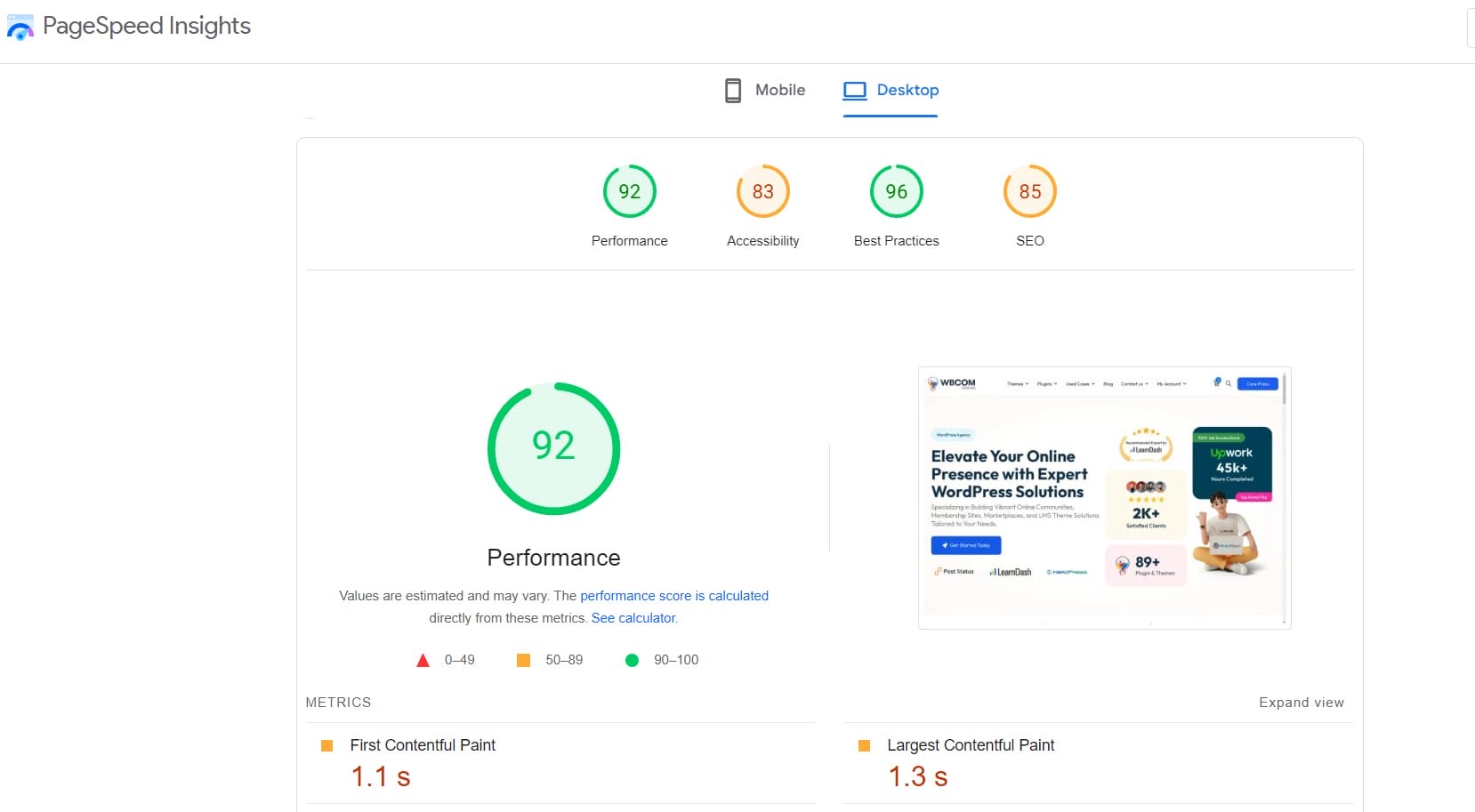
Google PageSpeed Insights is a free web performance analysis tool that provides insights into the speed and optimization of your web pages on both mobile and desktop devices.
The tool uses the open-source Lighthouse auditing tool to collect and analyze two types of data:
- Lab Data: Simulated performance data collected in a controlled environment to help identify and debug specific performance issues.
- Field Data: Real-world performance data gathered from actual users interacting with your site, providing a more accurate representation of the user experience.
What Are Web Vitals?
Web Vitals are a set of specific metrics introduced by Google to quantify the user experience on a website. These metrics are essential for assessing various aspects of a website’s performance, particularly in terms of loading speed, interactivity, and visual stability. The core Web Vitals metrics include:
1. Largest Contentful Paint (LCP): Measures loading performance. To provide a good user experience, LCP should occur within 2.5 seconds of when the page first starts loading. A faster LCP means that the main content of your page loads quickly, which keeps visitors engaged. Slow loading times can lead to higher bounce rates as users are likely to leave a site that takes too long to load.
2. First Input Delay (FID): Measures interactivity. To ensure a good user experience, pages should have an FID of less than 100 milliseconds. A low FID ensures that your site responds quickly to user interactions, such as clicks or taps. This is particularly important for interactive
3. Cumulative Layout Shift (CLS): Measures visual stability. To provide a good user experience, pages should maintain a CLS of less than 0.1.
To improve the performance of your WordPress site, you can use WP Rocket. It is a Premium plugin which is used to speed up your site.
WP Rocket

WP Rocket is a premium WordPress caching plugin that applies a range of performance optimization techniques right out of the box. It is known for its ease of use, comprehensive features, and ability to deliver significant speed improvements. Unlike many caching plugins that require complex configuration, WP Rocket is designed to be user-friendly, making it accessible even to those with limited technical knowledge. WP Rocket applies 80% of web performance best practices out-of-the-box, including page caching, browser caching, GZIP compression, and more.
How to Optimize Your WordPress Site Using WP Rocket
1. Install WP Rocket
Optimizing your website performance with WP Rocket, start by purchasing a WP Rocket license from the official website. Once purchased, download the plugin file and upload it to your WordPress site using the plugin uploader. After uploading, activate the plugin and access the WP Rocket dashboard from the WordPress admin menu to configure its settings and begin enhancing your site’s performance.
2. Minify CSS and JavaScript with WP Rocket
Minifying CSS and JavaScript files can significantly reduce page load times by removing unnecessary characters like spaces, comments, and line breaks from these files, thus reducing their size. This helps in optimizing your website performance.
3. Optimize CSS Delivery
Optimizing CSS delivery eliminates render-blocking CSS on your website. Only one method can be selected. Remove Unused CSS is recommended for optimal performance.
4. Load JavaScript deferred
WP Rocket will automatically defer the loading of JavaScript files, which means they will be loaded after the main content of your page has loaded. This can improve initial page load times and help in optimizing your website performance for your visitors.
5. Delay JavaScript Execution
Delaying JavaScript execution is a technique used to enhance page speed by managing code priority. It involves postponing the execution of non-critical JavaScript code until a specific condition is met or after a certain amount of time has passed. Delaying JavaScript execution is most suitable for an exclusion-driven approach. The goal is to ensure that anything interfering with the initial 2.5 seconds of page rendering and the first interactions with the page is operational. To use this setting you need to disable load JavaScript deferred.
6. Lazy Load
It can improve actual and perceived loading time as images, iframes, and videos will be loaded only as they enter (or are about to enter) the viewport and reduce the number of HTTP requests. It has three options
- Enable for images
- Enable for CSS background images
- Enable iframes and videos
7. Image Dimensions
Include width and height attributes for images to prevent layout shifts and enhance the reading experience for your visitors. Optimizing your website performance involves preventing layout shifts by specifying width and height attributes for images. This enhances loading efficiency, as browsers allocate space early, minimizing perceived load times. Users benefit from a stable browsing experience, navigating content smoothly without disruptive layout shifts, thereby improving overall usability
8. Post Cleanup
Post revisions and drafts will be permanently deleted.
9. Preload Fonts
Improves performance by helping browsers discover fonts in CSS files.
Final Thought On Optimizing Your Website Performance
Optimizing your website performance with WP Rocket goes beyond mere speed improvements. It enhances user experience by ensuring quick and efficient page loads, which reduces bounce rates and increases engagement. WP Rocket’s robust caching and optimization features boost search engine rankings, making your site more visible and accessible to a broader audience by optimizing your website performance. This results in higher conversion rates, as smoother and faster browsing experiences facilitate easier navigation and interaction for visitors. Adopting WP Rocket’s user-friendly interface and comprehensive toolset helps you not only meet but exceed modern web performance standards, positioning your website competitively in the digital landscape.
Important Reads:
WordPress Plugins for Boosting Site Speed
Top Free AI Tools for Affiliate Marketing
Best Online Image-to-Text Converter Tools

