

The global eLearning industry in 2026 is booming like never before. From online schools and professional training programs to solo entrepreneurs creating niche courses, digital learning has become a mainstream way to teach and learn. But here’s the catch: your choice of WordPress LMS plugin can make or break your eLearning business.
Among the many options available, Sensei LMS stands out as a plugin built by Automattic—the same team behind WordPress.com and WooCommerce. With that kind of backing, it’s no surprise that many course creators are curious about its potential.

The eLearning market is projected to reach $475 billion by 2030, growing at over 14% annually. WordPress powers a large share of this growth, with 43% of online educators favoring WordPress LMS plugins for their flexibility and cost-effectiveness. This surge makes choosing the right tool—like Sensei LMS—essential for success.
Quick Links
What is Sensei LMS?
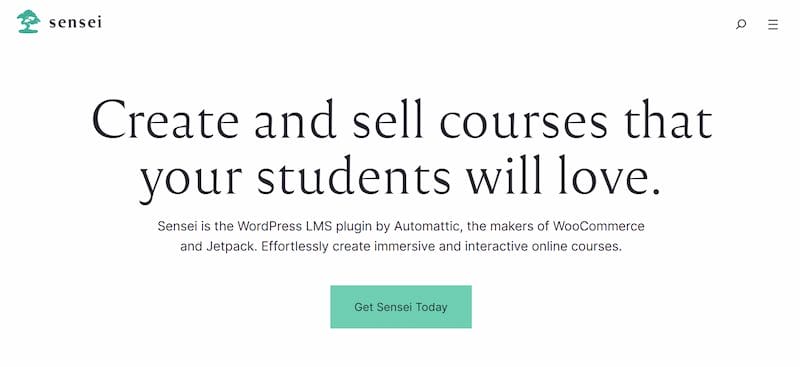
Launched by Automattic, Sensei LMS is a WordPress plugin designed to transform your website into a full-fledged eLearning platform. Since it integrates seamlessly with WooCommerce, you can not only create courses but also sell them with ease.
Who is it for?
- Course creators are looking for a simple but scalable solution.
- Schools and teachers are offering digital learning.
- Businesses providing training for employees.
- eLearning entrepreneurs who want WooCommerce integration for monetization.
Sensei LMS positions itself as a flexible plugin that grows with your needs—ideal for anyone already invested in the WordPress ecosystem.
Key Features of Sensei LMS
Like any serious WordPress LMS plugin, Sensei LMS packs a mix of core and premium features. Let’s walk through the highlights.
1. Course Builder
Sensei LMS offers a powerful drag-and-drop course builder that makes structuring your eLearning content simple and intuitive. You can create courses, add lessons, and organize quizzes without touching a single line of code. This streamlined approach saves time and helps course creators focus more on content quality rather than technical setup.
2. Lesson Management
The plugin supports diverse lesson formats, including text, images, video, and even multimedia embeds. This flexibility ensures your courses remain engaging for different learning styles. Whether you’re teaching a step-by-step tutorial or an advanced training program, lesson management is smooth and user-friendly.
3. Quiz Options
Testing learner knowledge is easy with Sensei LMS. It comes with multiple question types—such as multiple choice, true/false, and gap-fill—plus built-in grading. This makes assessments more effective while giving instructors the flexibility to design quizzes that match their teaching style.
4. WooCommerce Integration
One of the standout features is its seamless integration with WooCommerce. This means you can sell your courses just like physical or digital products. For entrepreneurs already running an online store, this integration is a game-changer—it allows you to bundle courses with products or offer them as standalone digital services.
5. Content Drip
Keeping learners motivated can be challenging, but content drip helps solve this problem. With this feature, you can schedule lessons to release gradually instead of all at once. This approach builds anticipation, improves knowledge retention, and prevents students from feeling overwhelmed.
6. Certificates Add-on
Nothing motivates students more than recognition. With the certificates add-on, you can award branded completion certificates to learners. This not only boosts learner satisfaction but also adds value to your courses, making them feel more professional and credible.
7. Analytics
Sensei LMS comes with built-in reporting tools that allow you to track learner progress, course completion rates, and engagement levels. Having access to this data helps instructors identify what’s working and where students may be struggling, ultimately leading to better course design and improved learning outcomes.
8. Extensions Marketplace
For those who need more advanced functionality, the Sensei LMS extensions marketplace is full of premium add-ons. From advanced quiz options to detailed reporting and student enrollment management, these extensions allow you to tailor the platform to your unique teaching needs. Many “Sensei LMS review” posts highlight this marketplace as a key reason why course creators choose it over other plugins.
Ease of Use & User Experience
When it comes to usability, Sensei LMS doesn’t disappoint.
- Installation & Setup: Works like any other WordPress plugin. Setup wizards guide you through initial configuration.
- Instructor Dashboard: Clean and intuitive—course creation feels straightforward.
- Learner Experience: Mobile-friendly and responsive layouts keep learners engaged across devices.
- Workflow: Adding lessons, quizzes, and assignments flows naturally without a steep learning curve.
If you’re familiar with WordPress, you’ll feel right at home.
Pricing & Plans (2026 Update)
One of the most common questions in any Sensei LMS review is: How much does it cost?
1. Free Version
Sensei LMS offers a free core plugin that includes essential features like course creation, lesson management, and basic quizzes. This is perfect for beginners or educators who want to test the platform before making an investment.
While limited in advanced tools, the free version gives you a solid foundation to start building online courses.
2. Paid Options – Sensei Pro
The Sensei Pro plan unlocks advanced features designed to enhance the learning experience. With Pro, you get access to content drip scheduling, student certificates, quiz question banks, and priority support.
These tools make your courses more engaging and professional, helping you scale from a simple course setup to a fully functioning eLearning business.
3. Paid Options – Extensions
Beyond Pro, Sensei LMS also offers individual premium extensions that can be purchased separately. These include advanced quizzes, reporting, and course enrollment add-ons.
This modular approach allows you to customize your LMS and only pay for the features you need, giving you flexibility and control over your expenses.
4. Costs to Consider
While Sensei LMS may look more affordable upfront compared to alternatives like LearnDash or Tutor LMS, costs can add up. If you plan to sell courses, you’ll need WooCommerce, which comes with transaction fees.
Adding multiple premium extensions can also increase overall expenses. That said, its flexible pricing model allows creators to start small and expand as their business grows.
Pros of Sensei LMS
1. WordPress + WooCommerce: Built by Automattic, Sensei LMS integrates seamlessly with WordPress and WooCommerce, making it easy to sell and manage courses.
2. Easy Setup: The drag-and-drop builder and simple interface make course creation beginner-friendly without a steep learning curve.
3. Custom Add-ons: A wide range of extensions lets you add advanced features like certificates, analytics, and quizzes as needed.
4. Good Support: Backed by Automattic, Sensei LMS provides solid documentation and responsive support for users.
5. Scalable: Ideal for small to mid-sized creators, you can start free and upgrade features as your business grows.
Cons of Sensei LMS
1. Limited Free Plan: The free version covers basics only; key tools like content drip and certificates require upgrades.
2. Add-on Costs: Depending on extensions can drive up costs if you need multiple advanced features.
3. Fewer Built-in Features: Compared to LearnDash or Tutor LMS, Sensei LMS has fewer tools out of the box.
4. Smaller Ecosystem: With fewer third-party integrations, customization options are more limited than competitors.
Sensei LMS vs. Competitors (2026)
How does Sensei stack up against big names?
Sensei LMS vs. LearnDash
LearnDash is known for its robust enterprise-level features and wide customization options, making it a strong choice for larger organizations and advanced course creators. On the other hand, Sensei LMS focuses on simplicity and offers a smoother experience, especially for users who rely on WooCommerce for selling courses.
While LearnDash may feel overwhelming for beginners, Sensei LMS is more approachable and beginner-friendly. Ultimately, LearnDash is ideal for scaling large training programs, while Sensei suits small to medium eLearning businesses.
Sensei LMS vs. Tutor LMS
Tutor LMS comes with a stronger free version and a more budget-friendly pro plan, making it attractive for beginners and small businesses. However, if you already use WooCommerce, Sensei LMS provides a more seamless setup and integration for managing and selling courses.
Tutor LMS also benefits from a larger third-party ecosystem, while Sensei keeps things simpler with fewer but focused add-ons. Both work well, but Sensei is best for WooCommerce-driven creators.
Sensei LMS vs. LifterLMS
LifterLMS stands out with powerful membership features and high flexibility, catering well to creators who want to build complex learning communities. Sensei LMS, by contrast, is lighter and easier to manage, appealing to users who prefer a straightforward solution without unnecessary complexity.
LifterLMS can require more setup and technical knowledge, while Sensei’s drag-and-drop builder is easier for beginners. In short, LifterLMS is for power users, and Sensei is for those wanting simplicity with WooCommerce integration.
Quick Comparison Table
| Plugin | Ease of Use | Pricing | Best For | Ecosystem Size |
|---|---|---|---|---|
| Sensei LMS | Beginner-friendly | Moderate | WooCommerce users | Small |
| LearnDash | Advanced | Higher | Enterprise/large schools | Large |
| Tutor LMS | Easy | Affordable | Beginners & SMBs | Growing |
| LifterLMS | Moderate | Flexible | Membership-heavy courses | Medium |
Best Use Cases for Sensei LMS
- Independent course creators selling digital learning products.
- Schools and teachers delivering small to mid-sized online programs.
- Entrepreneurs monetizing online learning with WooCommerce.
- Businesses providing employee training and onboarding.
Who Should Use Sensei LMS in 2026?
Great Choice For:
- WordPress users are already running WooCommerce stores.
- Course creators who want flexibility with add-ons.
- Educators are looking for a reliable, straightforward LMS.
- Small to mid-sized businesses that want to start simple and scale later.
- Beginners who value ease of use and don’t want a steep learning curve.
Better Alternatives If:
If you need enterprise-level solutions with advanced reporting, Sensei LMS may not be the best fit since its reporting features are more basic compared to competitors like LearnDash. Similarly, if you prefer an all-in-one LMS that works right out of the box without relying heavily on add-ons, you might want to explore alternatives such as Tutor LMS or LifterLMS.
Those who value a large ecosystem of third-party integrations and theme compatibility will also find more flexibility with LearnDash, which has a broader community and developer support. Finally, if you’re specifically searching for an LMS that offers the strongest free version with fewer paid upgrades, Tutor LMS stands out as a better choice, as its free plan covers more features before requiring a premium upgrade.
Best Theme for Sensei LMS: Reign Theme
When it comes to getting the most out of Sensei LMS, choosing the right WordPress theme is just as important as the plugin itself. After testing various themes, Reign Theme stands out as the best companion for Sensei LMS in 2026.
Why Reign Theme is Perfect for Sensei LMS
Reign Theme is specifically designed for community and eLearning websites. It offers deep integration with Sensei LMS, providing:
- Beautiful Course Directory: Display your courses in an attractive grid layout with featured images, descriptions, and easy filtering options.
- Modern Single Course Pages: Clean, professional course pages with a sidebar showing course features like lesson count, quizzes, enrolled students, and certificates.
- Mobile-First Design: Fully responsive layouts that look great on any device—essential for modern learners who study on the go.
- BuddyPress Integration: Create a social learning community by combining Sensei LMS courses with BuddyPress social features.
- WooCommerce Ready: Seamlessly sell your courses with built-in WooCommerce support that matches your site’s design.
See Reign + Sensei LMS in Action
Want to see how Reign Theme transforms your Sensei LMS courses? Check out the live demo:
- Courses Directory Demo – See how courses are displayed in a clean grid layout
- Single Course Page Demo – View the modern course page with lessons, features sidebar, and professional layout
The demo showcases how Reign Theme presents courses with:
- Course cards with featured images and excerpts
- Lesson listings with author, duration, and complexity
- Course features sidebar (lessons, quizzes, students, certificates)
- Clean navigation with breadcrumbs
- Professional footer with quick links and categories

Is Sensei LMS Worth the Investment in 2026?
To wrap up this Sensei LMS review, here’s the bottom line:
Sensei LMS shines when paired with WooCommerce, offering a clean, user-friendly, and scalable platform for online learning. While its reliance on add-ons may increase costs, its native WordPress integration, solid support, and straightforward course creation make it a solid investment.
If you’re already invested in WordPress and WooCommerce, Sensei LMS is definitely worth it in 2026. But if you need advanced, enterprise-level features right out of the box, plugins like LearnDash or Tutor LMS might suit you better.
Decide based on your needs: If you prioritize WooCommerce integration and a simple, familiar WordPress experience, Sensei LMS is a strong pick. If enterprise features, advanced reporting, or a larger third-party ecosystem are must-haves, evaluate LearnDash, Tutor LMS, or LifterLMS first.
Frequently Asked Questions
1. Is Sensei LMS free to use?
Yes — Sensei LMS offers a free core plugin with essential features like course and lesson creation and basic quizzes. Advanced features (content drip, certificates, and advanced reporting) typically require Sensei Pro or paid extensions.
2. Can I sell courses with Sensei LMS?
Absolutely. Sensei LMS integrates with WooCommerce so you can sell courses like products, set prices, offer bundles, and apply standard WooCommerce payment gateways and coupons.
3. How easy is it to build a course with Sensei LMS?
Very easy — Sensei includes a drag-and-drop course builder and an intuitive instructor dashboard. If you’re familiar with WordPress, course setup and lesson management should feel straightforward.
4. Does Sensei LMS support certificates and content drip?
Yes, but these features are part of paid offerings. Certificates and content drip are available via Sensei Pro or specific paid extensions, not in the free core plugin.
5. How does Sensei LMS compare to LearnDash or Tutor LMS?
Sensei LMS focuses on simplicity and tight WooCommerce integration, making it ideal for WooCommerce-based stores and small-to-mid eLearning projects. LearnDash offers more enterprise-grade features and a larger ecosystem; Tutor LMS often provides a stronger free tier. Choose based on your need for out-of-the-box advanced features vs. familiarity with WooCommerce.
6. What is the best WordPress theme for Sensei LMS?
Reign Theme is the best WordPress theme for Sensei LMS. It offers beautiful course directories, modern single course pages, mobile-first design, and deep integration with both Sensei LMS and WooCommerce. You can see it in action at the Reign Sensei LMS demo.
Interesting Reads
Tutor LMS Review 2026: Build, Sell & Manage Online Courses Effortlessly

