10 Best Software for Green Screen Editing In 2025

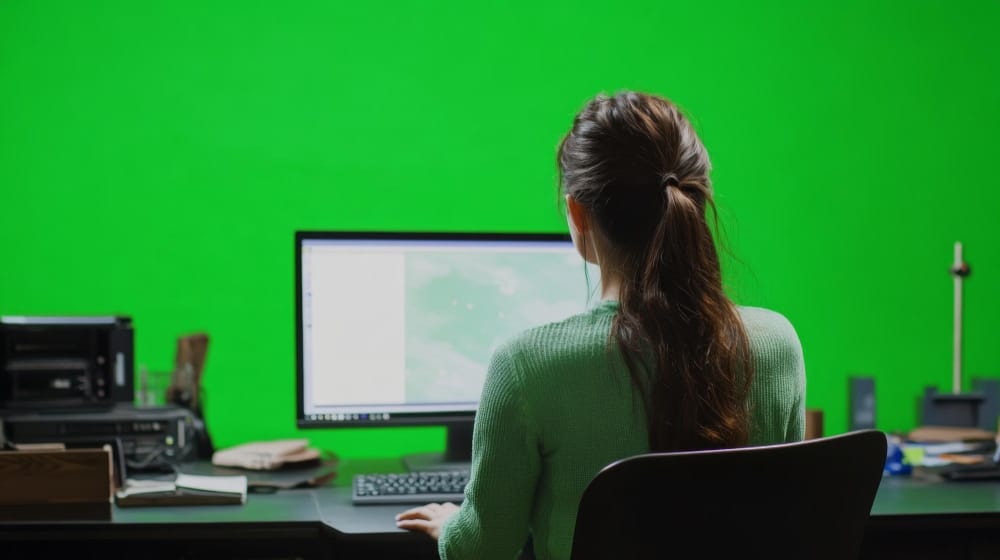
Visual storytelling has evolved from static scenes to breathtaking composites that blur the line between reality and illusion. Whether you’re a YouTuber crafting cinematic content, a marketer building immersive ads, or a filmmaker chasing high-end visuals on a budget, green screen editing is your key to unlocking creativity without borders. Chroma key technology, which removes green backgrounds and allows seamless layering of visual elements, is no longer exclusive to Hollywood studios.
To leverage this capability, creators need the right software for green screen editing. These tools vary widely, from beginner-friendly editors with built-in templates to professional suites offering granular control over every pixel. In this comprehensive guide, we’ll explore not only the 10 best software programs for green screen editing, but also delve into what makes them stand out, why chroma keying matters in modern content production, and how you can optimize your workflow with the right platform.
What is Green Screen Editing?
Green screen editing, also known as chroma key compositing, is a post-production technique where a specific color, usually a vibrant green, is made transparent, allowing editors to replace it with any image, video, or 3D environment. The process relies on software algorithms that isolate and remove the green background while preserving the subject.
This technique originated in the film industry and was initially costly and technically demanding. However, with advances in technology, the barrier to entry has significantly decreased. Today, anyone with access to a decent camera and capable software for green screen editing can replicate effects once reserved for big-budget productions. From news anchors to TikTok influencers, green screen editing has democratized high-end visual storytelling.
Why Use Green Screen Editing?
The advantages of green screen editing extend far beyond novelty. For one, it saves time and money. Instead of flying a film crew to Paris or building a complex set, you can simulate these environments digitally. It also empowers creators with creative control. The weather won’t ruin your outdoor scene, and you won’t need to wait for golden hour to capture the perfect light.
Moreover, using software for green screen editing allows content creators to experiment with virtual storytelling and build immersive narratives. You can place your subject in fantasy worlds, corporate branding environments, or even abstract digital art spaces. This flexibility fuels originality and pushes the boundaries of what’s visually possible.
How Does Green Screen Software Work?
At the heart of any software for green screen editing lies the chroma key engine. This algorithm detects a specific range of green hues in your video and removes them, leaving behind transparency. Editors can then insert new media in the background, such as footage, images, or animations.
While the principle is simple, the execution depends on the software’s sophistication. High-end programs offer fine-tuning of edge spill, background color range, and feathering effects to ensure clean keying. Others come with AI-based automation that accelerates the editing process. The quality of your chroma key result is directly influenced by how well the software handles lighting variations, subject movement, and green spill on skin or hair.
The 10 Best Software for Green Screen Editing: A Deep Dive
1. Adobe After Effects – The Professional’s Playground

Adobe After Effects stands at the pinnacle of motion graphics and compositing. Its robust keying tools, like Keylight 1.2, make it a go-to choice for VFX professionals. Whether you’re creating a flying superhero sequence or an explainer video with animated backgrounds, After Effects delivers precision.
Advanced features such as edge refinement, motion tracking, and rotoscoping allow users to craft realistic composites. It integrates smoothly with Adobe Premiere Pro, giving you a unified workflow from editing to post-production. While the learning curve is steep, the payoff in control and quality is unmatched.
2. Final Cut Pro – Apple’s Editing Powerhouse
Final Cut Pro offers Mac users a fast and powerful editing experience with exceptional chroma key support. Its intuitive interface is perfect for both beginners and professionals. Green screen editing in Final Cut Pro is straightforward but doesn’t compromise on detail.
Thanks to Apple’s Metal engine, rendering is faster, and the background replacement process feels seamless. Final Cut Pro’s Real-Time Chromakey Preview and automatic color matching streamline complex tasks, giving editors more time to focus on storytelling.
3. DaVinci Resolve – Hollywood-Grade Editing for Free
DaVinci Resolve by Blackmagic Design is known for its color grading prowess, but it also offers a powerful chroma keying engine. In the Fusion tab, users can manipulate layers with node-based editing—a format ideal for complex green screen projects.
Even in its free version, DaVinci Resolve handles green screen editing like a pro-level suite. Background cleanup tools and luma keying options enhance accuracy. It’s ideal for filmmakers seeking a budget-friendly solution without sacrificing performance.
4. HitFilm Pro – For Creators Who Love Effects
HitFilm Pro merges video editing and VFX into a single package. Its green screen editing tools are optimized for YouTubers and short filmmakers. It includes customizable keying effects and light wrap features to blend subjects more naturally into backgrounds.
One standout feature is the built-in visual effects library. Creators can insert explosions, 3D titles, or sci-fi backdrops with just a few clicks. HitFilm Pro also supports 3D model integration, offering unparalleled creative potential in its price range.
5. iMovie – Green Screen Editing for Everyone

If you’re an Apple user seeking a simple way to start green screen editing, iMovie is a great entry point. Its drag-and-drop interface and straightforward chroma key function allow users to create clean edits with minimal effort.
Though basic, iMovie supports HD and 4K footage and can produce professional-looking results when paired with good lighting. It’s an excellent tool for school projects, amateur short films, or quick content creation on the go.
6. Camtasia – Perfect for Tutorials and E-Learning
TechSmith’s Camtasia is designed for screen recording and educational video creation, but it includes efficient green screen editing features. Teachers and trainers can overlay themselves onto presentations, tutorials, or virtual sets.
Camtasia’s strength lies in its simplicity. You won’t get deep compositing options, but the green screen functionality is fast, stable, and ideal for video courses and webinars. It’s also one of the most user-friendly options available today.
7. Lightworks – Real-Time Green Screen Previews
Lightworks is a professional-grade video editor with impressive chroma key capabilities. Its real-time preview feature allows editors to see green screen effects as they’re applied, which accelerates the workflow.
The free version of Lightworks includes many of the green screen editing tools found in its premium version. It’s widely used in broadcasting and indie filmmaking, thanks to its timeline flexibility and precision keyframing tools.
8. OBS Studio – Live Streaming with Chroma Key
OBS Studio is an open-source platform beloved by streamers. It includes a chroma key feature ideal for real-time background removal. Whether you’re presenting a game, teaching online, or hosting a virtual event, OBS Studio delivers responsive and consistent performance.
OBS doesn’t include video editing tools, but you can record footage with a green screen and then enhance it in post-production software. Its lightweight design and customizable plugins make it an excellent companion to more advanced editing suites.
9. VSDC Video Editor – Budget-Friendly Editing with Power
VSDC offers a compelling package for Windows users looking for affordable yet competent software for green screen editing. The chroma key tool is easy to use and includes tolerance and edge feathering adjustments.
VSDC supports non-linear editing, meaning you can manipulate layers, apply effects, and control transitions easily. It’s ideal for small businesses, bloggers, and creators who want solid results without breaking the bank.
10. Wondershare Filmora – Accessible Creativity for All

Filmora balances usability and features beautifully. Its green screen functionality is one of the easiest to use, with real-time previews and background blending tools. Designed for creators who value speed and simplicity, Filmora makes it easy to achieve professional-looking composites.
The latest version includes AI features that enhance background detection and auto-correction of green spill. For vloggers and marketers alike, Filmora represents an accessible entry point into the world of green screen editing.
Choosing the Right Green Screen Software for Your Needs
Not all software for green screen editing suits every project. If you need professional-grade effects and deep editing tools, After Effects or DaVinci Resolve will serve you best. On the other hand, if you’re more focused on speed and ease, iMovie or Filmora are excellent choices.
Consider your system’s compatibility, your level of expertise, and the kind of content you’re creating. Streaming content benefits from OBS Studio, while tutorial creators might prefer Camtasia. Matching your software with your workflow ensures you maximize both efficiency and creative freedom.
Tips for Getting the Best Results from Green Screen Editing
To achieve clean and convincing composites, it’s not just about the software—it’s also about how you film. Ensure even lighting on the green screen, avoid shadows, and use high-contrast wardrobe colors that don’t match the background.
Once in your chosen software for green screen editing, fine-tune the keying parameters. Use color spill suppression, edge softening, and background blur to integrate subjects more naturally. Don’t rely entirely on presets—manual adjustments often make the difference between amateur and professional output.
Future of Green Screen Editing: AI, Real-Time Compositing, and Beyond
The future of software for green screen editing is driven by automation and artificial intelligence. Some platforms already integrate AI to automatically detect and remove backgrounds without a green screen, though chroma key still offers more precision.
Expect faster rendering, smarter keying, and real-time collaboration as editing moves further into the cloud. As virtual production expands, green screen tools will become even more essential in building digital worlds, live XR experiences, and cinematic universes.
Interesting Reads:
10 Best Software for Subtitles and Captions in 2025

Shashank is a seasoned digital marketing and WordPress expert who specializes in SEO, software tools reviews, and cutting-edge strategies for boosting online presence. With a passion for simplifying complex topics, Goutham crafts engaging blog posts that help readers optimize their websites, improve search engine rankings, and stay ahead in the ever-evolving digital landscape.