

Creating stunning travel videos is a great way to capture memories, share your experiences, and inspire others. Thankfully, with the rise of online video editing tools, it’s now easier than ever to create professional-quality travel videos without expensive software. In this blog post, we’ll look at the 10 best free travel video makers available online, diving into their key features, pros, and cons to help you find the best fit for your needs.

Quick Links
What to Look for When Choosing a Free Travel Video Makers Online
When choosing a free travel video maker online, there are several key factors to consider. Whether you’re a beginner or an experienced editor, selecting the right tool depends on your specific needs, preferences, and the capabilities of the software. Here’s a guide on what to look for:
1. Ease of Use
- User-Friendly Interface: If you’re new to video editing, choose a platform with a simple and intuitive drag-and-drop interface. Complex software may require a steep learning curve, but a well-designed editor will have straightforward controls that allow you to easily import, edit, and export your travel videos.
- Templates and Presets: Pre-built templates are valuable for beginners who want to create professional-looking videos quickly. Look for platforms that offer a variety of travel-specific templates.
2. Features and Customization Options
- Basic Editing Tools: At a minimum, your chosen video maker should allow for essential functions such as cutting, trimming, merging, and adding music to your travel clips. These tools are fundamental to crafting a cohesive video.
- Advanced Features: If you want more creative control, consider tools that offer advanced features like multi-track editing, transitions, filters, animations, and voiceovers.
- Support for Various Media Formats: Choose a video maker that supports a range of media types such as video clips, images, GIFs, and audio. This will give you flexibility when piecing together your travel footage.
3. Cloud-Based vs. Downloadable Software
- Browser-Based Editing: Many free video editors are cloud-based, meaning you can work directly from your browser without downloading any software. This is convenient if you want to edit on the go, as you can access your project from any device.
- Performance: Keep in mind that browser-based editors may require a stable internet connection and can sometimes lag with large files. On the other hand, downloadable software may provide smoother performance for more extensive projects.
4. Watermarks and Branding
- Watermarks on Free Plans: Many free online video makers add a watermark to your exported videos unless you upgrade to a premium plan. If you’re looking for a completely free solution, check whether the platform allows watermark-free exports or offers paid plans with reasonable prices for this feature.
5. Export Quality
- Video Resolution: The quality of your travel video is crucial, especially if you want to share it on social media or large screens. Some free versions limit exports to lower resolutions like 480p or 720p. Look for platforms that offer at least 1080p resolution for crisp, high-quality videos.
- File Formats: Ensure the video maker supports common export formats like MP4, which is widely used for sharing videos online. Additionally, check if the platform allows you to adjust export settings, such as frame rates and aspect ratios, which can be essential for social media.
Best Free Travel Video Makers Online
1. Adobe Express (Formerly Adobe Spark Video)
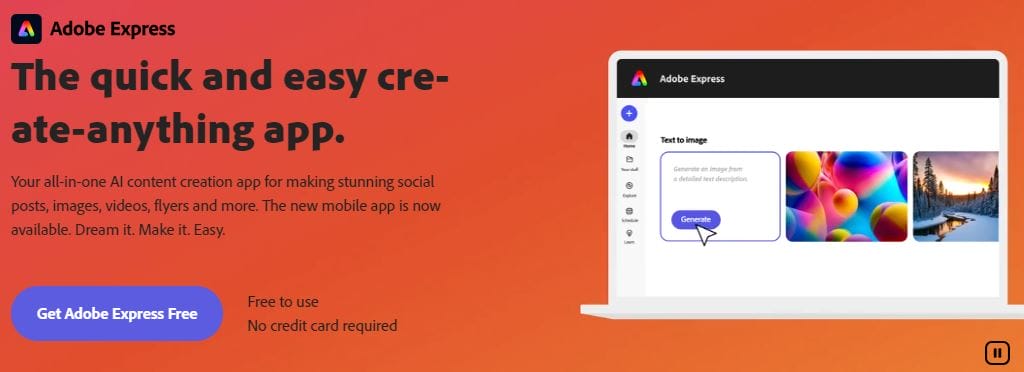
Adobe Express is a simplified yet powerful tool from Adobe that allows users to create travel videos with ease. It offers various templates, royalty-free media, and easy sharing options to streamline the creation process.
Key Features:
- Easy drag-and-drop interface
- Built-in templates and stock photos
- Ability to add animations and transitions
- Direct social media sharing options
Pros:
- Beginner-friendly interface
- Part of the trusted Adobe ecosystem
- Free stock photos and music available
Cons:
- Limited customization options compared to Adobe Premiere
- Free version includes a watermark
2. InVideo
InVideo is a cloud-based online video editing tool that offers a wide variety of templates tailored for travel videos. It is great for users looking for an all-in-one platform to create visually appealing videos quickly.
Key Features:
- Library of pre-made templates
- Advanced text overlay and effects
- Millions of stock images and videos
- Real-time collaboration features
Pros:
- Highly customizable templates
- Free media library access
- User-friendly drag-and-drop interface
Cons:
- Free version has watermarks
- Limited in-depth video editing capabilities
Also Read: 10 best free gym flyer makers
3. Clipchamp
Clipchamp is a versatile online video editor that offers both basic and advanced features, including the ability to trim, crop, and add filters to travel videos. It’s perfect for quick video edits and exports in high quality.
Key Features:
- Wide variety of customizable templates
- Built-in stock media library
- High-quality exports (up to 1080p)
- Green screen and AI voice-over features
Pros:
- Beginner-friendly with advanced features for experienced users
- No watermarks in free exports up to 480p
- Easy sharing options
Cons:
- Free version limited to 480p resolution
- Limited access to premium templates in the free plan
4. Canva Video Editor
Known for its graphic design capabilities, Canva also offers a robust video editor. It’s an excellent choice for creating travel videos, especially for those who are already familiar with Canva’s ecosystem.
Key Features:
- Drag-and-drop functionality
- Extensive library of templates, images, and music
- Simple video trimming and editing tools
- Free collaboration tools
Pros:
- Beginner-friendly interface
- No watermarks on free version
- Access to an extensive media library
Cons:
- Limited advanced video editing features
- Can be slow with large files
5. Kapwing
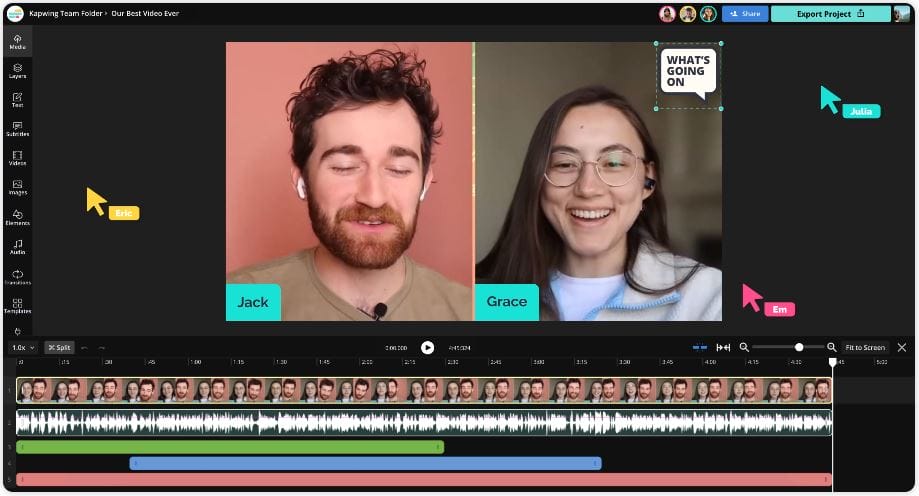
Kapwing is a browser-based video editor that focuses on accessibility and ease of use. With support for both beginners and more experienced editors, it’s a fantastic choice for creating engaging travel videos.
Key Features:
- Multi-track editing
- Real-time collaboration
- Supports various media formats (GIFs, images, videos)
- Text overlays and animated elements
Pros:
- No downloads required
- Cloud-based editing allows access from any device
- Free plan with reasonable limitations
Cons:
- Free version exports include watermarks
- Limited to videos under 7 minutes
6. WeVideo
WeVideo is a cloud-based video editing platform that offers an easy way to create travel videos with basic to intermediate editing features. It’s great for those who want quick access to video editing without complex interfaces.
Key Features:
- Cloud storage and video sharing
- Library of royalty-free music and stock videos
- Multi-track timeline editing
- Supports 4K video exports
Pros:
- Easy-to-use timeline interface
- Offers cloud storage
- Basic video editing features available in free plan
Cons:
- Watermarks on free plan exports
- Limited video resolution on free plan
7. FlexClip
FlexClip is an easy-to-use video editor that provides access to a range of video templates, including options tailored for travel enthusiasts. It allows users to create short and visually appealing travel videos in a few minutes.
Key Features:
- Drag-and-drop video editor
- Pre-built video templates for various use cases
- Access to free stock videos and photos
- Supports adding transitions and music
Pros:
- Free plan available with basic editing features
- Templates designed for quick edits
- Good selection of free media content
Cons:
- Watermarks on free plan
- Limited advanced editing features
8. Magisto
Magisto is an AI-powered video editor that automatically creates professional-looking travel videos from raw footage. It’s ideal for users who want a hands-off approach to video creation.
Key Features:
- AI-powered editing based on video content
- Access to music tracks and visual effects
- Ready-to-use templates and themes
- Social media sharing tools
Pros:
- Automated video creation process
- Perfect for quick edits
- Free plan available
Cons:
- Limited control over video editing process
- Watermarks on free version
9. Animoto
Animoto is a video editing tool that provides users with customizable templates and easy-to-use editing tools. It’s a great option for beginners who want to create short travel videos quickly.
Key Features:
- Drag-and-drop video editor
- Pre-built templates for various video styles
- Access to stock photos and videos
- Cloud-based editing and storage
Pros:
- Easy-to-use templates
- Free plan available with basic features
- No software download required
Cons:
- Watermark on free version
- Limited advanced editing features
10. Veed.io
Veed.io is an all-in-one video editing tool with a straightforward interface. It’s perfect for creating travel videos with subtitles, filters, and effects, and it’s designed for fast, easy editing.
Key Features:
- Subtitle generation and text overlay features
- Add music, filters, and effects
- Cloud-based with no downloads required
- Supports social media video formats
Pros:
- Free plan with core features
- User-friendly interface
- Good selection of filters and effects
Cons:
- Watermarks on free plan
- Limited advanced features
Comparison Table: 10 Best Free Travel Video Makers
| Tool | Free Version Features | Watermark | Max Resolution | Templates | Collaboration | Stock Media |
|---|---|---|---|---|---|---|
| Adobe Express | Drag-and-drop, templates, animations | Yes | 720p | Yes | No | Yes |
| InVideo | Templates, stock media, effects | Yes | 720p | Yes | Yes | Yes |
| Clipchamp | Basic editing, stock media | No (480p) | 480p | Yes | No | Yes |
| Canva Video | Templates, trimming, stock media | No | 1080p | Yes | Yes | Yes |
| Kapwing | Multi-track editing, collaboration | Yes | 720p | Yes | Yes | No |
| WeVideo | Timeline editing, stock media | Yes | 720p | Yes | Yes | Yes |
| FlexClip | Templates, stock media | Yes | 1080p | Yes | No | Yes |
| Magisto | AI-based editing, stock media | Yes | 720p | Yes | No | Yes |
| Animoto | Templates, stock media, trimming | Yes | 720p | Yes | No | Yes |
| Veed.io | Subtitles, effects, filters | Yes | 720p | Yes | No | No |

Final Thoughts
Each of these travel video makers offers something unique, whether it’s ease of use, advanced features, or a comprehensive template library. For quick and easy video creation, Adobe Express and InVideo are standout options, while Clipchamp and Kapwing offer more in-depth editing capabilities. If you’re focused on AI-powered automation, Magisto might be the best fit for you.
Interesting Reads
10 Best Free Online Fitness Video Makers

