Tutor LMS Review 2026: Build, Sell & Manage Online Courses Effortlessly

The global eLearning industry in 2025 is bigger and more profitable than ever. With digital transformation accelerating across schools, businesses, and individual entrepreneurs, online education has become the go-to solution for learning. A recent Tutor LMS Review highlights how this growth is supported by powerful WordPress LMS plugins that make course creation easier. In fact, a recent report estimates the global eLearning market will reach $650 billion by 2030, driven by digital-first universities, corporate training, and the rise of individual knowledge entrepreneurs.
This growth has also fueled demand for WordPress LMS plugins—powerful tools that transform a standard WordPress website into a full-fledged eLearning platform. Unlike hosted solutions like Teachable or Thinkific, a WordPress LMS plugin gives you complete control over your content, branding, and monetization strategies.
But let’s be honest: creating an online learning platform comes with challenges.
- Course Design Hurdles – Many educators struggle to organize content, upload multimedia, and create assessments.
- Monetization Complexity – From one-time sales to subscriptions and memberships, choosing the right model is daunting.
- Learner Engagement – Students often drop out if courses lack interactivity, gamification, or community features.
- Scalability – Growing from 10 to 10,000 learners requires a platform that won’t break under pressure.
Enter Tutor LMS, a WordPress LMS plugin developed by Themeum. Tutor LMS simplifies course creation, monetization, and student management—making it possible to build, sell, and manage online courses effortlessly.
What is Tutor LMS?
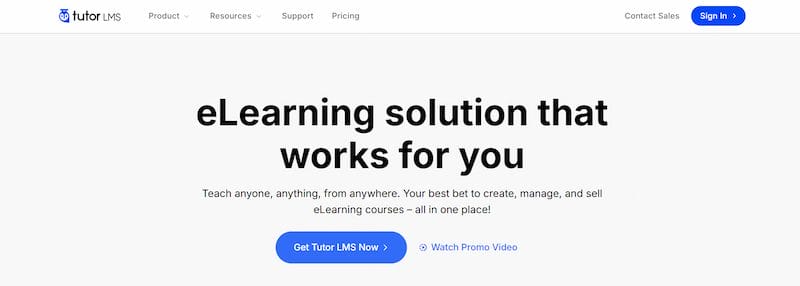
Tutor LMS is a WordPress LMS plugin designed to transform your WordPress site into an eLearning platform. Developed by Themeum, a WordPress company known for creating high-quality plugins and themes, Tutor LMS has become one of the fastest-growing LMS plugins since its launch in 2019.
Unlike standalone hosted platforms, Tutor LMS is installed directly on your WordPress site, giving you:
- Full ownership of your course content.
- Flexibility to customize the design and branding.
- Control over monetization models and pricing.
Evolution of Tutor LMS
Since its launch, Tutor LMS has consistently added new features. In the last few years alone, they’ve introduced:
- Zoom integration for live classes.
- Front-end dashboards for both instructors and students.
- Gamification tools like badges, points, and certificates.
- Advanced reporting for tracking student performance.
This commitment to updates and improvements is why Tutor LMS has gained over 80,000 active installations worldwide.
Key Features of Tutor LMS
Tutor LMS is packed with features that simplify course creation, student engagement, and monetization. Let’s break them down.
1. Course Builder & Management
If you’re creating courses, you’ll love Tutor LMS’s drag-and-drop course builder. It’s super easy to use but still powerful enough to customize your lessons exactly how you want. You can add videos, audio, PDFs, slides, and text lessons without any hassle. Organizing your courses is simple, too—you can use categories and tags to keep everything neat.
And with lesson prerequisites, your students will go through lessons in the right order. Plus, you can add assignments and extra resources to make learning even more engaging.
Example: A digital marketing expert could create a “Social Media Mastery” course with videos, downloadable PDFs, and end-of-module quizzes—all within 30 minutes.
2. Quizzes & Assessments
Making quizzes doesn’t have to be boring, and Tutor LMS gets that. You can create all kinds of questions—MCQs, essays, fill-in-the-blanks, matching, and true/false. The grading? Automatic, so you don’t have to spend hours checking answers. Students even get certificates automatically when they finish a course, and with badges and points, they’ll stay motivated and excited to learn more.
Example: A coding bootcamp could include real-world assignments like “Build a To-Do App in JavaScript,” alongside multiple-choice quizzes to test theory.
3. Monetization & Selling Courses
Turning your courses into a business is easy with Tutor LMS. It supports PayPal, Stripe, and WooCommerce for payments, and you can even set up memberships or subscriptions for recurring income. Want to sell course bundles or offer discounts? Easy. And if you have multiple instructors, Tutor LMS handles commission payouts automatically—so everyone gets their share without headaches.
Example: An entrepreneur can bundle beginner, intermediate, and advanced photography courses, sell them as a package, and run seasonal discounts.
4. Student & Instructor Management
Tutor LMS makes life easier for both students and instructors. Students get their own dashboard to track progress, check grades, and download certificates. Instructors get a front-end dashboard to manage courses, see earnings, and review student activity.
If you’re running a platform with multiple instructors, the built-in commission management keeps everything smooth and fair. All in all, it’s perfect for schools, training programs, or any online learning setup.
5. Integrations & Add-Ons
Tutor LMS integrates with popular tools to extend functionality:
- Zoom – Host live classes directly within your courses.
- Slack – Enhance communication for teams or student groups.
- WooCommerce – Advanced eCommerce support.
- Elementor – Customize course pages with drag-and-drop design.
- BuddyPress/bbPress – Build student communities and discussion forums.
Add-ons like advanced reporting, content drip, and gamification packs further enhance the learning experience.
Pricing and Plans
Tutor LMS comes in both free and premium versions.
Free Version
The free plan of Tutor LMS is perfect for beginners. It includes the drag-and-drop course builder, basic quizzes, and simple student tracking. You can also sell courses using PayPal and Stripe. While limited, it’s enough for solo educators to get started.
Premium Version
The premium version adds powerful tools for scaling. You get certificates, gamification, and advanced reporting. It also supports multi-instructor setups, Zoom integration for live classes, and content drip to release lessons over time. This makes it ideal for professionals and institutions.
Pricing (2025)
- Single site license – $199/year
- 5-site license – $399/year
- Unlimited sites – $799/year
Competitor Comparison
| Plugin | Starting Price | Key Features | Best For |
|---|---|---|---|
| Tutor LMS | $199/year | Drag-and-drop, monetization, integrations | All users |
| LearnDash | $199/year | Robust features, large ecosystem | Institutions |
| LifterLMS | Free + $120+ add-ons | Modular but expensive | Advanced users |
| WP Courseware | $149/year | Beginner-friendly, simple UI | Solo creators |
| Sensei LMS | $149/year | Built by Automattic, basic features | WordPress beginners |
Value Analysis: For solo instructors, Tutor LMS offers more built-in features than LifterLMS or Sensei without needing costly add-ons.
Advantages of Tutor LMS
User-Friendly: The drag-and-drop builder makes creating courses simple and fast. You can add lessons, quizzes, and resources without coding. Its clean interface saves time, letting educators focus on content instead of setup.
Flexible Monetization: Tutor LMS supports one-time sales, bundles, and subscriptions. You can run discounts or memberships with WooCommerce integration. This flexibility helps adapt pricing as your business grows.
Community Building: BuddyPress integration turns courses into communities. Students can join groups, interact, and stay engaged. Gamification with badges and points keeps learners motivated.
Scalable: Tutor LMS works for solo creators and large universities alike. It can handle small classes or thousands of students. Multi-instructor support and reporting make it easy to scale.
Regular Updates: Themeum adds new features and integrations regularly. Updates like Zoom and gamification keep the plugin modern. Frequent improvements ensure smooth performance.
Limitations of Tutor LMS
- Premium-only features – Certificates, advanced reporting, and content drip require upgrading.
- Learning Curve – Advanced features may take time to master.
- Styling Limitations – Without Elementor or a theme builder, customization is limited.
Tutor LMS vs Other LMS Plugins
1. Tutor LMS vs LearnDash
LearnDash is packed with advanced features, but that can make it overwhelming if you’re just starting. Tutor LMS, on the other hand, is easier to use and more beginner-friendly, while still offering all the tools you need to build, sell, and manage online courses.
Plus, it’s generally more affordable, making it a great option if you want a smooth start without a steep learning curve.
2. Tutor LMS vs LifterLMS
LifterLMS is modular, which is great for customization, but adding all the necessary features can quickly become expensive. Tutor LMS offers a more complete, value-for-money package out of the box, so you get essential tools without breaking the bank. It’s ideal for course creators who want robust functionality without juggling multiple add-ons.
3. Tutor LMS vs WP Courseware
WP Courseware is simple and easy to use, but it lacks advanced monetization options. Tutor LMS provides more flexibility for growing businesses, letting you sell courses, offer subscriptions, and manage multiple instructors—all while keeping the setup user-friendly.
4. Tutor LMS vs Sensei LMS
Sensei LMS, developed by Automattic, integrates well with WordPress but remains relatively basic in features. Tutor LMS goes further with engagement tools like quizzes, certificates, and gamification, giving both instructors and students a more interactive learning experience.
Real-World Use Cases
Universities: Tutor LMS helps universities build structured curricula complete with grading systems, quizzes, and certificates, making online learning organized and professional.
Entrepreneurs: For entrepreneurs, it’s a breeze to create and sell courses like “Yoga for Beginners” or niche skill classes, with options for bundles, discounts, and subscriptions.
Corporate Training: Companies can use Tutor LMS to onboard employees, deliver compliance training, and track progress efficiently, all within one platform.
Communities: Communities and niche groups can set up learning hubs where members share skills, collaborate on courses, and earn certificates, fostering engagement and knowledge sharing.
Step-by-Step Setup Guide
1. Install Tutor LMS
- Download the free version from WordPress.org or purchase the premium version for advanced features.
- Activate the plugin and find the new Tutor LMS menu in your WordPress dashboard.
2. Create a Course
- Use the drag-and-drop course builder to add lessons.
- Include videos, audio, PDFs, slides, or text lessons.
- Organize lessons into sections and set prerequisites for proper sequencing.
- Add assignments or extra resources to enhance learning.
3. Set Up Payments
- Connect PayPal, Stripe, or WooCommerce to start selling courses.
- Offer memberships or subscription plans for recurring income.
- Create course bundles and use coupons to attract more students.
4. Assign Instructors
- Add multiple instructors and assign them to specific courses.
- Set commission rates for automatic instructor payments.
- Instructors get front-end dashboards to manage courses and track students.
5. Publish & Market Your Course
- Launch your course with a single click.
- Promote using landing pages, email campaigns, and social media.
- Integrates seamlessly with popular page builders and marketing tools.
Tips to Maximize Tutor LMS
Use Gamification: Add badges, points, and certificates to make learning more fun and motivate students to complete courses. Gamification encourages participation and boosts course completion rates.
Build a Community: Integrate Tutor LMS with BuddyPress or bbPress to create forums and groups. Students can ask questions, share ideas, and feel more connected, which increases engagement and loyalty.
Leverage Email Marketing: Use Mailchimp or FluentCRM to send course updates, reminders, and promotions. Regular emails keep students engaged, encourage course completion, and help grow your audience.
Monitor Analytics: Track student progress and course performance with Tutor LMS analytics. Insights help you refine content, improve lessons, and deliver a better learning experience.
Why Tutor LMS is a Smart Choice for 2025
In 2025, Tutor LMS remains one of the top WordPress LMS plugins for educators, entrepreneurs, and institutions. It strikes the perfect balance between ease of use and powerful features, letting you build, sell, and manage online courses without technical headaches.
With flexible monetization options, engaging gamification features, and robust analytics, it provides everything you need to grow your online learning business. Whether you’re running a school, training organization, or a solo course platform, Tutor LMS is a future-ready solution that helps you deliver professional, interactive, and profitable online courses effortlessly.
Frequently Asked Questions (FAQs)
1. What is Tutor LMS?
Tutor LMS is a WordPress plugin that allows you to create, manage, and sell online courses. It comes with a drag-and-drop course builder, quizzes, certificates, and monetization options, making it ideal for educators, entrepreneurs, and institutions.
2. Is Tutor LMS free or paid?
Tutor LMS offers a free version with essential features for beginners. The premium version unlocks advanced tools such as Zoom integration, certificates, gamification, and multiple payment gateways for professional online courses.
3. Can I sell courses using Tutor LMS?
Yes! Tutor LMS supports PayPal, Stripe, and WooCommerce. You can sell individual courses, create subscriptions or memberships, offer bundles, and even manage instructor commissions for multi-teacher platforms.
4. Is Tutor LMS beginner-friendly?
Absolutely. With its intuitive drag-and-drop builder, front-end dashboards for students and instructors, and easy setup process, Tutor LMS is perfect for beginners who want to launch professional online courses quickly.
5. Can Tutor LMS integrate with other plugins?
Yes, Tutor LMS integrates seamlessly with popular WordPress plugins like BuddyPress, bbPress, WooCommerce, Mailchimp, and FluentCRM, allowing you to create a community, manage payments, and engage students effectively.
Interesting Reads
LearnDash Review: The Ultimate WordPress LMS Plugin for 2025
15 Best All-in-One Business Software for Startups in 2025
15 best popular CRM software tools for sales & customer success 2025

Shashank is a seasoned digital marketing and WordPress expert who specializes in SEO, software tools reviews, and cutting-edge strategies for boosting online presence. With a passion for simplifying complex topics, Goutham crafts engaging blog posts that help readers optimize their websites, improve search engine rankings, and stay ahead in the ever-evolving digital landscape.