

Multi-vendor marketplaces have exploded in 2025. From fashion hubs to digital product stores, entrepreneurs are building platforms that connect buyers with a wide range of sellers—all under one roof. In fact, recent eCommerce statistics reveal that over 45% of online shoppers prefer marketplaces like Amazon, Etsy, or niche community-driven platforms over standalone stores. This trend makes multi-vendor plugins essential for WooCommerce users.

That’s where WC Vendors comes in. In this WC Vendors Review, we’ll take a deep dive into how the plugin helps WooCommerce store owners build, manage, and monetize their own marketplaces. Whether you’re an entrepreneur, agency, or niche marketplace owner, WC Vendors can transform your WooCommerce store into a fully functional multi-vendor platform.
Quick Links
What is WC Vendors?
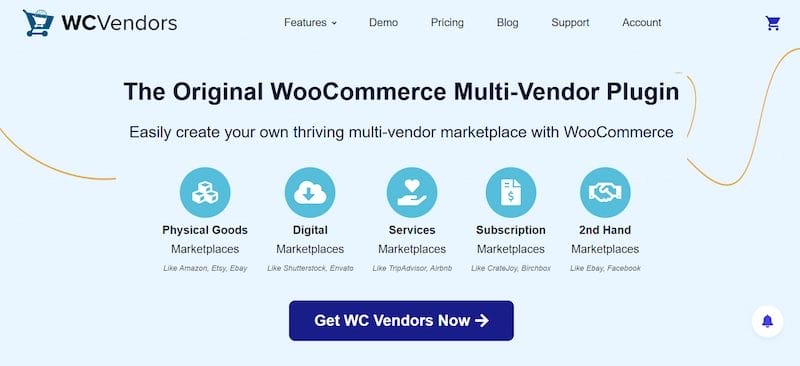
WC Vendors has been around since 2014, making it one of the earliest multi-vendor plugins for WooCommerce. Over the years, it has evolved with consistent updates, improved vendor tools, and integrations that keep pace with the modern eCommerce ecosystem. Today, it powers thousands of marketplaces across industries, from fashion to digital downloads.
How it Integrates with WooCommerce
At its core, WC Vendors is a natural extension of WooCommerce. Once installed, it allows multiple sellers to register, list their products, and manage orders—while you, the admin, oversee commissions and payments. Since WooCommerce is already the backbone of countless online stores, WC Vendors feels like a seamless upgrade rather than a separate platform.
Who Should Use WC Vendors?
- Entrepreneurs are building niche marketplaces for clothing, art, or digital goods.
- Agencies managing marketplace projects for clients.
- Business owners want to monetize their WooCommerce site with third-party vendors.
If you’re looking to create a scalable, vendor-friendly ecosystem without massive upfront costs, WC Vendors is worth considering.
Key Features of WC Vendors
1. Vendor Management Tools
WC Vendors makes it easy for new sellers to join your marketplace. The vendor registration and approval process is straightforward, giving admins full control over who sells. Vendors get access to their own dashboard, where they can view orders, sales reports, and earnings.
With role-based permissions, you decide what vendors can and can’t do—ensuring smooth marketplace management. This keeps operations transparent and prevents misuse of marketplace resources. As a result, both admins and vendors can focus more on growth instead of troubleshooting.
2. Product Management
Vendors can add, edit, and manage products directly from their dashboard. WC Vendors supports multiple product types, including simple, variable, and digital products. Vendors also benefit from inventory and stock management tools, reducing admin workload while giving sellers autonomy to run their mini-stores.
They can also add product images, descriptions, and pricing with ease, improving buyer trust. This streamlined workflow makes it simple for vendors to keep their catalogs updated and competitive.
3. Order & Commission Management
For admins, WC Vendors offers flexible commission settings. You can set commissions as a fixed fee, percentage, or even a tiered structure, depending on sales volume. Vendors track orders in real time, while admins can monitor fulfillment.
The split payments system ensures vendors and the marketplace owner get paid fairly and on time. This transparency builds trust between sellers and marketplace owners. It also reduces payment disputes, keeping the business relationship smooth.
4. Marketplace Design & Customization
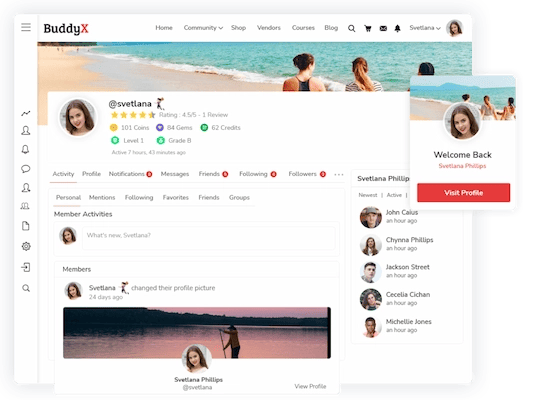
Design flexibility is a key strength. WC Vendors works seamlessly with popular WordPress themes like BuddyX and Reign, giving your marketplace a modern, professional look. Vendors can customize their storefronts, adding branding and personal touches.
Plus, everything is mobile-responsive, ensuring buyers and sellers have a smooth experience across devices. This customization helps marketplaces stand out in crowded industries. It also allows vendors to build stronger brand recognition within your platform.
5. Payment & Shipping
WC Vendors supports multiple payment gateways, including PayPal and Stripe, making global transactions easier. Vendors can set flexible shipping options, tailoring methods to their product types. Best of all, the plugin allows for automated payouts, reducing manual effort for admins.
Payment security is also prioritized, ensuring safe transactions for both buyers and sellers. With smooth shipping and payment systems in place, customer satisfaction naturally improves.
WC Vendors Free vs Pro
One of the most attractive aspects of WC Vendors is its free core plugin. Here’s how it stacks up against the Pro version:
- Free Version: Vendor registration, basic product management, and commission setup. Great for testing and small marketplaces.
- Pro Version: Unlocks advanced features like frontend dashboards, detailed reports, advanced shipping modules, coupon creation, and full vendor customization.
Pricing:
WC Vendors Pro starts at $199/year, which is competitively priced compared to alternatives. For those wanting long-term savings, lifetime licenses are also available.
If you’re serious about scaling your marketplace, the Pro version delivers the most value.
Pros and Cons of WC Vendors
Pros
1. Affordable solution: WC Vendors offers one of the lowest entry points into building a marketplace, especially with its free version.
2. Easy WooCommerce integration: Since it works directly with WooCommerce, setup is quick and doesn’t require steep learning curves.
3. Good scalability for startups – It’s lightweight yet flexible, making it a strong option for small businesses that plan to grow.
Cons
1. Some features are only in Pro: Advanced tools, like frontend dashboards and coupon systems, which require an upgrade.
2. Fewer add-ons compared to Dokan or WCFM: While solid, WC Vendors has a smaller add-on ecosystem than some competitors.
3. Requires WooCommerce knowledge: Beginners unfamiliar with WooCommerce may face a learning curve during setup.
Real-World Use Cases & Examples
- Fashion marketplaces: Clothing and accessory brands letting designers sell under one platform.
- Digital product stores: Templates, eBooks, and software marketplaces thrive with WC Vendors’ digital product support.
- Service-based marketplaces: Freelancers offering services like design or writing can use WC Vendors as a platform.
Case Study: Several niche fashion startups have scaled their businesses by letting independent designers list products while the marketplace owner manages branding and commissions through WC Vendors.
WC Vendors vs Competitors
1. WC Vendors vs Dokan
Dokan is WC Vendors’ biggest competitor, offering a larger ecosystem of add-ons and advanced vendor dashboards. However, WC Vendors wins on affordability and simplicity. If you want a lean setup, WC Vendors is easier to manage.
2. WC Vendors vs WCFM
WCFM Marketplace is known for being highly customizable and packed with features—even in its free version. WC Vendors, however, offers a more structured approach and tends to be lighter, which benefits performance-focused marketplaces.
3. WC Vendors vs YITH Multi-Vendor
YITH is part of the larger YITH WooCommerce ecosystem, making it attractive for those already using YITH plugins. Still, WC Vendors offers a more vendor-friendly experience with better role management.
Comparison Table
| Feature | WC Vendors | Dokan | WCFM Marketplace | YITH Multi-Vendor |
|---|---|---|---|---|
| Free Version | Yes | Yes | Yes | Limited |
| Pro Pricing | $199/year | $149–$999/year | $59–$249/year | $99/year |
| Vendor Dashboard | Pro only | Yes | Yes | Basic |
| Add-on Ecosystem | Moderate | Extensive | Extensive | Moderate |
| Ease of Use | Beginner-friendly | Moderate | Advanced | Beginner-friendly |
Pricing & Licensing
- Free Version: Perfect for testing, includes basic vendor management.
- Pro Version: Starts at $199/year with all advanced features.
- Lifetime License: Best for agencies or long-term projects, offering savings over time.
Unlike competitors with steep pricing tiers, WC Vendors offers straightforward licensing that balances affordability with robust functionality.
Who Should Use WC Vendors?
1. Small-to-Medium Businesses
If you already run a WooCommerce store, WC Vendors helps you grow into a full marketplace. A boutique shop, for example, can invite other sellers, expand inventory, and boost revenue—without heavy upfront costs.
2. Agencies
Agencies love WC Vendors because it’s flexible, theme-friendly, and affordable. With lifetime licensing, they can build multiple client marketplaces quickly and cost-effectively.
3. Entrepreneurs
Niche marketplaces—like handmade crafts, digital downloads, or services—are booming. WC Vendors gives entrepreneurs the tools to launch fast with vendor dashboards, commission flexibility, and product variety support.
Why It’s a Solid Choice
Across all use cases, WC Vendors balances affordability, scalability, and ease of use, making it a smart pick for anyone building a WooCommerce marketplace.

Why WC Vendors Still Matters in 2025
Even with fierce competition, WC Vendors remains a strong choice in 2025. Regular updates keep it compatible with WooCommerce, while its adaptability with themes and third-party tools makes it future-proof. It’s also more affordable than many alternatives, giving startups and small businesses the features they need without high costs. Add in a supportive community and clear licensing, and WC Vendors proves itself as a reliable, flexible, and budget-friendly marketplace solution.
What also sets WC Vendors apart is its lightweight design, which ensures your site runs smoothly even as you scale. Marketplace owners appreciate its straightforward vendor management tools, while sellers benefit from user-friendly dashboards. With global eCommerce continuing to grow, WC Vendors positions itself as a plugin that can grow alongside your business. Whether you’re launching a niche startup or managing multiple client projects, it delivers the right balance of simplicity and power.
Frequently Asked Questions (FAQs)
1. Is WC Vendors free to use?
Yes — WC Vendors offers a free core plugin that includes basic vendor registration, product management, and commission settings. Advanced features require the Pro version.
2. Can WC Vendors handle digital products and services?
Yes — WC Vendors supports digital products (downloads) and can be configured to list service-based offerings through WooCommerce product types and vendor storefronts.
3. How are vendor payouts and commissions managed?
Admins can configure commission rules (percentage, fixed, or tiered) and automate payouts via supported gateways like Stripe or PayPal, reducing manual payment work.
4. Which themes and plugins work best with WC Vendors?
WC Vendors is compatible with most well-coded WooCommerce themes (e.g., BuddyX, Reign) and integrates with common payment and shipping plugins; always test for theme/plugin conflicts first.
Interesting Reads
GeoDirectory Review 2025: Build and Monetize Directories on WordPress
15 Best Educational Software in 2025
Dokan Review 2025: Build a Multi-Vendor Marketplace with Ease

