

The decision between Webflow and Shopify often sits at the very heart of every digital entrepreneur’s journey. Choosing the right platform is not just about building a website — it’s about laying the foundation for long-term brand growth, scalability, and customer experience. Whether you’re crafting a dynamic marketing site to showcase your services or launching a fully-fledged e-commerce store with thousands of products, your platform of choice directly impacts design flexibility, functionality, and ease of management.
But not all platforms are created equal. Some cater primarily to creative professionals and brands that need pixel-perfect design control, while others prioritise simplicity, speed to launch, and robust e-commerce capabilities. Understanding the unique value proposition of each tool helps entrepreneurs avoid costly mistakes down the line. This post unpacks the distinct identities, strengths, and business value of Webflow and Shopify, giving you the insights you need to make an informed decision.
As business models evolve and digital-first branding becomes indispensable, the tools we rely on must not only meet today’s needs but also scale with tomorrow’s ambitions. Webflow and Shopify represent two sides of the digital development coin — design freedom versus e-commerce power. Both platforms have loyal communities, proven case studies, and growing ecosystems, but which one is right for you depends on your goals.
If you want to dive deeper, check out Webflow’s official features overview or Shopify’s commerce solutions to see what each platform offers in detail. In this guide, we’ll break down their strengths, weaknesses, and use cases to help you confidently decide which platform might be the best fit for your business.

| Feature | Webflow | Shopify |
|---|---|---|
| Purpose | Visual web design and development platform; strong focus on creative freedom and storytelling | Cloud-based e-commerce platform; focuses on simplifying online selling and store management |
| Design Flexibility | Pixel-perfect control, animations, scroll effects, fully custom layouts | Customisable themes with Liquid templates; limited design control without developer help |
| E-Commerce Capability | Supports selling physical and digital products; fewer payment gateways and basic inventory management | Advanced e-commerce tools, multi-channel selling, extensive app ecosystem, robust backend for scaling |
| SEO & Performance | Clean, semantic code; granular control over meta tags, fast-loading pages, responsive images | Solid SEO foundation; global CDN for fast performance; some URL structure limitations |
| Pricing | Tiered site plans with separate e-commerce options; they can add up depending on CMS and e-commerce needs | Clear pricing ladder: Basic, Advanced, Shopify Plus; includes SSL, unlimited products, 24/7 support; apps may add costs |
| Community & Support | Smaller but highly engaged; Webflow University and responsive support | Large ecosystem with certified experts, extensive documentation, and app marketplace |
| Best For | Design-led websites, creative agencies, B2B brands, custom visual storytelling | Entrepreneurs, high-volume e-commerce, multi-channel selling, scalable online stores |
Quick Links
What is Webflow? The Visual Development Powerhouse
Webflow is a web design and development platform that empowers designers, marketers, and entrepreneurs to build fully responsive websites visually, without needing to write a single line of code. However, under the hood, Webflow generates clean, production-ready HTML, CSS, and JavaScript, making it a professional tool as much as a creative one.
Launched initially to bridge the gap between design and development, Webflow has grown into a complete CMS and hosting solution. Designers love it because it eliminates the need for handoffs, while developers appreciate the precision and clean code output. From startups to design agencies, Webflow has positioned itself as a premium option for those who want to build visually but deliver technically solid websites.
What is Shopify? The E-Commerce Juggernaut

Shopify is a leading cloud-based e-commerce platform designed to help businesses build, customise, and manage online stores. It’s been the go-to solution for entrepreneurs and large enterprises alike looking to simplify the complexities of online selling. With robust inventory management, seamless checkout experiences, and integrations with major payment gateways, Shopify makes launching an online store more accessible than ever.
Its key strength lies in its e-commerce-first approach. Shopify eliminates the burden of coding by offering templates and drag-and-drop functionality. Moreover, its ecosystem of apps and third-party integrations allows merchants to enhance their store’s functionality, whether it’s for SEO, marketing automation, shipping, or dropshipping.
Why Webflow? Unmatched Creative Freedom
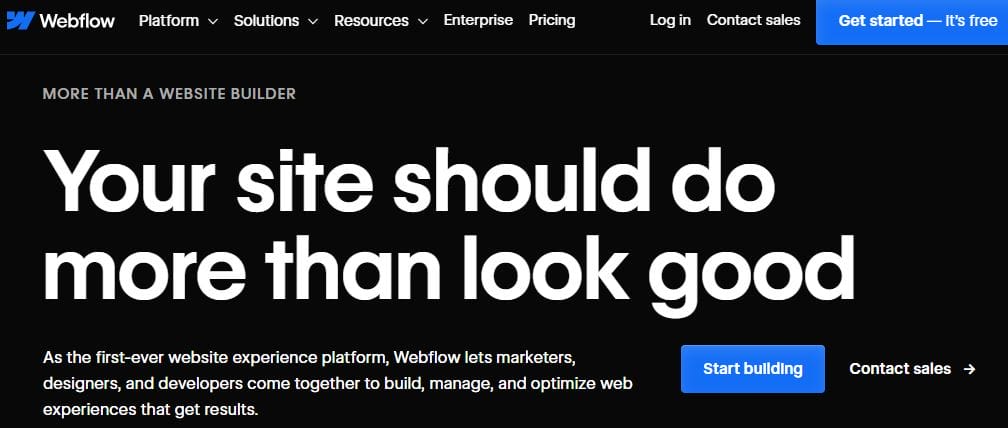
Choosing Webflow over Shopify often comes down to one fundamental factor: design flexibility. Webflow provides pixel-perfect control over every element on your site. Unlike traditional CMS platforms or templated e-commerce systems, Webflow does not box users into rigid formats. If you can imagine it, chances are you can build it in Webflow.
This level of control is invaluable for brands that rely heavily on visual storytelling. Webflow enables the creation of immersive, interactive experiences — complete with animations, scroll effects, and responsive behaviour — all without touching code. This makes it particularly appealing to creative agencies, portfolio sites, or B2B businesses where branding is paramount.
But Webflow isn’t just about aesthetics. Its CMS functionality allows users to build scalable content structures, create templates for dynamic pages, and even enable client-side editing. When combined with Webflow’s powerful hosting and SEO tools, the result is a truly enterprise-grade platform that disguises itself as a visual tool.
Why Shopify? E-Commerce That Works Out of the Box
On the other hand, Shopify is specifically designed for online selling. It simplifies the entire journey of launching, running, and scaling an online store. The platform handles everything from product listings and inventory tracking to secure payment processing and order fulfilment. For entrepreneurs with a clear intention to sell — and sell quickly — Shopify helps you go from concept to checkout in record time.
Another reason many choose Shopify is its vast marketplace. With thousands of apps available, you can easily expand your store’s capabilities. Whether it’s email marketing automation, advanced analytics, or customer loyalty programs, there’s likely a Shopify app to meet your needs. Furthermore, Shopify’s payment and shipping integrations are battle-tested and secure, making compliance and transaction management easy for store owners.
Shopify also supports omnichannel selling. You can integrate your store with marketplaces like Amazon or social channels like Facebook and Instagram, which opens up new revenue streams without requiring additional custom development.
How Webflow Supports E-Commerce — With Caveats
While Webflow wasn’t originally designed as an e-commerce platform, it has made significant strides in that direction. Webflow’s e-commerce offering enables users to sell both physical and digital products with the same level of design freedom that has made it famous. This means you can fully customise your product pages, checkout flow, and even transactional emails.
However, the platform does have limitations when compared directly with Shopify. For example, Webflow supports fewer payment gateways and has more restrictions around inventory management and international selling. Taxes, shipping logic, and abandoned cart recovery are relatively basic in Webflow, making it better suited for smaller stores or businesses where visual presentation takes precedence over complex e-commerce logic.
Still, for brands where storytelling and customer experience are tightly woven into the sales process, Webflow’s unique combination of design and e-commerce is compelling. It’s particularly effective for selling high-end or custom products, where the sales page itself needs to evoke emotion and trust.
How Shopify Handles Design — With Trade-offs
Shopify does offer design customisation, but within constraints. It uses its templating language, Liquid, and while developers can edit theme code, non-technical users are mainly limited to what the theme’s customisation options allow. Shopify’s themes are responsive and professionally designed, but achieving Webflow-level control often requires developer involvement.
That said, Shopify’s theme store is extensive, and many themes cater to different industries and styles. The platform has also introduced its Online Store 2.0 architecture, which gives developers and merchants more flexibility to create modular, dynamic content sections. Even with these improvements, the average user looking to create an entirely bespoke design experience may still find Shopify’s structure limiting compared to Webflow.
For businesses that prioritise function over form, such as those scaling quickly or selling a high volume of SKUs, Shopify’s streamlined design approach is often a reasonable trade-off.
SEO and Performance: Who Wins the Speed and Search Game?
From an SEO perspective, both platforms offer solid foundations. Webflow offers granular control over meta tags, canonical URLs, redirects, and alt text, while generating clean, semantic code. It’s known for its fast-loading pages and native support for responsive images, which can give it a slight edge in terms of performance and technical SEO.
Shopify also covers the SEO basics, but it comes with some limitations. Its URL structure is not as customizable, and changes to things like blog paths or product slugs can be difficult. That said, Shopify still ranks very well across search engines and offers integrations with SEO tools that help bridge some of its limitations.
In terms of speed, Shopify’s global CDN and optimised hosting stack ensure reliable performance. But for custom-built marketing pages or campaigns where design precision and loading times are non-negotiable, Webflow might hold the upper hand.
Pricing Comparison: Which Platform Gives You More for Less?
Both Webflow and Shopify operate on a subscription model, but they structure their pricing differently. Webflow’s pricing is based on site plans and CMS needs, with separate e-commerce tiers that add transactional functionality. Custom domain hosting, form submissions, and CMS items are all tiered, so costs can add up depending on your specific requirements.
Shopify offers a clearer pricing ladder based on store size, from the Basic plan to Advanced and Shopify Plus. All Shopify plans include essentials like SSL certificates, unlimited product listings, and 24/7 support. However, there are transaction fees unless you use Shopify Payments, and many key features may require paid apps, which can increase the total cost.
Choosing between them comes down to your primary goal. If you’re running a design-led website with light e-commerce, Webflow offers better value. If your goal is pure selling with scalable backend support, Shopify’s packages are more comprehensive.
Community and Support: Webflow vs Shopify

Shopify boasts a massive ecosystem. From official documentation to third-party developers and an endless supply of apps, it’s designed for rapid scalability and problem-solving. You’ll find a large number of certified Shopify experts and partners who can help with everything from store migration to complex customisations.
Webflow’s community is smaller but highly engaged. Webflow University is widely praised for its in-depth tutorials, and the forum serves as a collaborative space where both designers and developers contribute solutions. Additionally, Webflow’s support team is known for its responsiveness and clarity.
The choice here depends on the kind of support you prefer: a vast, plugin-driven ecosystem (Shopify) or a focused, design-driven community with extensive learning tools (Webflow).
Which Should You Choose? Webflow vs Shopify Final Verdict
Ultimately, the Webflow vs Shopify decision hinges on your business’s priorities. If you need advanced e-commerce features, multi-channel selling, and a powerful backend that scales with your inventory and audience, Shopify remains the superior choice. It’s reliable, robust, and built with sellers in mind.
However, if your brand lives and dies by visual storytelling, and you need a fully custom site experience where every pixel counts, Webflow will feel like a revelation. It’s the preferred tool for designers, creative entrepreneurs, and businesses that value uniqueness over templates.
That said, some businesses even use both — building marketing or content-heavy pages in Webflow and linking them seamlessly to a Shopify storefront. This hybrid approach can offer the best of both worlds for certain use cases.

Final Reflection: A Platform Fit for Purpose
There is no universal winner in the Webflow vs Shopify debate. Each platform shines in its domain. Shopify is unparalleled for seamless e-commerce execution, while Webflow dominates the visual and custom site-building space. The best decision is an informed one, guided by your business model, technical capabilities, and creative ambitions.
As web platforms continue to evolve, the gap between design and commerce is shrinking. Whether you choose Webflow, Shopify, or a blend of both, make sure the platform supports not just where your business is today, but where it hopes to be tomorrow.
FAQs
Is Webflow a better choice than Shopify?
Webflow offers designers a fully visual and fully customizable e-commerce platform at a fraction of Shopify’s cost. In today’s highly competitive online marketplace, Webflow helps your store stand out with custom sites, carts, and checkout experiences — all without being limited by templates.
Is Shopify a good e-commerce platform?
Answer: Shopify is more than just an e-commerce platform — it’s a comprehensive toolkit for building and branding your business. From designing a custom logo and creating promotional videos to generating catchy slogans, Shopify provides free business tools to help you grow. Its mission is to make commerce easier and more accessible for everyone.
Is Webflow a good e-commerce platform?
Webflow’s flexible, code-free CMS not only powers your store but also manages all your dynamic content, allowing you to showcase products seamlessly. Its most feature-rich plans offer extensive customisation, making Webflow’s e-commerce capabilities stand out and surpass many other platforms.
What platforms does Shopify integrate with?
Shopify integrates with a wide range of platforms, including Instagram, Facebook, Walmart, Etsy, Amazon, TikTok, and Pinterest, enabling you to sell wherever your customers are. It also keeps your product inventory synced across all sales channels for seamless management.
Will Webflow add more inventory management tools in the future?
Yes, Webflow plans to expand its inventory management capabilities. While Shopify is widely recognised as one of the most feature-rich e-commerce platforms available today, Webflow is steadily enhancing its tools to better support online stores.
How does marketing work for a Webflow store?
Answer: Webflow lets you sync your product catalogue with platforms like Facebook, Instagram, and Google to dynamically showcase products in ads that link back to your site. Additionally, you can make your store SEO-friendly with custom embeds and editable meta tags and descriptions.
Can I connect my Webflow store to social media platforms?
Yes! You can sync your product catalogue with Facebook and Instagram, allowing your products to appear directly in dynamic ads that drive traffic back to your website.
Does Webflow integrate with Google for marketing?
Absolutely. Webflow lets you link your product catalogue to Google, making it easier to display your merchandise in Google Shopping ads and boost visibility.
Is Webflow SEO-friendly for online stores?
Yes, Webflow offers powerful SEO tools. You can customise meta titles, descriptions, and even use custom embeds to make your store more search engine-friendly.
How does Webflow help increase store visibility?
With seamless integrations to popular ad platforms and built-in SEO flexibility, Webflow helps you market your products effectively and attract more customers.
Interesting Reads:

