

Creating a customer portal on your WordPress site is a great way to offer better service, save time, and keep your customers happy. With the right plugin, you can give users access to their account details, files, support tickets, and more—all in one private space. Here, we’ll look at the 10 best WordPress customer portal plugins, why they matter, how to choose the right one, and how to set it up.

Quick Links
What Is a Customer Portal Plugin?
A customer portal plugin is a tool that lets you create a secure, private area on your website. Customers can log in, view their past orders, download files, submit tickets, or communicate with your team. It acts like a mini dashboard just for them.
These plugins help you stay organized and improve your customer experience. Instead of back-and-forth emails or phone calls, your clients get access to everything they need, anytime. For businesses that offer services, courses, or digital products, having a customer portal is almost a must.
Benefits of Using a Customer Portal
Using a customer portal brings many advantages. First, it makes your business look more professional. When customers can log in to a private area and manage their info, it shows you care about their experience.
Second, it saves time. You don’t have to answer the same questions repeatedly. Clients can find what they need without waiting for a reply. This also means fewer emails and less stress for your support team.
Lastly, a customer portal builds trust. People like knowing they can come back and access their purchases, messages, or support history. It keeps everything in one place, which creates a smoother experience for both you and your customer.
10 Best WordPress Customer Portal Plugins
Here are 10 top-rated customer portal plugins that work well with WordPress:
1. MemberPress

MemberPress is one of the most popular WordPress plugins for creating membership sites. It lets you build secure areas on your site where only registered users can access certain pages, downloads, or content. This is perfect if you want to offer online courses, paid memberships, or subscriber-only services.
With MemberPress, you can create different membership levels and control exactly what each level can see or do. For example, basic users might see only blog posts, while premium members get access to full video lessons or download files. This makes it easy to scale your customer portal as your business grows.
It also works with Stripe and PayPal, so you can accept payments easily. You can set up recurring subscriptions, offer coupons, and view reports right from your dashboard. Everything is organized and clear, making it easier to manage your customers.
2. WP Customer Area
WP Customer Area is designed for freelancers, agencies, and businesses that need to share private content with specific clients. It lets you set up private pages where each customer can view their files, notes, and project updates securely. Think of it as a digital briefcase that only your client can open.
You can assign each user their own space and upload documents, comments, or tasks just for them. Customers can log in, see what you’ve added, and reply if needed. This cuts down on endless emails and helps keep everything in one place.
It also supports extensions, so you can add more features like messaging, project tracking, or group access. It’s simple but powerful, and you can grow it based on what your clients need.
3. Client Portal
Client Portal is a clean, professional tool used mostly by service providers like web designers, marketers, or consultants. It gives each client a secure dashboard where they can see progress updates, notes, tasks, and files related to their project.
You create a new “portal” for each client, which you can brand with your logo and style. Then, you simply drag and drop sections to add content like timelines, to-dos, or deliverables. Clients get a neat, organized view that feels personal and clear.
What makes Client Portal stand out is how easy it is to use. You don’t need any tech skills to get started, and your clients won’t be confused when they log in. It’s a simple way to look more organized and professional.
4. SuiteDash
SuiteDash is a complete business software platform that includes a client portal among many other features. It offers tools for file sharing, messaging, billing, project management, and CRM—all in one login. While it’s not a WordPress plugin in the traditional sense, it can be embedded or linked from your WordPress site easily.
It’s a great choice for businesses that need more than just a portal. You can manage clients, assign tasks to team members, send invoices, and even run email campaigns—all within SuiteDash. This saves you from paying for separate tools.
The client portal lets customers log in to a branded area where they can see their project status, download files, and communicate with your team. It may take a little more time to set up, but once it’s running, it can replace several other tools.
5. UserPro
UserPro helps you build a front-end user profile system that looks stylish and works smoothly. It’s perfect for businesses that want to allow users to register, log in, and manage their own profiles without ever seeing the standard WordPress dashboard.
With UserPro, you can set up user profiles with avatars, bios, social media links, and more. You can even add badges, followers, or private messaging if you want to create a small community feel. It supports user directories, so your customers can connect or find other members too.
It’s more than just a login tool—it lets you create an experience. It works well for communities, learning sites, or services where customers need to manage their info and interact with others.
6. ProfileGrid
ProfileGrid combines membership and user profile features with group functionality. It lets you build private portals for users while also grouping them based on interests, services, or roles. You can lock content, add group chats, and manage access with ease.
You can build beautiful user profiles where customers can see their own activity, edit their information, and even interact with others. ProfileGrid also lets you create custom fields for user profiles so you can collect any data you need.
If your business offers different types of services or deals with teams, this plugin is very handy. It gives you control over who sees what, while also encouraging user engagement.
7. Client Dash
Client Dash helps you customize the WordPress dashboard to give users a cleaner, simpler experience. You can control what your clients see when they log in—removing clutter and focusing only on what matters to them.
This plugin is great for developers or site creators who want to give their clients access without overwhelming them. You can add custom menus, remove unnecessary settings, and make everything easier to understand.
It’s not a customer portal in the traditional sense, but it helps you turn WordPress into something more user-friendly. If you’ve ever had clients confused by the WordPress admin area, Client Dash is a smart solution.
8. FreshDesk Integration
If you use FreshDesk for customer support, this plugin brings the helpdesk features right into your WordPress site. Customers can log in, submit tickets, view their ticket history, and communicate with support—without leaving your site.
This is especially useful if support is a big part of your business. Instead of sending users to a separate site, you can keep everything in one place. It creates a smoother support process and makes your website feel more complete.
The plugin is lightweight and easy to install. It doesn’t try to do too much—it just connects your site to your FreshDesk account and helps your customers get faster help.
9. Restrict Content Pro
Restrict Content Pro is designed for businesses that want to lock certain content behind a paywall or login. You can offer free or paid subscriptions and decide exactly what each level of user can access.
It’s a strong choice for online courses, digital products, or exclusive memberships. Users can log in and access content based on their plan, and you can manage payments and renewals from inside WordPress.
What’s nice about Restrict Content Pro is how smoothly it works with Stripe, PayPal, and other tools. It also gives you clear reports so you can see how many members you have and how much income is coming in.
10. Ultimate Member
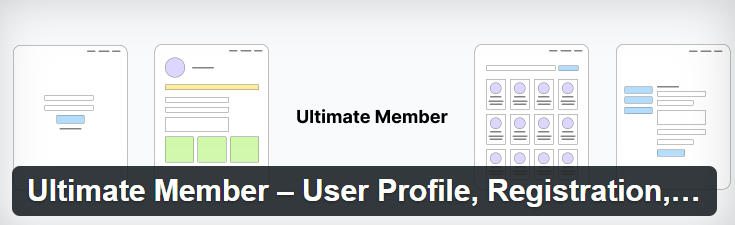
Ultimate Member is a free plugin that makes it easy to add user registration, login pages, and profile sections to your site. It’s a great starting point if you want to create a basic customer portal without spending money upfront.
You can restrict pages so only logged-in users can see them, and you can create custom user roles depending on what kind of customers you have. There are also paid extensions if you want more features later.
It works well for community sites, service-based websites, or anyone who wants to give users a private login area. It’s simple, light, and does the job if you don’t need advanced tools.
How to Choose the Right Plugin for Your Needs
Before picking a plugin, think about what your business really needs. Do you just need to share files? Or do you want a full customer dashboard with chat, updates, and ticketing? The more features you need, the more important it is to pick a plugin that can grow with you.
Also, check how easy the plugin is to use. Read reviews, look at the plugin’s support options, and see if it’s updated often. Some plugins offer more features but may be too hard to set up if you’re not tech-savvy.
Lastly, consider your budget. Some plugins are free but limited. Others have a higher price but come with strong features and support. Think long-term about what will save you time and help your customers the most.
Installation and Setup Tips
Setting up a customer portal plugin usually follows the same steps. First, go to your WordPress dashboard and install the plugin from the “Plugins” menu. Once it’s active, look for a new section in your dashboard with the plugin’s name.
Next, set up your basic settings. This might include user roles, file access, or login pages. Take your time going through each tab. Some plugins also offer setup wizards to make this easier.
Finally, test your portal as if you were a customer. Log in with a test account, check the user experience, and fix anything confusing. You want the portal to feel easy and clear for everyone who uses it.
Final Thoughts
A good customer portal can change the way you do business. It makes things simpler for your team and more helpful for your customers. With so many plugins available for WordPress, you’re sure to find one that fits your goals.
Start small if you need to. Even a basic customer dashboard can make a big difference. As your business grows, you can upgrade to more powerful tools and give your users even better service.
Whether you run an agency, sell digital goods, or manage memberships, a customer portal is a smart move. Try one of the plugins on this list and give your users a better experience starting today.
Interesting Reads:
Best Filter Plugins For WordPress

