7 Ways to Use Gamification in Your WordPress Community: From Course Completion to Social Badges


Gamification in a WordPress community is not about turning your platform into a game. It is about applying the feedback mechanics that make games engaging – clear progress indicators, recognition for contributions, visible status earned through real actions – to the community behaviors you actually want more of. When these mechanics are set up thoughtfully, they stop members from going quiet after the first few weeks and give long-term contributors a reason to keep showing up. Here are seven concrete ways to use gamification in your community, with specific setup guidance for each.
1. Course Completion Rewards
If your community includes an online learning component – whether through a built-in LMS plugin like LearnDash or through structured discussion groups – course completion is one of the most meaningful achievements to recognize. A member who finishes a course has invested real time and effort. Acknowledging that with a badge and a point bonus signals that the community noticed, and makes the completion feel like a genuine milestone rather than just an internal LMS stat.
The setup for this depends on which LMS you are running. With WP Gamification’s integration layer, course completions from compatible LMS plugins can trigger badge awards and point bonuses automatically. The key is to design the badge to reflect the course specifically, not just a generic “Course Completer” label. A member who finishes your “Advanced Community Building” course should earn a badge that says exactly that, displayed on their profile so other members can see what they have learned.
Setup Steps
- Create a dedicated badge for each major course in your community (not one generic badge for all courses)
- Award a point bonus at course completion in addition to the badge – this feeds leaderboard momentum
- Add a “Learner” section to the community leaderboard showing top course completers
- Consider awarding bonus points for completing a course within a set timeframe to create urgency
2. Content Contribution Milestones
The members who create content – posting articles, starting discussions, writing long forum replies – create the most value for everyone else in the community. Yet in most communities, these members are not visibly recognized for their contribution volume. They do the work without any acknowledgment that the community has noticed or values what they are doing.
Milestone badges tied to content contribution solve this. A “First Post” badge is the most basic version. A “10 Posts” badge gives the next goal. A “50 Post Author” badge signals serious commitment. A “Community Columnist” badge for members who have published 100 posts creates an elite tier that other members aspire to. These milestones are simple to configure in WP Gamification, and they turn what was invisible labor into publicly acknowledged contribution.
Members who see their contribution milestones acknowledged publicly continue creating content at significantly higher rates than those who contribute silently to communities with no recognition layer.
Recommended Milestone Ladder
- First Post published: badge + 25 points
- 10th Post published: badge + 50 points
- 50th Post published: badge + 100 points + leaderboard highlight
- 100th Post published: “Community Columnist” badge + 250 points + moderator nomination consideration
3. Social Badges for Peer Recognition
Most gamification systems only reward actions that members take directly – posting, uploading, commenting. Social badges take a different approach: they reward the quality and impact of those actions as judged by other members. A comment that earns 20 reactions is worth more recognition than a comment that earns 1, and social badges make that distinction visible.
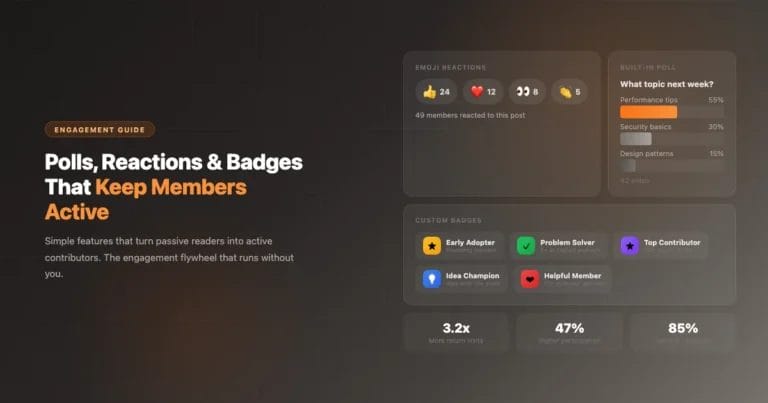
WP Gamification can trigger badge awards based on reaction counts. A “Community Favorite” badge for a member whose post receives 50 likes tells every other member that this person produces content the community values. A “Helpful Reply” badge automatically awarded when a comment receives 10 helpful reactions or upvotes signals the same thing about the quality of their engagement.
Social badges are also useful for manual peer nomination systems. Community admins can award a “Nominated by Peers” badge to members who are repeatedly called out by others as helpful, welcoming to newcomers, or particularly insightful. This manual tier creates badges that cannot be earned by volume alone, giving them higher prestige than any automated badge.
4. Event and Meetup Participation
If your community runs online events, webinars, office hours sessions, or in-person meetups, those events represent high-value engagement moments that deserve recognition beyond an attendance confirmation. Members who show up to live events are making a real time commitment, and that commitment should be visible on their profile.
Event badges work especially well for creating a timeline of community participation. A member who has badges for “Attended Summit 2023,” “Attended Summit 2024,” and “Attended Summit 2025” has a visual record of multi-year commitment that tells a story about their relationship with the community. These time-stamped participation badges become part of the community’s shared memory.
Setup Steps
- Create a unique badge for each major event or series (year-specific naming for annual events)
- For online events, integrate with your event registration system to trigger badge awards automatically at attendance confirmation
- For in-person meetups, use manual badge awards by admins after the event
- Award point bonuses for attending multiple events in a series to reward sustained participation
5. Onboarding Completion Sequences
New member activation is one of the most critical challenges in community management. Research consistently shows that new members who take a few key actions in their first week are far more likely to become long-term active members than those who sign up and immediately go quiet. Gamification can be used to guide new members through those activation steps by making each step visible, rewarded, and part of a sequence.
An onboarding badge sequence works like this: a new member signs up and sees a progress display showing the steps to earn their “Founding Member” or “Community Starter” badge. Step one is completing their profile. Step two is uploading a profile photo. Step three is posting their first introduction. Step four is commenting on another member’s post. Step five is joining a group. Each step earns points, and completing all five earns the onboarding badge and a bonus point package.
| Onboarding Step | Points Earned | Badge Trigger |
|---|---|---|
| Complete profile (all fields) | 10 points | No (step in sequence) |
| Upload profile photo | 5 points | No (step in sequence) |
| Post first introduction | 15 points | No (step in sequence) |
| Comment on another post | 5 points | No (step in sequence) |
| Join first group | 10 points | No (step in sequence) |
| All 5 steps complete | 50 point bonus | “Community Starter” badge |
6. Group Leadership and Moderation Recognition
Community moderation is unpaid labor that keeps a platform functional. Group moderators, community helpers, and welcoming committee members contribute work that is invisible to most members but essential to the experience of everyone. Gamification can make this invisible work visible through role-based badges and elevated point earning rates.
WP Gamification Pro’s role-based progression system lets you assign elevated point multipliers to moderators and group admins. A moderator who posts a reply earns twice the points of a standard member for the same action. This multiplier reflects the higher value of an authoritative community voice and gives moderators additional recognition beyond their role label. Group leadership badges – “Group Moderator,” “Community Guardian,” “Founding Member” – provide visible status markers that other members associate with trust and authority.
Making moderation work visible through badges and elevated point earning is one of the most effective ways to retain good moderators and attract the next generation of community leaders.
7. Media Sharing and Visual Content Rewards
If your community uses WPMediaVerse or any other media sharing system, the act of uploading and sharing visual content deserves its own gamification layer. Media uploads create the visual richness that makes a community feel alive to new visitors, and the members who contribute that content should be visibly rewarded for it.
The integration between WPMediaVerse and WP Gamification handles this natively. For a comparison of media plugin options including WPMediaVerse, see our guide on choosing between WPMediaVerse, BuddyBoss Media, and rtMedia. Media uploads earn points. Receiving reactions on uploaded media earns additional points. Earning the “10 Uploads” badge, “50 Reactions on Media” badge, and “Featured Photo” badge creates a progression track specifically for visual content contributors. On a photography community, this track can be just as important as the content contribution track for text posts.
Media Gamification Actions to Configure
- First media upload: 20 points + “First Upload” badge
- 10th media upload: 50 points + “Regular Contributor” badge
- 50th media upload: 150 points + “Media Creator” badge
- Media post receives 10 reactions: 25 bonus points
- Media post receives 50 reactions: 75 bonus points + “Community Favorite” badge
- Uploading media on 7 consecutive days: streak bonus points
Making Gamification Work Long-Term
The seven use cases above work best when they are implemented as a coherent system rather than isolated features. Points from course completions, content contributions, social recognition, event attendance, onboarding, moderation work, and media sharing should all feed the same leaderboard and the same member profile. When all these sources of engagement are visible in one place, members can see the full picture of what they have contributed and what they are working toward next.
The most common mistake in community gamification is setting it up once and not maintaining it. Badges and point values that made sense when your community had 100 members may need adjustment when it has 10,000. The leaderboard dynamics change at scale. New event types may need new badges. The onboarding sequence may need updating as the community’s value proposition evolves. Treat your gamification system as a living part of your community strategy, not a one-time configuration.
With WP Gamification running on BuddyX, all of this is configurable from a single admin interface without requiring developer work for adjustments. The plugin is built so that community managers can own the gamification system directly, adapting it as the community grows and changes.
Combining Multiple Gamification Strategies
The seven strategies above are more powerful in combination than in isolation. A community that uses course completion rewards alongside social badges creates a system where learning is incentivized and the quality of that learning is recognized publicly. A community that uses event badges alongside the onboarding sequence gives new members an immediate opportunity to get a badge in their first month, which increases the chance of early badge attachment that drives long-term participation.
The most effective approach is to map your community’s key engagement lifecycle – from a member’s first day through their first year – and identify where gamification can reinforce the behaviors that matter at each stage. New members benefit most from the onboarding sequence and early achievement badges. Members in months two through six benefit most from contribution milestones and social recognition. Long-term members benefit most from leadership recognition, event participation badges, and the advanced level titles that mark their status in the community.
WP Gamification supports all of these strategies from a single plugin, with configuration that a community manager can handle without developer involvement. Start with the two or three strategies most relevant to your current engagement challenges, implement them cleanly, and evaluate the results over 60 days before adding more complexity. Gamification systems that are built out incrementally based on measured member response are consistently more effective than those configured in one session and left unchanged.
When Gamification Adds Value vs. When It Does Not
Gamification adds real value in communities where members want to contribute but need a reason to start, a way to track their progress, and recognition for their efforts. It works best when the community has a clear purpose and the gamified actions directly support that purpose. A professional community where reputation matters, a learning community where progress is measurable, and a creative community where output can be recognized all benefit from well-designed gamification.
Gamification adds less value in communities where participation is transactional rather than relational – where members come to extract information rather than to contribute and connect. Points and badges do not change the fundamental motivation of a member who is using the community as a resource rather than a community. In these cases, improving content quality and search functionality delivers more engagement value than gamification mechanics.
Most BuddyX-powered communities fall into the category where gamification adds value, because the platform is purpose-built for ongoing participation and relationship building. The seven strategies above give you a concrete starting point for building a gamification system that serves your specific community’s engagement goals.
Add Gamification to Your WordPress Community
WP Gamification works with BuddyX and BuddyPress to implement all seven of these gamification strategies. Start with the free version and configure the mechanics that match your community’s goals.