
A niche photography community had 1,200 registered members and a problem: only 40 of them posted regularly. The rest signed up, browsed a few threads, and never came back. The community owner tried email campaigns, weekly discussion prompts, and even cash prizes for active members. Nothing moved the needle past 3% active participation.
Then she added three features: emoji reactions, polls, and custom badges. Within 8 weeks, active participation jumped from 3% to 19%. Not because more people joined, but because the existing 1,200 members had reasons to engage beyond writing full posts.
Here is why these simple features work so well, and exactly how to set them up.
The Participation Pyramid
Every online community follows the same participation pattern:
- 1% create original content (new posts, detailed answers)
- 9% contribute by replying, editing, or adding context
- 90% lurk - they read but never interact
This is called the 1-9-90 rule, and most community managers accept it as fixed. It is not. The 90% are not lazy or uninterested. They face a participation barrier: writing a thoughtful reply takes effort, and most people don’t have the time or confidence to do it.
Reactions, polls, and badges lower that barrier dramatically. A thumbs up takes one second. Voting in a poll takes two seconds. Earning a badge happens automatically. These micro-interactions convert lurkers into participants, which creates the activity that attracts even more participation.
Emoji Reactions: The One-Second Engagement
How They Work
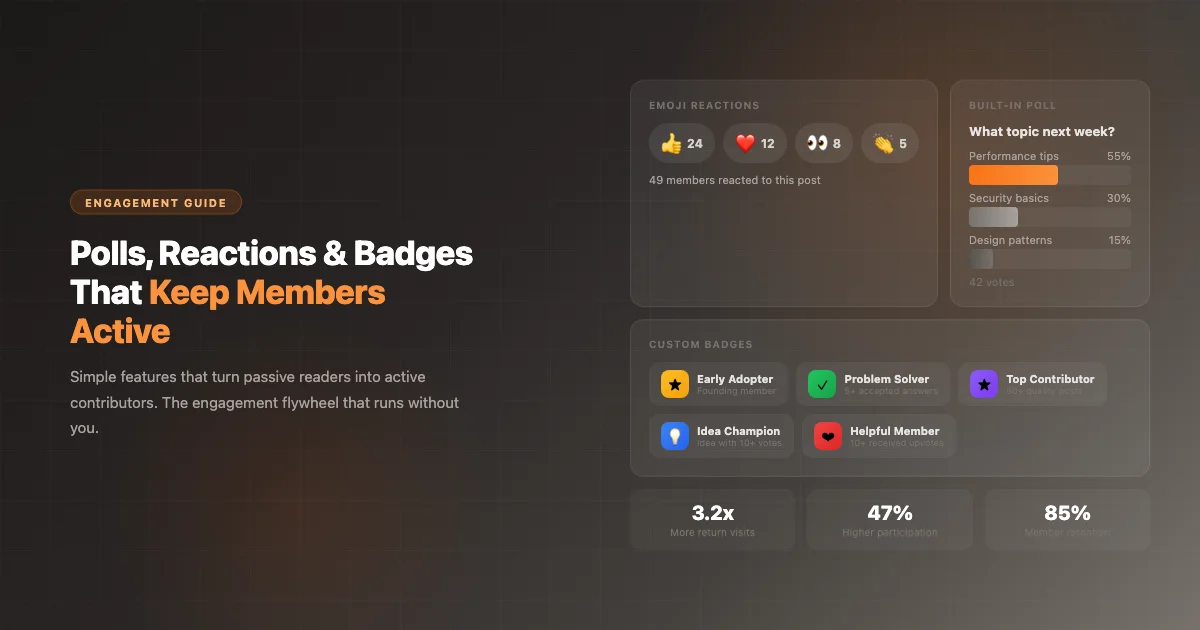
Members click a react button on any post or reply and choose from a set of emoji options (thumbs up, heart, eyes, clap - customizable). The reaction appears below the post with a count. Multiple members can react with the same or different emojis.
Why They Transform Engagement
Consider a member named Priya. She reads a detailed post about landscape photography settings. She finds it useful but doesn’t have anything meaningful to add as a reply. Without reactions, she closes the tab and moves on. With reactions, she taps the thumbs up. That tap does three things:
- The author sees the reaction and knows their post was valued. This motivates them to write more.
- Other readers see 14 reactions and recognize this as a high-quality post worth reading. Social proof drives more views.
- Priya has now interacted with the community. She is no longer a lurker. The psychological shift from “I read this community” to “I participate in this community” is significant. She is 4x more likely to eventually write a reply or post of her own.
Real Numbers from the Photography Community
| Metric | Before Reactions | After 8 Weeks |
|---|---|---|
| Posts with any interaction | 35% | 78% |
| Members who interacted at least once/week | 40 (3.3%) | 228 (19%) |
| Average interactions per post | 2.1 replies | 2.4 replies + 8.3 reactions |
| New posts per week | 12 | 23 |
Reactions did not replace replies - they added a new engagement layer on top. Members who reacted were 4x more likely to eventually post a full reply compared to members who only read.
Polls: Instant Collective Intelligence
How They Work
Any member (or just admins/moderators - your choice) can embed a poll in any post. Single-choice or multiple-choice. Optional close date. Results visible to all voters. Live vote counts update in real time.
Where Polls Drive the Most Value
Content planning. “What topic should I cover in next week’s tutorial?” gives you guaranteed engagement because members want to influence what they learn next. The photography community owner uses polls every Friday: “Weekend challenge theme: Golden hour / Street photography / Macro / Long exposure.” These polls average 80+ votes - 6x more engagement than a regular discussion post.
Community decisions. “Should we allow AI-generated photos in the critique forum?” Instead of a 50-reply debate where nobody agrees, a poll gives you clear consensus in 24 hours. The community voted 73% against. Decision made. Everyone saw the result and accepted it because it was democratic.
Quick temperature checks. “How are you finding the new gallery layout?” with a 1-5 scale. Takes 2 seconds to answer. Gives you quantitative feedback you can act on immediately.
Event coordination. “Best time for our monthly live critique session?” Four time options, 60 votes, clear winner. No back-and-forth scheduling emails.
The Engagement Multiplier
Polls create a reason to return. Members who voted want to see the results. They come back to check. While they are there, they browse other posts and participate in other discussions. One poll generates 3-5 additional page views per voter beyond the poll itself.
Custom Badges: Visible Recognition That Drives Behavior
How They Work
Create badges with custom names, icons, colors, and award criteria. Badges appear on member profiles and next to usernames in posts. They can be awarded automatically (based on activity thresholds) or manually (by admins for special recognition).
Designing Badges That Actually Work
Bad badges are meaningless participation trophies. Good badges recognize specific behaviors you want more of. The photography community uses these:
| Badge | Criteria | Behavior It Drives |
|---|---|---|
| First Critique | Gave constructive feedback on another member’s photo | Peer feedback (the community’s core value) |
| Helpful Eye | 5 answers accepted in Q&A | Answering technical questions |
| Weekly Warrior | Participated in 4 consecutive weekend challenges | Consistent engagement |
| Gear Guru | Manually awarded for exceptional equipment advice | High-quality, expert-level content |
| Community Builder | Reached Trust Level 3 | Long-term investment in the community |
The key principle: badge the behavior you want more of. If peer critiques are valuable, badge critiques. If Q&A answers are important, badge answers. If consistent participation matters, badge streaks. Members see what earns recognition and adjust their behavior accordingly.
The Status Effect
When a member sees “Gear Guru” next to someone’s name in a forum post, two things happen. The badge holder feels recognized and motivated to maintain their status. Other members see the badge and aspire to earn it. This creates a positive cycle: visible recognition drives more of the behavior that earned the recognition.
The photography community found that members with 3+ badges were 7x more likely to be active a year later compared to members with no badges. Badges create stickiness that content alone cannot.
The Engagement Flywheel
These three features create a self-reinforcing cycle:
- Member posts a helpful photography critique
- 12 members react with thumbs up and heart emojis (takes 1 second each)
- The author sees 12 reactions and feels motivated to write another critique
- After 5 critiques get accepted as helpful, they earn the “Helpful Eye” badge
- The badge is visible on all their posts, establishing them as an authority
- Other members see the badge and want to earn it too
- More members write thoughtful critiques
- A poll asks “What critique style is most helpful?” driving 80 votes and a conversation about quality
- The community’s critique quality improves organically
You set this up once. The flywheel runs on its own. You don’t need to manually motivate, email, or beg members to participate. The system creates its own incentives.
Setting It Up
Reactions, polls, and custom badges are Jetonomy Pro extensions. Each is enabled with one click in the Extensions panel. No configuration pages, no complex settings. Turn them on and they work across all your community spaces.
- Reactions: Choose which emojis to offer (default: thumbs up, heart, eyes, thumbs down). Works on posts and replies.
- Polls: Members embed polls when creating posts. Set who can create polls (anyone, or moderators/admins only).
- Badges: Create badges from the admin panel. Set automatic criteria or award manually. Badges appear on profiles and inline with posts.
Start with all three. They complement each other and the compound effect is stronger than any one feature alone.