

When I first started looking for ways to handle event management directly from my WooCommerce store, I realized something — selling tickets online sounds simple, but doing it efficiently takes more than just a checkout button. You need a system that feels organized, automates the little things, and gives your customers a smooth, stress-free experience from registration to confirmation.
So, I decided to dive in and personally test a few WooCommerce event ticket plugins to see which ones truly make a difference. I wanted to find tools that were easy to set up, worked well with existing WooCommerce features, and didn’t require a developer to manage.
Right away, I noticed how these plugins can completely transform a standard store into a professional event management system. Whether you’re planning a corporate conference, a live concert, or a local community workshop, these plugins let you handle everything in one place — from ticket creation and pricing to attendee tracking and post-event communication.

Quick Links
How WooCommerce Event Ticket Plugin Works?

- WooCommerce Event Tickets

When I started testing different WooCommerce event ticket plugins, I wanted to see how well they actually fit into a real online store — not just on paper, but in daily use. What I found is that these tools do a great job of blending event management right into WooCommerce, making it surprisingly easy to sell and manage tickets without jumping between multiple platforms.
Installation and Integration:
After selecting a suitable WooCommerce event ticket plugin, you install it on your WordPress site, ensuring compatibility with your WooCommerce version. The plugin then integrates seamlessly into your existing store infrastructure.
Event Setup:
Once installed, you can start creating events within your WooCommerce dashboard. This involves defining event details such as the title, date, time, venue, and any additional information relevant to your specific event.
Ticket Configuration:
The plugin allows you to set up various ticket types, each with its pricing, availability, and limitations. You can customize ticket options based on factors like early bird pricing, VIP access, or group discounts.
Checkout Process:
When customers visit your site and decide to purchase tickets, they go through the standard WooCommerce checkout process. The plugin seamlessly integrates ticket selection into the shopping cart, ensuring a user-friendly experience.
Payment Processing:
WooCommerce event ticket plugins leverage the native payment gateways supported by WooCommerce. Customers can securely complete their transactions using various payment methods, such as credit cards, PayPal, or other payment gateways integrated with your online store.
WooCommerce event ticket plugins simplify the entire event management lifecycle, from ticket sales to post-event analysis, allowing you to focus on creating memorable experiences for your attendees.
List of Top WooCommerce Event Tickets Plugins
Hosting successful events with WooCommerce? Ensure seamless ticketing and management with the right tools for your online store journey. To assist you in this endeavor, we’ve compiled a list of the top WooCommerce event ticket plugins. Plugins elevate store capabilities and offer user-friendly solutions for creating, selling, and managing tickets across diverse events. Discover our curated plugins for a seamless, engaging experience, that aligns perfectly with organizers’ and attendees’ specific needs.
1. Yith Event Tickets for WooCommerce

- Yith Event Tickets for WooCommerce
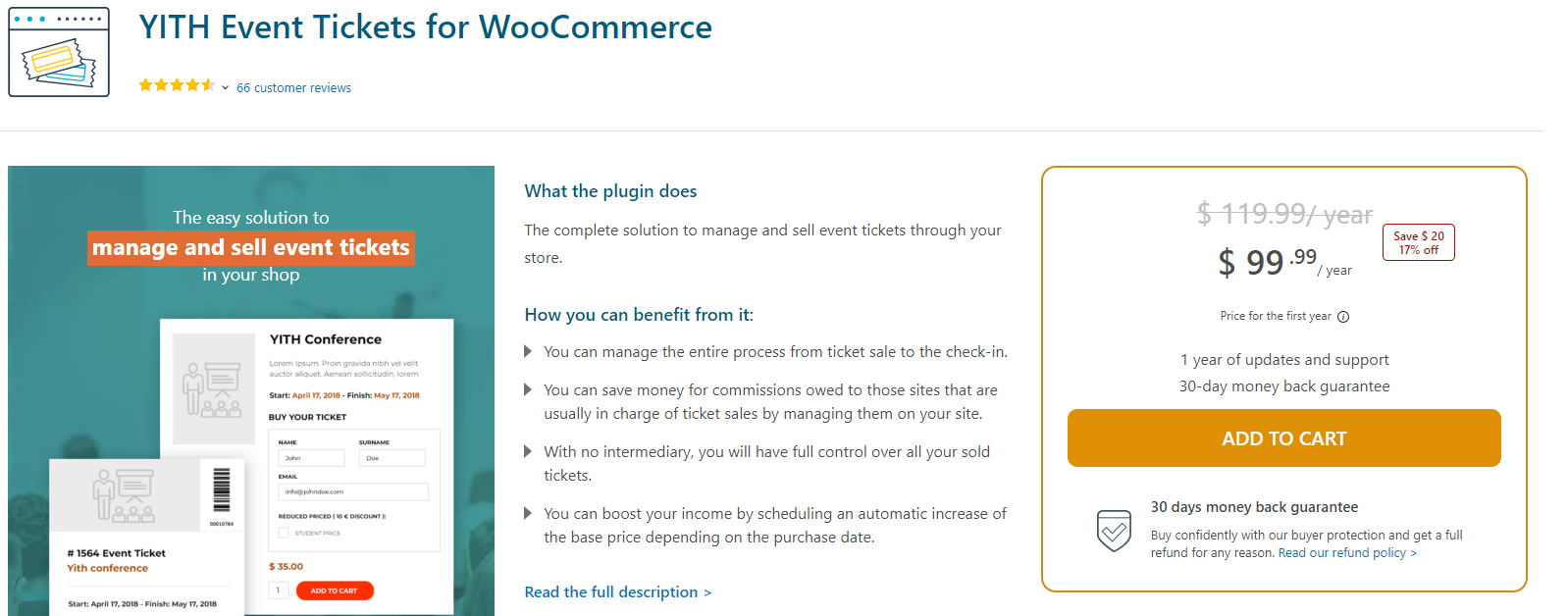
When I tested YITH WooCommerce Event Tickets, I was honestly impressed by how polished and well-integrated it felt within WooCommerce. I’ve tried several event plugins before, but YITH’s approach stands out for its simplicity — it doesn’t try to reinvent the wheel; instead, it enhances what WooCommerce already does best.
Setting it up was straightforward. Once I installed and activated the plugin, I could start creating “Event Ticket” products right from my WooCommerce dashboard. I liked how intuitive it felt — adding event details such as title, date, venue, and even seat information was easy and didn’t require any technical setup. The interface walks you through everything step by step.
One of the first things I noticed (and really appreciated) was the pricing flexibility. You can set individual prices for different ticket types, which is perfect if you’re running tiered events like general admission, VIP, or early bird. The stock management feature is fully automated, so you never have to manually track how many tickets are left — it updates in real time as people make purchases.
Key Features of Yith Event Tickets for WooCommerce
- Create event-specific ticket products with individual pricing.
- Automatically manage stock and monitor ticket availability.
- Display event dates and details directly on the product page.
- Add custom input fields to collect attendee info during checkout.
- Send automatic confirmation emails with downloadable PDF tickets.
- Let users view, download, or print tickets from their My Account page.
- Integrate barcodes (with YITH Barcode plugin) for easy entry management.
Pricing
Price: $99.99 per year
Duration: 1 year of updates and support
Guarantee: 30-day money-back guarantee
2. The Events Calendar

- The Events Calendar

I tested The Events Calendar by Liquid Web, I immediately understood why it’s such a popular choice among WordPress users. It’s one of those plugins that just works — simple to set up, yet powerful enough to handle everything from small meetups to large-scale conferences. The interface feels clean and intuitive, so I never felt lost while adding events or customizing how they appear on my site.
Setting up an event was surprisingly quick. From the WordPress dashboard, I could easily enter event titles, dates, times, venues, and organizer details without any technical steps. What I really liked was the calendar view — it’s visually appealing and fully customizable, so it blended perfectly with my site’s theme. I could switch between month, week, day, and list views depending on how I wanted visitors to browse events.
Another thing that impressed me was its responsive design. Whether I viewed the calendar on desktop or mobile, it looked polished and easy to navigate — a huge plus for users on the go. During testing, I also integrated a third-party ticketing solution, and it worked smoothly, allowing visitors to buy tickets directly from the event page.
Key Features of The Events Calendar
- Easy Event Setup: Quickly add and manage events directly from the WordPress dashboard.
- Multiple Calendar Views: Choose from month, week, day, or list layouts for flexible event display.
- Mobile-Friendly Design: Fully responsive calendar that looks great on all devices.
- Ticketing Integration: Connect with third-party tools to sell event tickets seamlessly.
- Detailed Event Information: Include venue maps, organizer details, and extra info for a richer experience.
Pricing
Basic Plan: Free
Single site: $99
Includes updates and support for one year
3. Modern Events Calendar

- Modern Events Calendar

When I tested Modern Events Calendar, I quickly saw why it’s considered one of the best WordPress event management plugins out there. It’s not just another calendar plugin — it’s a complete event management system that makes organizing, promoting, and selling tickets incredibly easy, even if you’re not a tech expert.
From the moment I installed it, I was impressed by how polished and intuitive the dashboard felt. Adding events was simple — just fill in your title, date, time, venue, and any other details, and you’re good to go. I liked how customizable everything is. You can choose from multiple calendar layouts (like monthly, weekly, daily, or even countdown-style views), and each one looks modern and professional right out of the box.
One feature that really stood out to me was recurring events. I could schedule weekly webinars and monthly workshops without having to recreate them manually. For ongoing promotions or open-ended activities, there’s even an option to create never-ending events, which I found surprisingly handy.
Key Features of Modern Events Calendar
- Effortless Event Creation: Quickly add and organize events with a clean, user-friendly interface.
- Recurring & Ongoing Events: Set up repeating or never-ending events with flexible scheduling options.
- Customizable Layouts: Choose from modern calendar views that adapt beautifully to your site design.
- Built-in Booking System: Manage reservations and attendee data directly through your dashboard.
- Multiple Payment Gateways: Offer up to five secure payment options for attendee convenience.
- Responsive & Engaging Design: Looks great and works flawlessly across all devices.
Pricing
Free version available
Plugin: Modern Events Calendar Pro
Premium Features:
1-Year Auto Updates
1 Year Premium Support
Site Limit: 1
Price: $79 per year
Also Read: How to Create a Service Page on a BuddyBoss Community?
4. Eventin

- Eventin
When I tested Eventin, I was genuinely impressed by how much functionality it packs into such a clean, easy-to-use interface. It’s one of those plugins that feels built for real event organizers — people who want powerful tools but don’t want to spend hours figuring out how everything works. Whether you’re managing local workshops, online webinars, or a full-scale multi-vendor event platform, Eventin makes the process refreshingly simple.
Setting it up took just a few minutes. Once installed, I could create events, add speakers, set ticket prices, and manage attendees — all from one intuitive dashboard. I especially liked that it supports recurring events, which made scheduling weekly sessions effortless. The plugin automatically handles repetition, so I didn’t have to duplicate events manually.
Key Features of Eventin
- Multi-Vendor Event Marketplace: Build a collaborative platform where multiple organizers can host their own events.
- Stripe Payment Integration: Offer secure, seamless checkout experiences for ticket purchases.
- Recurring Event Scheduling: Automate event repetition for ongoing sessions or series.
- Front-End Event Management: Manage events and attendees without accessing the backend.
- Zoom Integration: Host live meetings and webinars directly through your website.
Pricing
Plan Type: Standard / Yearly
Price: $69
Site Limit: Single Site
Support Duration: 1 year
Updates Duration: 1 year
5. WooCommerce Box Office

- WooCommerce Box Office
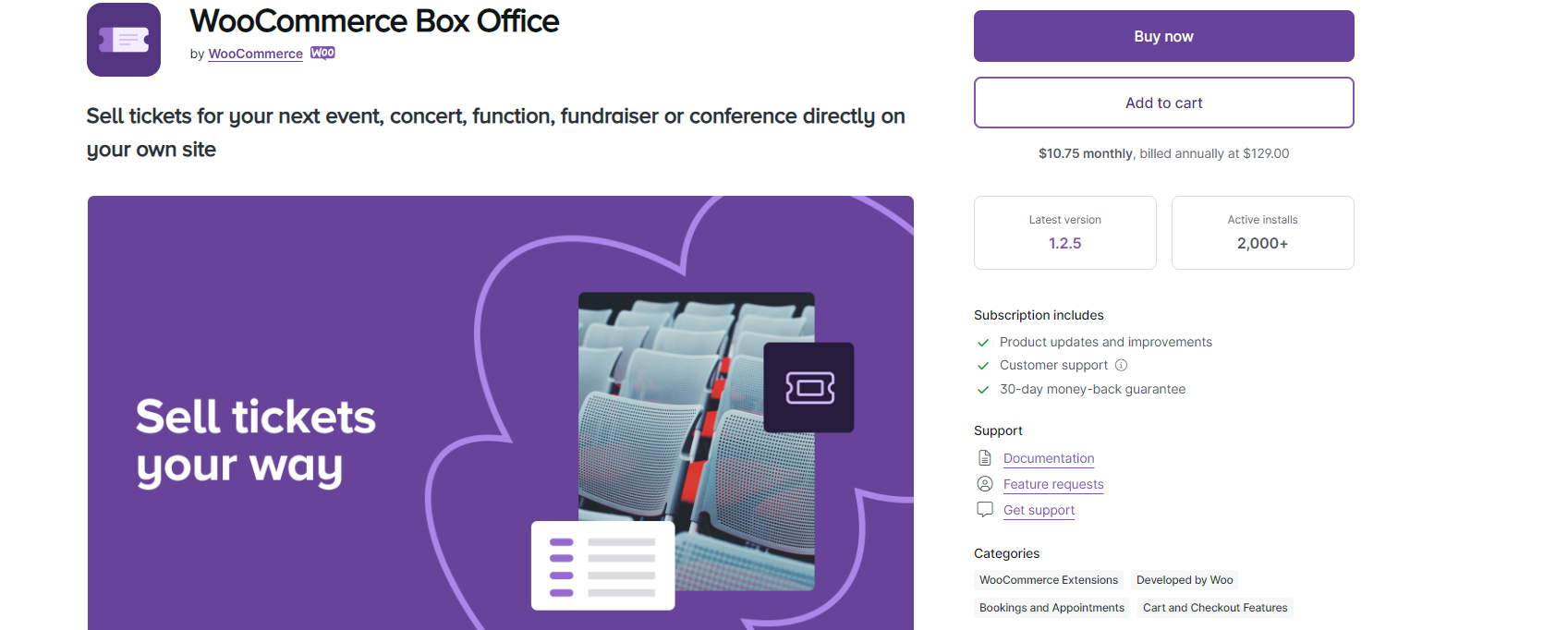
I tested WooCommerce Box Office, I immediately noticed how simple yet powerful it is for selling event tickets directly from your own website. What I really liked about this plugin is that it keeps everything in-house — there’s no need to rely on third-party ticketing platforms or send your customers elsewhere. Everything happens right inside your WooCommerce store, making the experience smooth for both organizers and attendees.
Setting it up was quick and intuitive. Within minutes, I was able to create a new “Event Ticket” product, set prices, and publish it like any other WooCommerce item. The best part? Customers could browse, select, and purchase tickets without ever leaving the site — which not only saves time but also helps you maintain your brand experience from start to finish.
During testing, I found the custom attendee fields feature especially useful. It allowed me to collect personalized details during checkout — like names, meal preferences, or company info — which made the event management side much easier. This feature is great for organizers who need specific attendee data for conferences, workshops, or charity events.
Key Features of WooCommerce Box Office
- Direct Ticket Sales: Sell event tickets directly on your WooCommerce store — no third-party apps required.
- Custom Attendee Fields: Collect detailed attendee information during checkout for a personalized experience.
- Automatic Inventory Control: Set and manage ticket limits to prevent overselling.
- Smart Attendee Search: Quickly find attendees by name, email, or ticket ID.
- CSV Export Functionality: Export complete attendee lists for smooth record-keeping and coordination.
- Built-in Discount Management: Offer and track promotional codes with ease.
Pricing
Subscription Plan: $10.75 per month, billed annually at $129.00
Subscription Includes:
Product updates and improvements
Customer support
30-day money-back guarantee
Support Documentation
Feature requests support
Support: Get support

Final Thought of WooCommerce Event Tickets Plugins
Leveraging WooCommerce event ticket plugins transforms the event management landscape, offering seamless solutions for organizers and enhanced experiences for attendees. From streamlined ticket creation and sales to comprehensive attendee management, these plugins simplify the entire process. The ability to customize ticket options, integrate payment gateways, and provide diverse features like barcode generation ensures a tailored approach. Whether hosting conferences, concerts, or fundraisers, the versatility of WooCommerce event ticket plugins empowers businesses to take control of their events directly on their online stores. The result is not just efficient ticketing but an overall enhanced user journey, making these plugins indispensable tools for anyone looking to host successful and memorable events.
Interesting Reads:
The Ultimate Guide to Virtual Event Marketing in 2024
Exclusive Events and Webinars: Engaging Your Private Community Members (2024)
WP Event Manager Review: Create Events For Your WordPress Site

