

Business automation software has moved from “nice to have” to mission-critical. In 2025, companies of all sizes from startups to large enterprises are using workflow automation tools and AI-powered business automation platforms to reduce repetitive tasks, speed up processes, and free people for higher-value work. Market research shows hyperautomation and robotic process automation continue to expand rapidly as organizations combine no-code builders, RPA, and AI to orchestrate end-to-end processes. Source: Mordor Intelligence
What should you expect from a modern business automation platform? At minimum: easy integrations with your existing apps, a visual workflow builder (no-code or low-code), task scheduling and triggers, reporting and monitoring, and options to add AI-driven decisioning or process mining for continuous improvement. These capabilities turn manual, error-prone work into repeatable, auditable flows improving accuracy and saving hours every week.
For small and medium businesses (SMBs) the right automation platform is often a low-code or SaaS-first tool; for enterprises, enterprise automation systems that offer governance, role-based access, and advanced connectors are usually required. Source: Vena Solutions
This guide reviews 15 best business automation software solutions in 2025, covering features, usability, pricing, pros, cons, and the kinds of teams that benefit most. Whether you need a simple task automation app, a full business process automation (BPA) suite, or an AI-first orchestration layer, you’ll find options here that fit different budgets and maturity levels. Each review is written to be practical and actionable no fluff so you can scan, compare, and pick the right automation stack for your business.

Quick Links
What Is Business Automation Software?
Business automation software refers to applications that reduce or eliminate manual human effort in business processes by automating repetitive tasks, orchestrating workflows, and connecting disparate systems. These platforms range from simple task automation apps (automate a newsletter send or Slack notification) to comprehensive business process automation software that models, runs, and optimizes end-to-end processes.
Core components typically include: workflow builders (visual/drag-and-drop), connectors/integrations to other apps and databases, scheduling and event triggers, monitoring and reporting dashboards, and rule engines or AI modules for conditional logic and decision automation.
Common Patterns
- Task automation — Single-step or multi-step actions that replace manual copy-paste or button clicks (e.g., a new lead in a form creates a CRM record and notifies sales).
- Workflow orchestration — Multi-step processes with branching, approvals, and human-in-the-loop actions (e.g., purchase-to-pay, employee onboarding).
- Robotic process automation (RPA) — Automated bots that interact with GUIs or legacy systems where APIs aren’t available.
- Low-code/no-code app building — Tools that let business users model custom automation applications with little or no developer involvement.
- Hyperautomation — The convergence of multiple automation technologies (RPA, iPaaS, AI, process mining) to automate complex, cross-functional processes.
Real-World Use Cases
SMBs automate lead routing, invoicing, and customer follow-ups to cut overhead; e-commerce teams automate order confirmations and returns; finance teams automate reconciliations and AP approvals; HR uses workflow automation tools for hiring, onboarding, and time-off approvals.
Choosing the right business automation software depends on scale, integrations needed, available IT governance, and whether the priority is speed-to-value (startups) or enterprise-grade security and compliance (large organizations).
15 Best Business Automation Software
1. Zapier

Zapier is a veteran no-code integration and task automation platform that connects thousands of web apps via “Zaps.” It’s built for business users who want fast, low-friction automation between marketing, sales, productivity, and support tools without developer involvement. Zapier has evolved to include multi-step automations, webhooks, conditional logic, and a growing set of AI/agent features and lightweight Interfaces for internal tools.
Key features
- Visual, no-code automation builder (Zaps) with triggers & actions
- Multi-step workflows, branching (Paths), and conditional logic
- Webhooks and API integrations for custom flows
- Task history, error handling, and retry management
- Interfaces for simple internal tools & basic AI/agent capabilities
- Large app ecosystem with thousands of supported integrations
Pricing
- Free plan available (limited Zaps and task volume)
- Paid plans scale by task allowance and features (Starter → Professional → Team → Company)
- Pricing is usage-sensitive — task volume and advanced features determine plan choice
- Check Zapier’s pricing page for current per-month / annual rates and task quotas
Pros
- Huge app ecosystem — fastest route to proof-of-concept automations
- Very approachable for non-technical users; minimal setup
- Great for cross-functional automations (marketing → CRM → Slack)
Cons
- Costs scale with task volume — can become expensive at high usage
- Complex, branching logic can be awkward compared with canvas-based builders
- Not ideal for heavy RPA or deeply transactional enterprise scenarios
Ideal users
Startups, marketing and ops teams, product teams, and small businesses needing rapid, no-code integrations and quick automation wins.
Also Read: Why Every Business Needs an Expert WordPress Developer
2. Microsoft Power Automate
Microsoft Power Automate (part of the Power Platform) is a family of automation tools for cloud flows, desktop RPA (desktop flows), and process orchestration. It integrates tightly with Microsoft 365, Azure, Dynamics 365 and a large set of third-party connectors, making it a natural choice for organizations invested in the Microsoft stack.
Key features
- Low-code visual flow designer for cloud and desktop automations
- Attended and unattended RPA (desktop flows) for GUI automation
- AI Builder models for form processing, prediction, and object detection
- Connectors to Microsoft services and hundreds of third-party apps
- Process advisor / process mining for discovering automation opportunities
- Enterprise governance, role-based access, and tenant-level controls
Pricing
- Free tier for basic flows (included in some Microsoft 365 plans)
- Per-user plans (Power Automate per user plan) for unlimited cloud flows
- Per-bot pricing for unattended RPA (per-bot / per-attended licensing available)
- Additional costs for AI Builder credits, premium connectors, and Power Platform capacity
- Enterprise licensing can be complex — confirm bundled options with Microsoft reseller
Pros
- Deep Microsoft 365 and Azure integration — strong for Microsoft-centric enterprises
- Comprehensive mix of cloud automation + RPA + AI capabilities
- Enterprise-grade governance, auditing, and compliance features
Cons
- Licensing structure can be confusing and costly at scale
- Non-Microsoft integrations sometimes need additional configuration or connectors
- Advanced RPA and orchestration often require IT/RPA teams to implement
Ideal users
Enterprises and mid-market organizations using Microsoft 365/Azure that need secure, governed automation programs spanning cloud flows and RPA.
3. UiPath
UiPath is a leading RPA and enterprise automation vendor focused on large-scale robotic process automation, process mining, and orchestration. UiPath combines a powerful development studio for bots with cloud/on-prem orchestration, analytics, and marketplaces of prebuilt activities for common enterprise tasks.
Key features
- UiPath Studio for building attended & unattended RPA bots (visual + code options)
- Orchestrator for scheduling, monitoring, and governance of bots
- Process Mining and Task Mining to discover and optimize processes
- Prebuilt connectors/activities and AI/ML integrations for document understanding
- Enterprise-grade security, role-based access, and audit trails
- Cloud and on-prem deployment models with centralized management
Pricing
- Enterprise licensing model — subscription and tiered licensing for Studio, Orchestrator, and robots
- Pricing varies by unattended vs. attended bots, runtime capacity, and deployment model
- UiPath offers cloud subscription packages and on-prem agreements through resellers/partners
- Prospective buyers should request quotes tailored to bot counts, environments, and support SLAs
Pros
- Market-leading RPA capabilities with strong scalability and governance
- Robust process- and task-mining tools to prioritize automation ROI
- Rich ecosystem of prebuilt components and enterprise support
Cons
- Steeper learning curve for citizen users — often requires RPA developers or specialists
- Higher cost and longer implementation timelines compared with SaaS-first low-code tools
- May be overpowered for simple SMB automation needs
Ideal users
Large enterprises and complex operations teams that need robust RPA, process mining, and governed orchestration across legacy and modern systems.
4. Kissflow
Kissflow is a low-code/no-code platform for workflow automation and app development, designed for business users and process owners. It allows HR, finance, procurement, and other teams to quickly build case-management apps and automated workflows without heavy IT involvement. Kissflow supports templates, integrations, and reporting to accelerate digital transformation projects for mid-market and enterprise teams.
Key features
- Low-code/no-code workflow and app builder
- Pre-built templates for HR, finance, procurement, CRM, and more
- Case management and process automation tools
- Integrations with common business systems
- Analytics and reporting dashboards
- Supports citizen development and rapid deployment
Pricing
- Custom/enterprise-oriented pricing
- Platform tiers tailored to number of apps and processes
- Typical enterprise starting point with monthly or annual subscription
- Professional services may be required for advanced integrations
Pros
- Fast to build and deploy workflows
- Accessible to non-developers and process owners
- Strong fit for HR, finance, and procurement workflows
Cons
- Advanced integrations and scaling require higher-tier plans
- Enterprise deployments may require professional services
Ideal users
Mid-market companies, HR and finance teams, and citizen developers who need quick internal apps and workflows without coding.
5. Monday.com

Monday.com started as a work and project management platform but has expanded into a flexible automation and app ecosystem. It offers visual boards, automation recipes (trigger → action), and integrations with CRM, dev, marketing, and service workflows. monday.com balances ease of use for non-technical teams with extensibility through apps and integrations.
Key features
- Visual boards for project and workflow tracking
- Automation recipes (trigger → action rules)
- Integrations with Gmail, Outlook, Slack, CRM, and more
- Templates for marketing, dev, sales, and service teams
- App framework for building custom extensions
- Real-time collaboration features
Pricing
- Free plan for very small teams
- Paid per-user plans (Basic, Standard, Pro, Enterprise)
- Automation and integration quotas vary by plan
- Annual and monthly billing options available
Pros
- Highly visual and flexible platform
- Strong adoption with templates and intuitive UI
- Good balance of usability and automation capabilities
Cons
- Automation action quotas can be restrictive for high-volume teams
- Deeper process orchestration may require specialized tools
Ideal users
Fast-moving SMBs, marketing and ops teams, and organizations needing flexible team coordination plus automation without heavy IT.
Also Read: Top 10 AI Testing Tools for Test Automation
6. Asana
Asana is a leading work management tool with built-in automation features for project and task workflows. It’s widely used by cross-functional teams to plan, track, and deliver projects. Asana’s automation rules, templates, and integrations help reduce repetitive tasks while maintaining visibility across projects.
Key features
- Rule-based automation for tasks and projects
- Custom templates and repeatable workflows
- Task dependencies and project-level tracking
- Integrations with Slack, Google Workspace, Microsoft 365, and more
- Dashboards and reporting tools for project health
- Cross-team collaboration features with real-time updates
Pricing
- Free plan for individuals and small teams
- Paid per-user plans: Starter, Advanced, and Enterprise tiers
- Higher tiers include advanced automation, admin controls, and integrations
- Annual and monthly subscription options available
Pros
- Excellent UX for project/task management automation
- Strong adoption across teams; easy to learn
- Effective for collaboration and project delivery
Cons
- Not built as a deep iPaaS or RPA tool
- Limited enterprise orchestration compared to dedicated automation platforms
Ideal users
Agencies, consultancies, product, and marketing teams that need project-level automation and collaboration rather than complex process orchestration.
7. HubSpot Operations Hub
HubSpot’s Operations Hub is an extension of HubSpot’s CRM platform, focused on data sync, programmable automation, and data quality management. It helps operations teams unify data across systems, automate customer-facing processes, and maintain clean CRM records with tools like deduplication and programmable workflows. Usability is strong for marketing ops and RevOps teams that want reliable sync and automation inside the HubSpot ecosystem.
Key features
- Two-way data sync with popular SaaS apps
- Programmable automation with custom code
- Data quality tools: deduplication, field updates, and error handling
- Native integration with HubSpot CRM, Marketing, Sales, and Service Hubs
- Advanced reporting and workflow management in higher tiers
Pricing
- Free tier with basic data sync and limited features
- Professional and Enterprise plans for advanced programmable automation and data management
- Pricing scales with features and contact volumes
Pros
- Excellent for CRM-centered automation
- Strong HubSpot ecosystem integration
- Improves data reliability and sync across tools
Cons
- Best value when HubSpot is the primary CRM
- Less suited as a general-purpose iPaaS
Ideal users
Marketing operations, sales ops, RevOps teams, and SMBs using HubSpot as their core CRM platform.
8. Zoho Creator
Zoho Creator is a low-code platform for building custom apps and automating workflows, designed to serve SMBs and product teams. It enables teams to create mobile and web applications, automate business processes, and integrate with the broader Zoho ecosystem and external services. With drag-and-drop builders, scripting support, and built-in analytics, Zoho Creator offers flexibility for both technical and non-technical users.
Key features
- Drag-and-drop low-code app builder
- Custom workflows and business rule automation
- Integration with Zoho suite (CRM, Books, Desk, etc.) and external services
- Scripting options for advanced logic
- Built-in dashboards and analytics
- Mobile and web app deployment
Pricing
- Per-user pricing with tiered plans (Standard, Professional, Enterprise)
- Accessible SMB pricing compared to larger enterprise low-code platforms
- Annual and monthly billing options available
Pros
- Affordable and powerful low-code capabilities
- Strong integration with Zoho ecosystem
- Good balance of usability and customization
Cons
- Advanced workflows may require developer help
- Overlaps with other Zoho tools can add complexity
Ideal users
SMBs, product teams building internal apps, and organizations already invested in the Zoho ecosystem.
9. Nintex
Nintex is an enterprise-grade process automation platform that provides workflow automation, process intelligence, and document automation. It’s designed for organizations with complex compliance needs and supports full lifecycle process management — from mapping and automation to analytics and governance. Nintex offers cloud and on-premises deployment options and is widely used in regulated industries.
Key features
- Workflow automation with low-code tools
- Process mapping and process intelligence
- Robotic process automation (RPA) capabilities
- Document generation and automation
- Integrations with major enterprise systems
- Governance, compliance, and audit controls
Pricing
- Enterprise-focused pricing, typically custom quotes
- Offered as platform packages or per-project licensing
- Professional services often involved in setup
Pros
- Comprehensive process automation capabilities
- Strong compliance and governance tools
- Suitable for large-scale, regulated industries
Cons
- Enterprise-level cost and complexity
- Not ideal for small teams or quick-start projects
Ideal users
Enterprises in regulated sectors (finance, healthcare, government) and organizations pursuing broad digital process automation roadmaps.
10. Automate.io
Automate.io was a lightweight iPaaS platform designed for small businesses to build multi-step automations between cloud apps. It was known for its simple interface and affordability, making it a favorite among startups and SMBs. However, Automate.io has since been acquired and integrated into Notion’s product strategy. The standalone Automate.io product no longer exists, and teams seeking its functionality must now explore Notion’s integrations or alternatives like Zapier and Make.
Key features
- Multi-step workflows across cloud apps
- Drag-and-drop, no-code builder
- Affordable plans tailored to SMBs
- App-to-app automation with triggers and actions
Pricing
- Previously offered free and low-cost tiers for SMBs
- Now consolidated into Notion integrations
- Standalone Automate.io pricing is discontinued
Pros
- Simple, intuitive UI for non-technical users
- Cost-effective automation for SMBs
Cons
- No longer available as an independent product
- Users must migrate to Notion integrations or alternatives
Ideal users
Small teams that want simple app-to-app automations should now consider Zapier, Make, or Notion’s built-in integrations as alternatives.
Also Read:Best Account Management Software to Strengthen Client Relationships
11. Workato
Workato is an enterprise-grade iPaaS (integration and automation platform) designed for complex, large-scale automation. It offers recipe-driven workflows, API orchestration, and advanced governance features suitable for IT and data-centric organizations. While Workato supports non-technical users with templates, its real power lies in developer-friendly tools and scalability.
Key features
- Recipe-driven automation across enterprise systems
- API management and orchestration
- Prebuilt enterprise connectors
- Governance, compliance, and role-based access
- Supports high throughput and complex data transformations
Pricing
- Enterprise-level pricing (custom quotes)
- Usage-based model depending on automations and connectors
- Higher pricing aligned with enterprise target markets
Pros
- Highly scalable for enterprise use cases
- Strong governance and compliance
- Extensive library of enterprise connectors
Cons
- Expensive compared to SMB-focused tools
- Implementation overhead can be significant
Ideal users
Mid-to-large enterprises with complex system integrations, IT-led automation programs, and data-driven workflows.
12. Pipefy
Pipefy is a workflow and process management platform that helps operations teams standardize processes without coding. It combines BPM (business process management)-style process modeling with automation rules, boards, and prebuilt templates. Designed for mid-market teams, it balances usability with structure, making it ideal for finance, HR, and procurement departments.
Key features
- Process modeling and workflow automation
- Prebuilt templates for HR, finance, and procurement
- Automation engine for triggers and task assignments
- Reporting dashboards
- AI agents for task handling
Pricing
- Free Starter tier with limited features
- Business and Enterprise tiers scale with users and features
- Affordable entry compared to full BPM suites
Pros
- Strong fit for operational workflows
- Easy to adopt with prebuilt templates
- Affordable entry-level pricing
Cons
- Advanced analytics reserved for higher tiers
- Complex enterprise integrations may require professional services
Ideal users
Mid-market operations teams, finance and HR leaders, and organizations standardizing internal processes.
13. Trello Automation (Butler)
Butler is Trello’s built-in automation engine that helps teams cut repetitive work inside their Trello boards. It enables natural language-style commands, rule-based triggers, buttons, and scheduled automations — making it easy for creative, product, or agency teams to manage workflows without leaving Trello.
Key features
- Rule-based automation for Trello cards and boards
- Custom buttons for recurring tasks
- Scheduled commands for recurring workflows
- Templates for quick setup
- Integrated directly into Trello boards
Pricing
- Automation quotas tied to Trello plan tiers
- Free plan includes limited automation runs
- Premium and Enterprise plans offer higher automation limits
Pros
- Seamlessly integrated with Trello
- Easy for non-technical teams
- Great for creative and product workflows
Cons
- Not a general-purpose automation tool
- Limited outside of Trello ecosystem
Ideal users
Creative teams, agencies, and small businesses that already use Trello for daily task and project management.
14. ActiveCampaign
ActiveCampaign is a marketing automation and CRM platform focused on customer journeys, email automation, and personalization. It combines a visual automation builder with CRM features to power nurture sequences and lifecycle automations.
Key features
- Visual automation builder for email, SMS, and on-site messages
- Customer journeys and behavior-based triggers
- Built-in CRM for lead scoring and sales automation
- Segmentation, personalization, and dynamic content
- Integrations with e-commerce, CMS, and analytics tools
Pricing
ActiveCampaign pricing is contact-based and tiered (Lite → Plus → Professional → Enterprise). Costs rise with contact volume and feature needs (CRM, attribution, predictive sending). Annual billing yields discounts; reseller/agency plans may be available.
Pros
- Powerful email automation and customer journey capabilities
- Strong CRM features for SMBs combined with marketing automation
- Good value for lifecycle and conversion-focused teams
Cons
- Contact-based pricing can grow costly for large lists
- Not positioned as a full iPaaS or RPA solution
Ideal users
Marketing-led SMBs and e-commerce teams that need advanced email automation, segmentation, and CRM-driven nurture without enterprise integration complexity.
15. Smartsheet
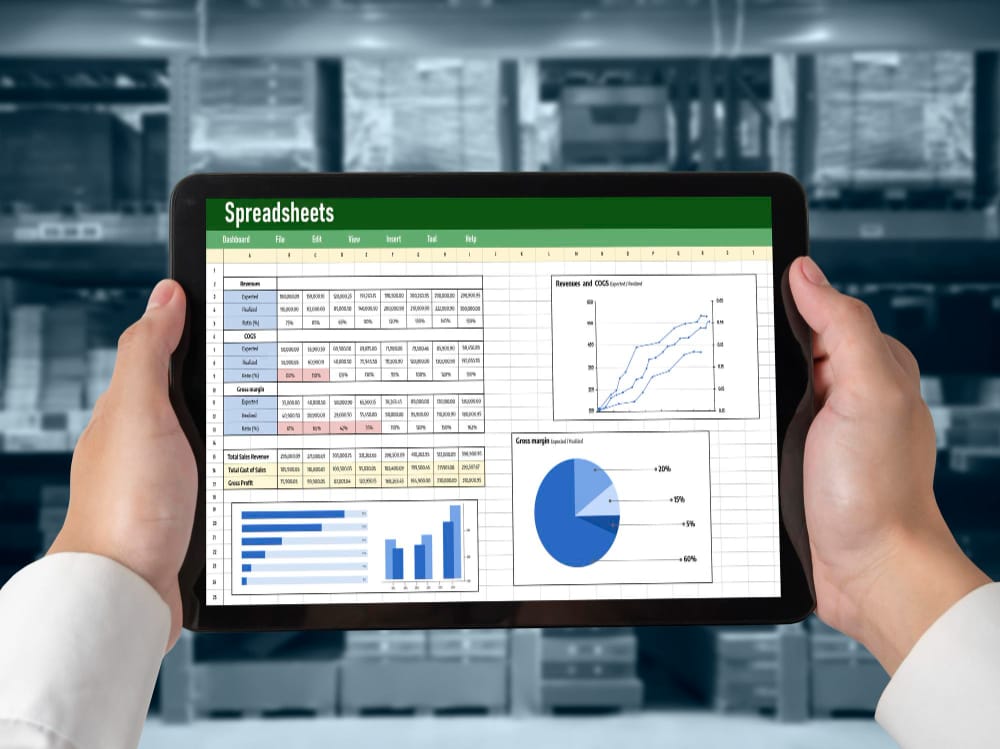
Smartsheet is a work execution platform that blends spreadsheet-like grids with project management, automated workflows, and dashboards. It’s optimized for program-level visibility and operational processes that benefit from both structure and flexibility.
Key features
- Grid, Gantt, calendar views and dashboards for program management
- Automation rules: alerts, approvals, and data routing
- DataMesh and connectors for cross-sheet data aggregation
- Reports, dashboards, and executive-level visibility
- Integrations with BI, collaboration, and cloud apps
Pricing
Smartsheet uses per-user pricing with Pro, Business, and Enterprise tiers. Advanced features (enterprise connectors, control center, and AI capabilities) are available in higher tiers and typically involve custom quotes for large deployments.
Pros
- Excellent for PMO, portfolio, and program-level automation
- Familiar spreadsheet-like UI that eases adoption
- Strong reporting and executive dashboards
Cons
- License costs can scale quickly for large teams
- Not a substitute for deep RPA or full iPaaS integration needs
Ideal users
Program managers, PMOs, professional services, and operations teams that need structured work execution, reporting, and moderate automation across projects and portfolios.
How to Choose the Right Business Automation Software
Choosing automation software is both strategic and tactical. Below is a step-by-step guide you can use as a decision checklist — follow the steps and use them as selection criteria when shortlisting vendors.
1. Inventory your processes (select & measure). Start by listing candidate processes (high-volume repetitive tasks, frequent human errors, long cycle times). For each process capture the current steps, systems involved, average time per transaction, and failure rate. Prioritize by ROI: time saved × frequency × cost of manual handling.
2. Classify automation complexity. Tag each process as simple (SaaS-to-SaaS data syncs or single-trigger tasks), intermediate (multi-step approvals, conditional routing), or complex (desktop automation, document OCR, multi-system orchestration). This classification maps to tool types: task automation apps for simple needs, low-code platforms for intermediate, and RPA/enterprise orchestration for complex scenarios.
3. Set non-negotiables (security & compliance). Define security requirements up front: SSO, role-based access, SOC 2 / ISO certifications, audit logs, and encryption. If you operate in regulated industries (HIPAA, finance, government), make compliance a gating factor for vendor selection.
4. Map required integrations. Create a shortlist of systems you must connect (CRM, ERP, accounting, identity provider). Ensure the vendor provides native connectors or reliable API tooling. For enterprises, look for guaranteed connector support and transactional guarantees.
5. Decide who will build & maintain automations. If business teams will build automations (citizen developers), prioritize usability and true low-code/no-code tooling. If IT or automation engineers will own deployments, prioritize extensibility, SDKs, and enterprise controls.
6. Evaluate governance & observability. Look for audit trails, centralized monitoring, error handling, version control, and role-based governance. These capabilities prevent “zombie automations” and keep reliability high as scale grows.
7. Compare pricing models vs. scale. Understand vendor pricing (per-user, per-task, per-bot, usage-based). Model expected usage over 12–24 months — cheap entry plans can become expensive at scale if billed per task or per contact. Enterprises should negotiate predictable, usage-based contracts with overage caps.
8. Run a Proof of Concept (PoC). Choose 1–3 high-impact processes and run a 4–6 week PoC. Evaluate time-to-implement, reliability, error rate, and how easy it is to change the automation. Use PoC results to compare vendor effort vs. ROI and to surface hidden costs.
9. Assess vendor ecosystem & support. Check marketplace connectors, community, partner ecosystem, and professional services. For fast time-to-value consider vendors with implementation partners that understand your vertical and can accelerate deployment.
10. Plan for monitoring and continuous improvement. Automation is not “set it and forget it.” Define KPIs, set up monitoring alerts, and schedule periodic reviews to refine and retire automations as business processes evolve.
11. Calculate TCO and make a rollout plan. Include licensing, implementation, maintenance, support, and training costs. Prioritize a phased rollout: pilot team → departmental rollout → enterprise governance to limit risk and prove ROI incrementally.
12. Consider future needs. Choose a platform that can grow with you: look for support for AI-driven automations, low-code extensibility, process mining, and enterprise orchestration capabilities so you avoid expensive re-platforming later.
Use this checklist as a living document during vendor evaluations. The right choice balances immediate wins for high-ROI processes with a platform’s ability to scale, secure, and govern automations across the organization.

Final Thoughts on Business Automation Software
Automation is now table stakes. In 2025 the strongest business cases are not about replacing headcount but about shifting human effort from repetitive operations to higher-value customer and strategic work. AI-powered business automation and hyperautomation (combining RPA, process mining, AI decisioning, and integration) are accelerating — platforms are getting smarter at recommending automations, extracting data from unstructured documents, and orchestrating cross-team processes.
Choosing the right business automation software is more than picking a vendor: it’s about building an automation capability inside your organization — governance, monitoring, best practices, and continuous improvement. Start small with high-impact, low-risk automations (lead routing, invoice approvals, notifications) and scale your automation center of excellence as you prove value.
If you’d like a partner to help evaluate options, design use cases that map to your tech stack, or implement a pilot — Webcom Designs offers digital solutions and development services focused on building automation integrations and low-code apps for online communities and businesses. We can help you scope a PoC, negotiate licensing, or deliver custom connectors to make your automation program a success.
Interesting Reads:
How to Integrate Shippo with WooCommerce for Easy Shipping

