

If you want to show your website stats, like how many people visited, how many posts you’ve published, or even how many followers you have, then a counter plugin is exactly what you need. These plugins make your site look more active and trustworthy. Here, we’ll look at the top 10 counter plugins for WordPress. We’ll explain what each one does, and why you might want to use it.

Quick Links
1. Post Views Counter
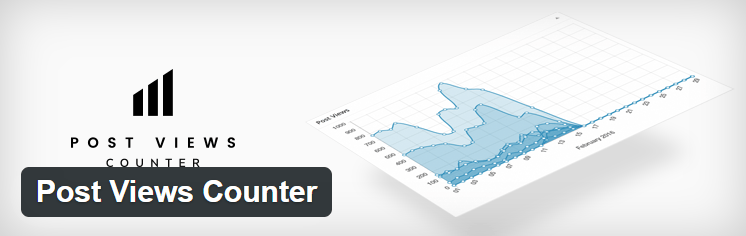
Post Views Counter helps you track how many times each post on your website has been viewed. It’s simple and clear, which is great for beginners.
You can choose which post types you want to track—posts, pages, or even custom post types. It shows the view count right on the post if you want. The plugin lets you set where to display the number, such as above or below your content.
The setup is easy, and there are a few settings you can adjust like counting views from guests, logged-in users, or bots. It’s lightweight and doesn’t slow down your website.
2. WP Visitor Statistics
This plugin shows you real-time visitor stats. You can see who’s visiting your site, where they’re from, what pages they’re viewing, and more.
It has a built-in dashboard where you can view all this data clearly. It also tracks bots and blocks bad traffic. If you’re curious about how your website is doing right now, this plugin is perfect.
You don’t need any outside services to make this work. It keeps everything inside your WordPress site.
3. Counter Number Showcase
Counter Number Showcase lets you create cool number counters to show off your stats, achievements, or even your team size.
It gives you different design options so you can make your counters match your website style. You can add icons, colors, and even animations to make the numbers stand out.
It’s great for landing pages, service pages, or your homepage where you want to show your results or milestones.
4. MonsterInsights
MonsterInsights is known for connecting Google Analytics to your WordPress site easily. But it also helps track views, clicks, and other data.
You can use it to set up simple counters for things like page views, top posts, or referral sources. It’s more than just a counter, but still very useful if you want detailed information.
If you’re already using Google Analytics, this plugin makes everything easier to read and understand inside your WordPress dashboard.
5. Simple Counter
As the name says, Simple Counter does just one thing—shows a count. You can use it for anything: views, sales, donations, or whatever number you want to display.
It’s not full of features, but that’s the point. It’s quick and doesn’t need much setup. Just enter your number and choose where to show it.
This is great if you just need a basic number display with no tracking or extra tools.
6. Live Visitor Counter
Live Visitor Counter shows a live count of how many people are currently on your site. This can make your site feel more alive and busy.
It updates in real-time and can be placed in your sidebar, footer, or anywhere else using a widget or shortcode. It’s a good way to show social proof.
You can also pick from different designs and colors to match your site’s look.
7. Page Visit Counter
This plugin tracks how many times your pages have been visited. You can show this number to your visitors if you like.
It keeps it simple and does the job well. You can reset the counts, hide them on certain pages, or display them with a shortcode.
It’s helpful if you want your readers to see how popular your content is.
8. Social Counter by AccessPress
If you want to show your social media stats (like Facebook likes or Twitter followers), this plugin is a great choice.
It connects to your social accounts and shows your total followers in a nice box. You can place it in your sidebar or footer.
It supports major platforms like Facebook, Twitter, Instagram, YouTube, and more. It also offers multiple designs, so you can pick one that fits your website’s style.
9. Fun Facts – Number Counter Plugin
This plugin is made for displaying fun facts or numbers on your site in a creative way. It’s not for tracking stats but more for showing milestones or company info.
You can set custom numbers, add icons, and choose from animations to make the section eye-catching. It’s perfect for an About Us page.
If you want to show how many clients you’ve worked with or how many projects you’ve finished, this one is great.
10. Google Site Kit

Google Site Kit is a free WordPress plugin developed by Google to help website owners easily connect and manage multiple Google tools directly from their WordPress dashboard. It integrates services like Google Analytics, Search Console, AdSense, PageSpeed Insights, Tag Manager, and Optimize, providing insights about site performance, traffic, and monetization without needing to switch between platforms.
The plugin is simple to set up and does not require any coding skills. Users can view stats such as traffic sources, page speed scores, and earnings in one place, making it ideal for publishers, developers, and businesses looking to grow their online presence.
Final Thoughts
Using a counter plugin on your WordPress site can make a big difference. Whether you want to show how many views your posts get, how many followers you have, or how many visitors are live on your site, there’s a plugin for that.
All the plugins listed above are good in their own way. Some are better for showing social proof, some for stats, and some just make your site look more interesting. Pick the one that fits your needs and gives your site that extra touch.
Want help choosing the right plugin for your site? Let me know what your goal is, and I’ll help you decide.
Interesting Reads:
Best Social Media Integration Plugins

