15 Best CRM Systems Tools in 2026


Customer relationships are the lifeblood of every business. Building and maintaining those relationships requires more than just good communication—it requires technology that can organize, analyze, and streamline every interaction. That’s where CRM Systems Tools come in.
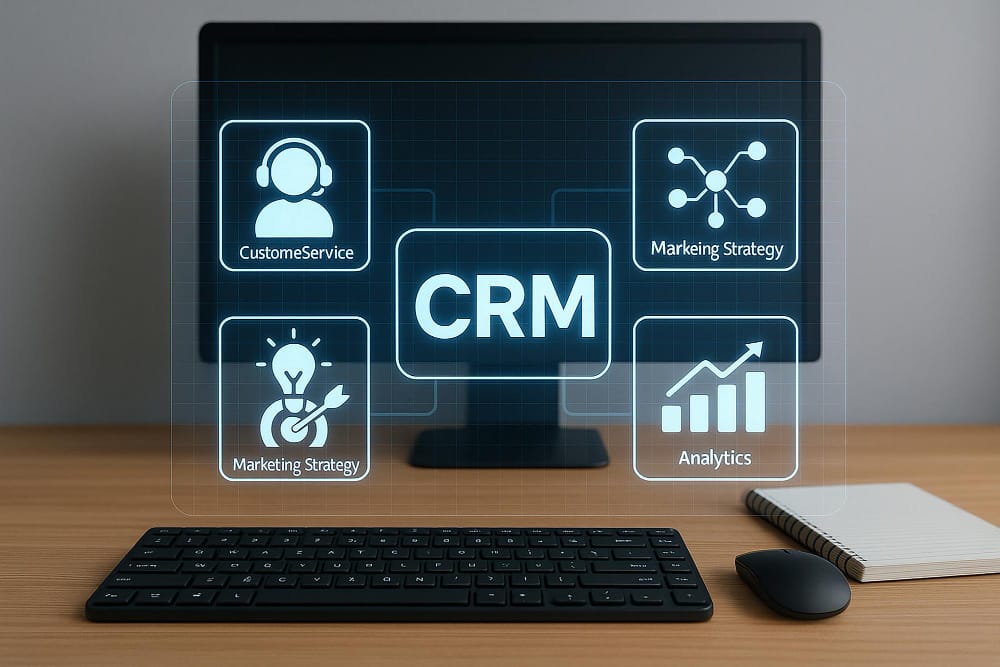
A Customer Relationship Management (CRM) system tool is software designed to help businesses manage client data, track interactions, and optimize sales pipelines. From small startups to global enterprises, CRM software has become an essential tool for ensuring customer satisfaction, boosting sales, and driving growth.
The importance of CRM systems has only increased in recent years. With more businesses operating remotely and customer expectations at an all-time high, companies need tools that centralize data, automate routine tasks, and provide actionable insights. Instead of scattered spreadsheets or siloed emails, CRM platforms create a single source of truth for customer information—making it easier for sales, marketing, and support teams to work together.
Key Benefits of Using CRM Systems Tools
- Sales Growth: Automating tasks like follow-ups and reminders helps sales teams close deals faster.
- Customer Insights: Advanced reporting and analytics reveal customer behavior, preferences, and buying patterns.
- Automation: From email campaigns to lead scoring, CRM solutions streamline repetitive tasks, saving time and reducing errors.
- Retention & Loyalty: By keeping track of every customer interaction, businesses can provide personalized experiences that build long-term loyalty.
What are CRM Systems Tools?
CRM Systems Tools are software platforms that help businesses manage customer interactions, organize client information, and streamline sales and marketing processes. At their core, they act as a centralized hub where teams can track leads, monitor pipelines, and ensure every customer touchpoint is recorded and managed efficiently.
Instead of storing customer details in scattered spreadsheets or relying on email threads, CRM software creates a single source of truth for all client data. Sales, marketing, and support teams can access this shared database, ensuring that everyone works with the same up-to-date information. This improves collaboration, reduces mistakes, and strengthens customer relationships.
Also Read: Best Learning Management System Software
Real-World Use Cases
- Sales Teams: Track leads, assign tasks, and close deals faster with automated reminders and forecasting tools.
- Marketing Teams: Segment audiences, run targeted campaigns, and measure ROI with built-in analytics.
- Customer Support: Resolve issues efficiently by accessing the full history of customer interactions.
- Small Businesses: Organize client data and streamline workflows without needing large IT teams.
15 Best CRM Systems Tools in 2025
1. Salesforce

Salesforce is the world’s leading CRM software, trusted by more than 150,000 businesses across industries. Founded in 1999, Salesforce pioneered cloud-based customer relationship management and continues to dominate the CRM space in 2025. Its platform is designed to help businesses of all sizes manage sales, marketing, customer service, and analytics—all within one ecosystem.
Salesforce stands out for its scalability and customizability. From startups to Fortune 500 enterprises, organizations use Salesforce to streamline customer interactions, automate sales pipelines, and drive growth.
Features:
- Sales Cloud for lead management, opportunity tracking, and forecasting.
- Marketing Cloud for email campaigns, automation, and analytics.
- Service Cloud for customer support and ticketing.
- AI-powered insights through Salesforce Einstein for predictive analytics.
Pricing:
- Starter Suite: $25 per user/month (basic sales and service tools).
- Professional: $80 per user/month.
- Enterprise: $165 per user/month.
Pros:
- Extremely scalable and customizable.
- Powerful AI-driven insights with Salesforce Einstein.
- Extensive integration options through AppExchange.
Cons:
- Can be complex to set up and manage without technical expertise.
- Higher pricing compared to some SMB-focused CRMs.
2. HubSpot CRM
HubSpot CRM is one of the most popular CRM systems tools for small and mid-sized businesses, though it also scales well for larger organizations. Founded in 2006, HubSpot initially started as an inbound marketing platform but has since expanded into a full customer relationship management solution that includes sales, marketing, service, and operations.
What sets HubSpot CRM apart is its ease of use and freemium model. The core CRM is completely free, offering businesses an entry point into CRM software without heavy upfront costs.
Features:
- Contact and lead management with detailed activity tracking.
- Sales pipeline and deal tracking with drag-and-drop boards.
- Email tracking, meeting scheduling, and task automation.
- Integration with Gmail, Outlook, Slack, and hundreds of apps.
Pricing:
- Free CRM: $0 (includes core features).
- Starter Plan: $20/month per user.
- Professional Plan: $100/month per user.
Pros:
- Free version includes robust features.
- Extremely user-friendly interface.
- Integrates seamlessly with HubSpot’s ecosystem.
Cons:
- Advanced features locked behind higher-tier plans.
- May become expensive as you scale into Professional or Enterprise tiers.
Also Read: AI-Powered Voice Assistants
3. Zoho CRM
Zoho CRM is a powerful yet affordable CRM systems tool that caters to small businesses, mid-sized companies, and growing enterprises. Launched in 2005 as part of the larger Zoho ecosystem, it provides a robust suite of customer relationship management solutions designed to help businesses manage sales, marketing, and customer service in one platform.
Zoho CRM stands out for its flexibility and cost-effectiveness. With AI-powered features, workflow automation, and deep integrations with Zoho’s 50+ business apps, it’s a great option for organizations looking for an all-in-one business management tool.
Features:
- Lead and contact management with real-time updates.
- Sales pipeline management with drag-and-drop deal tracking.
- Zia AI assistant for predictive sales insights and automation.
- Workflow automation for repetitive tasks and follow-ups
Pricing:
- Standard Plan: $14 per user/month.
- Professional Plan: $23 per user/month.
- Enterprise Plan: $40 per user/month.
Pros:
- Affordable pricing compared to competitors.
- Strong AI-powered tools with Zoho Zia.
- Integrates seamlessly with the Zoho ecosystem.
Cons:
- User interface can feel overwhelming for beginners.
- Advanced features may require a learning curve.
4. Pipedrive
Pipedrive is a sales-focused CRM systems tool designed specifically for small and medium-sized businesses that want to simplify their sales processes. Founded in 2010 by sales professionals, Pipedrive was built with a clear mission: to provide a customer relationship management solution that prioritizes ease of use and helps sales teams close more deals.
Unlike some CRMs that try to do everything, Pipedrive focuses on what sales teams need most—pipeline visibility, deal tracking, and automation. Its visual sales pipeline is intuitive, allowing reps to drag and drop deals as they move through different stages.
Features:
- Visual sales pipeline with drag-and-drop deal management.
- Email tracking, templates, and scheduling tools.
- AI-powered sales assistant with recommendations and insights.
- Customizable pipelines and fields to fit unique workflows.
Pricing:
- Essential Plan: $14 per user/month.
- Advanced Plan: $29 per user/month.
- Professional Plan: $49 per user/month.
Pros:
- Intuitive, easy-to-use interface for sales teams.
- Affordable plans for small and mid-sized businesses.
- Strong automation and AI insights.
Cons:
- Limited marketing automation compared to all-in-one CRMs.
- May not be ideal for large enterprises with complex needs.
5. Freshsales (Freshworks CRM)

Freshsales by Freshworks is a modern CRM systems tool designed for businesses that want simplicity combined with powerful automation. Founded in 2010, Freshworks has grown into a trusted provider of cloud-based business software, and Freshsales is one of its flagship products.
Freshsales is known for its clean interface, AI-powered insights, and built-in phone and email system. Unlike many CRMs that rely heavily on third-party add-ons, Freshsales provides a comprehensive suite of customer relationship management solutions right out of the box.
Features:
- AI-powered sales assistant “Freddy AI” for insights, deal recommendations, and forecasting.
- Lead, contact, and account management with a 360-degree customer view.
- Built-in email, phone, and chat integration for seamless communication.
- Visual sales pipeline with customizable stages.
Pricing:
- Free Plan: Basic CRM features for small teams.
- Growth Plan: $9 per user/month.
- Pro Plan: $39 per user/month.
Pros:
- Affordable pricing with strong feature sets.
- Built-in communication tools reduce need for extra apps.
- AI-powered automation saves time and boosts productivity.
Cons:
- May lack the deep customization large enterprises need.
- Integrations, while strong, are fewer than Salesforce or HubSpot.
6. Microsoft Dynamics 365
Microsoft Dynamics 365 is an enterprise-grade CRM systems tool that combines customer relationship management with enterprise resource planning (ERP). Launched by Microsoft in 2016, Dynamics 365 integrates sales, marketing, customer service, and operations into a single platform, making it a powerful option for medium to large enterprises looking for an all-in-one solution.
As part of the Microsoft ecosystem, Dynamics 365 integrates seamlessly with Office 365, Teams, Outlook, and LinkedIn Sales Navigator, providing businesses with a connected and highly productive environment.
Features:
- Sales automation with lead scoring, opportunity tracking, and forecasting.
- AI-driven insights for customer behavior, trends, and next-best actions.
- Customer service tools with case management, omnichannel support, and self-service portals.
- Marketing automation including email campaigns and customer journeys.
Pricing:
- Sales Professional: $65 per user/month.
- Sales Enterprise: $95 per user/month.
- Customer Service Professional: $50 per user/month.
Pros:
- Seamless integration with Microsoft products.
- Scalable and customizable for large organizations.
- Strong AI and analytics capabilities.
Cons:
- Complex setup and configuration may require IT expertise.
- Higher cost compared to SMB-focused CRM software.
Also Read: Best Business Process Management Software
7. Insightly
Insightly is a versatile CRM systems tool designed for small to mid-sized businesses that want a balance between customer relationship management and project management.
Founded in 2009, Insightly has become a popular choice for organizations looking for a lightweight yet powerful platform to manage leads, sales pipelines, and customer data—all while tracking projects and tasks in the same system. What makes Insightly unique is its ability to go beyond traditional CRM software by blending sales and project management into one interface.
Features:
- Contact and lead management with detailed customer profiles.
- Visual sales pipelines for tracking opportunities and deals.
- Built-in project management tools with milestones and task tracking.
- Workflow automation for lead assignment, follow-ups, and reminders.
Pricing:
- Plus Plan: $29 per user/month.
- Professional Plan: $49 per user/month.
- Enterprise Plan: $99 per user/month.
Pros:
- Combines CRM and project management in one platform.
- User-friendly interface with minimal learning curve.
- Strong integrations with popular business apps.
Cons:
- Limited advanced marketing automation features.
- May not be robust enough for very large enterprises.
8. SugarCRM
SugarCRM is a flexible and customizable CRM systems tool built for businesses that want complete control over their customer relationship management processes. Founded in 2004, SugarCRM has long been known for its open-source roots and enterprise-grade capabilities, making it a popular choice for companies that need scalability, deep customization, and powerful automation.
Unlike many CRMs that prioritize out-of-the-box simplicity, SugarCRM shines in its ability to be tailored to unique workflows.
Features:
- Contact and lead management with detailed history and insights.
- AI-driven forecasting and predictive analytics.
- Sales automation tools to track opportunities and pipelines.
- Marketing automation including campaigns, lead scoring, and email tracking.
Pricing:
- Sugar Professional: $49 per user/month.
- Sugar Enterprise: $85 per user/month.
- Sugar Serve (customer service focus): $80 per user/month.
Pros:
- Highly customizable for unique business processes.
- Strong AI-powered insights and automation.
- Supports sales, marketing, and service in one platform.
Cons:
- Steeper learning curve compared to beginner-friendly CRMs.
- Higher cost for advanced marketing and service modules.
9. Monday.com CRM
Monday.com CRM is a highly customizable CRM systems tool that blends project management with customer relationship management. Originally launched as a work operating system in 2012, Monday.com has evolved into a flexible platform where businesses can build workflows for sales, marketing, and customer service—all without requiring heavy technical skills.
What makes Monday.com CRM unique is its visual, drag-and-drop interface. Teams can design their own pipelines, automate workflows, and track customer interactions in a way that suits their specific processes.
Features:
- Visual sales pipeline management with drag-and-drop customization.
- Lead and contact management with centralized customer data.
- Workflow automation for reminders, assignments, and follow-ups.
- Custom dashboards and reporting for performance tracking.
Pricing:
- Free Plan: $0 (basic features for up to 2 users).
- Basic CRM Plan: $10 per user/month.
- Standard CRM Plan: $14 per user/month.
Pros:
- Highly customizable and adaptable to different workflows.
- Affordable entry-level pricing.
- Combines CRM with project and workflow management.
Cons:
- May require setup time to customize workflows effectively.
- Lacks some advanced CRM-specific features compared to Salesforce or HubSpot.
10. Nimble
Nimble is a lightweight, social-first CRM systems tool built for small businesses, entrepreneurs, and teams that want to manage customer relationships without the complexity of enterprise-grade platforms. Founded in 2009, Nimble has positioned itself as an affordable and easy-to-use customer relationship management solution that integrates deeply with social media, email, and productivity tools.
What sets Nimble apart is its ability to pull customer data from multiple sources—including LinkedIn, Twitter, email, and calendars—into a unified contact record.
Features:
- Unified contact management pulling data from email, calendars, and social media.
- Relationship insights with social profile enrichment.
- Sales pipeline tracking with customizable stages.
- Email templates, tracking, and scheduling.
Pricing:
- Business Plan: $25 per user/month (all features included).
- 14-day free trial available.
Pros:
- Affordable, all-in-one pricing.
- Strong social media integration for relationship building.
- Easy to set up and use, even for non-technical users.
Cons:
- Limited scalability for large enterprises.
- Fewer advanced marketing automation features compared to HubSpot or Zoho.
11. Keap (formerly Infusionsoft)
Keap, formerly known as Infusionsoft, is a powerful CRM systems tool built for small businesses and entrepreneurs who want to combine customer relationship management with marketing automation and e-commerce features.
Founded in 2001, Keap has long been a favorite among small business owners who need more than just a CRM—they want a complete solution to capture leads, nurture customers, and manage payments. Keap is designed to help businesses streamline repetitive tasks and stay connected with customers.
Features:
- Contact and lead management with detailed customer profiles.
- Marketing automation with email campaigns, follow-ups, and segmentation.
- Sales pipeline tracking with visual deal boards.
- Built-in invoicing and payment processing tools.
Pricing:
- Keap Pro: $159/month (for 2 users, additional users $29/month).
- Keap Max: $229/month (advanced automation and analytics).
- Keap Max Classic: Custom pricing (legacy Infusionsoft plan).
Pros:
- Combines CRM, marketing automation, and payments in one platform.
- Strong automation for small business workflows.
- Great for service-based businesses and solo entrepreneurs.
Cons:
- Higher starting price compared to other SMB CRMs.
- Can feel overwhelming for businesses that only need basic CRM features.
Also Read: Google Nano Banana Launch: Everything You Need to Know
12. Close CRM
Close is a sales-focused CRM systems tool built specifically for inside sales teams and startups that rely heavily on outbound calling and email outreach. Founded in 2013, Close has gained popularity among growing companies that want a streamlined customer relationship management solution focused on communication and deal tracking, without unnecessary complexity.
Unlike many CRMs that require third-party add-ons for calling or emailing, Close CRM comes with these features built in. Sales reps can make calls, send emails, and track conversations directly from the platform, saving time and ensuring all communication data is logged automatically.
Features:
- Built-in calling with power dialer and predictive dialing options.
- Email sequences, templates, and tracking to automate outreach.
- SMS messaging directly within the CRM.
- Visual sales pipeline with customizable deal stages.
Pricing:
- Startup Plan: $49 per user/month (basic calling and pipeline features).
- Professional Plan: $299/month for 3 users (includes power dialer).
- Enterprise Plan: Custom pricing for larger sales teams.
Pros:
- Excellent for outbound sales teams.
- Built-in calling, emailing, and SMS tools reduce reliance on third-party apps.
- Easy to set up and use with minimal training.
Cons:
- Limited marketing automation compared to HubSpot or Keap.
- May not scale as well for very large enterprises.
13. Nutshell CRM
Nutshell CRM is a user-friendly CRM systems tool designed for small businesses that want simplicity without sacrificing power. Founded in 2010, Nutshell has steadily built a reputation for being an affordable yet effective customer relationship management solution that combines sales automation, pipeline management, and reporting in one platform.
Nutshell stands out for its focus on helping small teams grow without overwhelming them with overly complex features. Its intuitive interface makes it easy to set up and use, while automation tools and integrations provide the flexibility to adapt as businesses scale.
Features:
- Contact and lead management with customizable fields.
- Visual sales pipelines with drag-and-drop deal tracking.
- Email automation, templates, and tracking.
- Reporting and analytics for sales performance and forecasting.
Pricing:
- Starter Plan: $19 per user/month (basic CRM features).
- Pro Plan: $35 per user/month (advanced automation and analytics).
- Enterprise Plan: Custom pricing for larger teams.
Pros:
- Affordable and easy to use.
- Strong automation features for small business workflows.
- Useful “map view” for location-based lead tracking.
Cons:
- Limited marketing automation compared to larger CRMs.
- May not be robust enough for enterprise-level needs.
14. Capsule CRM
Capsule CRM is a simple yet effective CRM systems tool designed for small businesses and freelancers who need an easy way to manage customer relationships without overwhelming complexity. Founded in 2009 in the UK, Capsule has become a favorite among startups and service-based businesses that want a clean, intuitive customer relationship management solution at an affordable price.
Capsule CRM is built around simplicity and usability. It focuses on helping teams organize contacts, track sales pipelines, and stay on top of tasks.
Features:
- Contact and lead management with detailed customer history.
- Sales pipeline tracking with drag-and-drop deal management.
- Email integration with Gmail and Outlook for seamless communication.
- Task and activity tracking with reminders.
Pricing:
- Free Plan: Up to 2 users with 250 contacts.
- Starter Plan: $18 per user/month.
- Growth Plan: $36 per user/month.
Pros:
- Affordable and beginner-friendly.
- Clean, straightforward interface.
- Strong integrations with popular small business tools.
Cons:
- Limited advanced automation and analytics.
- Not ideal for larger organizations with complex needs.
15. Creatio CRM
Creatio is a robust CRM systems tool that combines customer relationship management with business process management (BPM) and low-code customization. Founded in 2011 (originally as bpm’online), Creatio has built a strong reputation among enterprises and mid-sized organizations for its flexibility and ability to streamline both customer-facing and internal workflows.
What sets Creatio apart is its low-code platform, which allows businesses to tailor the CRM to their exact needs without heavy development resources. This makes it especially powerful for companies with complex processes across sales, marketing, and customer service.
Features:
- Sales CRM with pipeline tracking, forecasting, and opportunity management.
- Marketing automation including email campaigns, lead nurturing, and segmentation.
- Service management with case tracking and customer self-service portals.
- Low-code customization to build apps and workflows without coding.
Pricing:
- Team Plan: $25 per user/month (basic features).
- Commerce Plan: $55 per user/month.
- Enterprise Plan: Custom pricing based on features and number of users.
Pros:
- Combines CRM with low-code process automation.
- Highly customizable to fit unique business workflows.
- Strong automation and AI-driven insights.
Cons:
- More complex setup compared to simpler CRMs.
- Higher pricing for advanced customization and enterprise use.
How to Choose the Right CRM System Tool
With so many CRM systems tools available in 2025, finding the right one can feel overwhelming. Each platform offers different features, pricing, and levels of complexity. To make the best decision, businesses should evaluate their goals, budget, and workflows before committing. Here are some of the most important factors to consider:
1. Pricing and Budget
CRM software ranges from free versions like HubSpot CRM to enterprise-grade solutions like Salesforce or Microsoft Dynamics 365 that can cost hundreds per user per month. Start by defining your budget and identifying what features you truly need. Smaller businesses may benefit from affordable tools like Capsule CRM or Nimble, while enterprises should consider scalable options with advanced analytics.
2. Scalability
Your CRM should grow with your business. Even if you’re starting small, think about how many users, contacts, and integrations you’ll need in the future. Tools like Zoho CRM and Freshsales offer flexible pricing tiers, while Salesforce and Creatio scale seamlessly for large organizations.
3. Features and Customization
Consider what’s essential to your business:
- Sales automation for faster deal closures.
- Marketing tools for lead nurturing and campaigns.
- Customer service features like ticketing or live chat.
- Analytics and dashboards for performance tracking.
4. Ease of Use
A CRM only works if your team actually uses it. Overly complex platforms can slow adoption. Small businesses may prefer simple, intuitive CRMs like Nutshell or Monday.com CRM, while enterprises with IT support can handle more complex setups like Dynamics 365.
5. Integrations
Modern CRMs should connect easily with your existing tech stack—email, accounting, e-commerce, or customer support platforms. For example, HubSpot integrates seamlessly with marketing tools, while Salesforce and Microsoft Dynamics offer extensive ecosystems.
Final Thoughts on CRM Systems Tools in 2025
CRM systems tools are no longer a “nice-to-have” — they’re a necessity for businesses that want to compete in an increasingly digital, customer-driven world. Whether you’re a startup managing your first few clients or a global enterprise with thousands of contacts, CRM software provides the foundation for building stronger relationships, increasing efficiency, and driving growth.
The best CRM tools don’t just store customer data — they turn it into actionable insights. With features like sales automation, AI-driven analytics, and real-time reporting, businesses can predict customer needs, personalize interactions, and optimize their sales pipelines. Add in integrations with marketing platforms, e-commerce tools, and support systems, and a CRM becomes the central hub for your entire customer experience strategy.
Interesting Read:
How to Build a Dropshipping Store with WooCommerce

Shashank is a seasoned digital marketing and WordPress expert who specializes in SEO, software tools reviews, and cutting-edge strategies for boosting online presence. With a passion for simplifying complex topics, Goutham crafts engaging blog posts that help readers optimize their websites, improve search engine rankings, and stay ahead in the ever-evolving digital landscape.