
Gantt Chart Excel Software fast-moving business world, managing projects without the right tools can feel like trying to solve a puzzle without seeing the picture on the box. Teams need a clear way to organize tasks, track progress, and ensure deadlines are met. That’s where Gantt Chart Excel Software comes into play. Originally introduced by Henry Gantt in the early 1900s, the Gantt chart quickly became one of the most widely used tools for project scheduling and task management.
Fast forward to 2025, and Gantt charts have become smarter, more intuitive, and deeply integrated with Excel project trackers and modern project planning software. These tools not only visualize timelines but also allow businesses to allocate resources, set milestones, manage dependencies, and streamline collaboration across distributed teams. So, what exactly makes Excel Gantt templates and related software so popular? The answer lies in their flexibility. Microsoft Excel is already a widely adopted platform in organizations of all sizes.

Quick Links
What is Gantt Chart Excel Software?
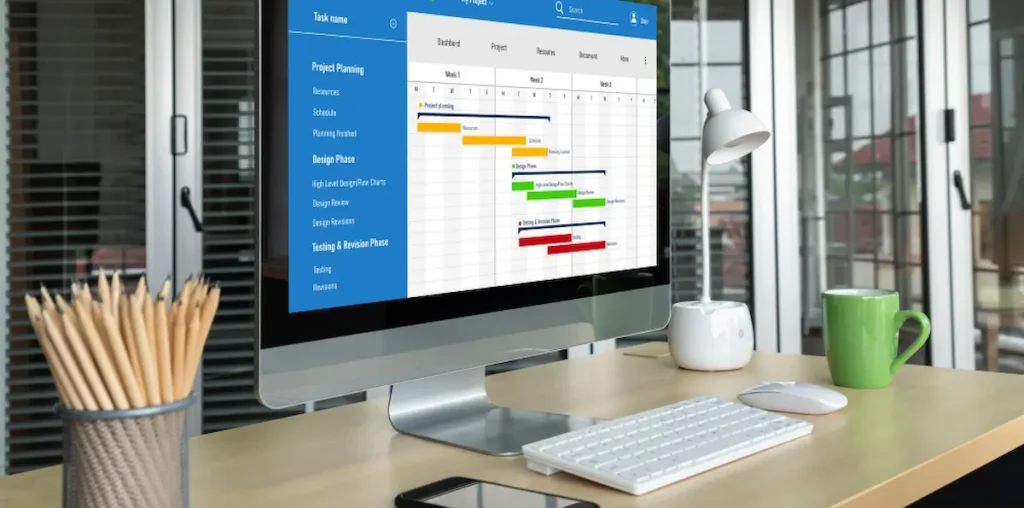
At its core, a Gantt chart is a visual project scheduling tool that organizes tasks, timelines, and dependencies in a simple, easy-to-understand format. Instead of flipping through endless rows in a spreadsheet or relying on plain text task lists, a Gantt chart transforms project data into a timeline-based chart that shows when tasks start, how long they’ll take, and how they connect to each other.
Gantt Chart Excel Software combines the familiarity of Microsoft Excel with the power of timeline visualization. By using pre-built Excel Gantt templates or specialized add-ins, project managers and teams can create detailed task management charts without having to invest in complex software. This makes it an excellent choice for startups, small businesses, and organizations already comfortable with Excel.
The core components of Gantt Chart Excel Software typically include:
- Tasks and subtasks: Breaking projects into manageable units.
- Timelines: Horizontal bars that represent the start and end dates of each task.
- Dependencies: Visual links that show how tasks rely on each other.
- Milestones: Key points in the timeline that indicate progress or deadlines.
- Resource allocation: Assigning team members or resources to tasks for better planning.
15 Best Gantt Chart Excel Software
1. Microsoft Project

Microsoft Project has long been one of the most trusted names in project management. Developed by Microsoft, it integrates seamlessly with Excel, making it a strong choice for businesses looking to combine the familiar Excel environment with advanced scheduling capabilities. Since its first release in 1984, Microsoft Project has continuously evolved, now offering cloud-based collaboration, resource management, and AI-driven project insights.
Features:
- Advanced Gantt chart visualization with dependencies and milestones
- Deep Excel and Microsoft 365 integration
- Resource allocation and workload balancing
- Portfolio and program management
Pricing:
- Project Plan 1: $10 per user/month
- Project Plan 3: $30 per user/month
- Project Plan 5: $55 per user/month
Pros:
- Enterprise-grade features for large projects
- Excellent Excel compatibility and data import/export
- Robust reporting and analytics tools
Cons:
- Steeper learning curve for beginners
- Higher pricing compared to Excel-based templates
Also Read: Google Nano Banana Launch: Everything You Need to Know
2. Smartsheet
Smartsheet is a popular project planning software that combines the ease of a spreadsheet with powerful project management capabilities. Founded in 2005, Smartsheet has grown into one of the top platforms for teams that rely on spreadsheets but need better collaboration and scheduling tools. Its Gantt chart view is particularly popular with project managers who prefer timeline visualization alongside Excel-like flexibility.
Features:
- Excel-style grid interface with advanced Gantt chart view
- Drag-and-drop task scheduling
- Resource and workload management
- Automated workflows and reminders
Pricing:
- Pro: $7 per user/month
- Business: $25 per user/month
- Enterprise: Custom pricing
Pros:
- Easy transition for teams already using Excel
- Scalable for businesses of all sizes
- Strong automation and integration options
Cons:
- Limited offline functionality
- Advanced reporting requires higher plans
3. Gantt Excel
Gantt Excel is a specialized add-in for Microsoft Excel that transforms spreadsheets into fully functional Gantt chart project trackers. Developed specifically for professionals who prefer working within Excel, it allows users to manage schedules, dependencies, and timelines without switching to a new platform. Since its launch, Gantt Excel has become one of the most widely used Excel Gantt templates for project planning.
Features:
- One-click Gantt chart creation within Excel
- Task scheduling with start and end dates
- Support for dependencies and milestones
- Resource allocation and workload tracking
Pricing:
- Single User License: $99 (one-time)
- Team License: Custom pricing available
Pros:
- Cost-effective for small and medium businesses
- Works entirely within Microsoft Excel
- Simple setup and minimal learning curve
Cons:
- Limited collaboration features compared to cloud tools
- Updates require manual installation
4. TeamGantt
TeamGantt is a dedicated online project scheduling tool that offers a user-friendly Gantt chart interface while also integrating smoothly with Excel exports and imports. Founded in 2009, TeamGantt has built a strong reputation for being one of the most intuitive project timeline management platforms available today.
Features:
- Drag-and-drop Gantt chart builder
- Multiple project views (Gantt, calendar, list)
- File sharing and task comments for collaboration
- Time tracking and workload management
Pricing:
- Free Plan: Up to 1 project, 3 users
- Standard: $19 per user/month
- Advanced: $49 per user/month
Pros:
- Clean, beginner-friendly interface
- Strong collaboration and file-sharing features
- Supports both simple and complex projects
Cons:
- Free plan has limited functionality
- Can be costly for larger teams
5. ClickUp

ClickUp is an all-in-one project planning software designed to replace multiple productivity tools. Launched in 2017, it has rapidly grown into a favorite for teams needing flexible project scheduling, collaboration, and reporting. Its Excel Gantt integration allows users to easily import/export data and visualize tasks in Gantt format.
Features:
- Gantt chart view with dependencies and critical paths
- Task management with custom fields and priorities
- Real-time collaboration with docs, chat, and comments
- Excel and CSV import/export functionality
Pricing:
- Free Forever: Basic project tracking
- Unlimited: $7 per user/month
- Business: $12 per user/month
- Enterprise: Custom pricing
Pros:
- Affordable and scalable for any team size
- Highly customizable with workflows and automations
- Combines Gantt charts with broader project management features
Cons:
- Can feel overwhelming for first-time users
- Some advanced features locked behind higher plans
6. Wrike
Wrike is a cloud-based project management and collaboration platform launched in 2006. Over the years, it has become one of the most popular tools for medium to large organizations looking to streamline project workflows. Wrike offers a powerful Gantt chart timeline view that integrates smoothly with Excel for imports and exports, making it easy for teams to manage complex schedules.
Features:
- Interactive Gantt chart with drag-and-drop scheduling
- Task dependencies, critical path analysis, and milestones
- Excel import/export for project data
- Real-time collaboration with comments and file attachments
Pricing:
- Free: Basic task management for small teams
- Team: $9.80 per user/month
- Business: $24.80 per user/month
- Enterprise: Custom pricing with advanced controls
Pros:
- Strong collaboration and communication features
- Highly scalable for large organizations
- Excellent reporting and analytics tools
Cons:
- Advanced features may be overwhelming for beginners
- More expensive than Excel-based Gantt templates
7. Monday.com
Monday.com is a leading work management platform that supports everything from task tracking to full-scale project management. Founded in 2012, it has quickly grown to serve teams worldwide, offering an intuitive, customizable interface. Monday’s Gantt chart view, known as the Timeline View, integrates well with Excel, enabling managers to combine spreadsheet flexibility with visual project planning.
Features:
- Visual Gantt-style timeline management
- Excel import/export for seamless integration
- Task automation and custom workflows
- Resource allocation and workload views
Pricing:
- Individual: Free for up to 2 users
- Basic: $8 per user/month
- Standard: $10 per user/month
Pros:
- Extremely user-friendly interface
- Affordable pricing with flexible plans
- Excellent customization with templates and workflows
Cons:
- Some advanced features locked to higher plans
- Reporting not as advanced as enterprise tools like MS Project
8. Asana
Asana is one of the most widely recognized project planning software tools, launched in 2008 by Facebook co-founder Dustin Moskovitz. It’s known for its clean interface and versatile project management views, including Gantt charts via its Timeline View. Asana also supports Excel imports and exports, making it easy to move between spreadsheet-based planning and visual timelines.
Features:
- Timeline view for Gantt-style planning
- Task dependencies, milestones, and due dates
- Excel and CSV import/export support
- Real-time collaboration with comments and file sharing
Pricing:
- Basic: Free for up to 15 users
- Premium: $10.99 per user/month
- Business: $24.99 per user/month
Pros:
- Excellent balance of simplicity and functionality
- Strong collaboration and team communication tools
- Affordable entry-level plan for small teams
Cons:
- Advanced features like workload require higher-tier plans
- Can be less customizable than tools like ClickUp
9. Trello (with Excel Gantt Integrations)
Trello is a well-known task management and collaboration tool that uses boards, lists, and cards to organize projects. Founded in 2011 and later acquired by Atlassian, Trello is widely loved for its simplicity. While Trello doesn’t have a native Gantt chart, it offers multiple Excel Gantt integrations and Power-Ups like BigPicture, Elegantt, and Planyway that allow users to convert Trello boards into Gantt-style timelines and export data to Excel.
Features:
- Kanban board system with drag-and-drop functionality
- Power-Ups to add Gantt chart timelines
- Excel and CSV export/import support
- Collaboration with comments, file sharing, and mentions
Pricing:
- Free: Basic task management with unlimited cards
- Standard: $5 per user/month
- Premium: $10 per user/month
Pros:
- Extremely beginner-friendly and flexible
- Affordable pricing with powerful integrations
- Strong community and ecosystem of add-ons
Cons:
- Gantt functionality requires third-party Power-Ups
- Limited reporting in the base version
10. Zoho Projects
Zoho Projects is part of the Zoho suite of business software and offers a full-featured project scheduling tool with robust Gantt chart support. Founded in 1996, Zoho has built a reputation for affordable, cloud-based solutions that integrate seamlessly with its other apps like Zoho CRM and Zoho Analytics.
Features:
- Gantt charts with task dependencies and baselines
- Excel and CSV data import/export
- Timesheets and workload management
- Automation with task reminders and recurring tasks
Pricing:
- Free: Up to 3 users
- Premium: $5 per user/month
- Enterprise: $10 per user/month
Pros:
- Very affordable pricing
- Strong integration with Zoho’s business tools
- Easy-to-use interface for small and medium teams
Cons:
- Limited advanced features compared to enterprise tools
- Interface may feel basic for power users
11. ProjectManager.com
ProjectManager.com is a cloud-based project planning software that combines Gantt charts, task management, and team collaboration. Founded in 2008, it is trusted by organizations worldwide for its robust scheduling capabilities and real-time project insights. Its Excel import/export features make it a great fit for teams that want the flexibility of spreadsheets with the power of online Gantt charts.
Features:
- Online Gantt chart with drag-and-drop scheduling
- Task dependencies, milestones, and critical path support
- Real-time dashboards and workload tracking
- Excel and CSV data import/export
Pricing:
- Team: $13 per user/month
- Business: $24 per user/month
- Enterprise: Custom pricing
Pros:
- Strong combination of Gantt charts and dashboards
- Scalable for small to large teams
- Real-time reporting and workload management
Cons:
- Slightly higher cost for smaller businesses
- Interface can feel complex for beginners
12. Instagantt
Instagantt is a web-based Gantt chart tool designed for teams that want simple yet powerful project visualization. Originally built as a Gantt chart add-on for Asana, Instagantt has grown into an independent solution with direct Excel export/import capabilities, making it a great fit for managers who want detailed timelines in both cloud and spreadsheet formats.
Features:
- Intuitive drag-and-drop Gantt chart builder
- Dependencies, milestones, and baselines
- Excel and CSV export/import
- Workload management and resource allocation
Pricing:
- Solo: $7 per month (for 1 user)
- Team: $7 per user/month
- Enterprise: Custom pricing
Pros:
- Excellent for Asana users needing Gantt views
- Affordable and simple pricing model
- Clean interface with strong Excel support
Cons:
- Works best when paired with Asana, limiting standalone users
- Lacks some advanced automation compared to competitors
13. Vertex42 Excel Gantt Template
Vertex42 is a trusted provider of Excel project templates, including one of the most popular Excel Gantt Chart Templates available today. Founded in 2003, Vertex42 specializes in creating spreadsheet templates for project planning, financial tracking, and productivity.
Its free and premium Gantt templates allow project managers to turn a plain Excel sheet into a full-featured timeline management tool.
Features:
- Downloadable Excel Gantt chart template
- Simple task scheduling and milestone tracking
- Customizable colors and formatting
- Task duration, start/end dates, and progress tracking
Pricing:
- Free: Basic Gantt template download
- Pro Templates: Starting at $29.95 one-time fee
Pros:
- Extremely cost-effective
- Works directly in Excel with no learning curve
- Great for freelancers and small teams
Cons:
- No built-in collaboration features
- Lacks automation compared to cloud software
14. Smartsheet Gantt Excel Integration
Smartsheet Gantt Excel Integration bridges the gap between Smartsheet’s project scheduling tools and Microsoft Excel. Businesses that already rely on Smartsheet for collaboration can export Gantt data to Excel for reporting, offline analysis, or sharing. This hybrid approach combines the flexibility of Excel with Smartsheet’s robust project planning features.
Features:
- Seamless Smartsheet-to-Excel Gantt chart export
- Bi-directional data syncing for updates
- Task dependencies, milestones, and critical paths
- Real-time collaboration within Smartsheet
Pricing:
- Pro: $7 per user/month
- Business: $25 per user/month
- Enterprise: Custom pricing
Pros:
- Ideal for teams already using Smartsheet
- Flexible reporting with Excel integration
- Scalable for businesses of all sizes
Cons:
- Requires Smartsheet subscription
- More complex setup than standalone Excel templates
15. OpenProject

OpenProject is a powerful open-source project management platform that includes robust Gantt chart functionality. First launched in 2012, OpenProject is widely adopted by teams that prefer transparency, customization, and data security. Its Gantt charts provide advanced scheduling, dependencies, and milestones while also supporting Excel imports/exports for reporting and offline use.
Features:
- Interactive Gantt charts with task dependencies
- Excel/CSV import and export for project data
- Agile boards, timelines, and roadmaps
- Work package tracking with resources and deadlines
Pricing:
- Community Edition: Free (self-hosted, open source)
- Basic Cloud: €5.95 per user/month
- Professional Cloud: €11.95 per user/month
Pros:
- Open-source and highly customizable
- Strong data security with self-hosted option
- Affordable compared to enterprise project tools
Cons:
- Steeper learning curve than Excel templates
- Requires technical setup for self-hosted edition
Also Read: Best Business Process Management Software
How to Choose the Right Gantt Chart Excel Software
With so many options available in 2025, choosing the best Gantt Chart Excel Software can feel overwhelming. Every business has unique needs—what works for a small team managing simple tasks might not fit an enterprise handling large-scale, multi-department projects. To help narrow down your options, here are the key factors to consider when evaluating Excel Gantt templates and project scheduling tools.
1. Ease of Use
If your team is new to project planning, look for a tool with a beginner-friendly interface. Solutions like Gantt Excel or Vertex42 templates are perfect for smaller teams because they work directly in Microsoft Excel, minimizing the learning curve. On the other hand, tools like ClickUp and Monday.com provide drag-and-drop Gantt views with modern dashboards that are easy to navigate.
2. Excel Integration
Since the focus is on Excel project trackers, seamless import/export is a must. Tools like Smartsheet, Wrike, and ProjectManager.com offer strong Excel integration, ensuring you can move data between spreadsheets and project dashboards without hassle. This flexibility is crucial for teams that still rely on Excel for reporting or financial analysis.
3. Collaboration Features
For remote and distributed teams, collaboration is essential. Cloud-based platforms like Asana, TeamGantt, and Zoho Projects allow multiple users to update tasks in real-time, add comments, and share files directly within the project workspace. If collaboration isn’t a priority, standalone Excel templates may be sufficient.
4. Pricing and Scalability
Budgets often drive decisions. Open-source or one-time payment tools like OpenProject and Gantt Excel are cost-effective for smaller organizations. In contrast, subscription-based platforms such as Microsoft Project or Smartsheet provide enterprise-grade features at a higher monthly cost. Consider whether the tool can scale with your growing team or project complexity.
5. Reporting and Analytics
Beyond task tracking, modern timeline management tools also provide advanced reporting. Wrike and Microsoft Project, for example, include detailed analytics, resource utilization, and workload balancing. If you need insights for decision-making, choose a platform with robust reporting dashboards.

Final Thoughts on Gantt Chart Excel Software
Project success in today’s fast-paced digital world depends on clarity, collaboration, and adaptability. That’s exactly what Gantt Chart Excel Software delivers—an intuitive way to visualize timelines, manage dependencies, and keep projects on track. Whether you’re a solo freelancer planning a campaign or a large enterprise juggling multiple programs, the right Gantt chart tool can transform how your team works.
As we’ve seen, the market in 2025 offers solutions for every type of user. Cost-conscious individuals may lean toward Excel Gantt templates like Vertex42 or Gantt Excel for their simplicity and affordability. Teams looking for robust collaboration and automation might find Smartsheet, Monday.com, or ClickUp better suited to their needs. Enterprises requiring advanced reporting, portfolio management, and scalability can rely on tools like Microsoft Project, Wrike, or OpenProject.
Interesting Read:
How to Set Up Salesforce Integration in WooCommerce

