8 Best WordPress Ad Management Plugins and Solutions (2026)


In 2026, digital advertising continues to be a major revenue driver for website owners, and WordPress is no exception. With millions of WordPress websites globally, advertisers are eager to display their ads on sites that reach vast audiences. However, managing these ads efficiently can be a challenging task, especially as the number of advertisers and ad types grow. This is where WordPress ad management plugins come into play. These tools simplify the process of ad placements, tracking, and optimization, enabling site owners to maximize revenue. With the right plugin, you can streamline your ad management process, even automating tasks like scheduling, targeting, and performance analytics. Let’s dive into the best WordPress ad management plugins in 2026 to help you optimize your ad strategy and boost your site’s revenue potential.

Why Ad Management is Crucial for Your WordPress Site
Ad management plays a crucial role in monetizing a WordPress site, enabling site owners to effectively display and track advertisements. With the right ad management tools, you can optimize ad placement, ensure targeted delivery, and generate steady revenue streams. It also simplifies the process of organizing multiple ad types, whether they are banners, pop-ups, or affiliate links.
Moreover, ad management plugins allow for better control over the frequency, appearance, and position of ads, ensuring they enhance the user experience rather than detract from it. Effective ad management not only boosts revenue but also improves site performance, offering better reporting and analytics to optimize ad strategy. With so many ad options available, using the right WordPress ad management plugin is essential to streamline the process and achieve maximum profitability.
Key Features to Look for in WordPress Ad Management Plugins
When selecting the right WordPress ad management plugin, it’s important to focus on features that will enhance both your user experience and monetization efforts. Here are key features to look for:
Ad Placement Flexibility: The ability to place ads in various positions (e.g., header, footer, sidebar) gives you control over where ads appear for maximum visibility and engagement.
Ad Targeting: Targeting options allow ads to be shown to specific audience segments based on location, device type, or user behavior, increasing their effectiveness.
Analytics and Reporting: A robust analytics dashboard helps track ad performance, click-through rates (CTR), and revenue, allowing you to optimize campaigns.
Mobile Responsiveness: Ensure that the plugin provides responsive ad units that adjust to mobile screens for a smooth user experience on all devices.
Ad Rotation and Scheduling: Automatically rotate ads or schedule them based on time, frequency, or priority to keep content fresh and maintain ad relevancy.
Compliance with Ad Networks: Ensure compatibility with major ad networks, such as Google AdSense, to simplify the integration and monetization process.
Also Read: Best Knowledge Management Software
Best WordPress Ad Management Plugins
There are many great ad management plugins for WordPress, but here are some of the most popular and highly-rated ones:
1. WB Ad Manager
WB Ad Manager is a flexible, self-hosted WordPress ad management plugin designed for website owners who want full control over how ads are displayed and monetized. Instead of relying on third-party ad networks or heavy ad platforms, this plugin lets you manage advertisements directly within your WordPress dashboard.
WB Ad Manager is especially well-suited for content-driven websites, community platforms, membership sites, and WooCommerce stores. It allows you to create multiple ad units and control exactly where they appear—whether that’s inside posts, pages, sidebars, or specific sections of your site. Ads can be displayed conditionally, helping you maintain a clean user experience while still monetizing effectively.
Because ads are served from your own site, you retain complete ownership of your data and revenue. The plugin is lightweight, easy to configure, and designed to work smoothly with modern WordPress themes and setups.
Key Features:
- Create and manage unlimited ad units
- Flexible ad placement using shortcodes and widgets
- Conditional ad display based on pages, posts, or sections
- Supports image ads, HTML ads, and custom ad code
- Lightweight and performance-friendly
- Compatible with blogs, community sites, and WooCommerce stores
Best For
Website owners and publishers who want a self-hosted ad management solution with full control over ad placement, targeting, and monetization.
2. Ad Inserter
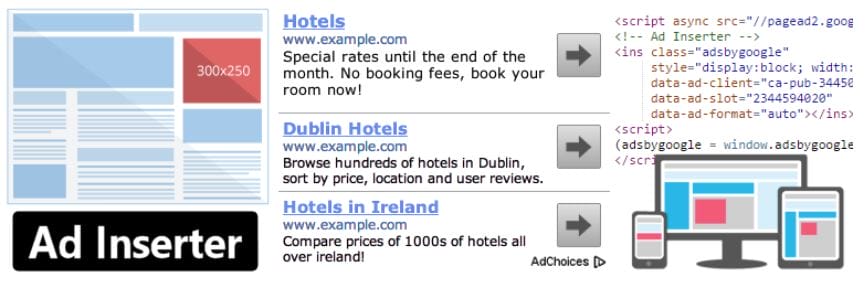
Ad Inserter is a popular WordPress plugin used for managing and displaying ads on a website. It provides a user-friendly interface and a wide range of features for inserting ads into your content, including Google AdSense, Amazon Native Shopping Ads, and more.
Key Features:
- Easy insertion of ads into your website’s content: With Ad Inserter, you can easily insert ads into your posts, pages, and custom post types using shortcodes, widgets, or PHP.
- Automatic insertion of ads based on conditions: Ad Inserter allows you to automatically insert ads into specific locations on your website based on a variety of conditions, such as post type, category, and more.
- Advanced ad placement options: Ad Inserter provides advanced ad placement options, such as inserting ads after a specific paragraph, before or after specific HTML elements, or at the beginning or end of your content.
- Comprehensive ad management options: Ad Inserter allows you to manage your ads and campaigns from within your WordPress dashboard, including tracking impressions, clicks, and revenue.
- A/B testing of ads: Ad Inserter also allows you to run A/B tests to optimize your ad performance and maximize revenue.
Overall, Ad Inserter is a powerful tool for managing ads on your WordPress website. Its user-friendly interface and advanced features make it a popular choice for website owners and bloggers who want to monetize their content through advertising.
Also Read: Best Quiz Plugins For WordPress
3. Advanced Ads
Advanced Ads is one of the top-rated WordPress ad management plugins, offering an easy and powerful way to manage and display ads on your website. Designed for both beginners and experienced users, it allows you to manage various types of ads, from banner ads to more advanced options like Google AdSense, affiliate marketing, and custom ads.
Key Features:
- Multiple ad types: With Advanced Ads, you can create a variety of ad types, including display ads, responsive ads, and native ads.
- Advanced targeting options: Advanced Ads allow you to target your ads based on a variety of criteria, including user behavior, location, device, and more.
- Ad rotation and scheduling: You can schedule your ads to run at specific times, or rotate them to display different ads at different times.
- Ad tracking and reporting: Advanced Ads provides comprehensive tracking and reporting features to help you analyze your ad performance and optimize your campaigns.
- Ad blocker detection: Advanced Ads includes a built-in ad blocker detection feature that allows you to display alternative content to users who have ad blockers enabled.
- Ad injection into specific locations: You can inject ads into specific locations on your website using shortcodes, widgets, or PHP code.
- WooCommerce integration: Advanced Ads integrates with WooCommerce to allow you to display ads on your WooCommerce product pages.
Overall, Advanced Ads is a powerful tool for managing and optimizing your ad campaigns on WordPress. Its wide range of features and advanced targeting options make it a popular choice for website owners and bloggers who want to maximize their ad revenue.
4. AdRotate
AdRotate is a popular WordPress ad management plugin that simplifies the process of managing and displaying ads on your website. Whether you’re dealing with banner ads, Google AdSense, or custom ads, AdRotate offers a user-friendly solution to optimize your ad strategy. This plugin allows you to track ad performance, create scheduling rules, and manage multiple campaigns from a single dashboard.
Key Features:
- Multiple ad types: AdRotate allows you to create various types of ads, including image ads, video ads, and HTML5 ads.
- Flexible ad scheduling: You can schedule your ads to display at specific times, on specific days, or within specific date ranges.
- Ad targeting: AdRotate allows you to target your ads based on various criteria, such as user behavior, location, and device.
- Ad tracking and reporting: AdRotate provides comprehensive tracking and reporting features, including click tracking, impression tracking, and revenue tracking.
- A/B testing: AdRotate includes an A/B testing feature, allowing you to test different ads and ad placements to optimize your campaigns.
- Ad blocker detection: AdRotate has a built-in ad blocker detection feature that allows you to display alternative content to users who have ad blockers enabled.
- Easy ad placement: You can easily insert ads into your posts, pages, and widgets using shortcodes or the AdRotate widget.
Overall, AdRotate is a powerful ad management tool that provides a wide range of features for creating and managing ad campaigns. Its flexible scheduling, targeting, and tracking options make it a popular choice for website owners and bloggers who want to monetize their content through advertising.
5. WP AdCenter

WP AdCenter is a versatile WordPress ad management plugin that gives you complete control over your ad inventory. It allows you to manage various types of ads including banner ads, text ads, and video ads. The plugin is designed to help you organize, track, and optimize ads on your WordPress site with ease. With features like ad scheduling, statistics tracking, and payment management, WP AdCenter is a comprehensive solution for both beginners and experienced marketers.
Key Features:
- Multiple ad types: WP AdCenter allows you to create various types of ads, including image ads, video ads, and text ads.
- Flexible ad scheduling: You can schedule your ads to display at specific times, on specific days, or within specific date ranges.
- Ad targeting: WP AdCenter allows you to target your ads based on various criteria, such as user behavior, location, and device.
- Ad tracking and reporting: WP AdCenter provides comprehensive tracking and reporting features, including click tracking, impression tracking, and revenue tracking.
- Ad rotation and A/B testing: WP AdCenter includes an ad rotation feature, allowing you to rotate different ads and ad placements to optimize your campaigns. It also includes an A/B testing feature to test different ads against each other.
- Ad blocker detection: WP AdCenter has a built-in ad blocker detection feature that allows you to display alternative content to users who have ad blockers enabled.
- Easy ad placement: You can easily insert ads into your posts, pages, and widgets using shortcodes or the WP AdCenter widget.
Overall, WP AdCenter is a powerful ad management tool that provides a range of features for creating and managing ad campaigns. It’s flexible scheduling, targeting, and tracking options make it a popular choice for website owners and bloggers who want to monetize their content through advertising.
Also Read: Best Warehouse Management Software
6. Google AdSense Plugin
The Google AdSense Plugin for WordPress is a must-have for website owners looking to monetize their content using Google’s popular advertising platform. This plugin simplifies the process of integrating AdSense into your WordPress site without the need for manual code editing. It automatically places ads within your content, improving the chances of earning revenue through clicks and impressions. With easy-to-use features and seamless integration, the Google AdSense Plugin helps website owners optimize their ad placements and maximize their earnings.
Key Features:
- Quick and easy ad placement: The plugin allows you to easily insert ad units into your posts, pages, and widgets using a simple shortcode.
- Automatic ad placement: The plugin can automatically place ads on your site in locations that are likely to generate the most revenue.
- Ad optimization: The plugin includes ad optimization features to help you increase your ad revenue, including A/B testing and ad rotation.
- Ad reporting: The plugin provides comprehensive reporting features, including performance reports and ad unit analysis, to help you track your ad revenue and optimize your ad campaigns.
- Ad blocker detection: The plugin has a built-in ad blocker detection feature that allows you to display alternative content to users who have ad blockers enabled.
- Responsive ads: The plugin includes responsive ad units that can automatically adjust their size and layout based on the size of the user’s screen.
Overall, the Google AdSense Plugin for WordPress is a powerful tool for integrating Google AdSense ads into your WordPress website. Its easy-to-use interface, automatic ad placement, and ad optimization features make it a popular choice for website owners and bloggers who want to monetize their content through advertising.
7. AdPlugg
AdPlugg is a powerful and user-friendly WordPress Ad Management Plugin that allows website owners to manage and display ads effortlessly. It offers a comprehensive suite of tools to manage and rotate ads, track performance, and optimize revenue. Whether you’re displaying banner ads, text ads, or even HTML5, AdPlugg provides an intuitive interface to control ad placements without any technical skills required. The plugin also offers advanced features like targeting, scheduling, and analytics, making it ideal for those looking to monetize their website efficiently.
Key Features:
- Multiple ad types: AdPlugg allows you to create various types of ads, including image ads, video ads, and HTML5 ads.
- Flexible ad scheduling: You can schedule your ads to display at specific times, on specific days, or within specific date ranges.
- Ad targeting: AdPlugg allows you to target your ads based on various criteria, such as user behavior, location, and device.
- Ad tracking and reporting: AdPlugg provides comprehensive tracking and reporting features, including click tracking, impression tracking, and revenue tracking.
- Ad rotation and A/B testing: AdPlugg includes an ad rotation feature, allowing you to rotate different ads and ad placements to optimize your campaigns. It also includes an A/B testing feature to test different ads against each other.
- Ad blocker detection: AdPlugg has a built-in ad blocker detection feature that allows you to display alternative content to users who have ad blockers enabled.
- Easy ad placement: You can easily insert ads into your posts, pages, and widgets using shortcodes or the AdPlugg widget.
Overall, AdPlugg is a powerful ad management tool that provides a range of features for creating and managing ad campaigns. Its flexible scheduling, targeting, and tracking options make it a popular choice for website owners and bloggers who want to monetize their content through advertising.
Also Read: Best WordPress Calendar Plugins Compared
8. Insert Post Ads
Insert Post Ads is a simple yet effective WordPress Ad Management Plugin that allows you to display ads within the content of your posts. It is particularly useful for bloggers and content-driven websites looking to monetize their content without disrupting the user experience. The plugin inserts ads automatically at specified intervals within your posts, making it an excellent tool for publishers who want to increase ad revenue with minimal effort. It integrates seamlessly with both text and display ads, providing a straightforward solution for ad placement.
Key Features:
- Multiple ad types: Insert Post Ads allows you to create various types of ads, including image ads, video ads, and text ads.
- Ad placement options: You can place ads at various locations within your posts and pages, including before or after the post content, within the post content, or after a specific paragraph.
- Ad rotation and A/B testing: Insert Post Ads includes an ad rotation feature, allowing you to rotate different ads and ad placements to optimize your campaigns. It also includes an A/B testing feature to test different ads against each other.
- Ad tracking and reporting: Insert Post Ads provides tracking and reporting features, including click tracking and impression tracking, to help you track the performance of your ads.
- Ad blocker detection: The plugin has a built-in ad blocker detection feature that allows you to display alternative content to users who have ad blockers enabled.
- Ad scheduling: You can schedule your ads to display at specific times or on specific days.
- Easy ad management: You can easily manage your ads within the WordPress dashboard, including creating, editing, and deleting ads.
Overall, Insert Post Ads is a simple but powerful ad management tool that provides a range of features for inserting and managing ads within your WordPress posts and pages. Its flexible placement options and ad rotation and testing features make it a popular choice for bloggers and website owners who want to monetize their content through advertising.
Overall, these are just a few of the best WordPress Ad Management plugins available, and each has its own unique features and benefits. It’s important to choose the plugin that best meets your specific needs and goals for your website.

Final Thoughts: WordPress Ad Management Plugins
WordPress ad management plugins and solutions offer a range of features for creating and managing ads on your WordPress website. These plugins provide flexible ad placement options, ad scheduling, targeting, tracking and reporting features, and ad blocker detection capabilities, among others.
Whether you’re a blogger or a website owner looking to monetize your content through advertising, WordPress ad management plugins can help you streamline the process of creating and managing ads on your site. These plugins provide an easy-to-use interface and intuitive controls, making it simple to create and manage ad campaigns even if you don’t have technical expertise.
The seven plugins we’ve discussed – Ad Inserter, Advanced Ads, AdRotate, WP AdCenter, Google AdSense Plugin, AdPlugg, and Insert Post Ads – offer different features and capabilities to suit different needs and preferences. Some are more focused on ad optimization and testing, while others provide advanced targeting and tracking features.
Ultimately, the best WordPress ad management solution for you will depend on your specific needs and goals. It’s worth exploring the different options available and trying out a few to see which one works best for you. With the right WordPress ad management plugin, you can maximize your ad revenue and create a more engaging experience for your visitors.
Interesting Reads:
Must-Have WordPress Plugins For Business Websites

Shashank is a seasoned digital marketing and WordPress expert who specializes in SEO, software tools reviews, and cutting-edge strategies for boosting online presence. With a passion for simplifying complex topics, Goutham crafts engaging blog posts that help readers optimize their websites, improve search engine rankings, and stay ahead in the ever-evolving digital landscape.