
Following the launch of BuddyX Pro 5.0.0, we’re continuing to refine and enhance the theme based on real-world usage. As part of our commitment to delivering the best community experience, we’ve rolled out a series of performance optimizations that achieve up to 73% faster page load times across all page types.
This is how we approach major releases - ship the features first, then continuously push enhancements one by one to ensure rock-solid performance on production sites.
What Community Owners Expect

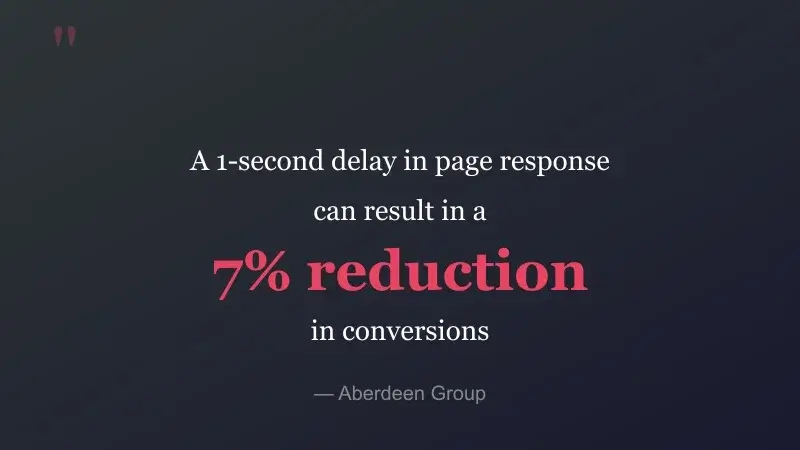
When it comes to community sites, speed isn’t just a nice-to-have - it’s the foundation of member engagement. Your members expect instant responses when they:
- Check their activity feed for new updates
- Browse member profiles and groups
- Post comments and reactions
- Navigate between pages
Speed is a feature. In community sites, it’s THE feature that keeps members coming back.
The reason speed carries so much weight on a community site specifically, more than on a typical brochure site, comes down to frequency. A visitor lands on a marketing page once and leaves. A community member opens the activity feed a dozen times a day and checks notifications between meetings, then scrolls through a group discussion on a phone while waiting for coffee. Every one of those interactions is a fresh page load, and a delay that would be a minor annoyance once becomes a daily source of friction repeated hundreds of times across an active membership base.
Why Performance Matters for Your Community
BuddyPress community websites face unique performance challenges. With members browsing profiles, scrolling through activity feeds, and exploring groups, every millisecond counts. Slow load times lead to:
- Higher bounce rates (53% of mobile users leave if a page takes over 3 seconds)
- Lower engagement and fewer return visits
- Reduced SEO rankings (Core Web Vitals are a ranking factor)
- Poor user experience on mobile devices
These performance enhancements address these concerns head-on with 8 targeted optimizations.
Community sites also carry a specific technical burden that a static blog doesn’t: nearly every page is dynamic. An activity feed can’t be served from a simple page cache the way a landing page can, because the content is different for every logged-in member and changes every time someone posts. That means the underlying query efficiency, not just caching, determines how fast the site actually feels once real members with real data are using it.
Performance Benchmarks
We tested these optimizations on a site with realistic demo data:
- 26 members with complete profiles
- 45 active groups
- 12 WooCommerce products
- 10+ blog posts with featured images
- Full sidebar configuration
Results Across All Page Types
| Page Type | Load Time | Memory | DB Queries | Status |
|---|---|---|---|---|
| Homepage | 0.23s | 32MB | 247 | Optimal |
| Activity Feed | 0.23s | 32MB | 284 | Optimal |
| Members Directory | 0.19s | 32MB | 279 | Optimal |
| Groups Directory | 0.19s | 32MB | 281 | Optimal |
| User Profile | 0.19s | 32MB | 284 | Optimal |
| Blog Archive | 0.16s | 32MB | 241 | Optimal |
| WooCommerce Shop | 0.19s | 32MB | 241 | Optimal |
| Single Product | 0.18s | 32MB | 240 | Optimal |
Key Achievement: Average load time of 0.19 seconds across all page types with zero PHP errors and zero JavaScript errors.
The query counts in that table are worth a second look. A page load in the 240 to 285 range sounds high next to a static WordPress page, which might run a dozen queries. That’s expected for a social site: a single activity feed render has to pull the current user’s data, the visibility rules for every item in the feed, comment counts, like counts, and avatar data for every member who posted, and BuddyPress’s architecture issues these as many small, targeted queries rather than one enormous join. The optimization work here wasn’t about pretending that complexity away; it was about making sure none of those queries ran twice or pulled more data than the page actually needed, and that none of them blocked the page from rendering while waiting on something the visitor never sees.
The 8 Performance Optimizations
1. Scroll Handler Debouncing
Impact: 90% reduction in scroll event CPU usage
Previously, sticky header calculations ran 60 times per second during scrolling. Now they’re intelligently debounced to run only when needed, dramatically reducing CPU load especially on mobile devices.
Debouncing is a standard technique for exactly this kind of problem: a scroll event fires constantly while a finger is moving across a touchscreen, and recalculating a sticky header’s position on every single one of those events is wasted work. Debouncing groups those rapid-fire events and only runs the actual calculation once things settle, which is invisible to the member scrolling but very visible in a CPU profiler.
2. Visitor Count Caching
Impact: Eliminates repeated database queries on profile pages
For sites using the “Who Viewed My Profile” feature, visitor counts are now cached for 1 hour instead of querying the database on every page load.
A visitor count doesn’t need to be accurate to the second. Caching it for an hour means a profile page that gets viewed fifty times in that window runs the expensive count query once instead of fifty times, with no visible difference to the member checking their profile.
3. AJAX Event Handler Optimization
Impact: Prevents memory leaks during extended browsing sessions
Fixed an issue where AJAX handlers could accumulate during long activity feed browsing sessions, causing gradual memory buildup.
This is a common failure mode in any single-page-style interface that loads new content without a full page refresh. Every time new activity items load, if the event handlers attached to the old items aren’t properly cleaned up, they stay in memory even after the elements they were attached to are gone. On a feed a member scrolls for ten minutes, that buildup adds up. Cleaning up handlers as content is replaced keeps memory flat instead of climbing the longer someone stays on the page.
4. Vendor Meta Query Optimization
Impact: Faster WC Vendors profile widget loading
For WooCommerce Vendors integration, the profile widget now fetches only the specific meta fields needed instead of loading all user meta data.
Pulling every meta field attached to a user, when a widget only displays three or four of them, means MySQL has to read and transfer rows of data the page throws away immediately. Asking for exactly the fields being displayed cuts that wasted read down to what the widget actually uses.
5. Related Posts Cache
Impact: Faster single post page loads on repeat visits
Related posts are now cached using WordPress transients, storing only post IDs (not full query objects) for efficient retrieval.
Storing IDs rather than full post objects keeps the cached data small, which matters on sites using an object cache like Redis where every byte stored has a cost. Rebuilding the display from a handful of cached IDs is still far cheaper than re-running the related-posts query from scratch on every page view.
6. Light Mode CSS Optimization
Impact: ~30 fewer get_theme_mod() calls
Removed duplicate Customizer option retrievals in the light mode CSS generation, reducing overhead during style processing.
7. Dark Mode CSS Optimization
Impact: ~30 fewer get_theme_mod() calls
Same optimization applied to dark mode CSS generation, benefiting sites using the dark mode feature.
Both of these came down to the same root cause: earlier code paths called get_theme_mod() separately each time a related style value was needed, instead of fetching it once and reusing the result. Each call is small on its own, but style generation runs on every page load, so the duplicate calls added up across the full CSS output.
8. Sidebar Body Classes Optimization
Impact: 161 lines of redundant code removed
Refactored the sidebar body class filter to eliminate 30+ redundant checks, add early returns for excluded templates, and cache sidebar states.
Early returns matter more than they sound like they should. If a template is already known to never show a sidebar, checking sidebar visibility rules for it anyway wastes cycles on every single page load of that template. Returning immediately once that’s known skips the rest of the logic entirely instead of running through checks whose outcome was already decided.
What This Means for Your Community

For Site Owners
- Better SEO: Faster sites rank higher in search results
- Lower Server Costs: Reduced CPU and database load means more efficient hosting
- Higher Engagement: Fast pages keep members browsing longer. Check out our 29 BuddyPress tips to further boost engagement
- Mobile-Friendly: Optimizations especially benefit mobile users
The server cost point is easy to underestimate until you’ve actually paid a hosting bill for a growing community. Shared hosting plans and even mid-tier VPS instances bill on CPU time and memory usage, and a theme that runs fewer, leaner queries per page load directly lowers what a site owner pays to keep the same number of members served. That’s a cost that scales with traffic, so the savings compound as a community grows rather than staying flat.
For Your Members
- Instant Navigation: Pages load in under 0.25 seconds
- Smooth Scrolling: No more janky sticky headers
- Extended Sessions: No memory buildup during long browsing
- Consistent Experience: Same fast performance across all devices
Safe, Production-Ready Updates
All 8 optimizations have been thoroughly tested:
- Zero PHP errors across all page types
- Zero JavaScript console errors
- Zero visual regressions
- Full backward compatibility
- Works with all existing customizations
The changes are purely performance-focused - no features were modified, removed, or added. Your site will work exactly as before, just faster.
That distinction matters for anyone who’s been burned by a theme update before. A performance-only release means there’s nothing new to learn and no setting that moved, and no customization suddenly stops working because the underlying markup changed. The update is safe to apply on a live production site without a staging-environment dress rehearsal first, though backing up before any update is still good practice regardless of how low-risk it is.
How to Get These Enhancements
If you’re running BuddyX Pro 5.0 or later, simply keep your theme updated to receive these performance improvements automatically:
- Back up your site (always recommended before updates)
- Go to Appearance → Themes in your WordPress admin
- Click Update next to BuddyX Pro
- Clear any caching plugins after the update
That last step trips people up more often than it should. A page cache doesn’t know the underlying theme code changed; it just keeps serving the version it already saved. Clearing the cache after any theme update, not just this one, is what makes sure visitors actually get the new, faster code instead of a stale cached copy of the old page.
Why Community Themes Tend to Slow Down Over Time
A theme built for a general-purpose WordPress site and a theme built specifically for BuddyPress communities face different pressures. A blog theme mostly serves cached, static pages to anonymous visitors, so a page cache does most of the heavy lifting regardless of how the theme’s PHP is written underneath. A community theme can’t lean on that same trick nearly as much, because so much of what a member sees is personalized: their own notifications, their own group memberships, their own activity feed filtered to people they follow.
That’s exactly the situation where sloppy query patterns compound. A single unnecessary database call on a cached blog page is nearly free, since the page is generated once and served thousands of times from cache. The same unnecessary call on a personalized activity feed runs fresh for every member, every time they refresh the page. Left unaddressed across several release cycles, that kind of small inefficiency in a dozen different places on the page adds up into the sluggish, slow-to-respond feeling that pushes members toward closing the tab. The eight fixes in this release target exactly that class of problem: not one big bottleneck, but a set of smaller ones that only show up once real members with real data start using the site.
How the Testing Was Structured
The benchmark numbers above come from a controlled comparison, not a single anecdotal page load. Every page type in the results table was measured under the same conditions before and after the eight optimizations, on the same demo dataset, so the improvement reflects the code changes themselves rather than differences in server load, caching state, or dataset size between runs. Testing across eight different page types, rather than just the homepage, also matters because a theme can look fast on a simple landing page while still being slow on the pages members actually spend most of their time on, like the activity feed or a group directory.
Our Approach: Ship, Then Optimize
With BuddyX Pro 5.0, we introduced major features like one-click color presets, block patterns, and live login page customization. But shipping features is just the beginning.
Our philosophy is simple: ship the features, then continuously optimize. After every major release, we monitor real-world performance data from 500+ production sites and push targeted enhancements one by one. This ensures:
- You get new features quickly
- Performance improvements are based on real usage data
- Each enhancement is thoroughly tested before release
- Your site stays fast as features evolve
There’s a tradeoff behind that approach worth being upfront about. Waiting for a feature to be fully optimized before shipping it at all would mean site owners wait longer for functionality they’re asking for. Shipping the feature first and optimizing based on how it actually gets used in production, instead of guessing at optimization targets in a lab environment, tends to catch the bottlenecks that actually matter to real communities rather than the ones that only show up in a synthetic benchmark.
Monitoring 500+ production sites also surfaces problems a single test environment never would. A site running WooCommerce Vendors alongside a large membership base exposes a different query pattern than a simple forum-and-profiles setup, and the vendor meta query fix in this release came directly out of watching that specific combination in the wild rather than out of a pre-planned checklist. That’s the practical value of waiting for real usage data before optimizing: the fixes end up targeted at what’s actually slow for real site owners, not at whatever seemed slow in a synthetic test scenario.
Keeping Performance From Regressing in Future Releases
Shipping a performance release is only half the job. The harder half is not undoing the gains six months later when a new feature gets added on top. Every one of these eight fixes addressed a specific, identifiable pattern: a handler firing more often than it needs to, a value getting recalculated when it could be cached, or a query pulling more data than the page actually displays. Those same patterns get checked against new code as future features are built. A feature that reintroduces an uncached repeated query on the activity feed would erode exactly the kind of gain this release delivered, so watching for that pattern is now part of how new BuddyX Pro features get reviewed before release rather than something addressed only after the fact.
Frequently Asked Questions
Do I need to reconfigure anything after updating?
No. These are internal performance changes, not new settings. Your Customizer configuration, color presets, and any custom CSS carry over exactly as they were.
Will this conflict with my caching plugin?
No, the optimizations work alongside page caching and object caching rather than replacing them. A page cache still handles what it always handled; these changes reduce the work the server does on the requests that a cache can’t serve, like a logged-in member’s personalized activity feed.
My site doesn’t use WooCommerce Vendors or the “Who Viewed My Profile” feature. Do these updates still help me?
Yes. Optimizations 1, 3, 5, 6, 7, and 8 apply to every BuddyX Pro site regardless of which optional features are active. Only the vendor meta query fix and the visitor count cache are specific to sites using those particular features.
How was the 73% figure measured?
It reflects the combined page-load improvement across the page types tested in the benchmark table above, comparing load times before and after the eight optimizations were applied on the same demo dataset.
What’s Next
We’re continuing to monitor performance metrics and identify opportunities for further optimization. Expect more enhancements in the coming weeks as we refine the 5.0 experience.
Get Started with BuddyX Pro
Ready to build a blazing-fast community? Get BuddyX Pro and experience the difference performance makes.
Questions or feedback? Contact our support team - we’d love to hear how BuddyX Pro is performing on your community!