

A meaningful share of internet users prefer browsing in their native language, and most websites still don’t offer that option. A translation plugin is how you close that gap without hand-building a separate site per language. This guide covers the plugins actually worth using, and one dead one to avoid if you’ve seen it recommended elsewhere. Which one actually fits your site depends less on which has the longest feature list and more on how you plan to translate (machine, human, or a mix), whether you’re running WooCommerce, and how much SEO weight multilingual search visibility genuinely carries for your traffic.
Why Use a Translation Plugin
Manually maintaining separate language versions of a site doesn’t scale. A translation plugin automates the mechanics, content duplication, language switchers, SEO tagging, and in several cases connects directly to professional translation services when machine translation isn’t good enough.
Machine Translation vs. Professional Translation: What Each Plugin Actually Gives You
Before comparing plugins directly, it’s worth understanding the two fundamentally different translation methods sitting underneath most of them, since the plugin’s real value often comes down to how well it manages this choice rather than the interface itself. Machine translation (Google Translate, Microsoft Translator, or DeepL’s API, all of which several plugins below tap into) is instant and effectively free at low volume, but it still makes real mistakes, particularly with idioms, industry-specific terminology, and languages with very different grammar structures from the source. DeepL is generally regarded as producing the most natural output of the three for European languages specifically, worth knowing if a plugin gives you a choice of translation engine, though its language coverage is narrower than Google’s or Microsoft’s, so it isn’t always available for every language pair you might need. Professional human translation, whether through a plugin’s built-in marketplace integration or a translator you hire directly, costs real money per word but catches nuance machine translation still misses, brand voice, cultural context, wording that’s technically correct but reads oddly to a native speaker. Most serious multilingual sites end up using a hybrid: machine translation for speed and initial coverage, with human review or professional translation reserved for high-visibility pages (homepage, pricing, legal pages) where getting it wrong actually costs something.
Best WordPress Translation Plugins
1. WPML

WPML handles pages, posts, custom post types, menus, and widgets, with support for both automatic machine translation and professional translation service integration. The most fully-featured option here, and the one with the broadest plugin/theme compatibility. Pricing runs from roughly $59/year (Blog, single site) up to $199/year (Agency, unlimited sites), and its Advanced Translation Editor lets a human translator work directly against machine-translated drafts inside WordPress rather than exporting and re-importing content through a separate tool, a real time-saver on a site where translators are reviewing and correcting rather than translating from a blank page every time.
2. Polylang
Polylang covers posts, pages, categories, tags, menus, and widgets, with RTL language support (Arabic, Hebrew) and compatibility with Elementor, Beaver Builder, and WooCommerce. Free version handles the basics; Pro adds automatic translation and site-wide language switcher placement. Polylang’s free tier is genuinely more capable than WPML’s, no paid tier required at all if you’re comfortable translating content manually rather than relying on machine translation, which makes it a common pick for budget-conscious multilingual sites that don’t need WPML’s deeper ecosystem.
3. Weglot Translate
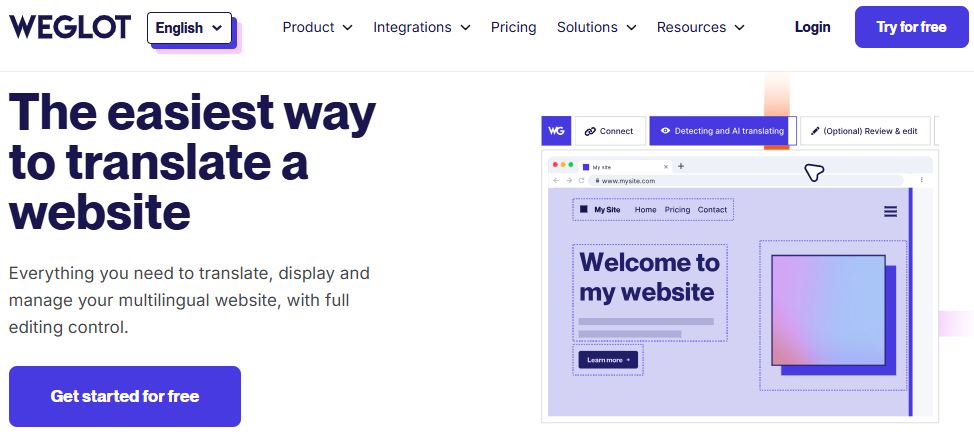
Weglot is cloud-based rather than database-heavy: it auto-detects and translates content via Google, Microsoft, or DeepL, with human translation available on top, and serves the right language automatically based on browser or IP. Integrates with Google Analytics and Yoast SEO out of the box. Because translation happens on Weglot’s servers rather than duplicating content in your WordPress database, it also tends to be the lightest-weight option performance-wise, worth considering if site speed on an already-heavy build is a real concern.
4. TranslatePress
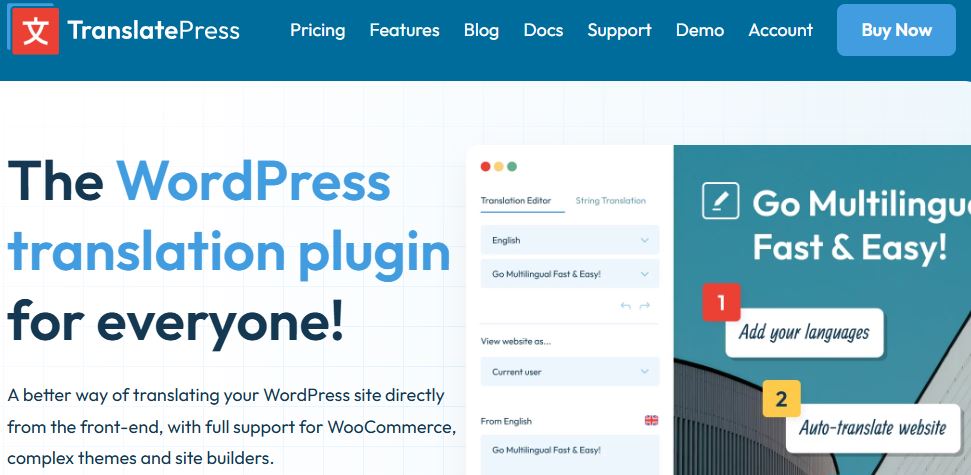
TranslatePress translates directly from the front end with a real-time visual editor, no separate posts per language. Covers dynamic strings and SEO meta tags, with Google Translate API integration and WooCommerce support. Free version is genuinely usable; Pro unlocks more languages and automatic translation. The visual, click-to-edit front-end approach is its real differentiator, a non-technical site owner can click directly on a piece of translated text on the live page and correct it, without navigating a separate admin translation table the way WPML and Polylang require.
5. GTranslate

GTranslate wraps Google Translate into a WordPress plugin with URL translation, widget translation, and multilingual SEO across 100+ languages, plus a manual-edit option to clean up machine translation errors. The free tier only offers a JavaScript-based on-the-fly widget (no SEO benefit, since search engines don’t index content that only renders after a script runs), the paid tiers add actual translated URLs search engines can crawl and index separately, worth knowing since the free version alone won’t help with multilingual search visibility.
6. MultilingualPress
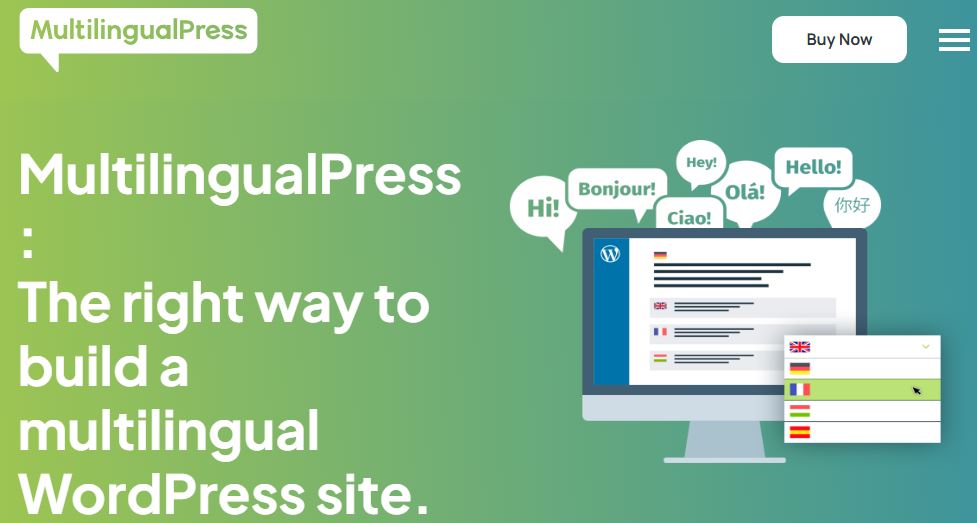
MultilingualPress takes a different approach: separate connected sites per language (single install or multisite) rather than one site with translated fields. Worth flagging directly: version 2 was retired in early 2025, if you’re running an older install, check the vendor’s site about upgrading to version 4 before relying on it further. This multisite-based architecture is worth understanding before choosing it over the others, each language genuinely lives as its own WordPress site under one multisite network, which gives more structural independence per language (different plugins or themes per language site, if truly needed) at the cost of more infrastructure complexity than the single-site plugins above.
7. Ray Enterprise Translation (formerly Lingotek Translation)
Renamed since this post’s original version, Ray Enterprise Translation (8,000+ active installs, same underlying plugin) still covers cloud-based localization with translation memory and a real-time visual editor for posts, pages, tags, categories, and custom post types. Translation memory, storing and reusing previously translated phrases automatically, is the feature worth calling out specifically, it’s a genuine time and cost saver on a large site with a lot of repeated boilerplate content (product descriptions with shared structure, repeated legal disclaimers) across many pages.
8. Google Language Translator
Google Language Translator adds a simple dropdown language switcher visitors can use themselves. Free, but requires a Google Translate API key to function, and covers 100+ languages once set up. Like GTranslate’s free tier, this renders translation client-side via JavaScript, meaning search engines generally don’t index the translated versions separately, treat it as a visitor-convenience tool rather than a multilingual SEO strategy.
Dropped From This List: qTranslate X
An earlier version of this post included qTranslate X as a free option. It’s been closed on WordPress.org since August 31, 2021 for an unresolved security issue, and its own user reviews warn that removing it can corrupt your site’s database. If you’re currently running it, that’s worth treating as urgent: migrate to Polylang or TranslatePress rather than waiting for an update that isn’t coming.
Hreflang Tags: The SEO Detail That Separates a Real Multilingual Site From a Translated One
Translating content is only half the multilingual SEO picture, and it’s the half most site owners naturally focus on since it’s the visible one, the other half is telling search engines which translated version to serve to which searcher, and that happens through hreflang tags, an HTML attribute pointing search engines to the equivalent page in another language. Get this wrong and you risk search engines treating your translated pages as duplicate content competing against each other rather than distinct, properly-targeted versions, or serving a French visitor your English homepage in results because nothing told Google the French version exists and maps to it. WPML, Polylang, and Weglot all generate hreflang tags automatically as part of normal operation, this isn’t something you need to hand-code, but it’s worth spot-checking (view page source, search for “hreflang”) after setup to confirm tags are actually present and pointing to the correct URLs, a misconfigured multilingual SEO setup is a common, hard-to-notice mistake that quietly caps your international search visibility without any obvious error message.
RTL Languages Need More Than Just Translated Text
If Arabic, Hebrew, or another right-to-left language is part of your language list, translation is only step one, the layout itself needs to flip too, navigation, text alignment, icon placement, even the direction a progress bar or slider fills. It’s a genuinely different category of testing work than a left-to-right language addition, worth budgeting real time for rather than assuming it’s a checkbox alongside your other languages. A plugin claiming RTL support (Polylang and WPML both do) handles the text-direction switch, but the visual result still depends heavily on whether your theme was actually built with RTL layouts in mind, an under-tested theme can produce a technically-RTL page that still looks visually broken, icons on the wrong side, overlapping elements, misaligned buttons. Test an RTL language directly in the browser rather than trusting a plugin’s RTL-support claim alone, and budget real time for CSS fixes if your theme wasn’t built RTL-first.
Multilingual WooCommerce Adds Its Own Complexity
Running a multilingual store isn’t just translating product titles and descriptions, checkout flows, order confirmation emails, tax and legal text, and shipping notifications all need to render in the visitor’s language too, and gaps here are where a lot of “multilingual” WooCommerce setups actually fall short in practice, a customer who browsed and bought in French but receives an English order confirmation email is a jarring, easy-to-avoid mistake that still happens surprisingly often. WPML has the deepest native WooCommerce integration of the plugins above, translating not just product content but variations, attributes, and the checkout flow itself, which is the primary reason many WooCommerce stores choose it over Polylang or TranslatePress despite the higher cost. If you’re also running multi-currency (a related but distinct need, covered in more depth in our multi-currency plugin roundup), check that whichever translation plugin you choose plays well with your currency plugin specifically, language and currency switching sometimes conflict when both are trying to manage geolocation-based defaults independently, test both switchers together rather than assuming they’ll cooperate cleanly out of the box.
A Migration and Setup Checklist Worth Running
A few steps are worth taking regardless of which plugin you choose, since multilingual setup mistakes tend to be the kind that stay invisible until a customer or a search engine flags them, quiet failures rather than obvious broken-page errors. First, decide your URL structure (subdirectory, subdomain, or separate domain per language) before translating a single page, changing it later means redirecting every translated URL, a real SEO cost if done sloppily. Second, translate your SEO meta fields (title tags, meta descriptions) alongside the visible content, not just the page body, an untranslated meta title on an otherwise-translated page is a common, easy-to-miss gap that undercuts click-through in search results for that language, a small oversight with a real, measurable traffic cost. Third, test the language switcher itself on mobile specifically, several of these plugins default to a dropdown or flag-icon switcher that can be genuinely hard to tap accurately on a small screen, worth a real device test on an actual phone rather than just a desktop browser check or a resized browser window. Fourth, if you’re using machine translation for a first pass, budget a proofreading pass by an actual native speaker before considering the site launch-ready, even strong machine translation output benefits from one human read-through to catch anything that reads technically correct but unnatural.
Common Questions
Do I need a separate URL structure per language, or can it just be a toggle? For real SEO benefit, yes, separate URLs (subdirectories like /fr/ or subdomains like fr.example.com) that search engines can crawl and index independently. A JavaScript-only language toggle that swaps text without changing the URL, the approach behind the free tiers of GTranslate and Google Language Translator, gives visitors a translated experience but earns essentially no multilingual search visibility, since there’s no separate indexable page for search engines to rank.
How much does professional human translation typically cost compared to machine translation? Machine translation through most of the plugins above is effectively free or bundled into the plugin’s existing license, subject to the underlying API’s own usage limits, worth checking before assuming unlimited free translation at high volume. Professional human translation runs anywhere from roughly $0.08 to $0.25+ per word depending on language pair and subject complexity, which adds up fast on a large site, a strong argument for the hybrid approach mentioned earlier, machine translation broadly, human translation reserved for your highest-traffic or highest-stakes pages.
Can I switch translation plugins later without losing my translated content? Not cleanly, in most cases. Each plugin stores translated content in its own database structure (custom tables, post meta, or separate posts depending on the plugin), and there’s no standard, universal export format all of these plugins share. Migrating from one to another generally means re-translating from scratch or a fairly involved manual export/import process, worth picking carefully upfront rather than assuming an easy switch later if the first choice doesn’t work out.
Does adding more languages slow down my site? It depends heavily on the plugin’s architecture. Database-driven plugins (WPML, Polylang) store each translation as additional content in your WordPress database, more languages means more rows, generally a modest impact unless you’re translating into a large number of languages simultaneously. Cloud-based plugins (Weglot) offload the translated content to their own servers, keeping your own database and hosting load closer to what it would be with a single language, worth considering specifically if your hosting is already under real load or you’re translating into many languages at once.
Should I translate everything at once, or roll languages out gradually? Gradually is the more common and generally lower-risk approach, especially with machine translation quality varying by language pair. Launch your highest-priority second language first (usually determined by your actual traffic or business geography, not a guess), confirm the setup, SEO tagging, checkout flow if relevant, works cleanly end to end, then add additional languages once that pattern is proven, rather than translating into five languages simultaneously and discovering a structural problem that now needs fixing across all five at once.
Picking One
WPML and Polylang cover the most general use cases with the deepest plugin ecosystems, and WPML specifically if WooCommerce is a core part of the site given its deeper checkout-flow translation. Weglot and TranslatePress are strong if you want to avoid managing separate content per language, or want the lightest performance footprint and the friendliest visual editing experience respectively. GTranslate and Google Language Translator are the fast, low-effort options if perfect translation quality (and real multilingual SEO) matters less than just having something available quickly, worth remembering their free tiers won’t earn you separate indexable language URLs. Manual proofreading is worth it regardless of which one you pick, machine translation still makes mistakes a native speaker would catch immediately, and for pages where getting it wrong actually costs you (pricing, legal, your homepage), a human review pass is worth the extra time.