How to build connections with new members in BuddyPress?


Building a thriving online community in BuddyPress requires encouraging a sense of belonging and connection among its members. One effective way to achieve this is by building connections with new members. This not only helps newcomers feel more welcomed and engaged but also encourages them to participate actively in the community. Wbcom Designs, a leading provider of BuddyPress plugins, has developed a solution to automate this process: the BuddyPress Auto Friends plugin. Let’s explore the features and benefits of this plugin, focusing on how it can transform your community interactions.
BuddyPress Auto Friends
The BuddyPress Auto Friends plugin is designed to create a more welcoming and inclusive community by automatically creating and accepting friendships for specific users when a new user registers. This can help new users feel more connected and engaged with the community right from the start.
This seamless integration helps new users feel valued and encourages them to become active participants in the community, by building connections with new members and contributing to a more vibrant and cohesive online space.
The Importance of Automatically Connecting New Members
Building connections with new members has several benefits for building a strong and engaged community:
1. Improved Retention: When new members feel more connected and engaged with the community, they are more likely to continue participating and remain active members over the long term. A sense of belonging can significantly increase user retention rates.
2. Increased Engagement: Automatically adding new members as friends can help encourage them to engage more with the community and participate in discussions or activities. When users see familiar names in their friend lists, they are more likely to reach out and interact.
3. Stronger Social Connections: Automatically adding new members as friends helps them build social connections with other members, leading to more meaningful interactions and relationships over time. This social fabric is essential for creating a vibrant community.
Also Read: Best Application Lifecycle Management Tools
Key Features of BuddyPress Auto Friends
1. Global Friends List
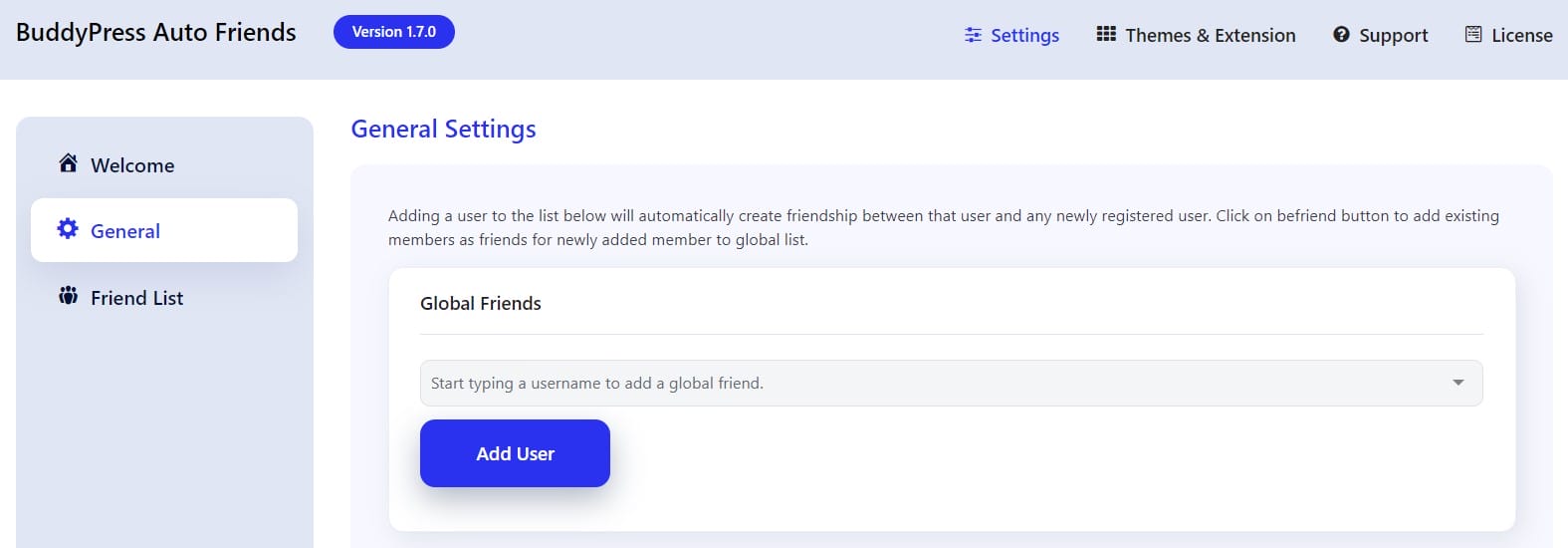
One of the standout features of the BuddyPress Auto Friends plugin is the ability to create a global friends list. This list allows you to automatically add new members as friends with a predefined set of existing members.
a) Common Connection: By having new members automatically friend existing members, you create a common connection that helps break the ice and encourages interaction.
b) Customizable: Site administrators can easily customize the global friends list by selecting which existing members should be included. This could be a mix of active users, moderators, or community leaders who can help guide new members.
2. Conditional Friend Lists
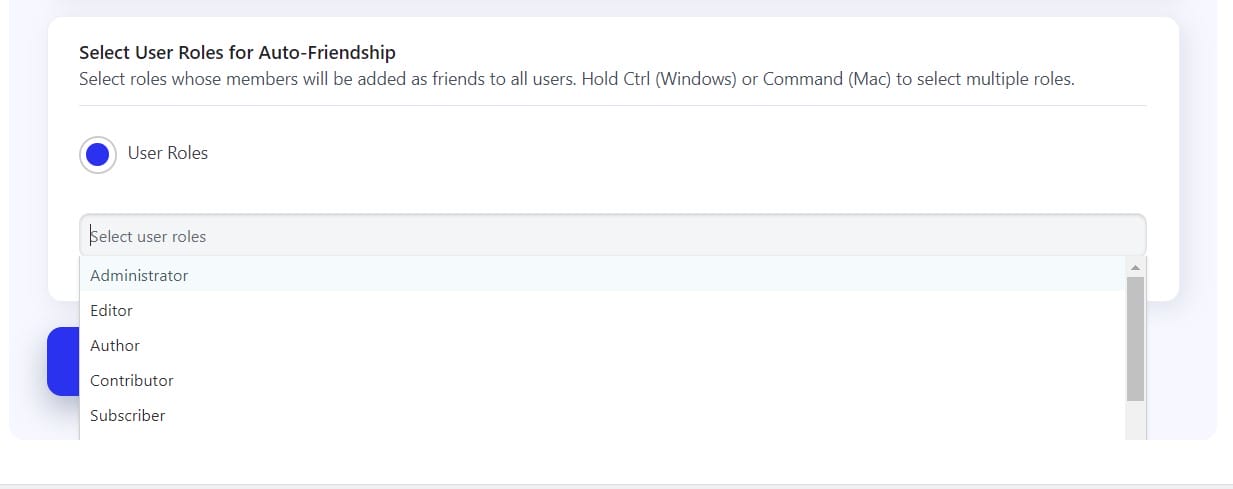
In addition to the global list, the plugin supports creating conditional friend lists based on specific criteria. This feature allows you to automatically add different sets of friends to new members based on their User Roles.
a) Targeted Connections: For example, you might create a list of “Members” that will be added as friends to new members of a certain User type.
b) Dynamic Matching: When a new member joins, the plugin checks which User profile they match and adds the corresponding friends. This ensures that new members are connected with individuals who are relevant to their interests or needs.
Also Read: How to Set Up Salesforce Integration in WooCommerce
3. Easy Management of Friend Lists
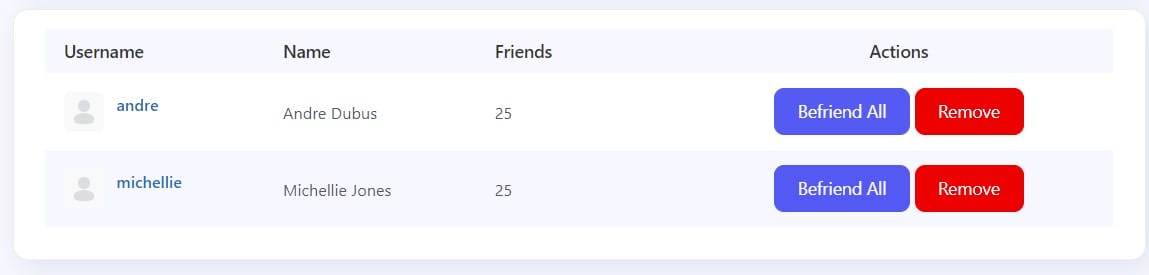
Site administrators can easily manage friend lists. They can remove members from the global or conditional friend lists if needed. This flexibility ensures that the community remains dynamic and that connections are relevant.
a) Befriend All Option: The plugin includes a “Befriend All” option that allows administrators to quickly add all members to a user’s friend list, making it easy to reset connections as needed.
b) Custom Removal: If certain members are no longer active or if their roles change, administrators can easily remove them from the global friends list.
4. Friend List Feature
The BuddyPress Auto Friends plugin includes a powerful friend list feature that allows members to create and manage their friend lists from their profiles. This feature enhances the user experience by enabling members to filter activities based on their selected friends.
a) Enable List Feature: Site administrators can enable the friend list feature, allowing members to create friend lists that filter activities. This is a great way for users to stay updated on the interactions of their chosen connections.
b) Member Selection Criteria: When creating a friend list, members can customize the member suggestion list. They can choose to select friends from their existing connections or the entire member list. The options include:
- All Users: This option includes all members of the site in the suggestion list, allowing users to connect with anyone in the community.
- Connections: This option will only include members who are already friends with the user, making it easier to manage existing relationships.
Also Read: Best Learning Management System Software
Pricing and Support
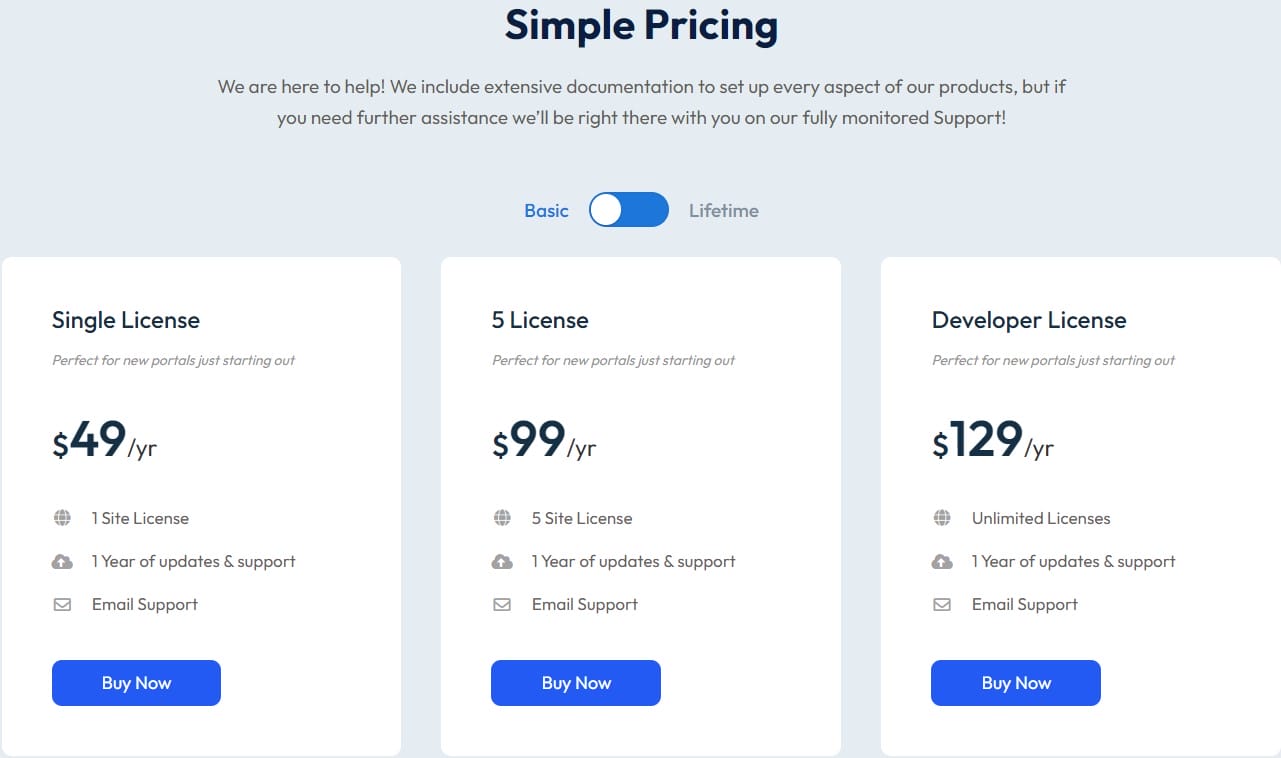
The BuddyPress Auto Friends plugin offers several pricing plans to cater to different needs:
1. Single License: Ideal for new portals, priced at $49 per year.
2. 5 License: Suitable for small to medium-sized communities, priced at $99 per year.
3. Developer License: Best for larger communities or multiple domains, priced at $129 per year.
All plans include comprehensive support from the Wbcom Designs team, ensuring you receive assistance whenever needed.
Enhancing Community Engagement with BuddyPress Auto Friends
The BuddyPress Auto Friends plugin by Wbcom Designs is a powerful tool for fostering a welcoming and interconnected online community. By automating the process of creating and accepting friendships between new members and existing ones, this plugin helps new users feel valued and integrated from the moment they join. The features, such as global and conditional friend lists, easy management, and customizable friend list options, ensure that the community remains dynamic and engaging.
By leveraging these features, community managers can build connections with new members effectively, enhancing user retention, increasing engagement, and strengthening social connections. This plugin plays a crucial role in building connections with new members, helping them feel more connected and engaged with the community right from the start. Whether you’re managing a small community or a large network, the BuddyPress Auto Friends plugin provides the tools needed to build connections with new members and foster a more vibrant and cohesive online space.
For those looking to boost community interaction and build connections with new members, the BuddyPress Auto Friends plugin offers a straightforward and effective solution. Choose the plan that best fits your needs and start building connections with new members and transforming your community today.
Interesting Reads:
Enhancing Community Interaction with a Personalized Newsfeed
What Is A Peer-To-Peer Social Network?
Maximizing Your WordPress Site: Top Marketing Plugins to Boost Engagement

Shashank is a seasoned digital marketing and WordPress expert who specializes in SEO, software tools reviews, and cutting-edge strategies for boosting online presence. With a passion for simplifying complex topics, Goutham crafts engaging blog posts that help readers optimize their websites, improve search engine rankings, and stay ahead in the ever-evolving digital landscape.