

Dropbox has long been one of the most recognized cloud storage services, helping individuals and businesses sync files, back up data, and collaborate across teams. While it remains a popular choice, many users today are actively searching for Dropbox alternatives. The reasons are varied—some find Dropbox’s storage limits restrictive, others are concerned about pricing, and a growing number of businesses are prioritizing privacy and data sovereignty.
With the cloud storage market expected to reach $472 billion by 2030 (Fortune Business Insights), it’s no surprise that new and established providers are offering better features, more affordable plans, and advanced security options.
Whether you need more free storage, stronger encryption, or a platform designed for business collaboration, there’s an option here that suits your workflow.

Quick Links
Top Cloud Storage Trends Shaping 2025
Cloud storage isn’t just about saving files anymore—it’s evolving fast, and 2025 is shaping up to be an exciting year for anyone who relies on the cloud. The market is booming, expected to hit $472 billion by 2030, which means more options, smarter features, and better security for users. Privacy and data sovereignty are becoming major priorities, with stricter laws making it essential to choose a provider you can trust.
Remote work continues to drive demand for seamless collaboration, and AI-powered tools are making file organization, search, and sharing smarter than ever. If you’re looking for a cloud storage solution this year, keeping these trends in mind will help you pick the service that’s not just popular, but future-ready.
Who Can Benefit from Cloud Storage?
Wondering if cloud storage is really for you? The answer is almost always yes! Whether you’re an individual trying to keep your photos and documents safe, a student juggling assignments across devices, or a freelancer sharing files with clients, cloud storage can make life a lot easier.
Small businesses can use it to streamline team collaboration and ensure everyone has access to the latest files, while large enterprises rely on it for secure, compliant storage across departments and locations.
No matter your role, cloud storage isn’t just a convenience—it’s becoming an essential tool for staying organized and productive in today’s digital world.
1. Google Drive
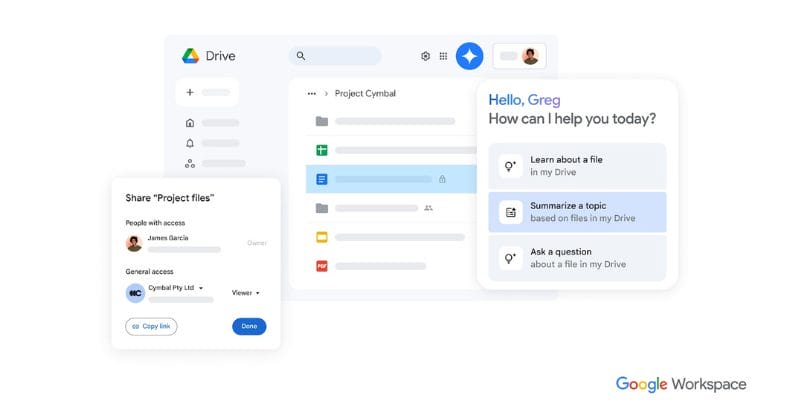
Google Drive is one of the most widely used Dropbox alternatives, thanks to its seamless integration with Google Workspace apps like Docs, Sheets, and Slides. With over 3 billion active users worldwide (Google Blog, 2024), it’s the go-to platform for both individuals and businesses that rely heavily on collaboration.
The platform shines in real-time co-authoring, making it easy for teams to edit documents simultaneously while tracking changes instantly. It’s 15 GB of free storage is generous compared to Dropbox’s free tier, and the paid Google One plans scale up to 2 TB and beyond.
Features:
- 15 GB free storage shared across Gmail, Drive, and Photos
- Real-time collaboration in Google Docs, Sheets, and Slides
- Integration with Gmail, Calendar, and Android devices
- Paid plans under Google One (100 GB to 2 TB)
Pros:
- Excellent collaboration tools
- Generous free storage allowance
- Simple sharing and permissions management
- Works seamlessly across devices
Cons:
- Shared storage with Gmail and Photos can fill up quickly
- Privacy concerns due to Google’s data policies
Pricing:
- Free: 15 GB
- Paid: $1.99/month for 100 GB, $9.99/month for 2 TB
2. Microsoft OneDrive
OneDrive is another powerful Dropbox competitor, especially for those already invested in Microsoft 365. It comes bundled with productivity apps like Word, Excel, and PowerPoint, enabling smooth document editing and file sharing across teams.
For Windows users, OneDrive feels almost native thanks to its built-in file-on-demand feature, which allows you to access files without fully downloading them. With 5 GB of free storage and 1 TB included in Microsoft 365 subscriptions, it’s a solid choice for both personal and professional use.
Features:
- 5 GB free storage for all users
- Deep integration with Microsoft Office apps
- File-on-demand support on Windows
- Real-time co-authoring within Word, Excel, and PowerPoint
Pros:
- Great for hybrid workplaces
- Tight integration with Windows and Microsoft 365
- Affordable bundled pricing with Office apps
- Reliable security features like BitLocker
Cons:
- Limited free plan compared to competitors
- Best experience requires the Microsoft ecosystem
Pricing:
- Free: 5 GB
- Paid: Microsoft 365 Personal $69.99/year with 1 TB storage
3. Box
Box is one of the strongest Dropbox alternatives for businesses and enterprises. While it offers 10 GB free storage for individuals, its real strength lies in enterprise-grade features like advanced admin controls, SSO (Single Sign-On), and integrations with tools like Slack, Zoom, and Google Workspace. Box also complies with strict regulations such as GDPR and HIPAA, making it ideal for industries that deal with sensitive data.
Features:
- 10 GB free storage for individuals
- Advanced permission and admin controls
- Enterprise integrations with Slack, Zoom, and Google Workspace
- Compliance with HIPAA, GDPR, and ISO
Pros:
- Excellent for business and enterprise teams
- Secure collaboration with detailed access controls
- Strong compliance for regulated industries
- Wide integration ecosystem
Cons:
- The free plan has a 250 MB upload limit
- It can be expensive for small businesses
Pricing:
- Free: 10 GB (individual)
- Paid: Starting at $15/user/month for business plans
4. pCloud
pCloud is a feature-rich cloud storage service that stands out for offering lifetime purchase plans—a rarity in the subscription-driven cloud industry. Beyond that, it comes with built-in media players, making it especially useful for storing and streaming videos or music.
Users who value privacy can add pCloud Crypto, which provides client-side, zero-knowledge encryption. For those who dislike recurring payments, the lifetime plan makes pCloud a very attractive Dropbox alternative.
Features:
- 10 GB free storage; lifetime purchase options
- Integrated video and music playback
- pCloud Crypto for zero-knowledge encryption (paid add-on)
Pros:
- Flexible payment options (monthly, yearly, lifetime)
- Great for media storage and streaming
- Optional privacy-enhancing encryption
Cons:
- Crypto encryption costs extra
- File versioning is limited compared to competitors
Pricing:
- Free: 10 GB
- Paid: $49.99/year for 500 GB or one-time $199 for lifetime
Also Read: 10 Best AI Tools for Cloud Computing in 2025
5. Sync.com
Sync.com is one of the most privacy-focused Dropbox alternatives available. Based in Canada, it enforces end-to-end encryption by default and complies with GDPR and Canadian privacy laws. Unlike Dropbox and Google Drive, Sync.com promises zero third-party tracking and does not monetize user data.
Although its free storage is limited to 5 GB, its paid plans start at a generous 2 TB, making it ideal for individuals and organizations who prioritize security over convenience.
Features:
- 5 GB free storage
- End-to-end encryption is included by default
- Data residency in Canada; paid plans start at 2 TB
Pros:
- Excellent for privacy-conscious users
- No third-party tracking or ads
- Complies with GDPR and PIPEDA
Cons:
- Slower sync speeds compared to Dropbox
- Limited collaboration features
Pricing:
- Free: 5 GB
- Paid: Starts at $8/month for 2 TB
6. Mega
Mega is well-known for its generous free tier, offering 20 GB of free storage—one of the largest among Dropbox competitors. The service includes end-to-end encryption and secure file sharing, along with bonus features like encrypted chat. While free accounts face transfer limits, Mega remains a solid choice for users who want lots of free space without dealing with ads.
Features:
- 20 GB free storage
- End-to-end encryption
- Encrypted chat and file sharing
- Temporary transfer limits for free users
Pros:
- One of the most generous free plans available
- Strong encryption and security controls
- Easy-to-use file sharing system
- Available across all platforms
Cons:
- Transfer limits on free accounts
- Paid plans are less competitive than some rivals
Pricing:
- Free: 20 GB
- Paid: $5.50/month for 400 GB, $11/month for 2 TB
7. iCloud Drive
For Apple ecosystem users, iCloud Drive is the natural Dropbox alternative. It integrates seamlessly with macOS and iOS devices, automatically syncing documents, photos, and app data across platforms. While the free plan offers only 5 GB, upgrades are affordable through Apple One bundles, which also include services like Apple Music and TV+.
However, iCloud Drive is less ideal for users who rely on Windows or Android, as its cross-platform support is limited.
Features:
- 5 GB free storage
- Paid upgrades via Apple One bundles
- Automatic syncing across Apple devices
- Family sharing support
Pros:
- Perfect for Apple ecosystem users
- Affordable storage add-ons
- Automatic backups and syncing
- Works across devices without setup
Cons:
- Limited free plan
- Weak integration for non-Apple platforms
Pricing:
- Free: 5 GB
- Paid: $0.99/month for 50 GB, $9.99/month for 2 TB
8. Internxt
Internxt is one of the newer Dropbox alternatives, built with privacy at its core. Unlike Dropbox or Google Drive, Internxt is fully open source and uses zero-knowledge encryption by default. It’s designed for users who value transparency and ethical practices, as the company promotes data ownership and security.
While it may not have as many integrations as bigger players, its clean, modern interface makes it easy to use.
Features:
- 10 GB free storage
- Zero-knowledge encryption
- Open-source clients
- Lifetime purchase options available
Pros:
- Ethical, privacy-first design
- Transparent open-source code
- Generous free plan
- Easy-to-use interface
Cons:
- Smaller ecosystem compared to Google or Microsoft
- Still growing in terms of features
Pricing:
- Free: 10 GB
- Paid: $4.99/month for 200 GB, $9.99/month for 2 TB
9. Tresorit
Tresorit is a premium Dropbox alternative designed for businesses and industries with strict compliance needs. Its end-to-end encrypted platform is fully compliant with HIPAA, GDPR, and ISO standards, making it a preferred choice for legal firms, healthcare providers, and financial institutions.
While it doesn’t offer a permanent free plan (just a 14-day trial), it’s one of the most secure options available in the cloud storage space.
Features:
- End-to-end encrypted storage
- Business compliance with HIPAA and GDPR
- Available on all major platforms
- Enterprise-grade collaboration tools
Pros:
- Excellent for highly regulated industries
- Strongest encryption among competitors
- Detailed admin and access controls
- Works across devices and platforms
Cons:
- No permanent free plan
- A higher cost than mainstream providers.
Pricing:
- Free: 14-day trial only
- Paid: $12.50/user/month for business plans
Also Read: 10 Best PDF & Document Management Plugins
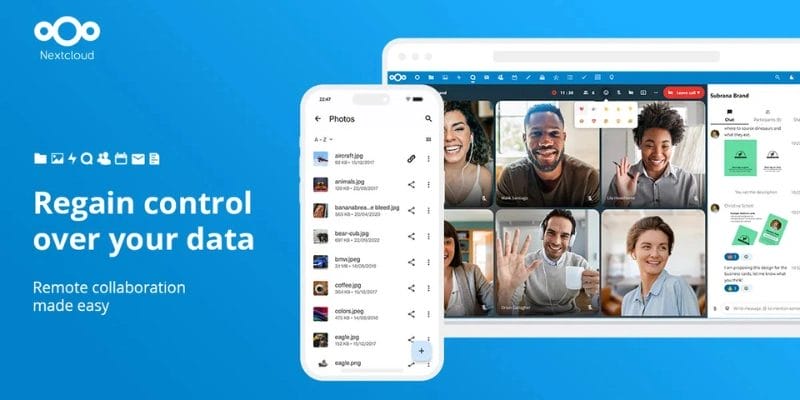
Nextcloud stands out as the ultimate Dropbox alternative for power users and organizations who want complete control over their cloud infrastructure. Unlike other platforms, Nextcloud is self-hosted, meaning you run it on your server or through a managed hosting provider.
This ensures total ownership of your data while allowing you to customize features like chat, calendar, and email. While it requires more technical knowledge, the flexibility it offers is unmatched.
Features:
- Fully open-source cloud platform
- self-hosted or managed hosting options
- optional end-to-end encryption
- extendable with chat, calendar, and mail apps
Pros:
- Full data ownership and control
- customizable with third-party apps
- strong community support
- scalable for personal or enterprise use
Cons:
- Requires technical setup and maintenance
- Not beginner-friendly compared to Dropbox
Pricing:
- Free: Self-hosted
- Paid: Varies with managed hosting providers
Dropbox Alternatives Comparison Table
| Service | Free Storage | Key Features |
|---|---|---|
| Google Drive | 15 GB | Collaboration with Google Workspace, real-time editing, cross-device sync |
| Microsoft OneDrive | 5 GB | Integration with Microsoft 365, file-on-demand, and real-time co-authoring |
| Box | 10 GB | Advanced admin controls, enterprise integrations, and compliance with GDPR/HIPAA |
| pCloud | 10 GB | Lifetime purchase, media playback, optional zero-knowledge encryption |
| Sync.com | 5 GB | End-to-end encryption, GDPR compliant, privacy-focused |
| Mega | 20 GB | Generous free plan, end-to-end encryption, encrypted chat |
| iCloud Drive | 5 GB | Apple ecosystem integration, automatic backups, family sharing |
| Internxt | 10 GB | Open-source, zero-knowledge encryption, lifetime plans |
| Tresorit | 14-day trial | End-to-end encryption, enterprise-grade security, HIPAA/GDPR compliance |
| Nextcloud | Self-hosted | Full control over data, customizable apps, open-source platform |

Choosing the Right Dropbox Alternative
With so many Dropbox competitors available in 2025, the best choice depends on your personal or business priorities. If free storage is your top concern, Mega and Google Drive lead the way. If you want maximum privacy, providers like Sync.com, Internxt, and Tresorit deliver robust encryption and compliance. For teams already using productivity suites, OneDrive and Box offer seamless integrations, while Apple fans will find iCloud Drive the most convenient. Finally, if you’re a power user or a business that values total control, Nextcloud is hard to beat.
The bottom line is simple: there’s no one-size-fits-all Dropbox replacement. Instead, it’s about matching the right service to your specific needs. Try a few free plans, explore the interfaces, and you’ll quickly discover the Dropbox alternative that makes your workflow smoother, safer, and more affordable.
Frequently Asked Questions(FAQs)
1. Which cloud storage service offers the most free storage?
If you’re looking for maximum free storage, Mega takes the lead with 20 GB for free users. Google Drive is also generous with 15 GB, while services like Box, pCloud, and Internxt offer 10 GB. Keep in mind that some platforms share free storage across other apps, like Gmail or Photos, so always check the fine print.
2. Which Dropbox alternative is best for privacy and encryption?
For users prioritizing security, Sync.com, Tresorit, and Internxt are excellent choices. These services offer end-to-end encryption, zero-knowledge architecture, and strict compliance with privacy regulations like GDPR. If data privacy is a top concern, these platforms keep your files safe from third-party access.
3. Can I use cloud storage for both personal and business needs?
Absolutely! Cloud storage is versatile. Individuals can store personal files, photos, and backups, while businesses can collaborate on documents, manage projects, and securely share data across teams. Platforms like Google Drive, OneDrive, and Box are particularly well-suited for both personal and professional workflows.
4. What is the difference between Google Drive, OneDrive, and Dropbox?
Google Drive integrates seamlessly with Google Workspace apps like Docs and Sheets, making it great for collaboration. OneDrive works best with Microsoft 365, offering file-on-demand and deep Office integration. Dropbox is known for its simplicity and reliable syncing, but it has smaller free storage limits. Your choice depends on which ecosystem you use and the features you need.
Interesting Reads
10 Best Lightroom Alternatives and Competitors to Try in 2025

