
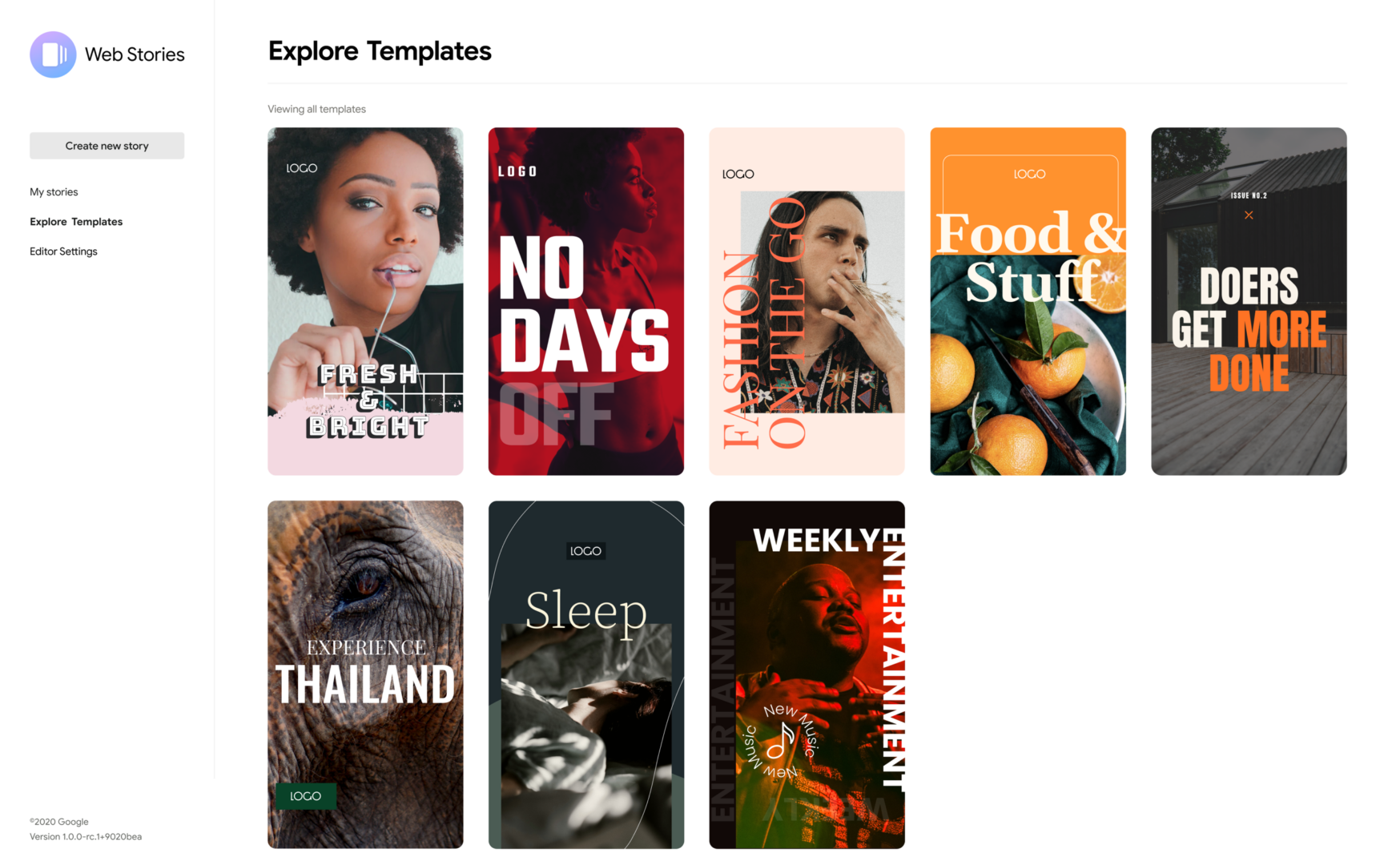
Stories didn’t stay an Instagram or Snapchat thing for long. The format, a short-lived, full-screen photo or video that disappears after a set window, spread to Facebook, WhatsApp, LinkedIn, and just about every platform that wanted a lower-pressure way for people to share something without committing it to a permanent feed. That same logic applies just as well to a BuddyPress, BuddyBoss, or PeepSo community, and it’s exactly what WP Stories brings to WordPress-based social platforms.
For brands and community managers specifically, this matters more than it might first seem. A standard activity post competes with every other post in a busy stream. A story sits in its own dedicated, more immersive space, closer to how a story feels on the platforms members already use every day, which makes it a genuinely different tool for engagement rather than just another post format.
Why Stories Work Better Than a Regular Post for Some Content
Not every update deserves to live in the permanent activity stream forever. A behind-the-scenes photo from an event, a quick “we’re live now” announcement, a poll about what to cover next, a reminder about a deadline that’s only relevant for the next 48 hours, these are all things worth sharing but not things worth cluttering a permanent record with. The disappearing nature of stories is a feature, not a limitation: it lowers the bar for what’s worth posting, because the poster knows it won’t sit there forever looking dated three months later.
That lower bar for posting matters enormously for brands and community managers trying to keep a site feeling active. A regular post requires more thought because it’s permanent. A story is closer to a text message, quick, low-stakes, disposable, and that lower psychological barrier translates directly into more frequent posting, which is exactly what a community trying to feel alive and current needs.
Key Features
- Multiple display styles for how stories appear on the site, giving you some control over whether they look like a classic circular avatar row or a different layout that fits your theme better.
- Seen stories move to the end of the list automatically, so members always see unseen content first without having to manually sort through what they’ve already viewed.
- Multiple story boxes can be created and placed on different pages via shortcode, useful if you want a dedicated stories area separate from the main activity feed.
- Configurable timers for both single stories and public stories, plus automatic hiding after a set number of days, giving you control over exactly how long content stays visible.
- Posting limits, both per-update and total, so a single member can’t flood the stories carousel with dozens of entries at once.
- Separate shortcodes for single and public story displays, letting you place different story views in different parts of the site depending on context.
- Admin-created stories from the WordPress dashboard, not just frontend uploads, useful for scheduled brand or community-wide announcements that don’t need a member account to post.
- Optional admin approval before a submitted story goes live, a moderation layer that matters more as your community grows past the size where you can trust every member’s judgment implicitly.
- RTL compatibility for right-to-left language communities.
- Video uploads alongside photos, not a photo-only feature.
- Activity wall integration, so the latest stories can surface directly in the main activity stream rather than being siloed in a separate area entirely.
Setting It Up
Install WP Stories the standard way, download after purchase, upload via Plugins > Add New > Upload Plugin, activate, with BuddyPress, BuddyBoss Platform, or PeepSo already running as the base community platform. From there, a sensible setup order:
- Choose a display style that fits your theme visually before configuring anything else, this affects layout decisions downstream.
- Set posting limits appropriate to your community’s size. A small, tight-knit community can probably handle generous limits; a large public community benefits from tighter caps to keep the stories carousel from being dominated by a handful of overactive members.
- Decide on the expiration window. The platform default (24 hours, matching Instagram and most other story formats) is a reasonable starting point, but consider whether your community’s rhythm calls for something different, a slower-paced professional network might benefit from a longer window, like 48 or 72 hours, since members don’t check in as frequently as a typical social app user.
- Turn on admin approval if you’re running a public-facing or brand-sensitive community where unmoderated content is a real risk. Skip it for smaller, trusted communities where the extra approval step would just slow things down without adding meaningful safety.
- Place your story shortcodes deliberately. Don’t just drop the default story box wherever the plugin suggests, think about where in your layout members are most likely to actually see and engage with it, typically near the top of the activity feed or directory page.
How Brands Specifically Should Use This
For a brand or organization running a BuddyPress community (as opposed to an individual member), stories are a direct answer to the original question this post is built around: what’s the easiest way for a brand to engage with a community audience? A few concrete approaches:
Event coverage in real time. Rather than writing a full recap post after an event ends, post stories throughout, arrivals, sessions, highlights. It’s lower effort per post and creates a sense of “you’re here with us right now” that a single after-the-fact summary post can’t replicate.
Short-lived promotions and announcements. A flash sale, a limited-time offer, a reminder that registration closes tomorrow, these are exactly the kind of time-boxed content that shouldn’t live permanently in the activity stream, and stories are built for precisely this.
Polls and quick feedback. Depending on your display setup, a story can be used to ask a quick, low-commitment question, “what should we cover in next week’s session?” Lower friction than a formal poll post, and the disappearing nature means members don’t feel obligated to weigh in on something that’ll sit there forever.
Humanizing the brand voice. A brand account that only posts polished, permanent announcements can start to feel distant. Stories, being inherently more casual and disposable, are a lower-stakes way for a brand’s community manager to show more everyday, behind-the-scenes content without it feeling like a mismatch against the brand’s usual tone.
Moderation Considerations
The admin approval toggle is worth thinking through carefully rather than defaulting to whichever setting seems easiest. For a small private community where you know every member, requiring approval on every story adds friction without much safety benefit, since the risk of genuinely inappropriate content is already low. For a large, public-facing, or brand-representing community, the calculus flips: the cost of one bad story going live unmoderated, even for a few hours before someone reports it, can outweigh the friction of an approval step. There isn’t a universally correct answer here, it depends on community size, openness, and how much reputational risk a bad post actually carries for your specific site.
If you do enable approval, make sure whoever’s responsible for reviewing actually checks regularly. A story sitting in a pending queue for two days because nobody checked isn’t much better than not having the feature at all, the poster loses interest, and the whole point of the format, low-friction, immediate sharing, gets undermined by a slow approval bottleneck.
Platform Compatibility Notes
WP Stories explicitly supports three platforms: core BuddyPress, BuddyBoss Platform, and PeepSo. That’s broader compatibility than most niche BuddyPress add-ons offer, and it matters if you’re running BuddyBoss specifically, since a fair number of community plugins are written against core BuddyPress only and require testing (or don’t work at all) on the BuddyBoss fork. Still, test on staging before deploying to production regardless of which platform you’re on; compatibility claims are a starting point, not a guarantee against every specific theme and plugin combination on your particular site.
Why the Familiarity Factor Matters More Than It Seems
One thing that’s easy to underrate about adding stories to a community platform: you’re not teaching members a new interaction pattern. Nearly everyone who’ll use your BuddyPress site already knows how stories work from Instagram, Facebook, WhatsApp, or Snapchat, tap to view, tap to advance, swipe away when done. That familiarity means zero onboarding cost. Compare that to a genuinely novel community feature, something with no real-world analog, where you’d need tooltips, a help article, maybe an announcement post explaining how to use it. Stories skip all of that. A member sees the circular avatars at the top of the page, recognizes the pattern instantly, and starts using it without being told how.
That’s a bigger deal than it sounds for adoption. Features that require explanation get a fraction of the engagement of features that are self-explanatory, simply because most members won’t read the explanation in the first place. Stories are about as close to a zero-friction feature rollout as a community platform add-on gets.
Storage and Performance Considerations
Stories are media-heavy by nature, photos and video, uploaded frequently, by design meant to be disposable rather than carefully optimized before posting. That combination, high upload frequency plus casual, unoptimized source files, means it’s worth thinking about media storage and delivery before rolling this out at scale.
A few practical points. First, confirm your hosting plan’s storage allowance can handle a meaningful increase in media uploads, particularly if your community is large or highly active; even with automatic expiration deleting old stories, there’s a rolling window where a lot of files are live at once. Second, consider whether your site is using a CDN for media delivery, stories are viewed in quick succession by design, and slow-loading images or video kill the format’s whole appeal, which depends on that snappy, tap-through-quickly feel. Third, if video uploads are enabled, check whether your server’s PHP upload limits and processing timeouts are configured to handle video files comfortably, a default WordPress install’s upload limits are often set conservatively and may need adjusting for a stories feature to work smoothly.
None of this is a reason to avoid the feature, it’s a reason to test it under realistic load on staging before flipping it on for your whole membership, the same way you’d test any feature that changes your site’s media handling patterns.
Measuring Whether Stories Are Actually Driving Engagement
Once live, don’t just assume the feature is working because members are posting. Look at whether stories are actually being viewed, not just created. A stories carousel with entries nobody’s tapping into is a sign the placement or visibility needs adjustment, not that the feature itself has failed. Check where the story display sits in your layout, if it’s below the fold or in a low-traffic area of the page, visibility is the likely culprit before you conclude the format doesn’t suit your community.
Also watch who’s posting. If it’s only your brand or admin account using the feature and no regular members are picking it up, that’s worth investigating directly, ask a few active members whether they’ve noticed the feature, whether they understand how to use it, and whether anything’s stopping them from trying it. Sometimes the fix is as simple as a single announcement post pointing it out; other times it reveals that the feature genuinely doesn’t fit how your specific community behaves, and that’s useful information either way.
Common Questions
Can stories include text overlays, or only image and video content?
Check the current version’s composer options directly, story plugins in this category typically support at least basic text overlay since it’s close to a baseline expectation set by Instagram and Snapchat, but exact capabilities (fonts, stickers, drawing tools) vary by version and are worth confirming before assuming a specific creative feature is included.
Do stories count against a member’s regular activity post limits, if I have any set?
Stories and standard activity updates are typically governed by separate limit settings within the plugin, since they’re functionally different content types. Check your specific configuration screen rather than assuming one setting controls both.
What happens to a story after it expires, is it deleted permanently?
Expiration generally means the story stops displaying in the active carousel; whether the underlying media file and record are fully deleted from the database and media library, or just hidden from view, depends on the plugin version and configuration. If you need expired stories retained for moderation or record-keeping purposes, confirm this behavior before relying on it, and don’t assume “expired” means “gone” without checking.
Is there a limit to video length for story uploads?
Video story formats across every major platform tend to favor short clips, generally under a minute, both because that fits the quick-consumption nature of the format and because longer video uploads strain server resources and bandwidth. Check the plugin’s current settings for a specific configured limit rather than assuming an open-ended upload window.
Can I disable stories for specific groups while keeping them active sitewide?
Group-level granularity varies by plugin version. If your use case specifically needs stories active in some groups but not others, verify this against current plugin documentation before purchase or before building a rollout plan around an assumption that might not hold.
Can members reply to a story directly, or only view it?
Reply and reaction capabilities on stories vary by version and configuration, some story implementations support a quick reply or reaction sent as a private message to the poster, mirroring how Instagram and similar platforms handle it. Check your specific version’s composer and viewer settings to confirm what’s available, since this changes the feature from purely broadcast to genuinely conversational.
Will enabling stories affect my site’s page load speed?
The story display component itself is typically lightweight to render, a row of thumbnails, but the cumulative effect of increased media uploads across your site over time is the bigger factor, covered above under storage and performance. Enabling the feature won’t slow down page loads on day one; the concern is more about sustained media growth over months of active use if storage and delivery aren’t planned for upfront.
Does WP Stories require a separate license per platform, or does one purchase cover BuddyPress, BuddyBoss, and PeepSo?
Licensing structure is tied to site count rather than which specific community platform you’re running underneath it, since the plugin detects and adapts to whichever of the three it finds active. Confirm current licensing terms at the time of purchase, but there’s no indication that switching community platforms later, from BuddyPress to BuddyBoss, for instance, requires a separate purchase.
Pricing
WP Stories is actively maintained (currently v2.3.3) and priced from $49 to $129 per year depending on site count. For a brand or community manager whose main challenge is keeping the activity stream feeling current without asking members to produce polished, permanent content every time, that’s a reasonable investment against a real engagement problem, the gap between “nothing is happening here” and “there’s always something fresh to see” is often smaller than site owners assume, and a low-friction posting format like stories is one of the more direct ways to close it.
Should You Add This to Your Community?
Stories work best on communities that already have some baseline of regular activity and are looking to add a lower-effort, more immediate layer on top, not as a first engagement feature bolted onto an otherwise quiet site. If your community’s activity stream feels stale or infrequent, look at the root cause first, and consider whether stories specifically would lower the barrier enough to change that, versus a broader activity design issue that a new post format alone won’t fix. For brands running an active, ongoing presence on their own BuddyPress community, though, stories are one of the more natural fits available: a format members already understand from every other platform they use, requiring almost no explanation, dropped directly into a space you already control, rather than rented from a platform that can change its algorithm, its ad load, or its terms of service at any moment.