

In today’s world, where health and fitness content is more popular than ever, creating engaging, high-quality fitness videos is essential. Whether you’re a personal trainer, fitness influencer, or someone simply wanting to share workout tutorials, a good video maker is key. Fortunately, several free online video editors are available to help you create professional-looking fitness content without breaking the bank.
In this blog, we’ll explore the 10 best free online fitness video makers, highlighting their key features, pros, and cons, so you can find the perfect tool to power your fitness content creation.

Quick Links
What to Look for When Choosing Free Online Fitness Video Makers
When choosing a free online fitness video maker, there are several key factors to consider to ensure you find the tool that best suits your needs. Whether you’re creating workout tutorials, fitness vlogs, or promotional videos for a gym or personal training services, here’s a guide on what to look for when selecting a fitness video maker:
1. User-Friendliness
Creating fitness videos should be a straightforward and smooth process, especially if you’re not a professional editor. Look for platforms that are easy to navigate with intuitive interfaces. A drag-and-drop editor is often the easiest for beginners and allows quick assembly of clips, text, and effects.
- Why It Matters: You want to focus more on delivering great fitness content than spending hours learning how to use complex software.
2. Templates and Themes
Fitness video makers with pre-built templates save time by providing ready-made formats and designs that can be customized. Look for tools that offer fitness-specific templates, such as workout plans, exercise tutorials, and health tips.
- Why It Matters: Templates allow you to create professional-looking videos quickly, ensuring consistency in style, tone, and branding.
3. Customizable Text Overlays and Graphics
Text overlays are important for adding workout instructions, fitness tips, or motivational quotes. You might want to include timers, reps, or sets during workout segments. Ensure the video maker supports customizable text options and graphics to fit your needs.
- Why It Matters: Customizable text overlays help viewers follow workouts, making your videos more engaging and informative.
4. Music and Audio Options
Music is a powerful motivator during fitness videos. Check if the platform offers royalty-free music or allows you to upload your own music. Additionally, some fitness video makers provide voiceover tools, which can be helpful if you need to give instructions or narrate workouts.
- Why It Matters: The right music and clear audio enhance the workout experience and keep viewers engaged.
5. Video Editing Features
Basic editing functions, such as trimming, cutting, and splitting clips, are essential. Advanced tools like speed control (for slow-motion or fast-forward effects) and filters can add more depth to your fitness videos. Look for features that allow you to edit videos without needing advanced skills.
- Why It Matters: Having control over your video content ensures that you can highlight key exercises, create smooth transitions, and present a polished final product.
6. Export Quality and Resolution
The quality of your video can impact how professional it looks, especially on platforms like YouTube or Instagram. Check if the video maker supports exporting videos in HD (720p or 1080p) or higher resolution. For fitness videos, which may include detailed movements, high resolution is crucial to capture clear, crisp visuals.
- Why It Matters: High-quality videos are more appealing and convey a sense of professionalism, especially when you’re promoting a fitness brand or service.
Best Free Online Fitness Video Makers
1. Adobe Express Video Maker
Key Features:
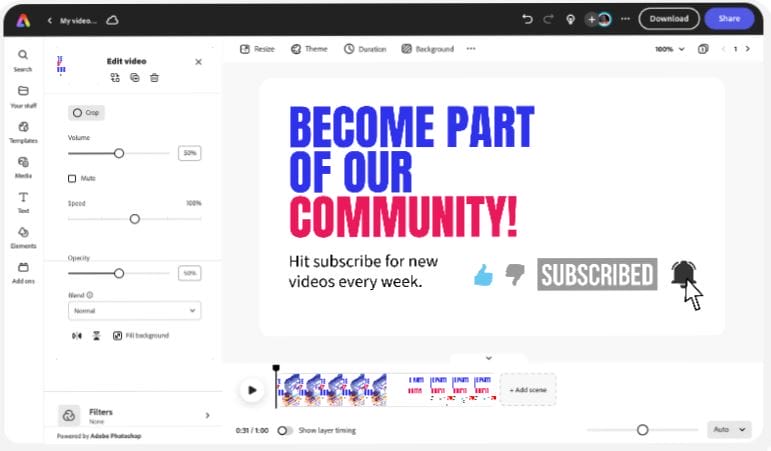
- Templates: Offers a wide range of customizable templates, including fitness video-specific options.
- Drag-and-Drop Editing: User-friendly interface with simple drag-and-drop tools.
- Royalty-Free Content: Access to a vast library of stock videos, images, and music.
- Branding Tools: Create branded content with logo, font, and color customization.
Pros:
- Easy-to-use for beginners.
- Supports both video and animated graphics.
- Great for quick, professional results.
- Mobile app available for editing on the go.
Cons:
- Limited advanced features for professional video editors.
- Some premium templates and assets are paid.
2. Canva
Key Features:
- Pre-made Templates: Offers numerous fitness-specific video templates.
- Stock Library: Free access to a vast library of images, video clips, and music.
- Custom Animations: Allows adding transitions and animated elements to your videos.
- Team Collaboration: Collaborate with team members on video projects.
Pros:
- Very intuitive and user-friendly interface.
- Extensive library of free assets.
- Ideal for social media videos.
- Strong collaboration tools for teams.
Cons:
- Limited video editing capabilities for professionals.
- The free version has watermarked premium content.
3. InVideo
Key Features:
- Pre-built Templates: Over 5,000 templates, including fitness and health categories.
- Voiceover Support: Lets you add voiceovers and synchronize with videos.
- Text-to-Speech: Generate voiceovers from text input.
- Aspect Ratios: Offers different aspect ratios for social media platforms.
Pros:
- Rich template library.
- Easy to use for beginners.
- Includes both basic and advanced video editing features.
- Good support for social media video formats.
Cons:
- Free version includes watermarks on exported videos.
- Some advanced features are locked behind the premium plan.
4. WeVideo
Key Features:
- Cloud-Based Editing: Access and edit projects from anywhere.
- Stock Footage: Access over 1 million licensed video clips, music, and images.
- Multi-Track Timeline: Supports multi-layer editing.
- Social Media Integration: Direct publishing to YouTube, Facebook, Instagram, and more.
Pros:
- Offers robust editing tools.
- Good for longer videos and documentaries.
- Great mobile app for on-the-go editing.
Cons:
- Watermark on the free version.
- Limited export options in the free version.
5. Kapwing
Key Features:
- Collaboration Tools: Edit videos in real-time with team members.
- Text Overlays: Add text, subtitles, and captions easily.
- Free Export without Watermark: In the free version, users can export without a watermark for videos under 7 minutes.
- Direct Upload: Uploads directly to social media platforms.
Pros:
- Very intuitive for beginners.
- Excellent text overlay and subtitle support.
- No watermark for short videos under 7 minutes.
Cons:
- Limited editing features compared to competitors.
- 250MB upload limit on free version.
6. Clipchamp
Key Features:
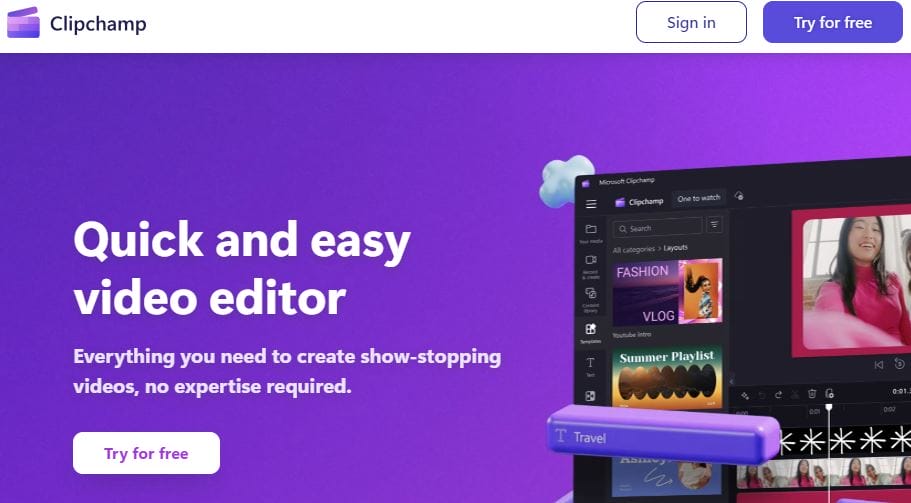
- Customizable Templates: Offers a wide range of templates for various fitness video needs.
- Stock Media Library: Access to a variety of free stock videos and music.
- Green Screen Editing: Offers green screen and chroma key features.
- Aspect Ratio Options: Customize video for different social media platforms.
Pros:
- Easy drag-and-drop interface.
- Green screen feature available for free.
- Large stock video and music library.
Cons:
- Free plan includes watermarks on higher-quality exports.
- Limited free storage.
7. FlexClip
Key Features:
- Video and Slideshow Creation: Create both videos and slideshow-based presentations.
- Text Animations: Add animated text overlays to your fitness videos.
- Screen Recording: Built-in screen recording for tutorials.
- Quick Export: Fast export even with the free plan.
Pros:
- Simple interface and easy to use.
- Great for quick video creation.
- Offers both video and slideshow formats.
Cons:
- Limited advanced editing tools.
- Free version watermarked.
8. Powtoon
Key Features:
- Animated Video Creation: Create engaging fitness videos with animated characters.
- Easy-to-Use Templates: Pre-built templates for fitness and training videos.
- Customizable Characters: Personalize animated characters for unique fitness tutorials.
- Voiceover: Add voiceover to animations for detailed explanations.
Pros:
- Fun and unique animation styles.
- Ideal for explainer fitness videos.
- Easy template customization.
Cons:
- Limited editing control for professional editors.
- Free version includes watermark.
Also Read: Best AI Video Generators 2024
9. Animoto
Key Features:
- Drag-and-Drop Editor: Simple drag-and-drop interface.
- Template Library: Wide variety of pre-built templates, including fitness categories.
- Licensed Music Library: Choose from over 1,000 licensed music tracks.
- Mobile-Friendly: Fully accessible via mobile for editing on the go.
Pros:
- Fast and simple video creation process.
- Ideal for creating promotional fitness content.
- No need for advanced editing skills.
Cons:
- Limited customization options for free users.
- Watermarked exports on free plan.
10. Veed.io
Key Features:
- Automatic Subtitles: Auto-generate captions for your fitness videos.
- Live Collaboration: Collaborate with others in real-time on video projects.
- Screen Recorder: Record your screen and webcam simultaneously.
- Social Media Templates: Pre-built templates optimized for social platforms.
Pros:
- User-friendly interface.
- Auto subtitle feature saves time.
- Cloud-based editing means you can access projects from any device.
Cons:
- Free version watermarked.
- Limited export resolution for free users.
Online Fitness Video Makers at a Glance
| Video Maker | Key Features | Pros | Cons | Watermark on Free Version |
|---|---|---|---|---|
| Adobe Express | Customizable templates, branding | Easy to use, mobile-friendly | Limited advanced tools | No |
| Canva | Pre-made templates, stock library | Intuitive, collaboration tools | Watermarked premium content | No |
| InVideo | Text-to-speech, voiceover | Rich templates, versatile editing | Watermarked exports | Yes |
| WeVideo | Cloud-based editing, multi-track | Strong editing tools, mobile app | Limited exports in free plan | Yes |
| Kapwing | Free exports, text overlays | Excellent for short videos, intuitive | Limited editing tools | No (for <7 min videos) |
| Clipchamp | Custom templates, green screen | Easy interface, stock library | Watermarked high-quality exports | Yes |
| FlexClip | Slideshow creation, quick export | Simple, fast creation | Limited advanced editing | Yes |
| Powtoon | Animation creation, templates | Fun animated fitness videos | Limited control over editing | Yes |
| Animoto | Drag-and-drop, licensed music | Simple, mobile-friendly | Limited customization | Yes |
| Veed.io | Auto subtitles, live collaboration | User-friendly, accessible everywhere | Watermarked free version | Yes |

Final Words
When it comes to creating engaging fitness videos, your choice of video maker depends on your specific needs. For beginners looking for simplicity, Adobe Express and Canva are excellent options, while those looking for more advanced editing capabilities may prefer InVideo or WeVideo. If animation is more your style, Powtoon could be a unique choice for you.
Make sure to weigh the pros and cons, and select a tool that suits your fitness video creation goals!
Interesting Reads
10 Best Online Food Video Makers for Free

