
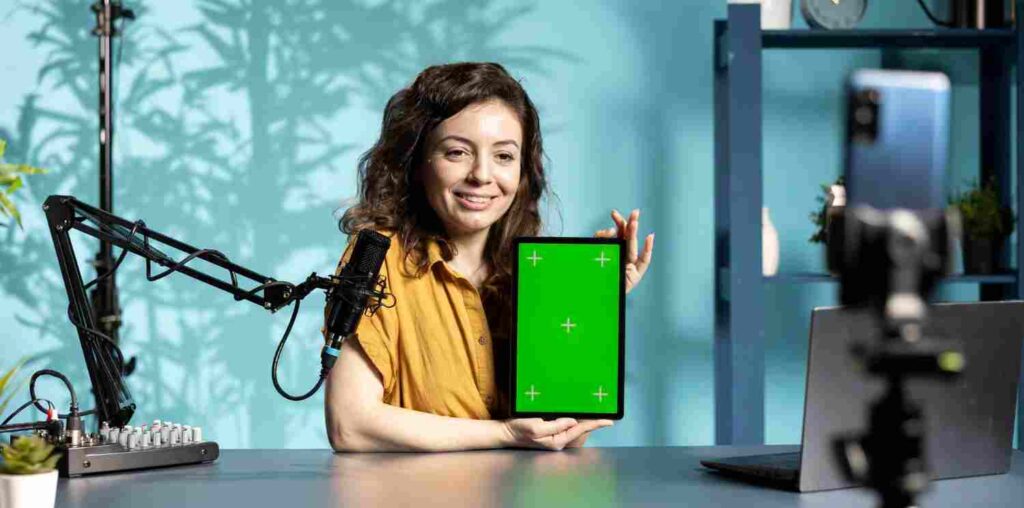
Green screen technology, or chroma keying, has revolutionized video production by allowing creators to superimpose subjects onto any background. Whether you’re a professional filmmaker or a hobbyist, having the right green screen video editor is crucial for achieving seamless composites. Here are the top 10 green screen video editors to consider in 2025.

Top 10 tools for Green Screen Video Editors in 2025
1. Adobe Premiere Pro CC
Adobe Premiere Pro CC remains a powerhouse in the video editing industry, offering robust chroma keying capabilities through its Ultra Key effect. Its integration with other Adobe Creative Cloud applications enhances workflow efficiency. While it comes with a subscription fee, its comprehensive features make it a preferred choice for professionals.
Key Features
- Advanced Ultra Key effect for precise green screen removal
- Seamless integration with Adobe After Effects for complex compositing
- Extensive color correction and grading tools
- Supports a wide range of formats and resolutions
Pros
- Professional-grade editing tools
- Regular updates with new features
- Strong community support and tutorials
Cons
- Subscription-based pricing
- Steeper learning curve for beginners
Pricing: Available through Adobe’s subscription plans.
2. DaVinci Resolve
DaVinci Resolve is renowned for its professional color grading and editing capabilities. Its Fusion module offers advanced compositing tools, including chroma keying, making it suitable for high-end green screen work. The free version provides substantial features, with a paid Studio version for additional capabilities.
Key Features
- Fusion module for advanced compositing
- Industry-leading color grading tools
- Multi-user collaboration features
- Supports 8K editing and various formats
Pros
- Comprehensive free version
- Integrated post-production suite
- Regular updates and improvements
Cons
- High system requirements
- Complex interface may be overwhelming for beginners
Pricing: Free version available; Studio version priced at $299.
3. Final Cut Pro X
Exclusive to macOS, Final Cut Pro X offers powerful green screen tools with its Keyer effect. Its magnetic timeline and optimized performance on Mac hardware make it a favorite among Mac users.
Key Features
- Real-time chroma keying with the Keyer effect
- Magnetic timeline for intuitive editing
- Multicam editing and advanced color grading
- Optimized for Mac hardware and macOS
Pros
- User-friendly interface
- One-time purchase with free updates
- Fast rendering and performance
Cons
- macOS exclusive
- Limited integration with non-Apple software
Pricing: One-time purchase of $299.99.
4. HitFilm Pro
HitFilm Pro combines video editing and visual effects compositing, offering advanced chroma keying tools. Its unified timeline allows for seamless editing and effects application, making it suitable for complex green screen projects.
Key Features
- Advanced chroma keying and spill suppression
- Over 800 visual effects and presets
- 3D compositing and particle simulations
- Unified editing and VFX timeline
Pros
- Comprehensive VFX and editing tools
- Regular updates with new features
- Active user community and tutorials
Cons
- Higher learning curve due to extensive features
- Premium pricing
Pricing: Priced at $349 with optional add-on packs.
5. VSDC Free Video Editor
VSDC is a free, non-linear video editor for Windows that offers a robust chroma key tool. It’s suitable for beginners and those seeking a cost-effective solution for green screen editing.
Key Features
- Chroma key tool for background removal
- Wide range of video effects and transitions
- Supports various formats and resolutions
- Built-in screen capture and voiceover tools
Pros
- Free to use
- Lightweight and efficient
- Suitable for basic to intermediate editing
Cons
- Lacks some advanced features of premium editors
- Windows only
Pricing: Free; Pro version available with additional features.
6. Movavi Video Editor Plus
Movavi offers an intuitive interface with effective chroma key functionality, making it accessible for beginners. Its straightforward design allows users to achieve green screen effects without a steep learning curve.
Key Features
- Easy-to-use chroma key tool
- Variety of filters, transitions, and effects
- Built-in media library with music and stickers
- Supports 4K editing
Pros
- Beginner-friendly interface
- Quick and efficient editing tools
- Affordable pricing with frequent discounts
Cons
- Limited advanced editing features
- Watermark on videos in the free trial version
Pricing: Starts at $54.95 for a one-year subscription.
7. Camtasia
Camtasia is a screen recording and video editing software that includes a user-friendly green screen editing feature. Its drag-and-drop interface makes it perfect for educators, trainers, and content creators looking to produce instructional videos.
Key Features
- Easy-to-use green screen editing tools
- Built-in screen recording feature
- Library of templates, transitions, and effects
- Interactive video features like quizzes
Pros
- Intuitive interface for beginners
- Great for creating tutorial videos
- Multi-device compatibility
Cons
- Pricey compared to similar tools
- Limited advanced video editing features
Pricing: One-time purchase of $299.99.
8. Lightworks
Lightworks is a professional-grade video editing software with chroma key support. Known for its high-performance editing tools, it has been used in creating Hollywood films. Lightworks offers both free and premium versions, catering to beginners and professionals.
Key Features
- Chroma key support for green screen editing
- High-precision video trimming
- Supports 4K editing for YouTube and other platforms
- Wide format support
Pros
- Free version available with basic features
- Fast and efficient editing process
- Professional-grade tools
Cons
- Limited export options in the free version
- Steeper learning curve
Pricing: Free version available; Pro version starts at $24.99/month.
9. Wondershare Filmora
Filmora is a popular choice among creators for its simplicity and affordability. Its green screen feature allows you to replace backgrounds easily, making it ideal for beginners and intermediate users.
Key Features
- Intuitive chroma key functionality
- Drag-and-drop interface
- Wide range of effects, transitions, and filters
- Royalty-free music and sound effects library
Pros
- Affordable and beginner-friendly
- Regular updates with new features
- Supports high-resolution editing
Cons
- Limited advanced tools for professionals
- Watermark on the free trial version
Pricing: Starts at $49.99/year or $79.99 for a lifetime license.
10. iMovie
iMovie, exclusive to macOS and iOS, is a free and simple video editor with a robust green screen feature. Its streamlined interface and powerful editing tools make it a go-to choice for Mac users.
Key Features
- Chroma key for easy background replacement
- Pre-built themes and templates
- Seamless integration with Apple devices
- 4K resolution support
Pros
- Free for Apple users
- User-friendly and beginner-focused
- Optimized for macOS and iOS
Cons
- Limited advanced editing options
- Exclusive to Apple devices
Pricing: Free.
How to Choose the Best Green Screen Video Editor
When selecting a green screen video editor, consider your level of expertise, project requirements, and budget. Professionals may prefer feature-rich options like Adobe Premiere Pro or DaVinci Resolve, while beginners can opt for user-friendly tools like Filmora or Movavi. If you need a free solution, iMovie or VSDC are excellent choices.

Conclusion
Green screen video editing is a game-changer for content creation, enabling limitless possibilities for storytelling and creativity. The tools listed here cater to diverse needs, from high-end professional software to beginner-friendly applications. Evaluate your goals and budget to pick the best green screen video editor for your projects in 2025. With the right tool, you can elevate your video production to the next level.
Interesting Reads:
Lead Distribution: How to Optimize Your Lead Flow to Grow Conversions
Unlocking Business Potential with Smarter Sourcing and Training Solutions
Boost Engagement with the Best WordPress Poll Plugin for BuddyPress

