
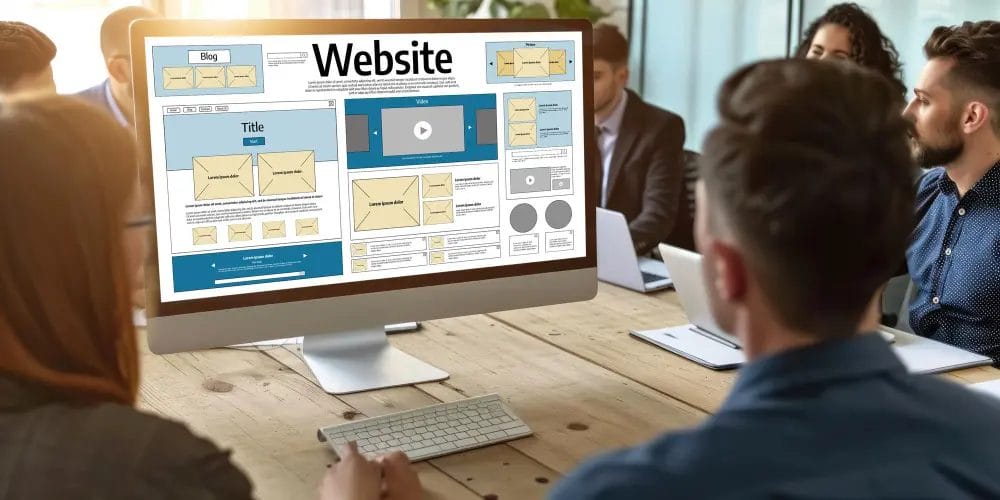
Whether you’re a freelancer, entrepreneur, artist, or educator, one thing is clear: you need a website. In 2025, having your own domain is no longer optional—it’s your digital handshake, your storefront, and your most reliable marketing tool.
But how do you actually go from an idea to a live, professional website?
“Your website is the window of your business. Keep it fresh, keep it exciting.” – Jay Conrad Levinson
This guide walks you through the entire website-building journey—from strategy and tools to design, optimization, and launch. You’ll also find link placeholders like [WordPress Hosting Guide] so you can interlink this blog internally.

Quick Links
Why a Website Is Non-Negotiable
A website gives you credibility, control, and freedom. Unlike social media platforms that can change overnight, your website is yours.
It’s your opportunity to present your brand exactly how you want. It builds trust, sells products, shares your expertise, and attracts new leads—all while you’re sleeping.
Whether you’re starting a business, building a portfolio, or launching a blog, the web is where people will find you. The sooner you plant your digital flag, the better.
Step 1: Define Your Website’s Purpose and Audience
Before choosing a theme or domain, get clear on your “why.”
Ask yourself:
- What is the primary goal of this site—sales, leads, brand awareness, or education?
- Who is your target audience?
- What do you want visitors to do when they land on your homepage?
Having this clarity will shape every decision you make—from layout to language to navigation.
A photography portfolio will look and function differently than a digital product store. Define the experience first. Design second.
Step 2: Choose a Domain and Hosting That Work for You
Your domain name is your web address—yourname.com or yourbrand.org. It should be short, memorable, and easy to spell.
Once you have a domain, you’ll need web hosting—the server space where your website lives.
Some beginner-friendly hosting options include:
- SiteGround—Great support and performance.
- Bluehost—budget-friendly and officially recommended by WordPress.
- Cloudways—More flexible and optimized for scalability.
A good host improves speed, uptime, and security—all crucial for user experience and SEO.
Step 3: Select Your Website Platform
For most people asking, “How can I build a website?”, the answer is WordPress.org.
WordPress powers over 40% of the web for good reason: it’s flexible, free, and infinitely customizable. You own your data, and you can do anything with it.
Other options include:
- Wix: Drag-and-drop ease but limited flexibility.
- Squarespace: Beautiful templates but fewer integrations.
- Webflow: Visual control but with a learning curve.
For long-term scalability, SEO control, and plugin support, WordPress is the top choice.
Step 4: Design Like a Pro (Even if You’re Not a Designer)
With the right theme and page builder, you can create stunning designs—no coding required.
Some excellent WordPress themes include:
- Astra: Lightweight, fast, and highly customizable.
- Blocksy: Modern layout options with built-in performance.
- Hello Theme (by Elementor): A bare-bones canvas for advanced page builders.
Use visual builders like:
- Elementor for full drag-and-drop control
- Gutenberg (WordPress’s native block editor) for speed and simplicity
- Bricks Builder for developer-focused performance
Stick to a maximum of 2-3 fonts and a consistent color palette. Use high-resolution images and visual hierarchy to guide attention.
Step 5: Create the Core Pages Every Website Needs
Your site should feel complete from the start. Begin with these foundational pages:
- Home Page—A high-level introduction with a clear value proposition and CTA.
- About Page – Tell your story, build trust, and share your values or mission.
- Services or Products Page – What do you offer, and why should people care?
- Contact Page – Include a contact form, business email, map, or social links.
- Blog (optional)—Great for SEO, thought leadership, and updates.
Also include a privacy policy and terms of service if you collect user data.
Step 6: Make It Mobile-Friendly and SEO-Ready
More than half of all internet traffic comes from mobile devices. Your website must look and function perfectly on every screen size.
Use responsive design techniques, large tap targets, and readable fonts. Avoid popups that disrupt the mobile experience.
For SEO:
- Use natural keywords like “how can I build a website” in headings and content
- Add ALT tags to every image
- Structure content with proper heading tags (H1 for title, H2 for sections)
- Install plugins like Yoast SEO or Rank Math to guide your optimization
And don’t forget to submit your site to Google Search Console for indexing.
Step 7: Install the Right Plugins (Without Overdoing It)
Plugins add power to your site—but too many will slow it down. Be intentional.
Start with these essentials:
- Security: Wordfence or Sucuri
- Performance: WP Rocket or LiteSpeed Cache
- SEO: Yoast SEO or Rank Math
- Analytics: Site Kit by Google
- Forms: WPForms or Fluent Forms
- Backup: UpdraftPlus for automatic backups
Update regularly, and only install plugins from trusted developers.
Step 8: Test Everything, Then Hit Launch
Before your site goes live, test it thoroughly:
- Check all internal and external links
- Fill out every form and check deliverability
- View the site on multiple devices and browsers
- Compress and optimize all images
- Run speed tests on tools like [Insert Link: Google PageSpeed Insights] and [Insert Link: GTmetrix]
Once confident, publish your site—and start promoting.
Promote Your Website Like a Pro
Launching is just the beginning. Now you need visitors.
Promote using:
- Social media platforms your audience lives on
- Email marketing with a welcome sequence
- Blogging with keywords tied to your niche
- Guest posting and backlink building
- Google Business Profile if you serve local markets
Track results with analytics and refine your content over time. Focus on building authority, not just traffic.
Common Questions (And Clear Answers)
Do I need coding to build a website?
No. WordPress, page builders, and visual themes eliminate the need for coding in 99% of cases.
Can I build a website for free?
Yes—but free platforms often come with ads, lack a custom domain, and restrict flexibility. A small investment unlocks a far more professional online presence.
How long does it take to build a website?
A basic site can go live in a weekend. More complex setups may take a few weeks.
Mistakes to Avoid When Building a Website
- Overloading the design with flashy animations or too many fonts
- Using more than 10 plugins without reviewing performance
- Forgetting to set up backups or SSL certificates
- Launching without mobile testing
- Writing vague headlines or generic copy
Every design choice should support usability and performance—not just appearance.

Final Thoughts: From Zero to Online Hero
The question isn’t just “How can I build a website?” —it’s “How can I build a website that works, converts, and grows with me?”
With the right tools, purpose, and planning, anyone can launch a stunning website in 2025—even without technical skills. It’s never been more accessible, affordable, or powerful.
So whether you’re building for yourself or others, step confidently into your digital journey. Your audience is waiting.
Interesting reads:
How to Learn from the Best Web Designs Online
How to Choose the Best Free Template: A Practical, SEO-Friendly Guide for 2025

