

A site with no backup strategy is one server crash or hack away from losing everything. Backup and restore plugins automate what used to be a manual, easy-to-forget task: scheduled copies of your files and database, stored somewhere other than the same server that might fail.
Most site owners find out their backup setup was wrong at the worst possible moment, mid-disaster, staring at a restore option that doesn’t work because the backup lived on the same server that just got compromised, or because nobody ever actually opened the zip file to check it wasn’t corrupted. The plugins below solve the automation problem. Whether they solve the actual disaster-recovery problem depends on where you point the storage and whether you ever test a restore before you need one.
This matters more for a community or membership site than for a static brochure page. A BuddyBoss or BuddyPress community accumulates member profiles, group discussions, activity streams, and uploaded media continuously, none of it recoverable from a code repository the way theme files are. Losing a week of that activity to a bad restore point is a real loss to the people who posted it, not just an inconvenience to the site owner.
What These Plugins Actually Do
They create copies of your site’s files and database on a schedule, store them somewhere offsite (cloud storage, in most cases), and restore from that copy with a few clicks if something breaks. No manual FTP downloads or database exports required.
That last part matters more than it sounds. Before plugins like these existed, a WordPress backup meant SSH access, a manual database dump, and a file transfer that someone had to remember to run on a schedule. Miss a week, and you’ve lost a week. Automation removes the human memory requirement, which is the actual failure point in most backup stories that end badly.
What to Look For
Automatic scheduling, offsite cloud storage (not just a folder on the same server), and genuinely simple one-click restoration. Beyond that: incremental backups (only changes since the last backup, faster and lighter), encryption, and multisite support if you need them.
Storage location deserves more attention than most comparisons give it. A backup stored in a folder on the same server is barely a backup at all, since whatever takes down the server (a hack, a failed host migration, a hardware failure) takes the backup with it. Google Drive, Dropbox, and Amazon S3 all count as genuinely offsite. A local backups folder does not, no matter how automated the schedule is.
Encryption matters for a reason that’s easy to overlook: a backup file is a complete copy of your database, which usually means user emails, hashed passwords, and whatever private data your site collects. An unencrypted backup sitting in a cloud storage account is a second attack surface, separate from the site itself, and one that’s easy to forget about once the schedule is running quietly in the background.
12 Best Backup and Restore Plugins
1. UpdraftPlus

Free (WordPress.org) plus a premium tier. Scheduled backups, cloud storage (Google Drive, Dropbox, Amazon S3, FTP, and more), one-click restore, encryption, and multisite support. Incremental backups (changes-only) are a premium feature.
It’s the plugin most WordPress users try first, largely because it’s been the default recommendation in tutorials and forums for years. That reputation is earned rather than just inherited: the free tier alone covers what a small site actually needs, which is rarer than it should be in this category.
2. Kadence Backups (formerly BackupBuddy)
Worth a direct correction here: BackupBuddy’s own product page now redirects through SolidWP to Liquid Web’s Kadence add-ons, the same StellarWP/Nexcess/Liquid Web consolidation already seen elsewhere with Kadence Memberships and LearnDash. Daily incremental backups and one-click full or partial restore, included with Kadence Pro and Elite plans rather than sold as a standalone product the way BackupBuddy was.
Anyone who bought a standalone BackupBuddy license years ago and is still running it should check whether it’s receiving updates. Products that get folded into a bigger suite this way tend to stop getting standalone attention even when the old plugin keeps technically running.
3. Jetpack VaultPress Backup
Automattic’s premium backup service, real-time backups (changes saved as they happen, especially useful for WooCommerce order data), daily backups for less active sites, one-click restore, activity log, and offsite cloud storage. Worth a direct correction: this post’s earlier version listed “Jetpack Backup” and “VaultPress” as two separate entries; VaultPress has since been folded directly into Jetpack as Jetpack VaultPress Backup, they’re the same product now, consolidated here. Sold as a standalone service or as part of Jetpack Security/Complete.
Real-time backup is the feature that separates this tier from the scheduled-only plugins above it. A store that takes orders around the clock can’t afford to lose six hours of transactions to a scheduled nightly backup window, and that’s specifically the gap this product closes.
4. Duplicator
Built primarily for migration and cloning, packaging your entire site (files, database, plugins, themes) for transfer to a new host, with a genuine backup use case as a side benefit. Free version covers the basics; Pro adds scheduled backups and cloud storage.
Worth knowing before you install it for backups specifically: Duplicator’s core design goal is moving a site, not protecting one on an ongoing schedule. It does the job, but a plugin built around scheduled offsite backups from day one tends to handle that job with fewer manual steps.
5. WPvivid Backup Plugin
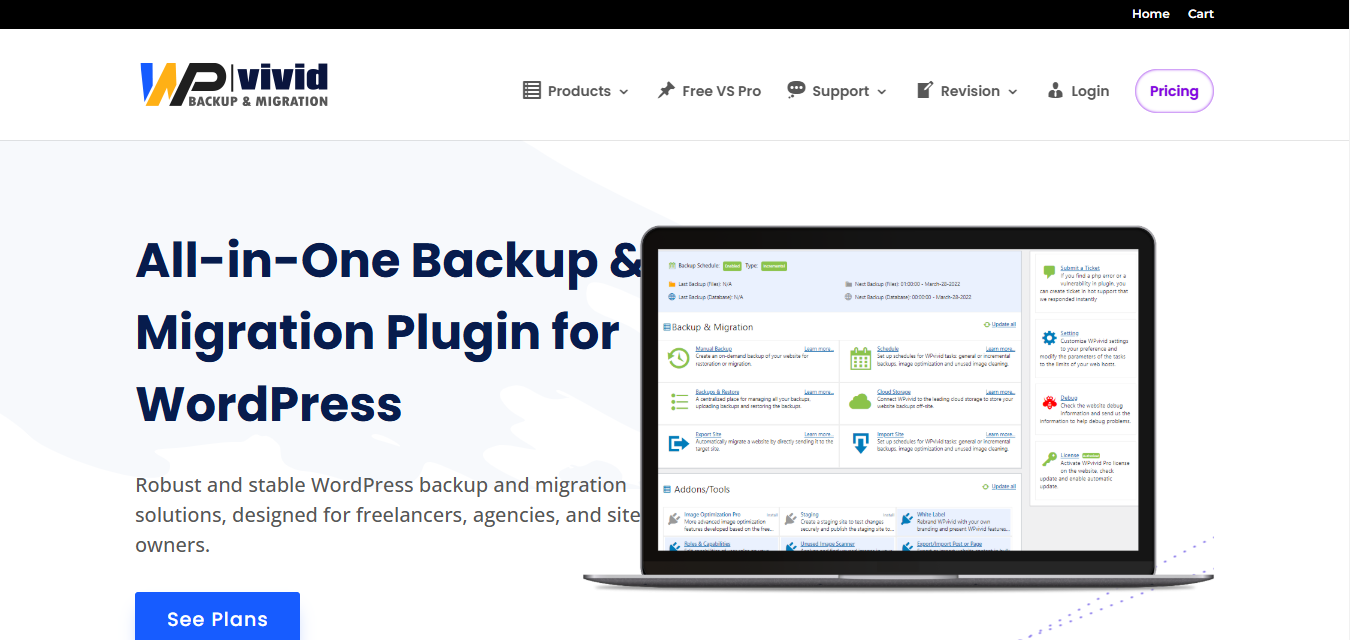
Full-site backups with cloud storage integration (Google Drive, Dropbox, Amazon S3), incremental backups, migration tools, backup exclusions, and password-protected encrypted files. Free tier is genuinely usable; Pro adds more cloud options and unlimited schedules.
The exclusions feature is worth a specific mention. Large media libraries can bloat a backup to the point where storage costs become the limiting factor, and being able to exclude a folder of already-archived old uploads keeps the recurring backup lean without giving up file coverage where it matters.
6. BackWPup
Database and file backups with scheduling, multiple storage destinations (Dropbox, Google Drive, Amazon S3, FTP, even email), compressed zip/tar output, and job logs. A solid, flexible free option.
The job logs deserve a mention most reviews skip. A backup plugin that fails silently is worse than no plugin at all, because it creates false confidence. BackWPup’s logging at least gives you a way to notice a failed run before you’re relying on a backup that never actually completed.
7. BlogVault
Automated daily and real-time backups, offsite storage, one-click restore, migration tools, malware scanning, a firewall, and a staging environment for testing changes safely. A combined backup-and-security service rather than a pure backup plugin.
The staging environment is the standout feature for teams that update plugins and themes regularly. Testing an update on a staging copy before pushing it live catches the conflicts that would otherwise mean using the backup you just took, which is a better outcome than needing a great restore process in the first place.
8. WP Time Capsule
Built around incremental backups specifically, only changed files and database entries get backed up, which keeps it fast and light on storage. Automatic pre-update backups (before you update themes, plugins, or core) are a genuinely useful safety net most other plugins don’t emphasize as clearly.
That pre-update snapshot habit solves a specific, common disaster: a plugin update that breaks the site, discovered an hour later with no clean point to roll back to because the last scheduled backup ran two days earlier. A snapshot taken automatically right before every update closes that window almost entirely.
9. All-in-One WP Migration
Primarily a migration tool: export your whole site and import it into a new WordPress install, handling serialized data correctly so links and settings survive the move. Free version has file-size limits; Pro removes them and adds search-and-replace during migration.
Serialized data handling sounds like a small technical detail until you’ve watched a manual migration break every widget and theme setting on a site because a find-and-replace tool changed a URL string length without updating the serialized array length prefix next to it. This plugin exists specifically to avoid that failure mode.
10. Backup Migration
One-click backup, restore, and migration with selective file/table inclusion, scheduling, and a genuinely lightweight footprint that doesn’t add noticeable overhead to the site.
Selective table inclusion is useful on larger sites where certain database tables, logs from an analytics plugin, for instance, grow huge without holding anything worth backing up. Skipping those tables keeps backup size and run time down without losing anything that matters.
11. WP Database Backup
Focused specifically on the database, posts, pages, user data, plugin settings, rather than full-site backups. A reasonable lighter-weight option if your media/file backups are already handled elsewhere and you just need database coverage.
This split-responsibility approach, one tool for files, another for the database, works fine as long as both halves actually run on a schedule you can verify. It falls apart the moment one half quietly stops working and nobody notices until a restore is needed and only half the site comes back.
How Often You Actually Need Backups
A static brochure site that changes twice a year doesn’t need real-time backups. A weekly schedule covers it, and even that’s generous. A WooCommerce store taking orders around the clock is a different problem entirely: a scheduled nightly backup means every order placed after that backup ran is unrecoverable if something breaks before the next one. Match the backup frequency to how much data changes between backups, not to whatever the plugin defaults to out of the box.
Community sites and forums sit somewhere in the middle. Activity feeds, new posts, and member signups accumulate throughout the day, and losing a full day of that activity to restore an older backup is a real cost even if it isn’t financial the way a lost order is. Daily backups are usually the right floor for anything with active member participation.
The Restore Test Nobody Runs
Taking a backup and being able to restore from it are two different capabilities, and most site owners only discover the gap between them during an actual emergency. A backup file that never gets test-restored is an assumption, not a safety net. Corrupted archives, expired cloud storage credentials, and plugin conflicts that only show up during restoration all hide behind a backup schedule that appears to be running fine.
The fix costs almost nothing: pick a quiet afternoon, spin up a staging site or a local environment, and actually restore last night’s backup onto it. If it works cleanly, you’ve confirmed the whole chain, the schedule, the storage, the restore process, actually functions. If it doesn’t, you’ve found the problem while it’s still an inconvenience instead of a crisis.
Set a recurring reminder for this, once a quarter is reasonable for most sites, more often for anything handling payments or sensitive member data. Treat it the same way a business treats a fire drill: not because a fire is expected today, but because the day it happens is the wrong day to find out the exit door was painted shut.
What a Backup Doesn’t Protect Against
It’s tempting to treat a good backup schedule as complete insurance. It isn’t. If malware sits dormant on a site for two weeks before anyone notices, every backup taken during those two weeks carries the infection along with it. Restoring from last Tuesday’s backup doesn’t help when last Tuesday was already compromised, it just resets the site back to a slightly earlier infected state.
That’s the argument for pairing backups with a malware scanner, or picking one of the combined services above (BlogVault, Jetpack VaultPress Backup) that bundles both. A backup answers “can I undo a mistake.” A scanner answers “is this version of the site actually clean.” Sites handling anything sensitive, member data, payment information, private community discussions, benefit from both answers being available, not just one.
Keeping more than one restore point matters for the same reason. A rotation that only keeps the latest backup and overwrites the previous one leaves no way back to a clean state once an infection has been running long enough to taint several backup cycles. Most of the plugins above default to keeping a handful of recent backups rather than just one, and it’s worth checking that setting rather than assuming.
Multisite and Large-Library Considerations
A multisite network changes the backup math. Every plugin listed above supports multisite to some degree, but “supports” covers a wide range, from full network-wide scheduled backups down to per-site backups that a network admin has to trigger individually across every subsite. Check this specifically before committing to a plugin on a multisite install, since discovering the gap during an actual network-wide incident is the worst possible time to learn a plugin only backs up the main site by default.
Large media libraries create a related problem: backup size grows roughly in proportion to how much content the site has accumulated, and a site running for several years with regular image uploads can end up with a backup archive measured in gigabytes rather than megabytes. That affects both storage cost and how long a restore actually takes. The exclusion features mentioned above, letting you skip already-archived old media from the recurring backup while still keeping a separate one-time archive, exist specifically to manage this as a site ages.
Choosing One
UpdraftPlus is the reasonable default: free, well-supported, works for most sites. Jetpack VaultPress Backup or BlogVault if you want backups bundled with security monitoring. Duplicator or All-in-One WP Migration if migration, not ongoing backup, is the primary need. WP Time Capsule if incremental efficiency matters most for a large, frequently-updated site.
Whatever you pick, treat the plugin as half the solution. The other half is checking, on a recurring basis you actually keep, that a backup ran, landed somewhere offsite, and would restore cleanly if you needed it tonight. A backup plugin installed and forgotten is only marginally better than no plugin at all.
When the Paid Tier Actually Pays
Every plugin on this list ships a usable free tier, and for a small site with modest storage needs, the free tier is often genuinely enough. The upgrade decision usually comes down to one of three pressures: storage limits that the free tier’s included cloud space can’t cover, a need for real-time rather than scheduled backups because the site handles live transactions, or support response time when something goes wrong at 2am and a community forum post isn’t fast enough.
None of those pressures apply to every site, which is why “just pay for the premium version” isn’t universal advice here the way it sometimes is with security plugins. A low-traffic blog that updates twice a month has genuinely different backup needs than a membership site processing renewals every day, and the free tier of something like UpdraftPlus or WPvivid is built with the first case in mind, not the second.
Recalculate the decision as the site grows rather than setting it once and forgetting it. A site that outgrew its free-tier backup plugin eighteen months ago but never revisited the choice is running on a safety net sized for a smaller site than the one it’s actually protecting.