

BuddyPress helps you build any kind of community website using WordPress, with member profiles, activity streams, user groups, messaging, and more. Among its array of features, adding testimonials for members emerges as a valuable tool for fostering engagement and providing constructive feedback within your community. Let’s learn how to add testimonials for members of your BuddyPress and BuddyBoss community, ensuring your site is both dynamic and user-friendly.
Whether you’re running a social network, an online marketplace, or a membership site, integrating member testimonials can significantly enhance user interaction and satisfaction. To add testimonies, what’s better than BuddyPress Member Reviews?

Quick Links
BuddyPress Member Reviews

The BuddyPress Member Reviews plugin is a powerful tool that enhances the BuddyPress community by empowering registered users to post reviews on other members profiles. This plugin is designed with reliability, scalability, security, and flexibility, ensuring a user-friendly experience that can grow and adapt to your community. It’s a great way to enhance community engagement and provide valuable feedback for community administrators.
Key Features
1. BuddyPress Members Can Add Reviews to Member Profiles: Members have the ability to leave detailed reviews on other members’ profiles. This feature allows for the sharing of experiences and feedback, enhancing community interaction and helping members build credibility.
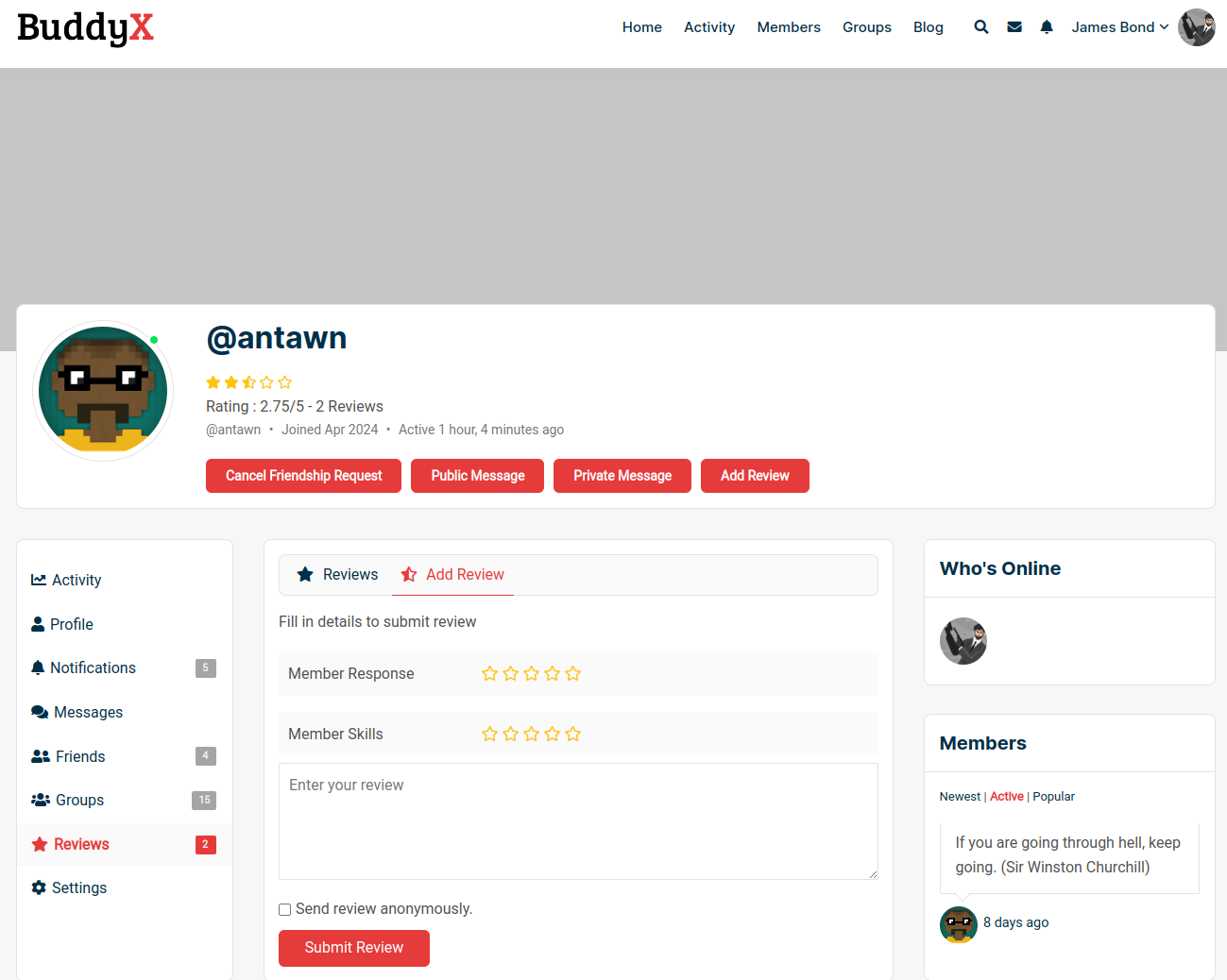
2. Add Reviews Anonymously: Members have the option to leave reviews anonymously. This feature encourages more honest and candid feedback, as users can share their true experiences without revealing their identities. This can be particularly useful in sensitive situations where members may feel hesitant to provide open feedback.
3. Admin Can Create Multiple Criteria for Review: Administrators can define multiple criteria for reviews, such as communication, reliability, and quality of work. This allows for more structured and comprehensive feedback, helping to paint a detailed picture of a member’s strengths and areas for improvement.

4. Multiple reviews: Users have the capability to write multiple reviews for different interactions or experiences with the same member. This allows for ongoing feedback and a more comprehensive view of a member’s contributions and behavior over time.
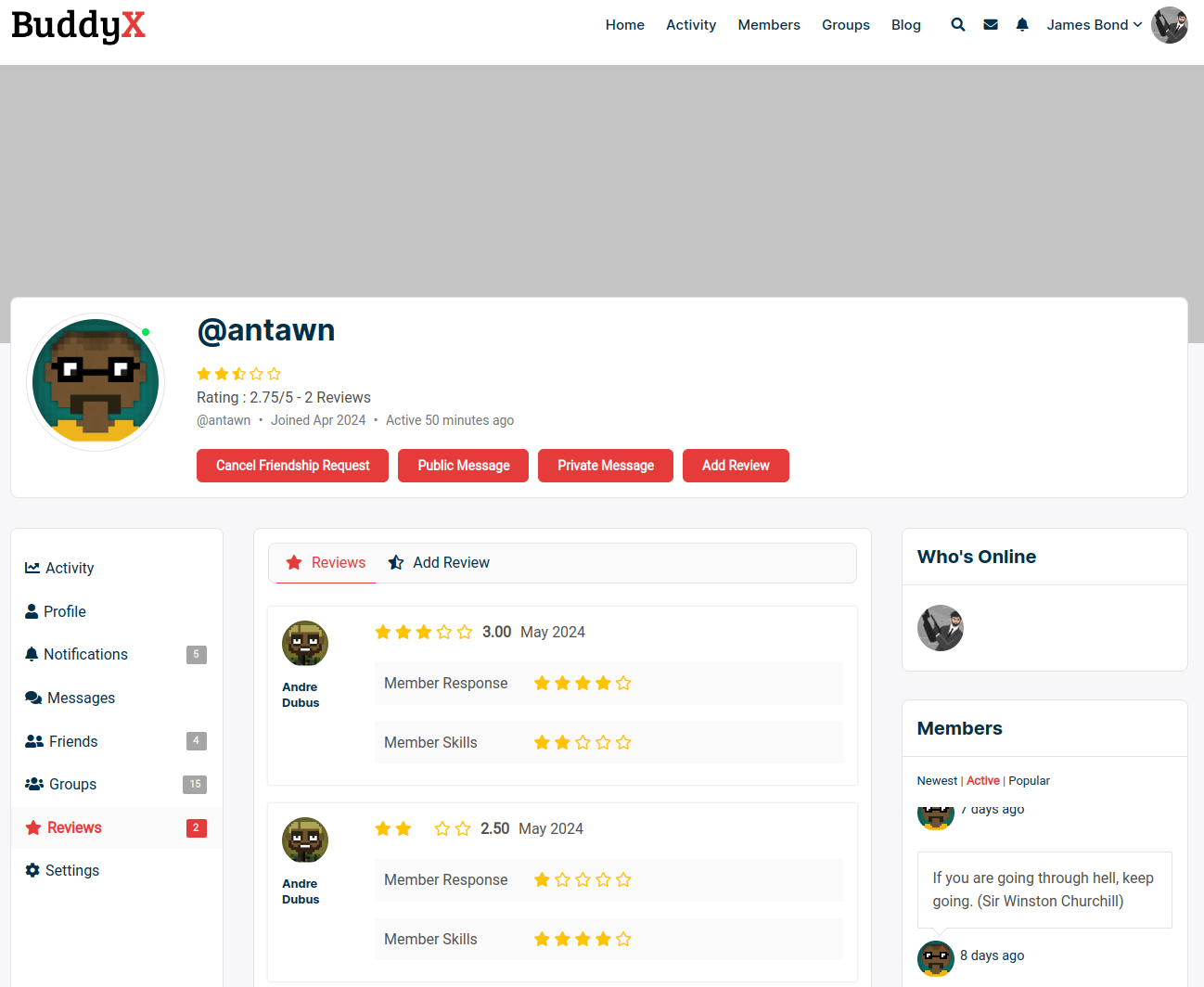
5. Auto approve reviews: Enable the auto-approval of reviews to streamline the process and ensure that feedback is displayed promptly. This feature can help maintain the flow of interaction and keep the review section active and updated without administrative delays. You can disable it if you want to moderate all the reviews.
6. Select member roles to write and accept reviews: Admins have the option to exclude certain members from being reviewed. This could be useful for privacy reasons or for certain roles within the community where reviews may not be appropriate.
7. Email and Profile Notifications: Notifications about new reviews can be sent via email and also displayed on user profiles. This ensures that members are promptly informed about the feedback they receive, keeping them engaged and responsive.
8. Update Reviews: Members can update their reviews based on new interactions or experiences. This feature ensures that reviews remain relevant and reflect the most current opinions, providing a dynamic and up-to-date feedback system.

9. Shortcodes: The plugin provides three shortcode :
i) This shortcode will display the BuddyPress member review form.
[add_profile_review_form]
ii) This shortcode will display Top Rated (as per the highest ratings) members.
[bupr_display_top_members]
iii) Using this parameter, you can display members according to Top Reviewed (as per the maximum number of reviews).
[bupr_display_top_members type='top reviewed']
10. Members Review Widgets: The plugin provides two widgets with the following features.
i) BP member review widgets: Place this widget in any sidebar to display the top member reviews and ratings.

ii) BP displayed member rating widgets: Place this widget in the single member profile sidebar to display all the member reviews.

Installation

1. Login to the WordPress Dashboard.
2. On the Dashboard of your website, scroll down the left-hand sidebar and click on Plugins.
3. From the Installed Plugins page, click on Add New at the top of the page. Alternatively, click on Add New from the drop-down menu under Plugins on the sidebar.

4. On the Add Plugins page, type BuddyPress Member Review plugin in the search box on the right-hand side, at the top of the page.
5. Click the install now button.
6. The plugin is now installed and unpacked on your website. The last thing to do now is click Activate Plugin.
7. Once activated, you will be redirected to the Installed Plugins page. From here, you can read all the information about the plugins.
Benefits of BuddyPress Member Reviews
Benefits of knowing how to add testimonials for members of the BuddyPress Community.
1. Building Trust and Credibility: Member reviews serve as a testament to an individual’s reputation within the community. Positive reviews can enhance trust among members, encouraging new interactions and collaborations.
2. Enhancing Community Engagement: Reviews provide a platform for members to acknowledge each other’s contributions and efforts, fostering a sense of community and recognition.
3. Improving User Experience: By enabling feedback mechanisms, Member Reviews allow administrators and members to gauge satisfaction levels and identify areas for improvement.
4. Driving Quality Control: In marketplaces and professional networks, reviews help maintain quality standards by highlighting exemplary behavior and addressing concerns promptly.

Final Thoughts on How to Add Testimonials for Members in the BuddyPress Community
Integrating testimonials for members within your BuddyPress and BuddyBoss community using the BuddyPress Member Reviews plugin is a game-changer for enhancing user interaction and satisfaction. Learning how to add testimonials for members in BuddyPress provides a structured and user-friendly way for members to share their experiences, offer constructive feedback, and build credibility within the community. From allowing anonymous reviews to auto-approving feedback and enabling multiple review criteria, the BuddyPress Member Reviews plugin ensures a comprehensive and dynamic feedback system.
By following the installation steps and leveraging the powerful features of this plugin, you can significantly improve the trust, engagement, and overall quality of your community. Remember, a community that values and listens to its members is more likely to thrive and grow. If you haven’t yet explored how to add testimonials for members in BuddyPress and BuddyBoss, now is the perfect time to start. Understanding how to add testimonials for members of BuddyPress can be the key to unlocking the full potential of your community.
Interesting Reads:
BuddyPress Login Redirect Made Easy
How to Engage Your Community with Activity Link Preview in BuddyPress

