How to Create Facebook like Page in BuddyPress


Creating a Facebook like page in BuddyPress can be a fantastic way to enhance your online presence and engage with your community. BuddyPress Business Profile by Wbcom Designs is a powerful plugin that allows you to create Facebook like page in BuddyPress. This plugin is designed to enhance your online presence by providing a platform for showcasing your products, services, portfolio, testimonials, and more. Let us learn how to create a Facebook like page in BuddyPress using BuddyPress Business Profile.
BuddyPress Business Profile
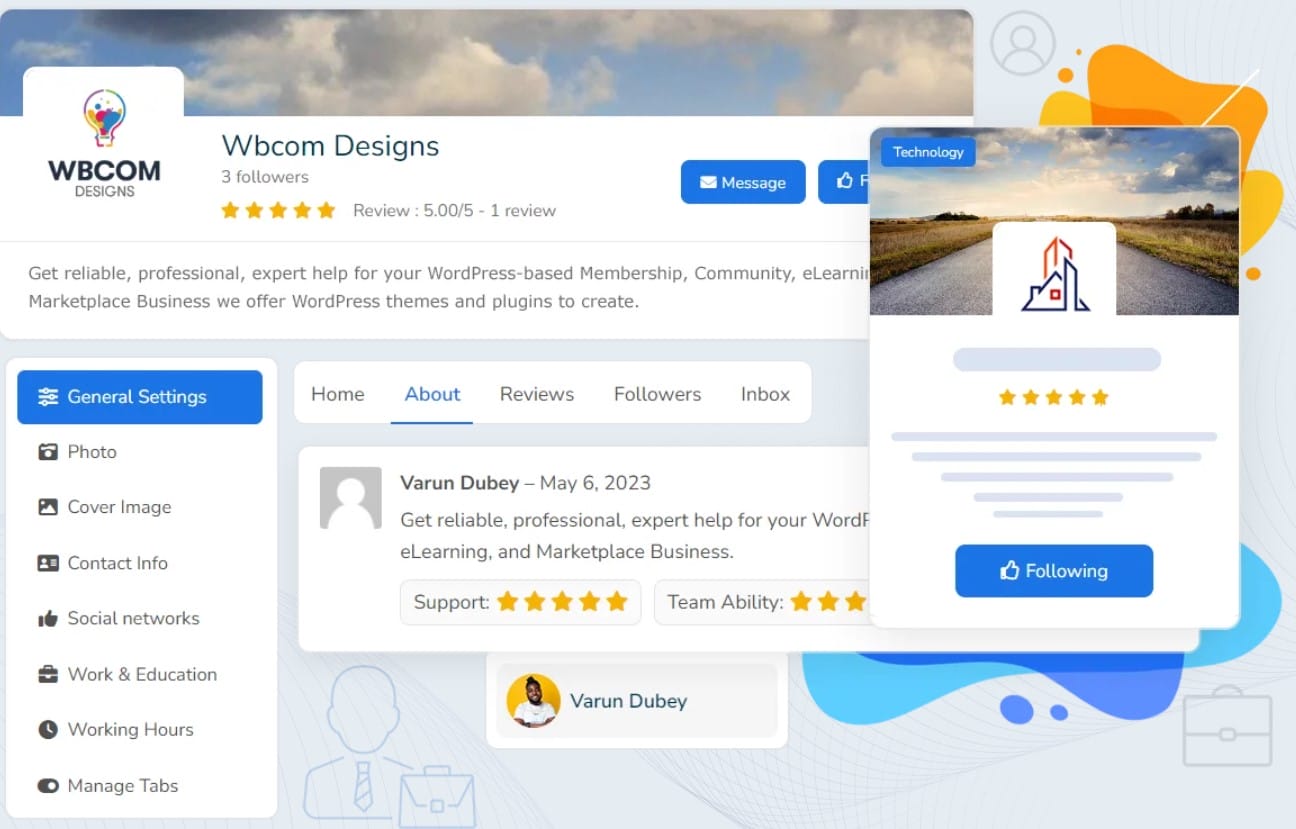
BuddyPress Business Profile is a plugin that allows you to create Facebook pages for your members within your WordPress-powered site. It is an extension of BuddyPress, which is a plugin that enhances WordPress with social network features such as user profiles, activity streams, and more. With BuddyPress Business Profile, you can enable your members to showcase their products, services, portfolios, testimonials, and more on their business pages. You can also allow them to engage with their customers, fans, and followers by sharing relevant content, creating events, and posting jobs.
Features of BuddyPress Business Profile
1. Business Profile Customization: The BP Business Page allows you to fully customize your business profile, providing options to modify profile fields to suit your specific needs. You can upload a logo and cover image, creating a visually appealing profile that represents your brand effectively. Additionally, you can add essential contact information and include links to your social media profiles, ensuring that visitors can easily connect with you across various platforms.
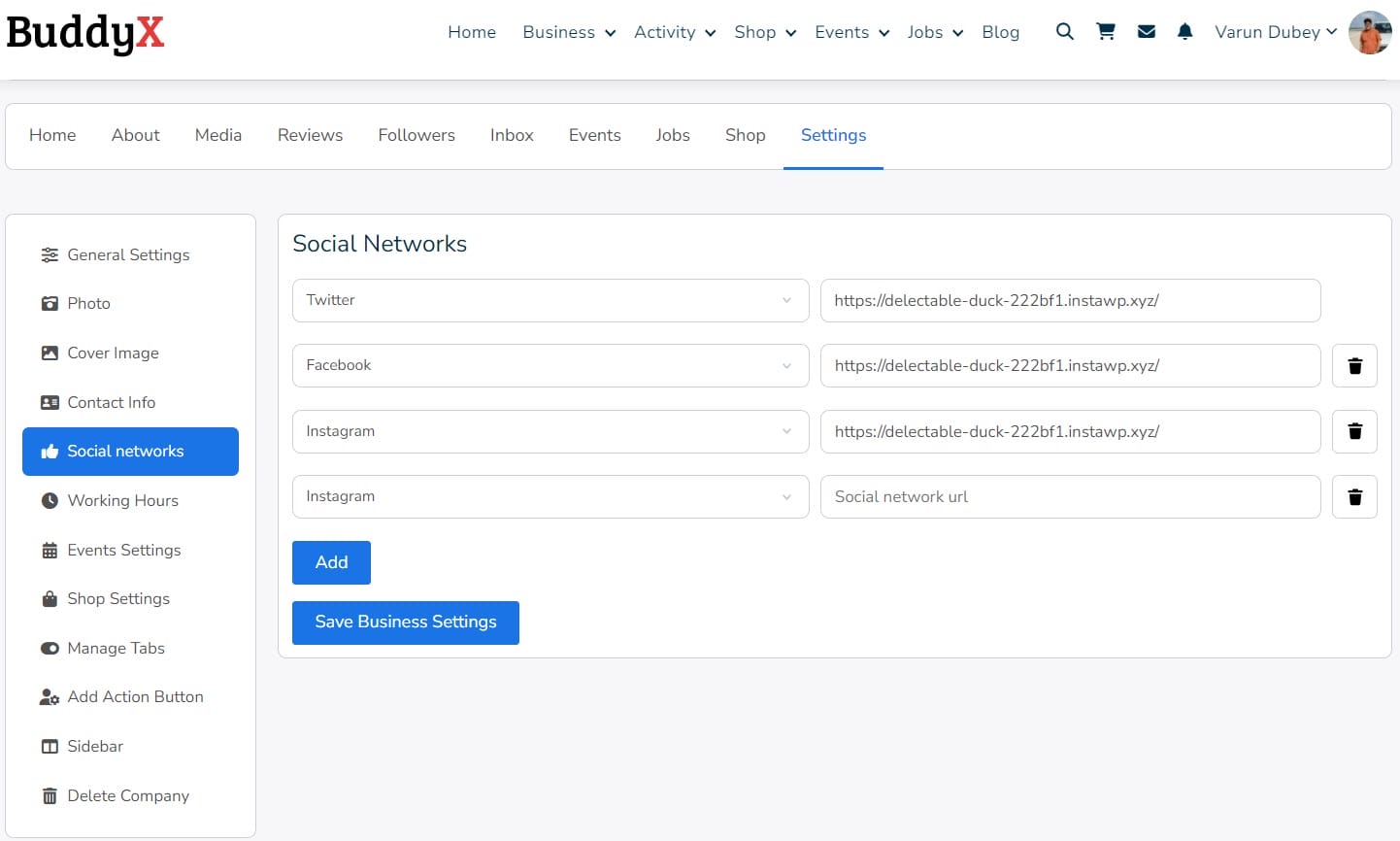
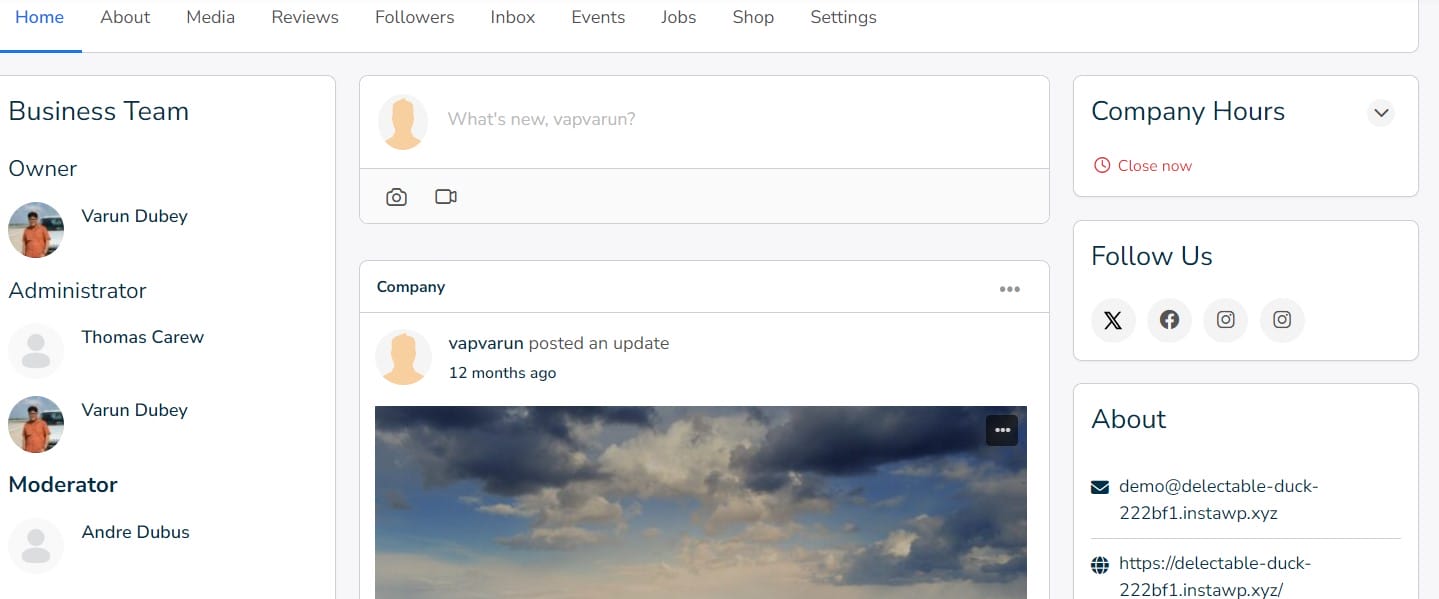
2. Business Activities: To keep your community engaged and informed, the BP Business Page enables you to share a variety of content, including announcements, images, and videos directly on your business page activity feed. This feature encourages interaction as followers can engage with your posts through comments and likes, fostering a vibrant and interactive community environment.
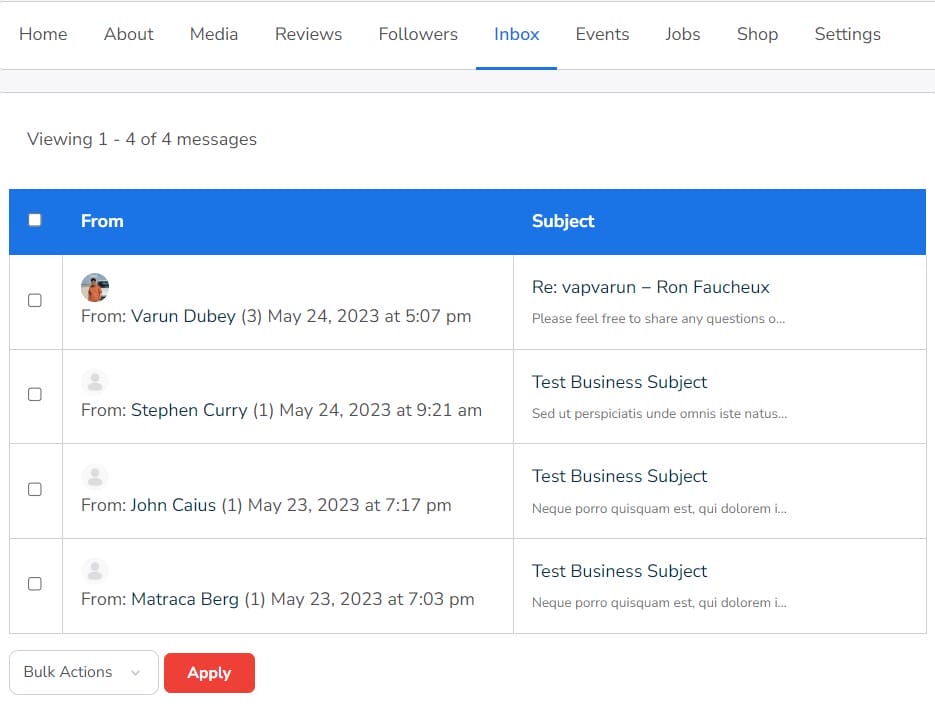
3. Private Messaging: Communication with your community members is streamlined through the private messaging feature. Each business profile has a dedicated inbox, allowing you to establish direct and efficient communication channels with your audience. This feature ensures that important messages and inquiries are managed effectively and promptly.
4. Page Roles and Management: The BP Business Page offers robust page roles and management capabilities. You can assign different levels of authority and access to various users, designating them as admins, editors, or moderators. This hierarchical structure provides control over who can create, edit, delete, and invite users to your pages, ensuring that page management is organized and efficient.
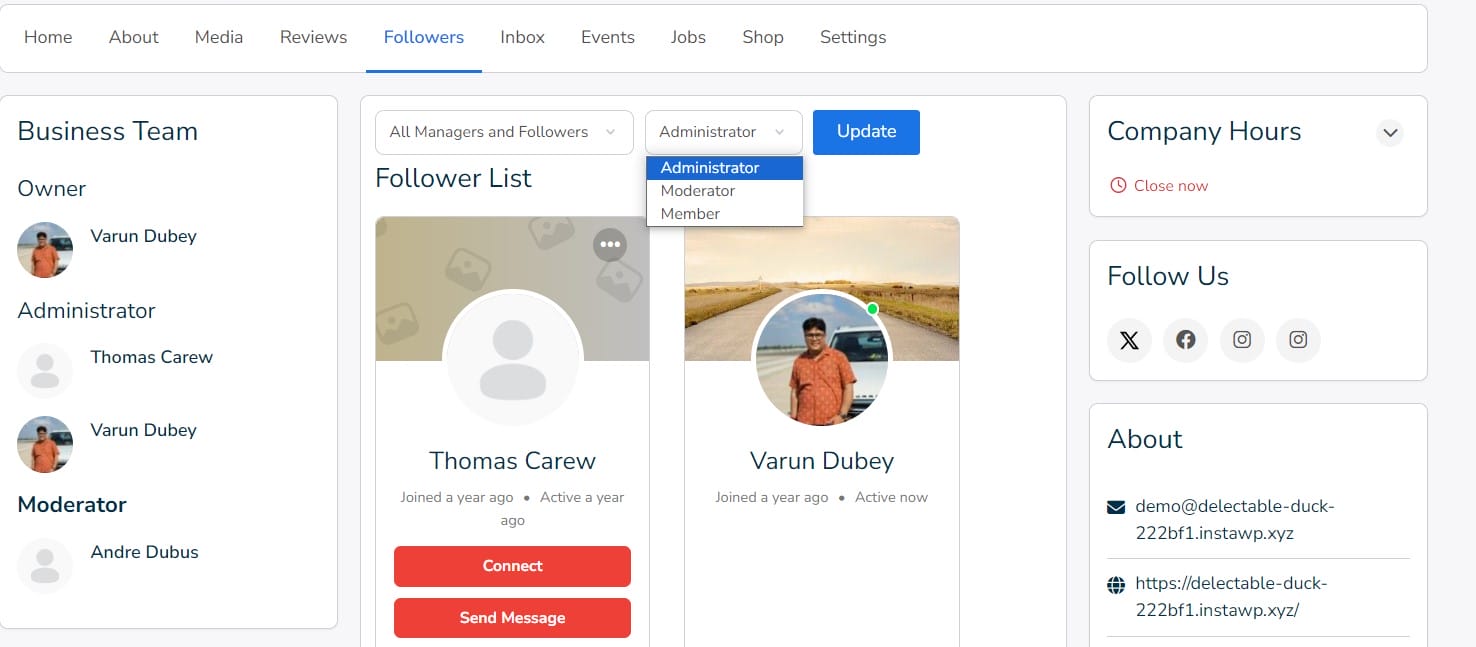
5. Unlimited Page Creation: The BP Business Page provides the flexibility to create an unlimited number of business pages. This feature is particularly useful for businesses with multiple branches, departments, or various business ventures, allowing each aspect to have its dedicated page.
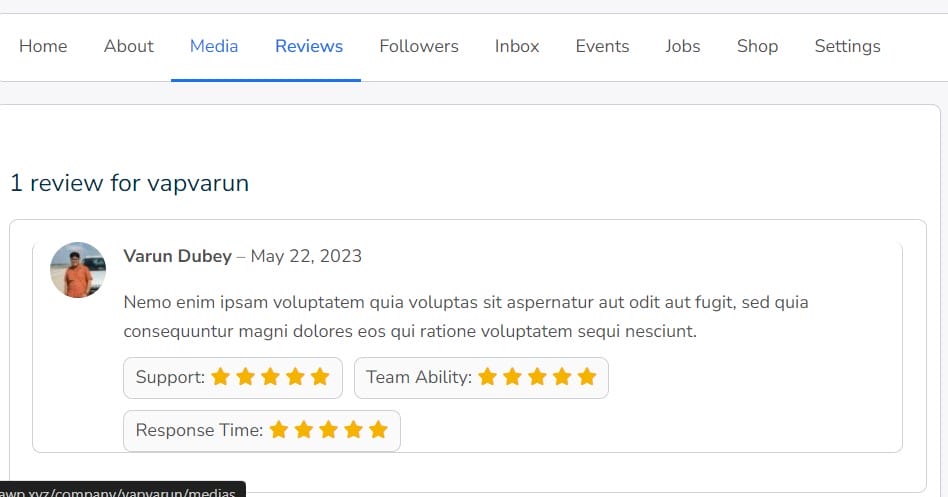
6. Review & Ratings: To build trust and credibility, the BP Business Page includes a review and ratings feature. Users can leave reviews and rate your business pages, providing valuable feedback that can help improve services and attract new customers.
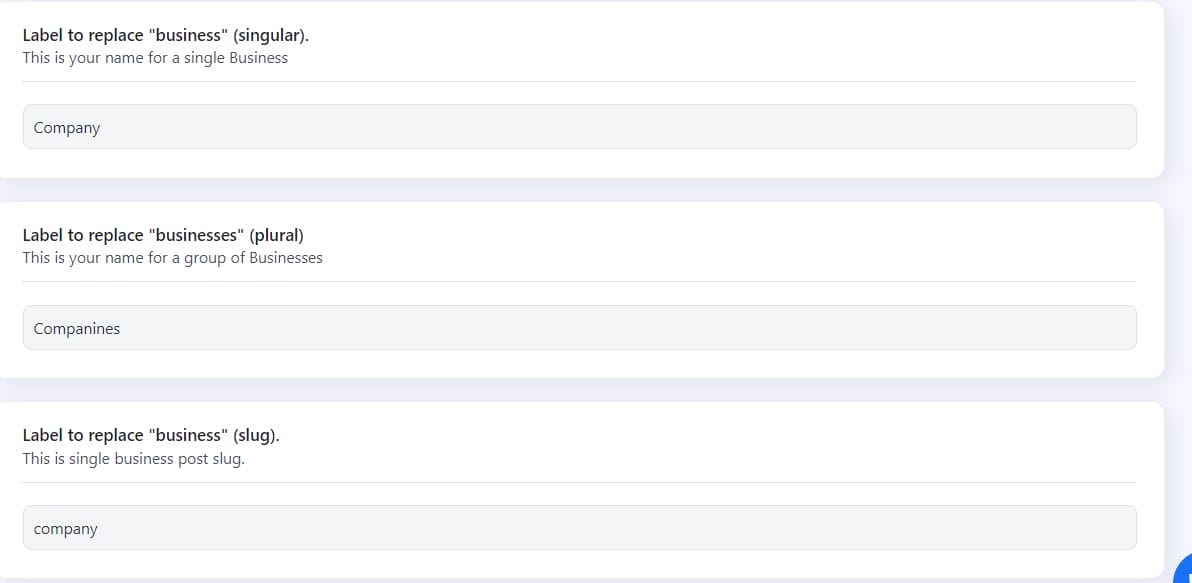
7. Manage Label: You can set the label and Slug of Business according to your choice. The BuddyPress Business Profile plugin allows you to do that with a simple configuration setting.
8. Style and Color Options: Customization is taken further with plenty of style and color options available for your business pages. This feature allows you to tailor the look and feel of your pages to match your brand identity, creating a consistent and professional appearance.
9. Widget: The BuddyPress Business Profile provides multiple widgets to create a Facebook like page in BuddyPress. These widgets are as follows:
- Business Page Info
- Business hours
- Business Team
- Follow Us
- Business Page listing
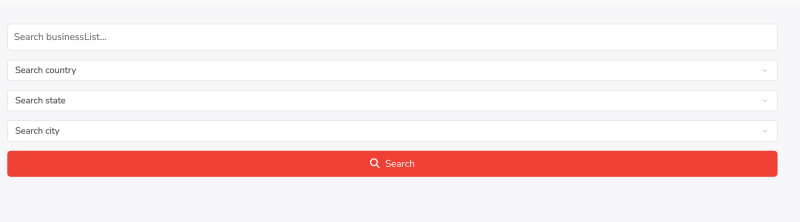
10. Shortcodes: BuddyPress Business profile provides a shortcode to filter out the Businesses. This shortcode can be placed on any post or page.
[search-business-listing]
Why use this Plugin to Create Facebook like Page in BuddyPress
The BuddyPress Business Profile plugin is an excellent tool for the creation of Facebook like pages in BuddyPress. Here are the key benefits of using this plugin:
1. Enhanced Online Presence: Businesses can create professional and visually appealing profiles showcasing their products, services, portfolios, testimonials, and other relevant information, thereby enhancing their online presence.
2. Engagement and Interaction: The plugin enables businesses to engage with their customers, fans, and followers by sharing relevant content, creating events, and posting jobs, fostering a sense of community and encouraging interaction.
3. Integration with BuddyPress and BuddyBoss: Seamless integration with BuddyPress and BuddyBoss platforms allows businesses to create public, private, or hidden pages with specific rules and settings, connecting their pages with members and groups effectively.
4. Event Management: The plugin supports the creation and management of events through integration with Event Manager and Community Event plugins, providing opportunities for community engagement and learning.
5. E-commerce Integration: Integration with WooCommerce enables businesses to establish an online shop, manage products and services, and facilitate transactions directly from their profiles.
6. Customization and Flexibility: A wide range of customization options allows businesses to tailor their profiles to meet specific needs and branding requirements.
7. Responsive Design: The plugin is fully responsive, ensuring a seamless user experience across various devices, including desktops, mobiles, and tablets.
How to Create a Facebook like Page in BuddyPress
To create a Facebook Like page from the front end visit the business page created by the plugin. then follow the below steps to create a Facebook like page in BuddyPress.
1. Create a page: Add the details of your Facebook page or business page and don’t forget to add the photo and cover image.
2. Home page: After the creation of the page it lands you on your homepage here you can add activities with images and video.
3. Other tab: The Facebook like page will also include:
- About: Contains the information about your page.
- Media: Shows all the media files
- Reviews: Here you can see and reviews.
- Followers: It will show all the member that follows your page.
- Inbox: Using this members can write private messages.
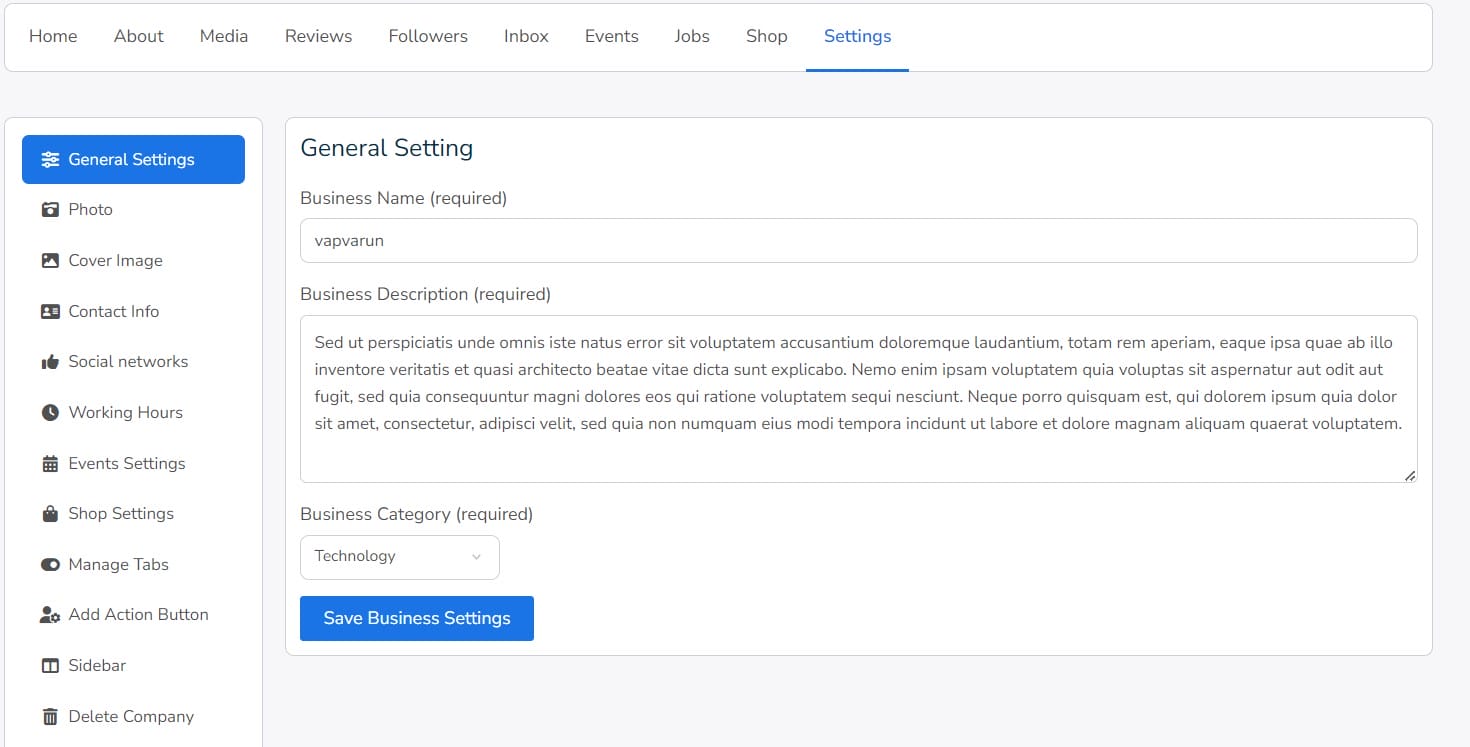
4. Settings: Page owners can manage the settings very easily by going to the settings tab of their businesses. It contains all the information you may need to make your page engaging and Popular. To learn more about the settings click here.
Final thoughts on Creating a Facebook Like Page in BuddyPress
Creating a Facebook like page in BuddyPress using BuddyPress Business Profile by Wbcom Designs is a straightforward process. By following these steps, you can create a professional and engaging online presence for your business. The plugin offers several features that enhance your online presence, including private messaging, page roles and management, and integration with BuddyPress and BuddyBoss. With BuddyPress Business Profile, you can create a Facebook like page in Buddypress that helps you connect with your audience and grow your business.
Interesting Reads:
How to use Survey Polls in the WordPress Community?