

A membership site sounds simple until you actually try to build one: restrict some content, take some payments, done. The part that trips people up isn’t the technical setup, WordPress and a handful of plugins handle that fine, it’s the dozen small decisions that determine whether members actually stick around past month one. What counts as a “tier”? What happens to access when a card fails? Does the site feel like a private space worth paying for, or just a paywall bolted onto a blog? This guide walks through building a membership site on WordPress with those decisions in mind, not just the plugin installation steps.
Why WordPress Is a Reasonable Foundation for This
WordPress wasn’t built as a membership platform, and that’s actually part of its strength here, you’re not locked into one company’s opinion of what a membership site should look like. A few concrete reasons it holds up well for this specific use case:
1. It’s Open-Source, Which Matters More Than It Sounds: No membership platform can revoke your access to your own site, change pricing on you overnight, or shut down and take your member data with it. WordPress itself is maintained by a large, active community, and updates ship regularly.
2. The Plugin Ecosystem Solves Most of the Hard Problems Already: Content gating, recurring billing, drip-fed content, member dashboards, these are all solved problems with mature plugins behind them, not things you’re building from scratch.
3. You’re Not Fighting the Interface to Manage Content: The block editor handles day-to-day publishing without requiring code, which matters once you’re publishing member content weekly rather than as a one-time launch.
4. SEO Isn’t an Afterthought: Public-facing pages, your sales page, free preview content, blog posts that funnel into the paid tier, benefit from WordPress’s mature SEO tooling. Plugins like AIOSEO handle the technical side so discovery isn’t left entirely to luck.
5. The Plugin Ecosystem Is Enormous: Beyond the core membership plugin, there’s a specific tool for nearly every adjacent need: email automation, community features, gamification, analytics.
What You’re Actually Buying by Choosing WordPress Over a Hosted Platform
1. Lower Total Cost: The core software is free. You’re paying for a theme, hosting, and whichever premium plugins your setup needs, a fraction of what hosted membership platforms charge as a percentage of revenue on top of a monthly fee.
2. You Own the Infrastructure: Security patching and updates are your responsibility (or your host’s, if you pick managed hosting), but that also means no platform can suspend your account for a policy violation you didn’t know existed.
3. It Grows With You: A site that starts with fifty members and one content tier can scale to five thousand members and a dozen tiers without switching platforms, you’re adding plugins and server resources, not migrating everything to a different system.
4. Everything Talks to Everything Else: Email marketing platforms, payment processors, CRMs, analytics tools, WordPress’s plugin ecosystem means most of these connect with a few clicks rather than custom development work.
5. Full Design and Data Control: Every page, every field, every piece of member data lives in a database you control, exportable at any time, styled exactly how you want it rather than constrained to a hosted platform’s template options.
Picking a Membership Plugin
The plugin you choose shapes almost everything downstream, so it’s worth spending real time here rather than picking the first name that shows up in a search.
1. MemberPress
MemberPress tends to be the default recommendation, and for good reason, it covers the full lifecycle from signup through cancellation without needing a stack of add-ons for basic functionality.
Core Features
1. Straightforward setup that works with essentially any WordPress theme
2. Content access rules tied directly to membership level
3. Native integration with PayPal, Stripe, and Authorize.net
4. Drip content scheduling, so a course or resource library unlocks gradually rather than dumping everything at once
5. Built-in reporting on churn, revenue, and member activity
Where It Fits Best: Sites that want one plugin to handle nearly everything without assembling a patchwork of extensions. The learning curve is gentle enough for a first-time membership site owner, and deep enough that experienced developers don’t outgrow it quickly.
2. Restrict Content Pro
Restrict Content Pro takes the opposite philosophy from MemberPress: it does membership essentials well without trying to be a full marketing suite bolted onto a plugin.
Core Features
1. Fast, uncomplicated setup
2. Multiple membership levels out of the box
3. PayPal, Stripe, and Braintree payment gateways
4. Discount codes and time-limited promotions
5. Clean, exportable reporting
Where It Fits Best: Developers and site owners who find MemberPress’s feature depth overwhelming and want something that does less, but does it without friction. It’s a common choice for small-to-medium membership sites where simplicity is the priority.
3. Paid Memberships Pro
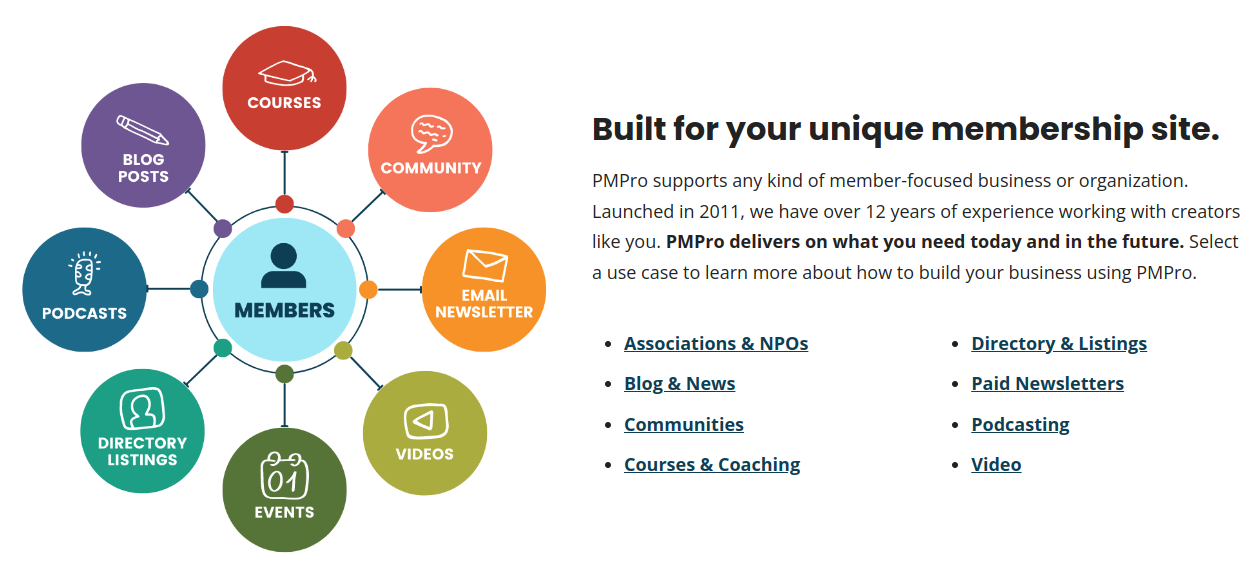
Paid Memberships Pro occupies the middle ground, a genuinely usable free tier, with a paid version that unlocks advanced customization without forcing an upgrade for basic functionality.
Core Features
1. Multiple membership levels with granular pricing rules
2. Content restriction tied to specific levels or combinations of levels
3. PayPal, Stripe, and Authorize.net support
4. Discount codes and promotional pricing
5. Detailed reporting and add-on ecosystem for extending functionality
Where It Fits Best: Sites that want to start free and scale into premium features as revenue justifies it, or developers who want a plugin with a large add-on marketplace for niche requirements.
Building the Site, Step by Step
1. Domain and Hosting: Pick a domain that signals what the membership is about, and choose hosting that can handle the traffic pattern a paid site actually generates, payment processing and member logins put more load on a server than a static blog does. Providers like Bluehost, SiteGround, and WP Engine are common starting points depending on budget and expected scale.
2. Install WordPress: Most hosts offer one-click installation; follow their specific flow rather than manually uploading files unless you have a reason to.
3. Choose a Membership Plugin: Based on the comparison above, pick the one matching your feature needs and technical comfort level. This walkthrough uses MemberPress as the running example.
4. Install and Configure:
i. From Plugins > Add New, search for MemberPress, install, and activate.
ii. Walk through the setup wizard to establish your base configuration.
iii. Connect a payment gateway, Stripe is the common default for its lower friction and broad card support.
iv. Create your membership levels and define exactly what each one unlocks.
v. Configure the transactional emails members receive: welcome, renewal reminder, failed payment, cancellation confirmation.
5. Define Membership Levels and Pricing: Resist the urge to launch with six tiers on day one. Two or three well-differentiated levels are easier for a new visitor to evaluate and easier for you to manage, and you can always add a tier once you understand what members actually value. On pricing specifically, resist the instinct to guess low out of fear nobody will pay: a monthly price that’s too cheap attracts members who churn at the first minor inconvenience, while a price that reflects the real value of the content and community tends to attract members who stick around because they’ve made a genuine commitment. Annual billing options, offered at a modest discount over monthly, also meaningfully reduce churn simply by removing eleven renewal decision points a year down to one.
6. Restrict Content Deliberately: Decide upfront which posts, pages, videos, or downloads belong to which tier, and be consistent, nothing erodes trust in a paid tier faster than finding content that should clearly be gated sitting in the open.
7. Set Up Payment Processing: Configure your gateway to handle recurring billing correctly, including what happens on a failed renewal, most plugins support a grace period before access is actually revoked, which reduces accidental churn from an expired card rather than a genuine cancellation.
8. Choose a Theme That Fits: Look specifically for themes built with membership and community sites in mind rather than a generic business theme retrofitted for the purpose.
9. Test Before Launch: Create test accounts across every tier, run a real transaction through your payment gateway in test mode, and confirm content restrictions behave exactly as configured before a real member ever sees the site.
10. Launch and Promote: Once testing is clean, open registration and push it through your existing channels, social, email list, and any paid promotion you’re planning.
Adding Social Features with BuddyPress
A membership site that’s purely a content paywall tends to plateau faster than one that gives members a reason to show up even when there’s no new content to consume. BuddyPress turns a WordPress site into an actual social space, and pairing it with your membership plugin is one of the more effective retention levers available.
What BuddyPress Adds

BuddyPress is the free WordPress plugin most community-building setups build on, adding profiles, connections, groups, and messaging directly into your existing WordPress install rather than pushing members off to a separate platform like a Discord server or Facebook group where you have far less control over the experience.
The Feature Set
1. Member Profiles: Customizable profiles with avatars and whatever fields matter to your community, professional background, interests, location.
2. Activity Streams: A real-time feed of member activity, keeping the site feeling alive rather than static between content drops.
3. Connections: Members can follow or friend each other, building the social graph that makes a community feel like one rather than a collection of strangers with the same subscription.
4. Groups: Sub-communities members can create or join around shared interests, public, private, or fully hidden depending on the use case.
5. Private Messaging: Direct communication between members without leaving the platform.
6. Forums: Pairing bbPress with BuddyPress adds structured, threaded discussion, genuinely different from an activity feed, better suited to Q&A and long-form discussion.
7. Notifications: Real-time alerts for the interactions that keep members coming back, a reply, a friend request, a group invite.
Why This Combination Works

1. Retention Through Connection: Members who’ve formed relationships within a community cancel far less readily than members whose only relationship is with a content library.
2. A Real Sense of Belonging: Groups and discussion threads turn passive consumers into active participants.
3. A Stronger Value Proposition: “Access to a library” is a weaker pitch than “access to a library and a community of people working on the same problems.”
4. Reduced Support Burden: Active communities frequently answer each other’s questions before you have to, which scales far better than you personally fielding every support request.
5. Free Content Generation: Member discussions, posts, and shared resources add ongoing value to the site without you writing every word of it.
Setting It Up
1. Install and Activate BuddyPress: Available directly from Plugins > Add New in your dashboard.
2. Configure Core Settings: Decide which components you actually need, not every site needs forums or groups on day one; enabling only what you’ll actively use keeps the interface simpler for new members.
3. Confirm Compatibility With Your Membership Plugin: Test that content restriction rules from MemberPress or Restrict Content Pro apply correctly to BuddyPress activity, groups, and profile content, not just standard posts and pages.
4. Match Your Theme to the Feature Set: A BuddyPress-compatible theme, such as a BuddyX Pro, renders activity streams, member directories, and group pages correctly out of the box, rather than requiring custom CSS to make a generic theme cooperate.
5. Test the Combined Flow: Verify a new member can register, pay, and immediately access both gated content and community features without hitting a permissions error anywhere in that chain.
Running a Healthy Community, Not Just a Feature Set
1. Set Clear Guidelines Early: A short, visible code of conduct prevents most moderation headaches before they start.
2. Keep a Steady Content Cadence: A community with nothing new for a month feels abandoned even if the existing library is still valuable.
3. Recognize Active Members: Highlighting contributors, a featured member, a badge, a shoutout, turns passive participants into invested ones.
4. Watch the Data, Not Just the Vibe: Login frequency, post activity, and churn timing tell you more about community health than gut feel alone.
5. Respond to Support Requests Quickly: A slow response on a paid product reads very differently than a slow response on a free one.
Customization That Pays Off
WordPress’s plugin ecosystem gives you room to make the membership experience feel considered rather than generic.
1. Custom Member-Facing Pages: Build registration, login, and profile pages with a page builder like Elementor or Beaver Builder that match your brand rather than looking like a default plugin form.
2. A Real Member Dashboard: A single page where members manage billing, revisit content, and update their profile without hunting across the site.
3. Gamification, Used Sparingly: Badges and points from a plugin like GamiPress can meaningfully boost engagement when tied to genuine milestones, and feel gimmicky when applied indiscriminately, use it to reward real participation, not just logins.
4. Connect Your Existing Tools: Email platforms, CRMs, and analytics tools should plug into your membership flow rather than operate as disconnected systems you’re manually reconciling.
5. Sweat the Basics: Site speed, mobile responsiveness, and clear support channels matter more to retention than any single feature addition.
Running the Site Well After Launch
1. Keep the Content Bar High: Members compare what they’re getting against what they’re paying, every renewal cycle. Consistent, genuinely valuable content is the single biggest lever against churn.
2. Communicate Proactively: Regular updates on what’s new keep the membership top of mind between logins, rather than something members only remember when the renewal charge hits their card.
3. Track the Numbers That Matter: Churn rate, average member lifetime, and content engagement tell you where to invest next far more reliably than assumptions.
4. Invest in Support: A billing question answered within the hour versus within three days is often the difference between a saved member and a cancellation.
5. Build Real Interaction Points: Forums, groups, or scheduled discussions give members a reason to log in on a week when there’s no new content to consume.
Where This Actually Leads
A membership site built on WordPress gives you a genuinely sustainable structure: content control, payment infrastructure, and, if you add BuddyPress, a real community layer, all running on software you own rather than rent. The plugin choice matters, but it matters less than the discipline of running the thing well after launch: consistent content, real member relationships, and paying attention to the churn signals before they become a trend.
Building the technical foundation is the easy part. Making people want to stay past their first renewal is the actual work, and that’s a function of the community and the content, not the plugin stack underneath it.
Interesting Reads:
Elementor Container vs Section