

WordPress offers a variety of features to enhance the writing and editing experience, one of which is Distraction-Free Writing mode. This mode is designed to help users focus by minimizing on-screen distractions, providing a clean and streamlined interface for content creation. While this can be beneficial for concentrated writing sessions, there may be times when you need access to the full range of editing tools and menus. Knowing how to turn off Distraction-Free mode allows you to switch back to the standard editor interface quickly, giving you the flexibility to work in the environment that best suits your needs.

Steps to Turn Off Distraction-Free Writing Mode
Step1) Log in to WordPress Admin
- Navigate to your WordPress admin dashboard by entering yourdomain.com/wp-admin in your browser.
Step2) Open the Post or Page Editor
- Go to the post or page where you want to edit the content.
- Click on Posts or Pages in the left-hand menu, then select the one you want to edit.
Step3) Disable Distraction-Free Writing Mode
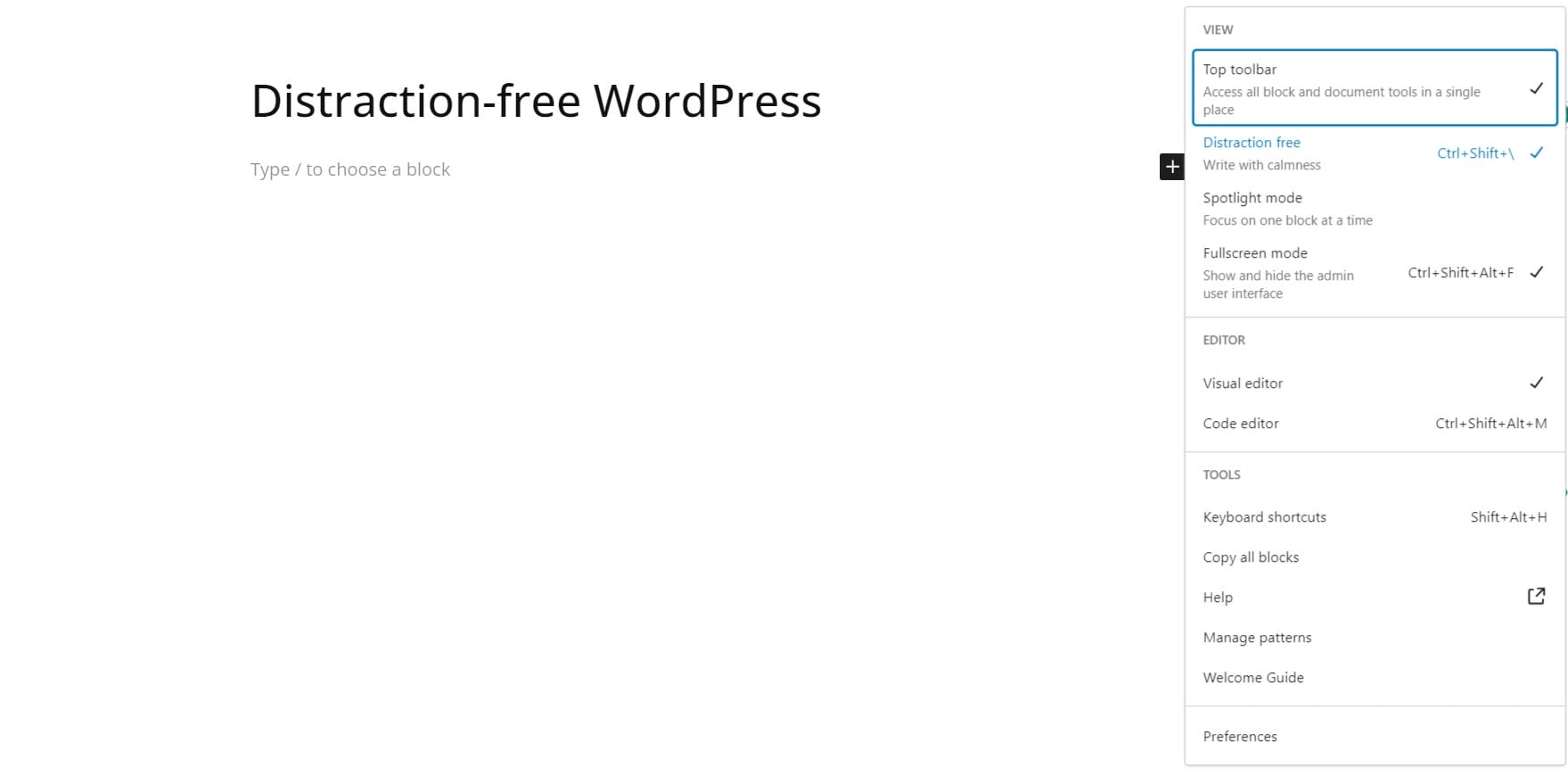
- In the editor, look for the small icon resembling a fullscreen or zen-like mode, usually located in the top-right corner of the editor.
- If the distraction-free mode is enabled, the icon will appear as an active button (highlighted or with a specific color).
- Click the icon to toggle off Distraction-Free Writing mode.
- You can also use the Keyboard shortcut “⇧ ⌘ \” for Mac and Ctrl+Shift+\ for Windows
Step4) Verify the Change
- Once you toggle the mode off, the editor will revert to its normal view with all the standard editing options visible.
Turning off Distraction-Free Writing mode in WordPress is a simple process that allows you to access the full range of editing tools and settings while writing or editing content. Following these steps, you can easily toggle between distraction-free and regular editing modes depending on your preference.
Interesting Reads:
Boost Community Engagement with BuddyPress Polls

